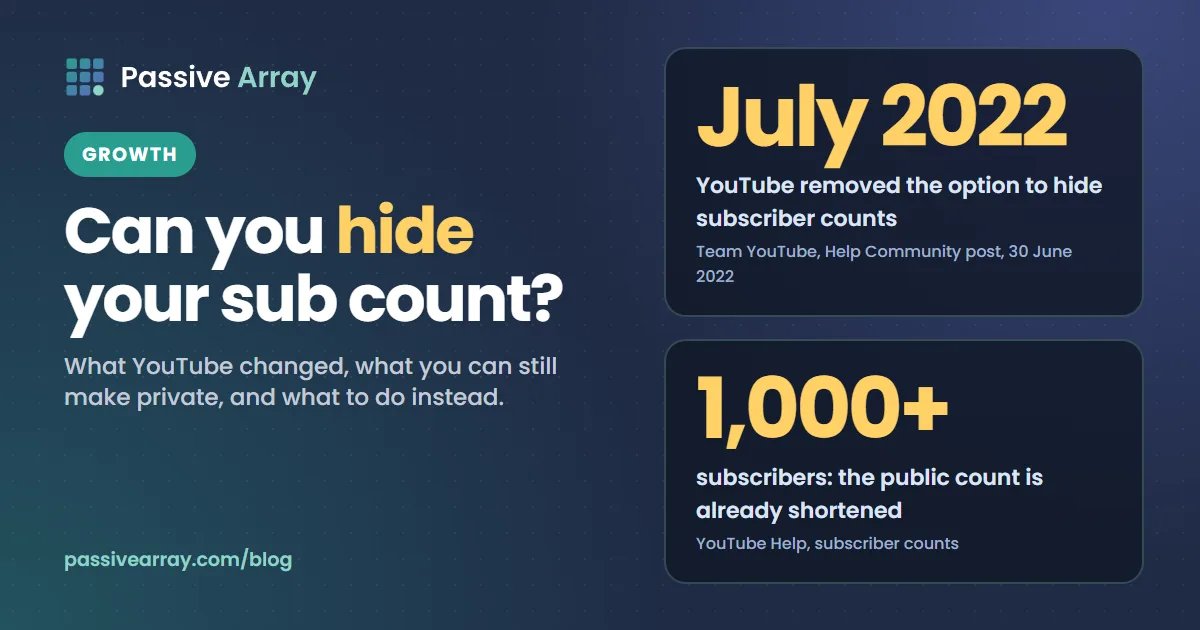
You cannot hide your YouTube subscriber count any more. YouTube removed the option on 29 July 2022, saying that "YouTube channels will no longer be able to hide their subscriber counts" to make it harder for people to impersonate other creators. The only way to stop the public seeing your subscribers now is to hide your entire channel, which also makes your channel name, videos, likes and subscriptions private.
Tutorials that show a "hide subscriber count" checkbox in YouTube Studio were written before that change. If you want to see exactly what viewers see on your channel, our free YouTube subscriber count checker reads the public count from the official YouTube Data API. This guide covers what YouTube changed and why, what you can still keep private, why a channel's count sometimes does not show, and whether hiding the number would even help.
What YouTube changed, in its own words
On 30 June 2022 the Team YouTube account posted "Updates to reduce comment spam and impersonation on YouTube" in the YouTube Help Community. The first item read:
No longer allowing channels to 'hide' subscriber counts: To make it harder for people to impersonate other creators, YouTube channels will no longer be able to hide their subscriber counts as of July 29, 2022.
YouTube explained the reason: "We've seen bad actors hide their channels' subscriber counts to impersonate larger, more prominent channels on YouTube - they pretend to be other creators in comments, then lure people to their impersonating channel page."
It also acknowledged the cost to ordinary creators: "We made this decision to help our community be safer as a whole but we recognize not all creators using this option are bad actors. We know some creators prefer to hide their subs count as they try to grow."
So the change was not about small channels. A hidden count made it easy for a fake channel to copy a famous creator's name and picture, and a viewer had no quick way to tell that the copy had 12 subscribers instead of 12 million. A visible count is one of the fastest checks a viewer can make.
The same post announced a stricter comment moderation option, which matters later in this guide if your reason for hiding the count was unwanted attention.
Why old tutorials still show a hide option
Search results and videos about hiding a subscriber count are full of instructions from before July 2022. They describe a checkbox in YouTube Studio's channel settings that made the count private. That checkbox no longer exists, which is why searches like "YouTube Studio subscriber count option not showing" are so common. Nothing is wrong with your account. The option was removed for every channel.
If a guide was published or updated after mid-2022 and still tells you to tick that box, it was not checked against the current product. YouTube's current Help page on subscriber counts describes only how the public count is shortened and how to see your exact count in Studio. It has no hide option.
What you can and cannot make private on YouTube
Here is what is still under your control, based on YouTube's current Help pages:
| What | Can you hide it? | How |
|---|---|---|
| Your channel's subscriber count | No, since 29 July 2022 | Only by hiding the whole channel |
| Your exact subscriber count | It is already private | The public sees a shortened count; the exact figure is only in Studio |
| The list of channels you subscribe to | Yes, and it is private by default | YouTube Settings, Privacy, Keep all my subscriptions private |
| Your name in other channels' subscriber lists | Yes | The same privacy setting |
| Your whole channel | Yes, reversibly | YouTube Studio, Settings, Channel, Advanced settings, Remove YouTube Content |
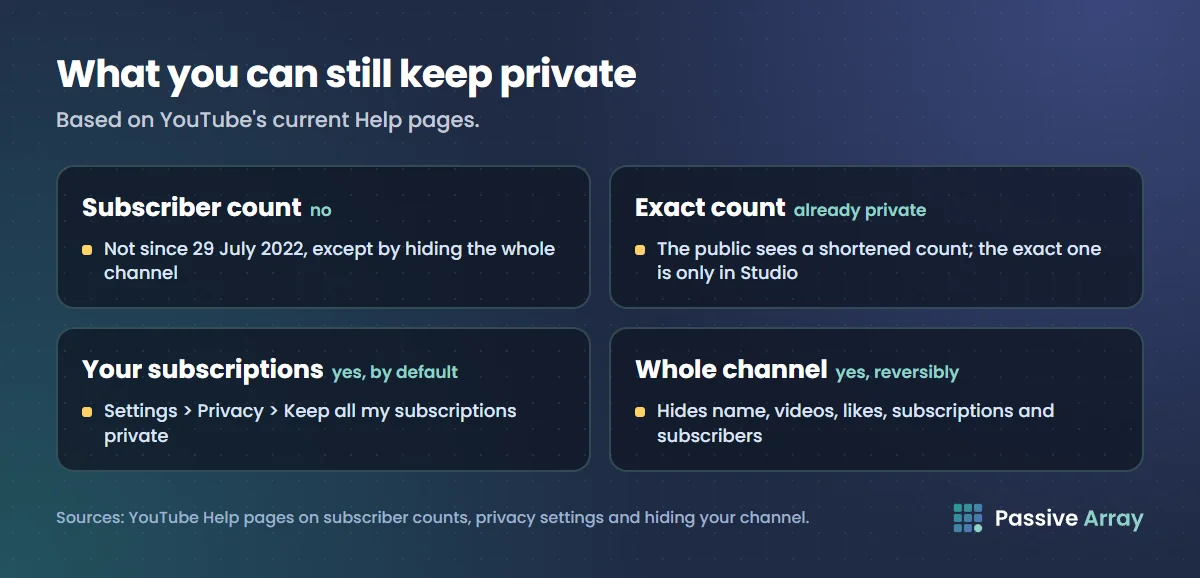
The second row surprises many creators. Above 1,000 subscribers, the public number is already rounded. YouTube's Help page says "Your audience can view a shortened version of your subscriber count," which moves in steps of 10 between 1,000 and 9,999, 100 between 10,000 and 99,999, and so on. Below 1,000, the count is shown exactly. Our guide to the YouTube live subscriber count has the full table of steps.
How to hide your whole channel (and what it costs)
Hiding the channel is the only way left to make the subscriber count private. YouTube's Help page describes it as a way to "hide content from your YouTube channel and choose to re-enable it later." It is a big step, so read what happens before you do it.
What hiding the channel does
YouTube's Help page says: "Hiding your channel will make channel name, videos, likes, subscriptions, and subscribers private." In practice your channel disappears from public view. Your videos stop getting views, your search traffic stops, and any income from them stops with it. The page also warns that while a channel is hidden, "your view counts may be inaccurate", and that after you re-enable it, "it can take up to a week for these counts to update."
Steps to hide a channel
- Sign in to YouTube Studio.
- Click Settings in the left menu.
- Select Channel, then Advanced settings.
- At the bottom, select Remove YouTube Content. You may need to sign in again.
- Select the option to hide your channel.
- Tick the boxes confirming what will be hidden.
- Confirm to hide your channel.
Choose the option to hide the channel, not the option to permanently delete content. Deleting cannot be undone.
When it makes sense
Hiding the whole channel makes sense if you need to step away completely, for example during a rebrand, a legal question or a personal safety concern. It does not make sense as a way to grow quietly, because a hidden channel cannot be found, watched or recommended.
How to keep your own subscriptions private
Many people searching "how to hide subscribers on YouTube" actually want the opposite: to hide which channels they subscribe to. That is still possible, and it is the default.
- Sign in to YouTube on a computer.
- Click your profile picture in the top right.
- Click Settings, then Privacy in the left menu.
- Turn Keep all my subscriptions private on.
YouTube's Help page says that by default all settings are set to private, so most accounts already have this on. When your subscriptions are private, other users cannot see which channels you follow, and your account does not show in a channel's subscriber list.
There is one exception. YouTube says private subscriptions can become visible if you join a subscriber-only live chat or comment on a video or Short limited to subscribers and members. In those cases, "other viewers will publicly see you're subscribed to the channel."
This setting also explains something creators notice from the other side: the Recent subscribers card in Studio only lists people who made their subscriptions public and subscribed in the last 28 days. Most of your subscribers will never appear there, and that is normal.
Why a YouTube subscriber count is not showing
If you cannot see a channel's subscriber count, or your own, one of these is usually the cause.
The channel is hidden
A hidden channel shows nothing to the public, including its subscriber count. To the owner, the channel can be re-enabled through the same settings.
You are on a page that does not show it
The count appears under the channel name on the channel page and on watch pages. Other parts of the app show less information, so open the channel page itself before deciding the count is missing.
The channel was removed or terminated
A channel that has been removed for breaking YouTube's rules no longer has a public page, so there is nothing to show.
It is a leftover from before 2022
YouTube's Data API still has a field called hiddenSubscriberCount, which the API reference describes as indicating "whether the channel's subscriber count is publicly visible". The field exists, but since 29 July 2022 channels cannot turn a hidden count on. If a tool reads that field as true for some channel, it is reporting what the API returns, not a setting the channel can still choose.
It is a display problem on your device
If your own Studio dashboard shows your subscribers but the YouTube app does not, update the app, sign out and in again, or check on a computer. If the problem is YouTube-wide, the Known issues card on the Studio dashboard usually lists it.
Did YouTube hide subscriber counts?
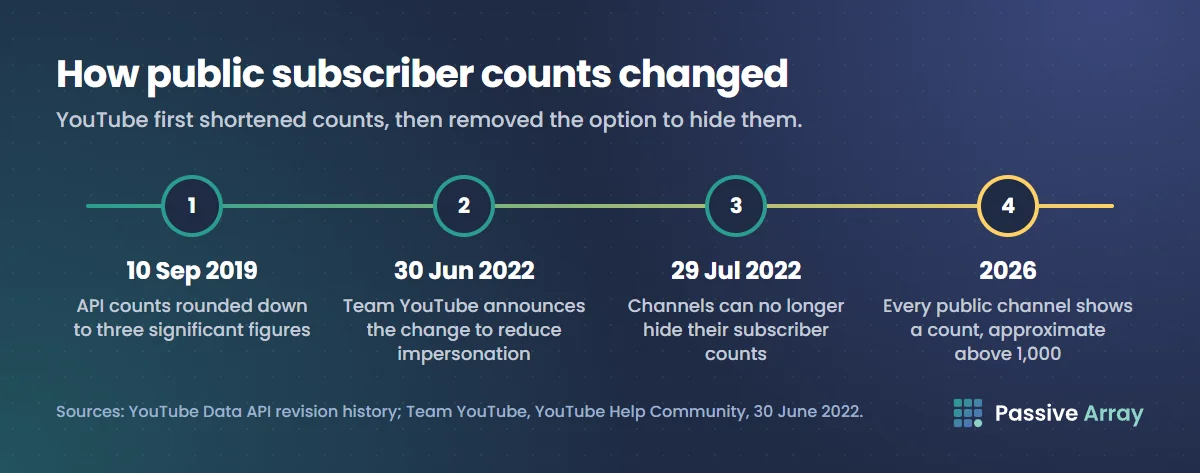
Partly, and this causes a lot of confusion. YouTube did not hide counts, but it shortened them. The YouTube Data API revision history records that from 10 September 2019, subscriber counts returned by the API "are rounded down to three significant figures". The public display follows the same steps. So since 2019 nobody outside a channel has seen its exact count above 1,000, and live counter sites estimate the last digits. Then in 2022 YouTube went the other way and removed the creator's option to hide the count completely.
The result in 2026: every public channel shows a count, and above 1,000 subscribers that count is approximate.
Should you hide your subscriber count, even if you could?
Most creators who want to hide the number have one of four reasons. None of them is solved by hiding it, and each has a better answer.
"A small number looks bad"
Viewers decide whether to watch from the title, the thumbnail and the first 30 seconds. YouTube's recommendations follow what viewers watch and how satisfied they are, not your subscriber number. A small channel with a clear, useful video can be recommended next to a huge one. Work on the video and the packaging, and the number will follow. How to grow a YouTube channel covers what moves it.
"I don't want competitors to see my growth"
Hiding the count would not stop that. Total views, video counts and per-video views, likes and comments are all public through the same API, and they show growth more precisely than the rounded subscriber count. Anyone can add your channel to a daily tracker like our YouTube channel growth tracker and watch your views gained per day. Every serious creator in your niche is in the same position, so this is not a disadvantage that falls on you alone.
"People compare me with other channels"
They will compare whatever is public. If you are pitching brands, give them better numbers than subscribers: average views on recent uploads, views per subscriber and engagement. Those show whether your audience actually watches, which is what a sponsor pays for.
"I'm getting unwanted attention"
If the count draws harassment or spam, use the moderation tools instead. The same 2022 announcement that removed the hide option added an optional setting to increase strictness in the "Held for review" tab of comment moderation in YouTube Studio, available to all creators. If the situation is serious, hiding the whole channel is still available as a temporary step.
What to watch instead of the subscriber count
If the number bothers you, stop checking it daily. The figures that tell you more about your channel are mostly private to you or more precise than subscribers.
| Instead of | Watch | Why |
|---|---|---|
| Public subscriber count | Exact count in Studio's Realtime card, weekly | No rounding, and weekly avoids reacting to noise |
| Subscribers gained today | Returning viewers in the Audience tab | Shows whether people come back |
| Total subscribers | Average views on your last 10 videos | Shows how many people each new video reaches |
| Other channels' counts | Your own videos compared with your channel median | The only comparison that is fair to you |
If your count has fallen and that is what made you want to hide it, read why your YouTube subscriber count went down first. Most drops are spam cleanups, closed accounts or a rounding step, not real losses.
And if you are working towards a milestone, YouTube play button levels lists every award and the subscribers each one needs.
What Passive Array's tools show for subscriber counts
Our YouTube tools use the official YouTube Data API, so they see exactly what the public sees and nothing more.
- The subscriber count checker shows the public count as YouTube publishes it, rounded for channels above 1,000 subscribers, alongside exact total views and video count. If the API reports a channel's count as not publicly visible, it shows "Hidden by channel" instead of a guess.
- The growth tracker records the public count, total views and video count once a day. For a channel whose count the API marks as hidden, the subscriber chart stays empty while views and uploads are still tracked.
- The most subscribed channels ranking skips any channel whose count is not public, because there is nothing to rank.
None of our tools can see your exact count, private subscriptions, or who subscribed to you. That stays in your Studio. What public channel data can and cannot show lists every public number in detail.
Sources
- YouTube Help Community (Team YouTube): Updates to reduce comment spam and impersonation on YouTube, 30 June 2022
- YouTube Help: Check your YouTube subscriber count
- YouTube Help: Delete or hide your YouTube channel
- YouTube Help: Change your subscription privacy settings
- YouTube Help: Check your recent subscribers
- YouTube Help: Use the YouTube Studio dashboard
- YouTube Data API: Channels resource, subscriberCount and hiddenSubscriberCount
- YouTube Data API: Revision history, 10 September 2019 entry
Frequently asked questions
Can you hide your subscriber count on YouTube?
No. YouTube removed the option on 29 July 2022 to make impersonation harder. The only way to make your subscribers private now is to hide your whole channel, which also hides your name, videos, likes and subscriptions.
Why is the hide subscriber count option not showing in YouTube Studio?
Because it no longer exists for any channel. Tutorials that show the checkbox were made before July 2022. Your account is not missing a feature.
Did YouTube hide subscriber counts?
YouTube shortened them in 2019, so channels above 1,000 subscribers show a rounded count, and the API rounds down to three significant figures. In 2022 it removed the creator's option to hide the count entirely. Every public channel now shows a count.
Why is a YouTube channel's subscriber count not showing?
The channel may be hidden by its owner, removed by YouTube, or you may be on a page that does not show the count. Open the channel page itself. If your own count is missing only in the app, try updating it or checking on a computer.
How do I hide which channels I'm subscribed to?
Go to YouTube Settings, then Privacy, and turn on Keep all my subscriptions private. YouTube says this is private by default. Joining a subscriber-only live chat or commenting on a subscriber-only video can still show that you are subscribed.
Does hiding my channel delete my subscribers?
YouTube describes hiding as reversible: you can re-enable the channel later. While hidden, your subscribers are private along with everything else, and YouTube warns that view counts may be inaccurate and can take up to a week to update after you re-enable it.
Can tools still see a channel's subscriber count?
Any tool using the official YouTube Data API sees the same public, rounded count as viewers do. No outside tool can see a channel's exact count, private subscriptions or individual subscribers.