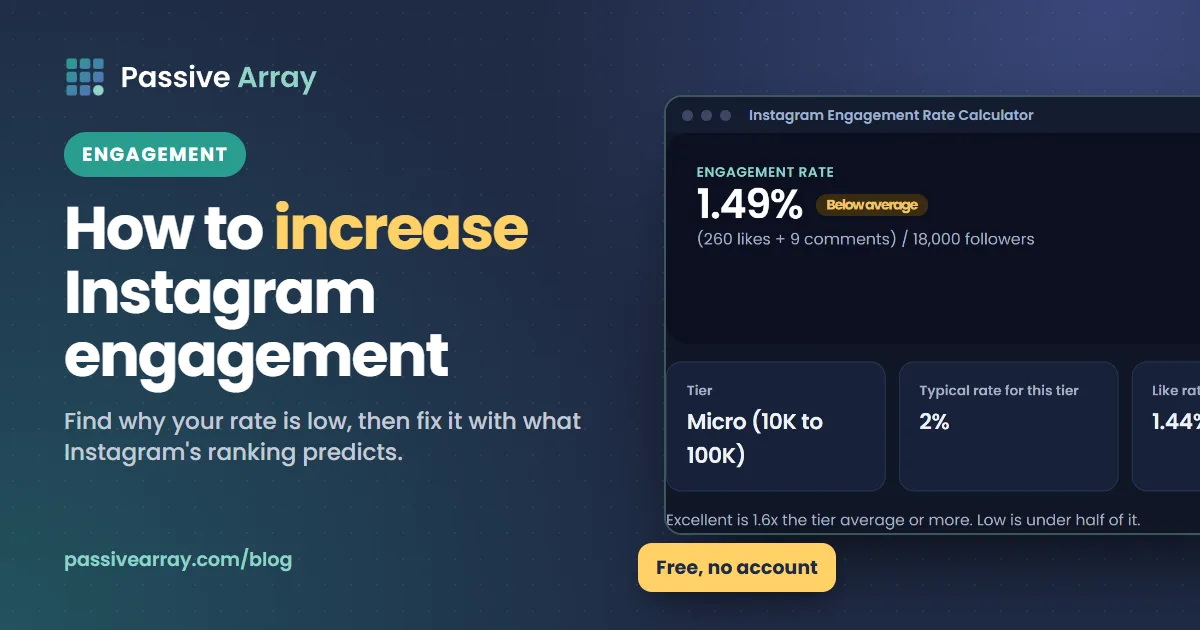
To increase your Instagram engagement rate, first find out why it is low: either fewer of your followers are seeing your posts, the ones who see them are not responding, or your follower count is inflated by people who will never engage. Each cause has different fixes. Most of them come down to making posts that the people who see them want to watch, save, share or reply to, because that is what Instagram's ranking systems try to predict.
Start by measuring where you are. The Instagram engagement rate calculator gives your rate from followers, average likes and average comments, and grades it against the typical rate for accounts of your size. Then use this guide to find the cause and pick the fixes that match it.
One rule before anything else: do not buy likes, followers or comments. Instagram's Community Guidelines ask people not to artificially collect likes, followers or shares, and say: "Don't offer money or giveaways of money in exchange for likes, followers, comments or other engagement." Bought followers also lower your engagement rate, because they never engage, which is the opposite of what you want.
How engagement rate is calculated
Engagement rate = (average likes + average comments) / followers x 100
Use the average of your last 10 to 12 posts. This is the public formula brands use, because likes, comments and followers are visible on any account. Saves, shares and reach are only in your Insights, so they are not in the public number, but they still matter because they drive reach, and reach drives the likes and comments that are.
Two things follow from the formula:
- The denominator is followers, not viewers. If your follower count grows faster than your reach, your rate falls even if each post performs just as well with the people who see it.
- Typical rates fall as accounts grow. A 4% rate is roughly typical for an account under 10,000 followers in our tool benchmarks, and under 1% is typical above a million. Compare yourself with your own tier, using the table in Instagram engagement rate by follower count, not with a number you saw for a different size of account.
Why your Instagram engagement rate is so low (or dropping)
Work through these causes in order. The first three are about the denominator, the rest about the posts.
| Cause | How to spot it | Main fix |
|---|---|---|
| Inactive or fake followers | Rate far below your tier; few comments relative to likes; past giveaways or follow-for-follow | Stop the source; let the rate recover |
| A recent spike in followers | A viral post brought many followers who came for one thing | Make more of what they followed for |
| Normal effect of growth | Rate drifting down slowly as followers grow | Compare with your new tier, not your old rate |
| Reach dropped | Fewer accounts reached in Insights, same follower count | Check Account Status, originality, format |
| Posts do not hold attention | Low watch-through on Reels, few saves | Stronger openings; deliver faster |
| Nothing to respond to | Likes but almost no comments | Specific questions; reply to comments |
| Topic drift | Your best and worst posts are on different topics | Narrow back to what your audience followed for |
Step 1: check whether the problem is your followers
Run your numbers through the calculator and the fake follower estimator. If your rate is far below your tier and comments are a tiny share of likes, a large part of your audience is probably not real or no longer active. How to spot fake followers explains each signal.
Common sources of dead followers are giveaways (people follow to enter, then never engage), follow-for-follow, engagement groups and accounts bought or traded in the past. The fix is to stop whichever one you used. The rate recovers slowly as new, real followers outnumber the inactive ones.
Step 2: check whether reach dropped
Open Insights and compare accounts reached in the last 30 days with the 30 days before. If reach fell sharply while your followers stayed the same, look at:
- Account Status. Go to Settings > More info and support > Account Status. Instagram's ranking explainer says it helps you see whether your account is eligible to be recommended. Content that breaks Instagram's Recommendation Guidelines can stay up but is not recommended in Explore, Reels, Search or suggestions.
- Originality. Instagram's 2023 ranking explainer says Reels that are low-resolution, watermarked, muted, have borders, are mostly text, or were already posted on Instagram are shown less in recommendations. Reposts and watermarked clips from other apps are a common hidden cause.
- Format. If you stopped posting Reels, you lost the format Instagram's creator FAQ calls "the best way to reach new audiences".
Step 3: check whether posts hold attention
Look at your three best and three worst posts from the last two months. What did the best ones have in common? Usually it is one of: a specific topic, a strong first second or first line, a format (carousel tutorial, before and after, story) or useful information people saved. That pattern is your plan.
What Instagram says its ranking predicts
Instagram has explained what each part of the app tries to predict. This is the most useful guide to what "engagement" really means for reach, from Adam Mosseri's 2023 ranking explainer:
| Surface | What it mostly shows | Most important predicted actions |
|---|---|---|
| Feed | Posts from accounts you follow, plus some suggested posts | Spending a few seconds on the post, commenting, liking, sharing, tapping the profile photo |
| Stories | Stories from accounts you follow | Tapping in, replying, moving to the next story |
| Explore | Posts from accounts you do not follow | Likes, saves, shares |
| Reels | Mostly accounts you do not follow, chosen to entertain | Resharing, watching to the end, liking, visiting the audio page |
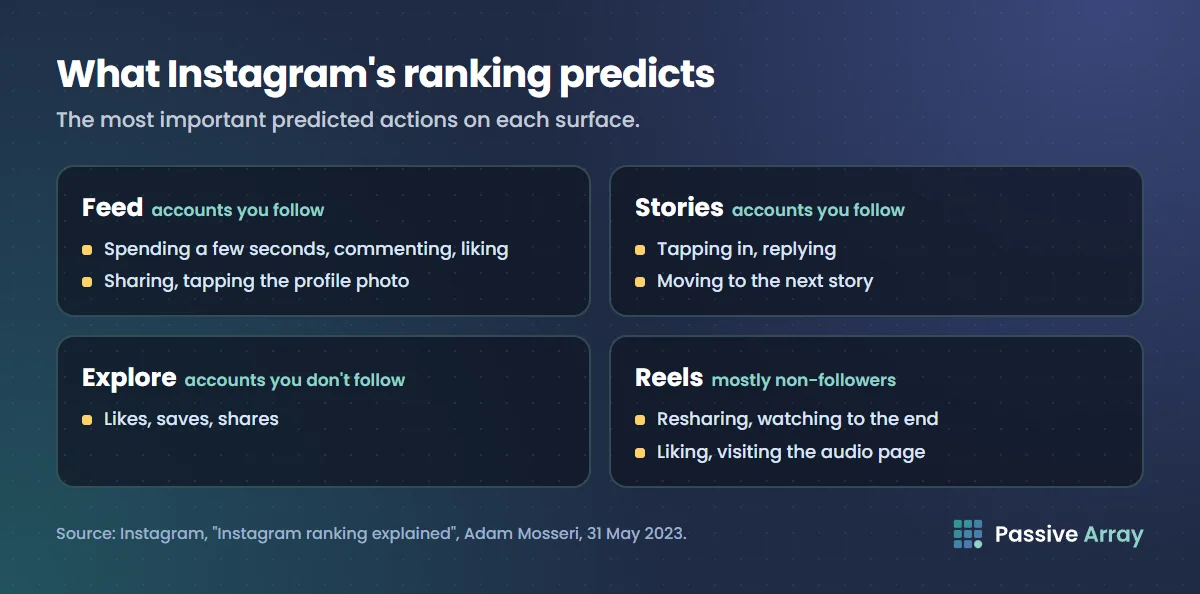
The same explainer says Reels are also judged by asking people whether a Reel was "worth their time or fun". So engagement Instagram wants is not any reaction at all; it is the kind that shows a person valued the post. A share to a friend says more than a like, and watching to the end says more than a tap.
Fixes that raise engagement
1. Make Reels people watch to the end
Watching all the way through and resharing are among the most important predicted actions for Reels. Show the payoff early, cut anything that does not move the video forward and keep it as short as the idea allows. If you want to try ideas without risking your main audience, Instagram's trial reels show a Reel to people who do not follow you first. Instagram's Help Center says you need a professional account, insights arrive within 24 hours, and you can share a trial reel to everyone later if it does well.
2. Make posts worth saving
Saves are one of the top predicted actions in Explore. Useful content gets saved: step-by-step carousels, checklists, recipes, prices, comparisons, templates. Ask yourself, "Would someone want to find this again next week?"
3. Make posts worth sending
Shares are a top predicted action in Feed and Explore, and reshares in Reels. People share things that say something about them or help a friend: a relatable moment, a strong opinion, a useful tip for a specific person. "Send this to someone who..." is only a good ask if the post deserves it.
4. Write a first line that earns attention
The caption's first line decides whether someone keeps reading. A specific promise or question works better than a greeting. How to write Instagram captions that get read has before-and-after examples, and the caption analyzer checks length, hashtags and your call to action before you post.
5. Ask questions only your post can prompt
"Thoughts?" gets silence. "Which of these two layouts would you choose for a small kitchen?" gets answers. Comments count in the public formula, and Instagram lists commenting among the top predicted actions in Feed. Avoid engagement bait: Instagram's creator FAQ tells creators to drive authentic, "not clickbait" engagement.
6. Reply to comments, quickly
Instagram's creator FAQ suggests you like or authentically reply to comments on your Reels within the first seven days. A reply continues a conversation, often brings the commenter back, and shows new visitors that the account answers. It also teaches your audience that commenting is worth it.
7. Use Stories to talk to your existing followers
Stories ranking predicts whether people tap in and reply. Polls, question stickers and behind-the-scenes clips start conversations with the followers you already have, which strengthens their history with your account, one of the signals Instagram says Feed uses.
8. Post consistently, not constantly
Instagram's creator FAQ says creators with the highest net follower growth post about ten Reels a month on average, and adds that frequency is only one factor of many. More posts of lower quality spread the same attention thinner and usually lower your rate per post. Pick a pace you can keep with your best work.
9. Stay on topic
People followed you for something. When your posts drift away from it, they scroll past. If your best posts are all on one topic and your weakest are on another, that is a clear signal. Your bio should say the same thing your posts do; Instagram bio ideas shows how.
10. Use hashtags for labelling, not reach
Since December 2025 Instagram allows five hashtags per post or Reel. Five specific, relevant tags in the caption help people searching your topic find the post. Irrelevant tags can backfire, according to Instagram's creator FAQ, because they show your post to people who do not care. Do Instagram hashtags still work? covers how to choose them.
A 30-day plan
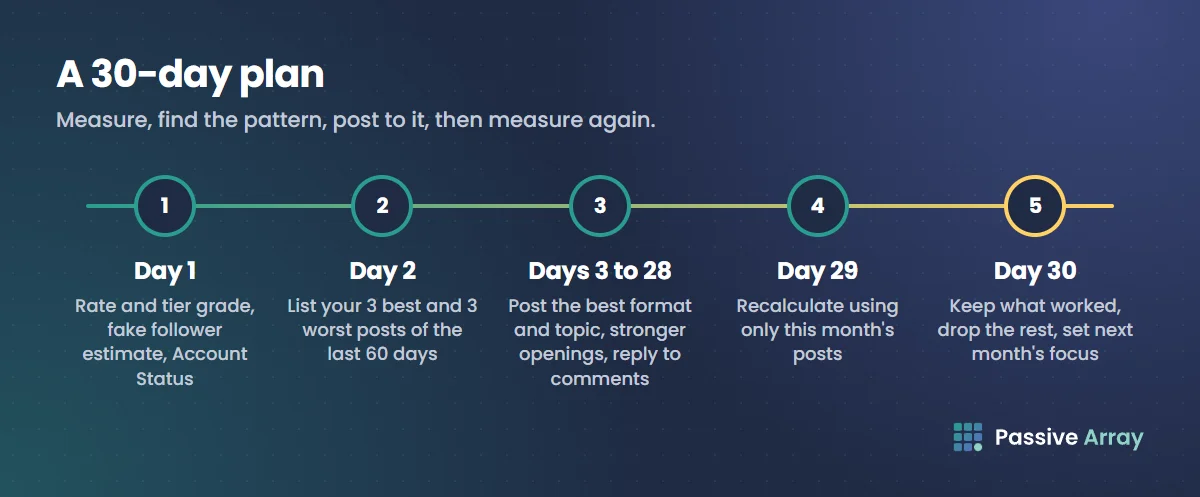
- Day 1: Calculate your rate and tier grade, run the fake follower estimate, and check Account Status.
- Day 2: List your three best and three worst posts from the last 60 days and write down what separates them.
- Days 3 to 28: Post the format and topic of your best posts, with a stronger opening and a specific ask. Reply to every comment in the first days after posting. Try two or three trial reels if you have a professional account.
- Day 29: Recalculate using only the posts from this month.
- Day 30: Keep what worked, drop what did not, and set the next month's focus.
If you want a ranked plan built from your own numbers, the Instagram growth advisor takes your followers, engagement rate, posting pace, share of Reels and goal, and returns the three to five changes most likely to move the number, with the reason for each. When you run out of ideas, the content ideas generator gives twelve post ideas for your niche with a hook for each.
A worked example
This is a made-up account to show the maths. Say a travel account has 18,000 followers and averages 260 likes and 9 comments.
- Engagement rate: (260 + 9) / 18,000 x 100 = 1.49%
- Our tool's typical rate for 10K to 100K accounts: 2.0%, so this is about 0.75 of typical, graded Below average
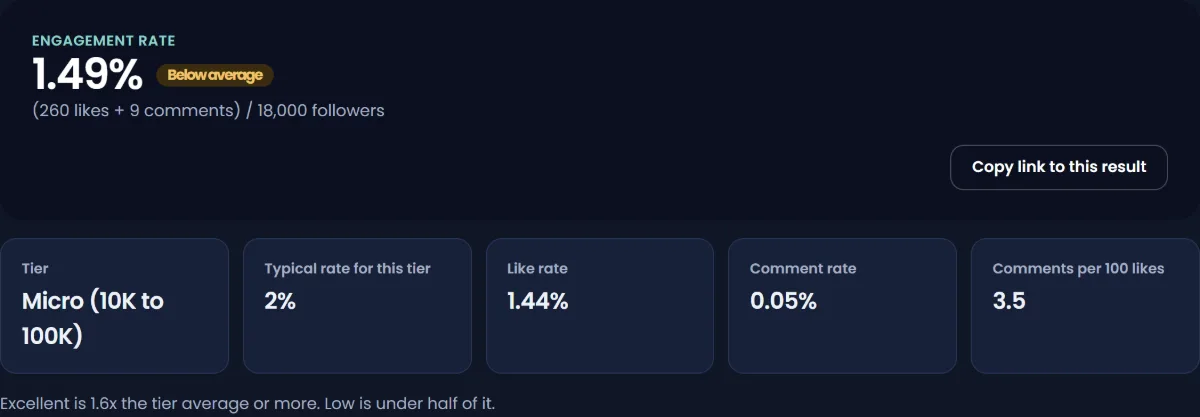
An audit of the account shows a giveaway six months ago that added about 4,000 followers, and comments at 3.5% of likes, which looks like a real but partly inactive audience. Reach in Insights is flat.
The plan: no more giveaways, shift from one Reel a week to three, open each Reel with the destination's price or a surprising fact, and reply to every comment. Two months later, say average likes rise to 380 and comments to 16 on 19,500 followers: (380 + 16) / 19,500 x 100 = 2.03%, now at the typical rate for the tier. The giveaway followers did not leave; they were outweighed by posts that more of the real audience responded to.
Mistakes that lower engagement
- Buying followers, likes or comments. It breaks Instagram's Community Guidelines and lowers your rate.
- Giveaways that require a follow. They add followers who came for the prize.
- Engagement groups. Comments from the same group of accounts on every post do not represent your audience, and brands notice.
- Reposting other people's content. Instagram says reposted and watermarked Reels are shown less in recommendations.
- Chasing a benchmark from another size or industry. Compare with your tier. For how brand benchmarks differ, see Instagram engagement rate by industry.
Engagement rate also has a money side: brands use it to screen creators, and it moves your price. How much to charge for a sponsored Instagram post explains how.
Sources
- Instagram: Instagram ranking explained, Adam Mosseri, 31 May 2023
- Instagram for Creators: Frequently asked questions
- Instagram Help Center: About trial reels on Instagram
- Instagram Help Center: Check your Account Status on Instagram
- Instagram Help Center: Community Guidelines
- Instagram Help Center: How do I use hashtags?
- Instagram for Creators: Finding success on Reels in 2025, 21 January 2025
Frequently asked questions
Why is my Instagram engagement rate so low?
The usual causes are inactive or fake followers in your count, a drop in reach, posts that do not hold attention, or drifting away from the topic people followed you for. Check your rate against your size tier first, then check Insights for reach and Account Status for restrictions. Each cause has a different fix.
Why is my Instagram engagement rate going down?
If your followers are growing, some decline is normal, because typical engagement rates fall as accounts grow. If followers are flat and engagement falls, reach has probably dropped; check Account Status, whether you reposted watermarked content, and whether you stopped posting Reels.
What is a good engagement rate on Instagram by followers?
It depends on size. In the benchmarks our tools use, roughly 4% is typical under 10,000 followers, about 2% from 10,000 to 100,000, and under 1% above a million. Compare your rate with your own tier rather than a single number.
Does buying followers increase engagement rate?
No, it lowers it. Bought followers do not like or comment, so your follower count rises while engagement stays the same, and the rate falls. It also breaks Instagram's Community Guidelines, which ask people not to artificially collect likes, followers or shares.
How can I increase engagement on Instagram Reels?
Instagram says Reels ranking predicts resharing, watching to the end, liking and visiting the audio page. Show the payoff early, cut what does not move the video forward, post original content without watermarks, and reply to comments in the first week. Trial reels let you test ideas on non-followers first.
Can a calculator detect fake followers from engagement rate?
It can flag the patterns, such as engagement far below the account's size tier and very few comments relative to likes. The Passive Array fake follower estimator turns those patterns into a score and an estimated fake share. It is an estimate from public numbers, not proof.
How long does it take to improve engagement rate?
Give a change at least a month of consistent posting before you judge it, and compare only posts made after the change. If the cause was inactive followers, the rate recovers gradually as new, engaged followers outnumber them.