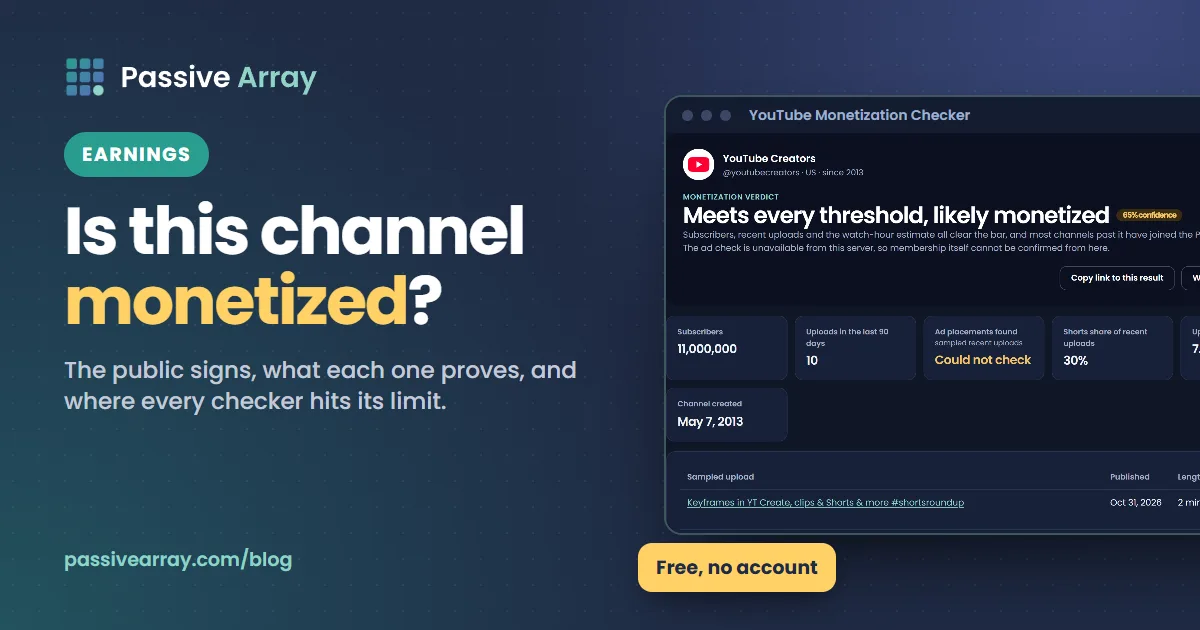
You cannot know for certain whether a YouTube channel is monetized unless you own it. YouTube does not publish a channel's Partner Program status anywhere, and it can run ads on videos from channels that are not in the program. What you can do is read the public signals together: subscribers against the 1,000 threshold, ads on several recent long-form videos, a Join button, Super Thanks, a merch shelf. When most of them point the same way, you can be fairly confident. One signal on its own proves very little.
The YouTube monetization checker combines those signals for you and returns a verdict with a confidence score, never a plain yes or no. This guide explains each signal, how to check one by hand, and where every checker, ours included, reaches its limit.
Why there is no simple "monetized" badge
YouTube treats Partner Program membership as private account information. There is no icon on the channel page, nothing in the public Data API, and no list of partner channels. Every website, extension or app that says a channel "is monetized" is inferring it from public clues.
The clue most people rely on is ads, and it is also the most misleading one. YouTube's Terms of Service give YouTube "the right to monetize your Content on the Service", which includes showing ads on it, and the same terms say the agreement does not entitle you to any payment. YouTube's Partner Program page spells out what that means for small channels: if you do not meet the eligibility criteria "you may still see ads being served on your content", but "you are not yet eligible to receive a share of the revenue."
So an ad before a video tells you that YouTube is making money from the video. It does not tell you that the creator is.
The public signals, and what each one really proves
| Signal | What it suggests | Why it is not proof |
|---|---|---|
| Fewer than 1,000 subscribers | Not in the ad revenue tier yet | Hidden subscriber counts hide this signal entirely |
| 1,000+ subscribers | Could be eligible for ad revenue | Watch hours or Shorts views are private, and many eligible channels never apply |
| Ads on most recent long-form videos, on a channel above 1,000 subscribers | Likely in the Partner Program | Ads can still be YouTube's own, and ad delivery varies by viewer and country |
| No ads on several recent videos | Possibly not monetized | The creator may have ads turned off, videos may be limited, or you may be a Premium member |
| Join button (channel memberships) | In the program at least at the fan funding level | The fan funding tier starts at 500 subscribers and does not include ad revenue |
| Thanks button on videos (Super Thanks) | In the program at least at the fan funding level | Same as above |
| Merch shelf or tagged products | YouTube Shopping is switched on | Shopping is also available from the lower tier |
| Reused clips, compilations or near-identical uploads | Higher risk of rejection or removal | Some such channels are monetized until a review catches up |
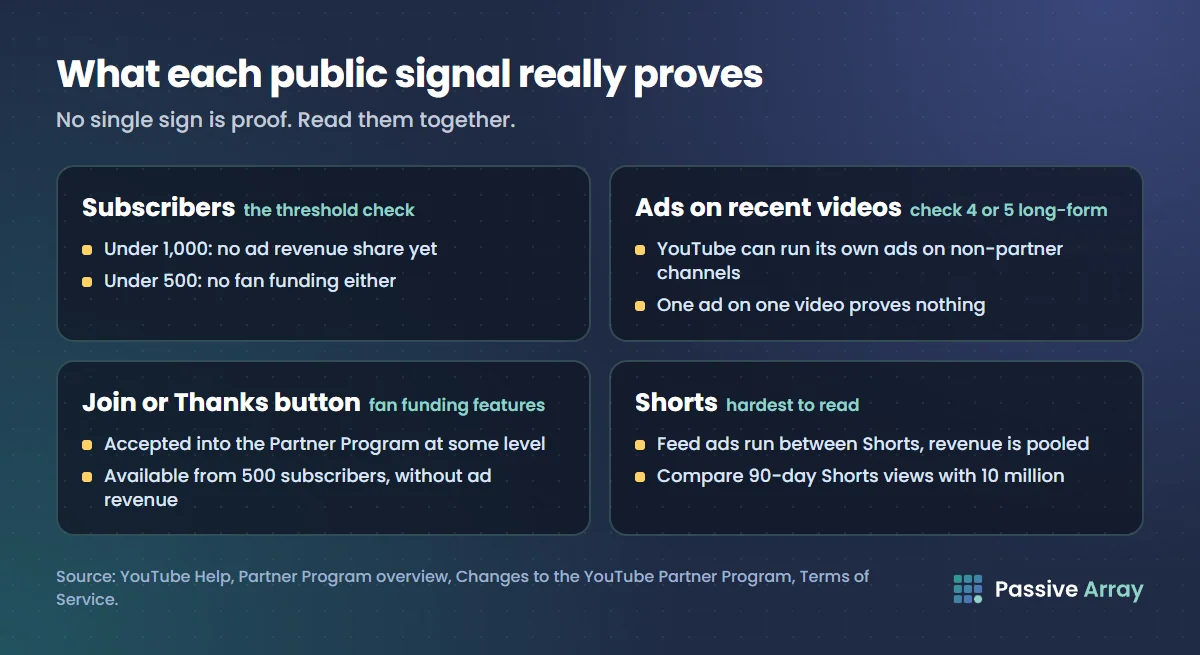
Read them together. A channel with 2 million subscribers, ads on five of five recent videos and a Join button is almost certainly a partner. A channel with 300 subscribers and an ad on one video is almost certainly not being paid, whatever the ad suggests.
Why the Join and Thanks buttons matter
Channel memberships require a channel to meet YouTube's "minimum requirements for fan funding features." YouTube's 2027 Partner Program page confirms that fan funding, Creator Partnerships and Shopping are available from 500 subscribers with 3,000 qualified watch hours in the last year or 3 million qualified Shorts views in 90 days. So a Join button means the channel has been accepted into the Partner Program at some level. It does not prove the channel is in the higher tier that shares ad revenue, which needs 1,000 subscribers and 4,000 watch hours or 10 million Shorts views. Our guide to YouTube monetization requirements lays out both tiers side by side.
Many partner channels never switch these features on, so their absence means nothing.
How to check if a channel is monetized by hand
You can do a reasonable manual check in about five minutes.
- Note the subscriber count. Open the channel page. Below 1,000 means no ad revenue share yet, whatever else you see. Below 500 means no fan funding either. YouTube rounds public subscriber counts, which only matters right at the threshold.
- Turn off anything that removes ads. Use a browser without an ad blocker, and sign out if you have YouTube Premium, because Premium removes ads for you on every channel.
- Open four or five recent long-form videos. Pick uploads from the last few weeks, not Shorts. Watch the start of each and note whether an ad plays. Skip through a long video to see if mid-roll ads appear; YouTube only allows mid-rolls on monetized videos of 8 minutes or longer.
- Look under the videos. A Thanks button next to Share means Super Thanks is on. A product shelf means Shopping is on.
- Look at the channel header. A Join button means channel memberships are on.
- Check what the channel uploads. Original commentary, tutorials and vlogs are normal partner content. Compilations of other people's clips with nothing added are the kind of content YouTube's monetization policies exclude.
- Weigh it up. Ads on most recent videos plus 1,000 or more subscribers is a strong sign. Ads on one video out of five, or ads on a tiny channel, is a weak one.
Ad delivery is not consistent. The same video can show an ad to one viewer and none to the next, depending on the viewer, their country and advertiser demand at that moment. That is why one video and one view is never enough.
How to check if a Shorts channel is monetized
Shorts are harder to read, because ads in the Shorts feed run between Shorts, not inside a particular one. YouTube pools the month's Shorts feed ad revenue and splits it by each monetizing creator's share of engaged views. Watching a Short and seeing an ad after it tells you nothing about that creator.
For a Shorts-first channel, use these instead:
- Subscribers. The same 1,000 threshold applies.
- Views on recent Shorts. The Shorts route needs 10 million qualified Shorts views in the last 90 days. Add up the public view counts on Shorts posted in the last three months. If they are nowhere near 10 million, the channel probably qualified another way or has not qualified. This is only a rough guide, because older Shorts can also collect views inside the 90-day window.
- Long-form ads. If the channel also posts long-form videos, check those for ads as in the steps above.
- Join or Thanks buttons, as above.
From 1 February 2027, YouTube says Partner Program creators will also need to "maintain 10M qualified Shorts views over the last 90 days" to earn from the Shorts Creator Pool each month. So a Shorts channel can be in the program yet not earning from Shorts in a given month, and no public signal shows that. Can YouTube Shorts be monetized covers the Shorts rules in full.
What the Passive Array monetization checker actually does
The checker is free and needs no account. It reads only public data, and it shows every signal it used, so you can disagree with the verdict if you know something it does not. Here is exactly what it looks at:
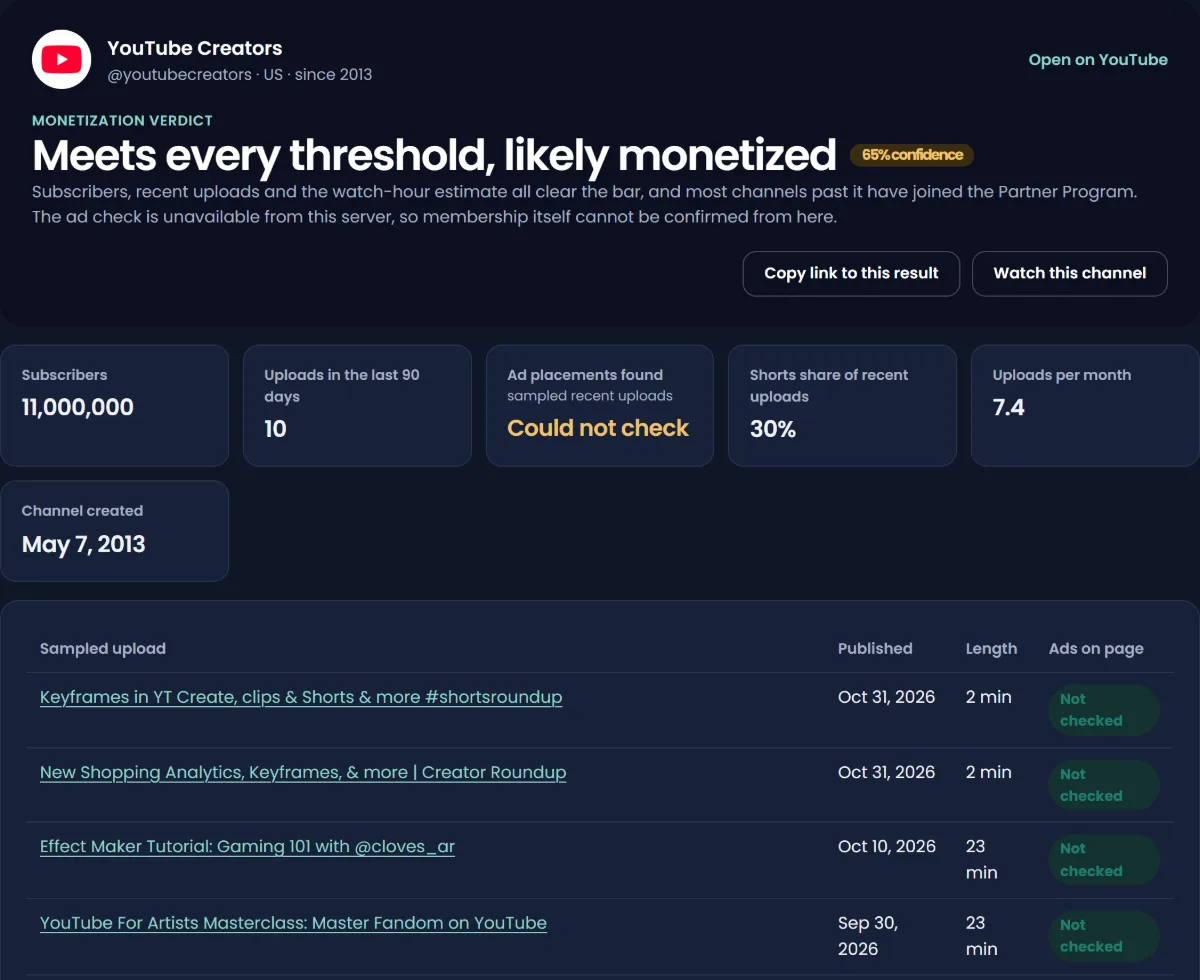
- Subscribers against the 1,000 subscriber threshold for ad revenue and the 500 subscriber threshold for fan funding. If the channel hides its count, the tool says "hidden" rather than guessing.
- Uploads in the last 90 days, against the 3 recent public uploads that YouTube for Artists lists for the lower tier.
- Made for kids flags on recent uploads, because made-for-kids content has restricted features; YouTube's memberships page, for example, excludes channels set as made for kids.
- Ad placements on recent videos. It samples up to 5 recent long-form uploads and checks whether each public watch page carries an ad placement block.
- A watch-hour estimate. Watch hours are private, so the tool brackets them: yearly long-form views times 30 to 50 percent of the channel's median video length, capped at 8 and 15 minutes per view. It labels this as an estimate, and treats the requirement as unknown when recent Shorts views are high enough that the Shorts route may apply.
- The channel's basics: total views, video count, average views on recent uploads and when the channel started.
The ad check has a safety test
Before reading any of the channel's videos, the checker first probes a video that is known to carry ads. Servers in data centres are sometimes served ad-free pages by YouTube. If the known video comes back without ads, the tool reports the ad signal as unavailable, not as "no ads", and the verdict rests on the eligibility signals alone with a lower confidence. Without that test, a blocked server would wrongly label every channel as not monetized.
The free Passive Array Chrome extension runs the same check on YouTube channel pages and reads the ad placements from your own browser, which makes the ad signal more reliable.
The verdicts and what they mean
| Verdict | What led to it |
|---|---|
| Likely monetized | Ads on most sampled uploads, and the channel clears the public thresholds |
| Ads shown, partner status unclear | Ads appear, but a hidden subscriber count means eligibility cannot be confirmed |
| Partly monetized or changing | Ads on some sampled uploads but not others, which happens after recent approval, on limited videos, or with reused uploads |
| Likely not monetized | No ads on any sampled upload, even though the public thresholds are met |
| Not eligible yet | Misses a public threshold, so ad revenue sharing is not possible, even if YouTube shows its own ads |
| Meets every threshold, likely monetized | Ad check unavailable, but subscribers, uploads and the watch-hour estimate all clear the bar |
| Probably not monetized | Ad check unavailable, and estimated watch hours fall short of 4,000 |
| Eligible, ads unconfirmed | Clears the public thresholds, but the ad check could not run |
Every verdict comes with a confidence score, and the highest the tool will give is 95. That ceiling is deliberate.
Is a YouTube monetization checker accurate?
No checker can be fully accurate, because the answer it is looking for is private. That applies to every website and browser extension, free or paid. A good one tells you how confident it is and why. A bad one gives you a confident yes or no.
The usual ways a checker gets it wrong:
- Newly approved channels. Ads can take time to appear across a catalogue, so a channel can look "partly monetized" for a while.
- Creators who turned ads off on some or all videos, or whose videos have limited ads.
- YouTube's own ads on a small channel, which look exactly like partner ads from the outside.
- Regional ad supply. A tool reading pages from one country sees that country's ads.
- Hidden subscriber counts, which remove the strongest threshold signal.
- Shorts-only channels, where watching cannot reveal partner status.
Treat any checker result, ours included, as a well-informed estimate. If you need a definite answer, for example before paying a creator for a sponsorship, ask them for a screenshot of the Earn page or the Revenue tab in YouTube Studio.
Stats sites have the same limit. Earnings figures shown on Social Blade-style sites are estimates from public views, not reported revenue; is Social Blade accurate explains how far to trust them. Tools such as vidIQ and TubeBuddy do things Passive Array does not, especially inside YouTube Studio; our vidIQ alternative page is honest about where each one is stronger.
What YouTube checks before it monetizes a channel
If you are checking because you want to know whether a channel could be monetized, look at it the way YouTube's reviewers do. YouTube's channel monetization policies say reviewers may focus on:
- The channel's main theme
- Its most viewed videos
- Its newest videos
- The videos with the biggest proportion of watch time
- Video metadata, including titles, thumbnails and descriptions
- The channel's About section
Reviewers judge those against the monetization policies, which exclude reused content without meaningful changes and mass-produced or repetitive videos. A channel that clears every number but is built on other people's clips is likely to be rejected or, later, demonetized. YouTube demonetization covers what happens when that occurs.
Once you know: estimate what it earns
If a channel looks monetized, the next question is usually what it makes. The YouTube money calculator uses views on the channel's videos from the last 30 days and an RPM range you can edit, and shows the result as a range. For the subscriber and view history behind it, the subscriber count checker and how to check any YouTube channel's stats explain which public numbers are exact and which are rounded.
Remember that monetization status only tells you a channel can earn from ads. How much YouTube pays after monetization shows why a newly monetized channel often earns only a few dollars a month.
Sources
- YouTube Help: YouTube Partner Program overview and eligibility
- YouTube Help: Changes to the YouTube Partner Program
- YouTube: Terms of Service (Right to Monetize)
- YouTube Help: Channel memberships eligibility
- YouTube Help: YouTube Shorts monetization policies
- YouTube Help: YouTube channel monetization policies
- YouTube Help: Manage mid-roll ad breaks in long videos
- YouTube for Artists: How artists make money on YouTube (lower tier upload requirement)
Frequently asked questions
How can I tell if a YouTube channel is monetized?
Check several signals together: at least 1,000 subscribers, ads on most of its recent long-form videos, and features like a Join button or Super Thanks. No single sign proves it, because YouTube can show its own ads on channels outside the Partner Program. A monetization checker combines these signals into a confidence score.
Does an ad on a video mean the channel is monetized?
No. YouTube's Terms of Service let it run ads on any content, and its Partner Program page says creators who are not eligible "may still see ads being served" without receiving a share. An ad only means YouTube is earning from the video.
How do I check if YouTube Shorts are monetized?
You cannot tell from watching a Short, because Shorts feed ads run between Shorts and the revenue is pooled. Look at subscribers, the public views on Shorts from the last 90 days against the 10 million threshold, and whether the channel's long-form videos carry ads.
Is a YouTube monetization checker accurate?
It can be a useful estimate, never a certainty, because Partner Program status is private. Recently approved channels, creators who turned ads off, hidden subscriber counts and regional ad supply all cause errors. Prefer a checker that shows a confidence score and the signals behind it.
Is there a free YouTube monetization checker?
Yes. The Passive Array monetization checker is free and needs no account: paste a channel link or @handle and it returns a verdict, a confidence score and every public signal it used. The free Passive Array Chrome extension runs the same check on YouTube channel pages.
Can I see how much a monetized channel earns?
Not exactly. Real revenue is only visible in the owner's YouTube Studio. You can estimate ad income from recent views and an RPM range with a money calculator, but treat the result as a range, not a figure.
What does YouTube check for monetization?
Reviewers look at a channel's main theme, most viewed and newest videos, the videos with the most watch time, titles, thumbnails, descriptions and the About section. They judge them against the monetization policies, which exclude reused content without meaningful changes and mass-produced or repetitive videos.