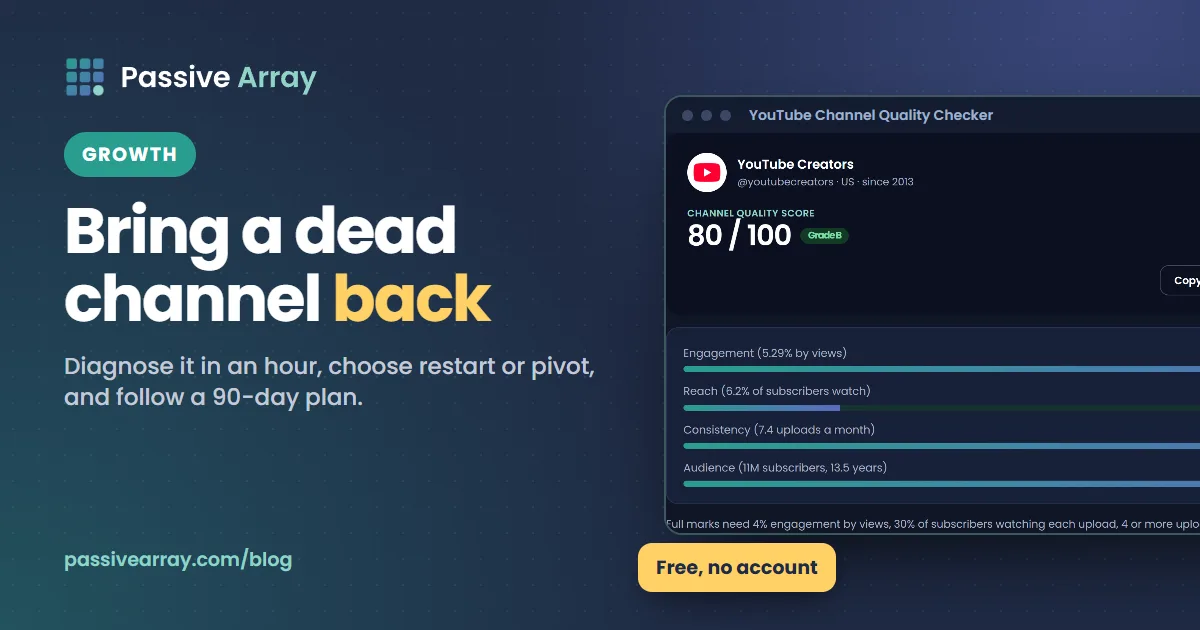
You can revive a dead YouTube channel, because YouTube judges each new video on its own viewers, not on the channel's past slump. YouTube's recommendation help says its system "uses fresh performance data for each individual video, rather than relying on past results." What a dead channel usually has is not a penalty but an audience that stopped watching: subscribers who moved on, a topic that cooled, or a long gap between uploads. The fix is to diagnose which one, decide who the channel is for now, and give that audience a reason to come back. A quick first check is the YouTube Channel Quality Checker, which scores your recent uploads on engagement, reach and upload consistency and shows the raw figure behind each score.
This guide covers what "dead" really means, how to find the cause in about an hour, how to choose between restarting, pivoting and starting a new channel, and a 90-day plan. It assumes the channel has no strikes or policy problems. If it does, deal with those first.
What a "dead" channel actually is
Creators call a channel dead when new uploads get a tiny fraction of the views older videos got, even though the subscriber count is still large. That gap is the clue. YouTube's performance FAQ says your subscriber count "doesn't represent the number of viewers who watch your videos", and that "it's also common for viewers to be subscribed to channels they no longer watch."
So a channel with 50,000 subscribers and 300 views per video is not being hidden. Most of those 50,000 people no longer watch it. YouTube shows new uploads to some subscribers, sees that few of them watch, and has little reason to show the video to anyone else.
Three numbers describe the situation:
| Number | Where to find it | Dead channel pattern |
|---|---|---|
| Views per subscriber | Average views on recent uploads divided by subscribers | Fell from a healthy share to a tiny one |
| Returning viewers | Studio > Analytics > Audience | Few casual and regular viewers left |
| Impressions on new uploads | Studio > Analytics > Content | Low, and not growing after the first days |
Views per subscriber explains the first metric and how to read it for any channel.
Why channels die: the reasons YouTube gives
YouTube's performance FAQ lists the common reasons traffic falls. Each one points to a different fix.
| Reason (YouTube's wording) | What it looks like | Main fix |
|---|---|---|
| "Your audience is spending less time on YouTube." | Views fall across the whole channel at the same time each year | Compare with the same period last year before changing anything |
| "Uploading less frequently than usual." | Views dropped when uploads slowed or stopped | Return with a steady, sustainable schedule |
| "The topic your videos are focused on is declining in popularity." | Your niche cooled; similar channels fell too | Move to a related topic your audience still wants |
| Viewers "stop watching most of your videos when they're recommended to them" | Impressions still exist, but CTR and retention fell | Fix titles, thumbnails and openings, or change the content |
Breaks deserve a special note. YouTube says it studied "thousands of channels that took a break and found no correlation between break length and changes in views." It also says "it may take some time to 'warm up' your audience again as they get back into their regular viewing routines." A gap is not a penalty, but returning takes patience.
And the reverse: YouTube warns that "frequently sharing content that doesn't resonate, can, over time, affect your channel's overall performance." That is the closest thing to a channel-level effect YouTube describes, and it comes from viewers ignoring videos, not from a flag on the channel.
Diagnose the channel in an hour
Work through these in order and write down what you find.
- Score the recent uploads. Run the channel through the quality checker. It looks at your last 10 uploads: engagement (likes plus comments divided by views), reach (average views divided by subscribers) and consistency (uploads per month). A low reach score with normal engagement means the people who do watch still like you; you need more of them. Low engagement means the videos themselves are not landing.
- Find when it started. In Studio, go to Analytics > Overview, set the range to the full channel lifetime, and look at the views line. Was it a cliff (a sudden drop) or a slide (slow decline)? A cliff usually lines up with a change you made or a single viral video ending. A slide usually means the topic or the audience drifted.
- Compare with last year. Use Advanced mode to compare the same months across years. If the dip repeats every year, it is seasonal.
- Check traffic sources. Which source fell: Browse, Suggested, Search or Subscriptions? A fall in Search means your topics are no longer searched or someone answers them better. A fall in Browse and Suggested means viewers stopped choosing your videos when shown them.
- Read the audience segments. How many regular and casual viewers are left? Even a small group of regulars is a base to rebuild from.
- List your evergreen winners. Sort your videos by views in the last 90 days. Old videos that still get views tell you what people still want from the channel.
- Look at the niche. Check whether similar channels also fell. If everyone in your niche dropped, it is the topic; if they grew while you fell, it is the channel.
YouTube Analytics explained shows where each report lives, and how to audit a YouTube channel turns this into a full checklist.
A worked example
This is a made-up example to show how the steps fit together. Say a channel has 40,000 subscribers and made phone reviews for one brand. Three years ago a typical new video got 15,000 views; the last ten got about 600 each, and the creator stopped uploading eight months ago.
- Quality check: reach is very low (600 views against 40,000 subscribers is 1.5%), but engagement on those 600 views is normal. The people who still watch like the videos.
- When it started: a slide over two years, not a cliff. No single change caused it.
- Traffic sources: Search fell most. The brand's older models, which the channel covered, are no longer searched.
- Evergreen winners: two general videos, "best budget phone for students" and "how to make a phone battery last longer", still get steady views.
- Niche: channels covering budget phones in general kept growing.
The diagnosis points to a pivot, not a restart: from one brand to budget phones in general, the subject the evergreen videos already prove people want. The old channel stays, because its two evergreen videos fit the new direction.
Restart, pivot or start a new channel?
After the diagnosis, you have three options. The right one depends on what you found.
| Situation | Best option | Why |
|---|---|---|
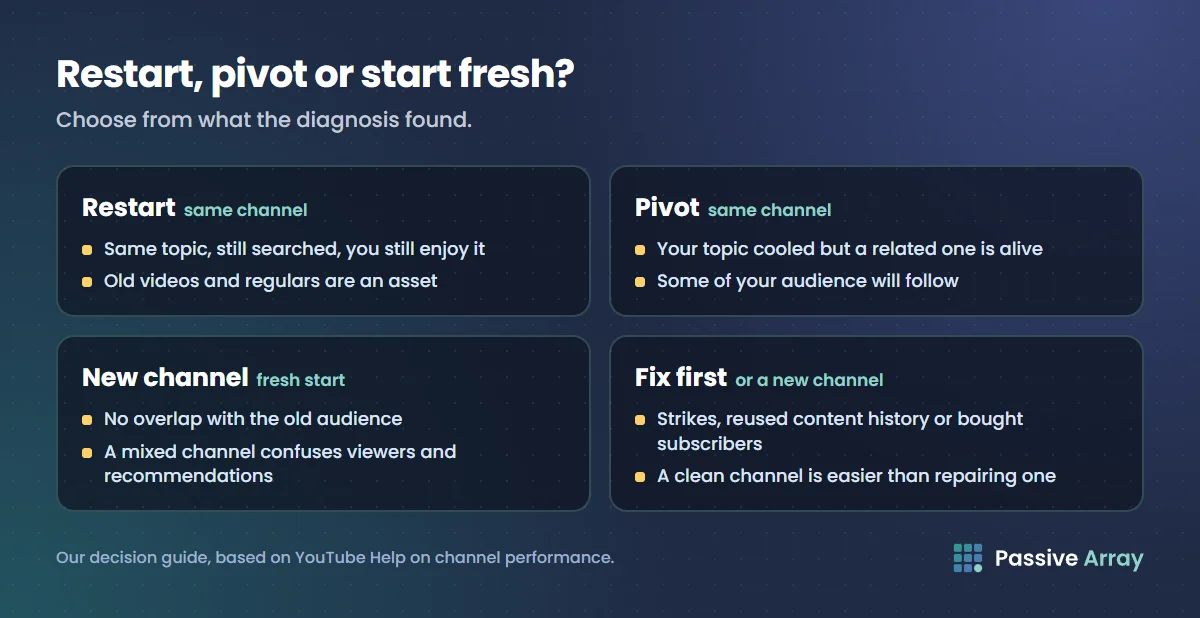
| Same topic, still searched, you still enjoy it; you stopped uploading | Restart on the same channel | Your old videos and remaining regulars are an asset |
| Topic cooled, but a closely related topic is alive (for example, one game to its genre, one phone brand to budget phones in general) | Pivot on the same channel | Some of your audience will follow; the channel history stays useful |
| You want to cover something with no overlap with the old audience | New channel | A mixed channel confuses both audiences and recommendations |
| Channel has strikes, reused content history or bought subscribers | Fix the issue first, or new channel | A clean channel is easier than repairing a compromised one |
The case for keeping the old channel
Because YouTube uses fresh data for each video, a new upload on an old channel is not held back by the slump. And an old channel has things a new one does not: a back catalogue that can pick up views when a new video sends people to it, existing subscribers who may still respond to the right video, and features you may already have unlocked.
The case for a fresh start
Inactive subscribers do not hurt your videos' reach directly, but they do make your channel look worse to people who judge by public numbers, such as brands checking views against subscribers. If the old channel's identity is completely wrong for what you want to make now, a new channel with a clear promise from day one can be cleaner. Do not delete the old one; it may keep earning from evergreen videos.
A 90-day comeback plan
This plan is our suggestion, built on what YouTube has said about breaks, series and old videos. Adjust the pace to what you can sustain.
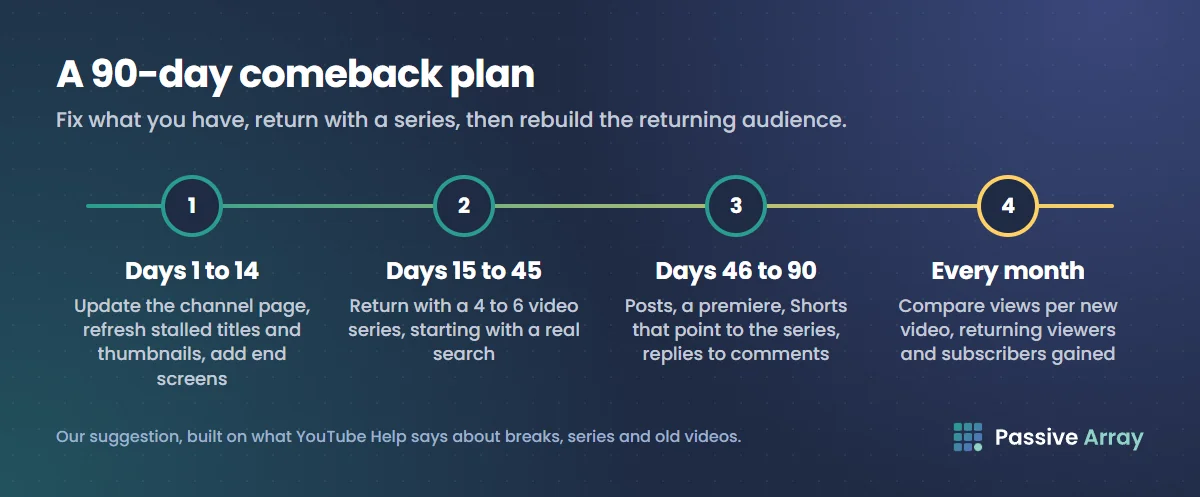
Days 1 to 14: fix what you already have
- Update the channel page. New banner, a one-sentence description of who the channel is for now, a channel trailer for new visitors (YouTube Studio > Customization > Home tab > Add section > Channel trailer), and playlists that group your best videos by viewer need.
- Refresh old videos that still have good retention but weak clicks. YouTube says changing a title and thumbnail "can be an effective way to get more views, but don't change what's working." Leave videos that are still growing alone. For stalled ones with good retention, rewrite the title with the YouTube Title Analyzer and redesign the thumbnail, then check them at phone size with the YouTube Thumbnail Tester.
- Add end screens and cards that connect related old videos, so a viewer arriving at one can find the next.
Days 15 to 45: return with a series, not an apology
Do not make your first new video a long "I'm back, sorry I've been gone" update. People who never watched you before will not care, and they are most of the audience you need.
- Plan four to six videos as one series on the topic your evergreen winners point to, or on the new direction you chose.
- Make the first one answer a real search. Search does not depend on YouTube already trusting the channel.
- Keep a schedule you can hold for three months. YouTube says view growth is not correlated with time between uploads, but a regular rhythm gives returning viewers something to come back to and gives you enough videos to learn from.
- Mention the return briefly inside the video, after you deliver the main content, and in a post for existing subscribers.
Days 46 to 90: rebuild the returning audience
- Use posts between uploads. Polls on the next topic, behind-the-scenes images. YouTube lists posts, comments and live premieres or chats as community-building features for growing regular viewers.
- Premiere your strongest video so remaining regulars watch together, with live chat.
- Make Shorts that point to the new series, with a related video link on each.
- Reply to every comment for the first days after each upload.
- Measure monthly. Compare views per new video, returning viewers and subscribers gained against the month before you returned.
How to know the revival is working
Do not judge after one video. Look for these trends across the 90 days:
- Views on each new video's first week rising compared with the previous new video.
- Impressions on new uploads growing, which means YouTube is testing them with more people.
- Casual and regular viewer counts rising in the Audience tab.
- Old videos picking up views after new ones go out, which YouTube lists as a common sign that a new video in a series is sending viewers back to older episodes.
To see the public numbers move day by day, add your channel to the YouTube Channel Growth Tracker. It records subscribers and views daily from the day you add it, so add it on day one of the plan to have a before-and-after line.
If subscribers drop during the revival, especially after a pivot, that is normal: people who wanted the old content leave. Why did my YouTube subscribers go down explains the other causes, including YouTube removing spam and closed accounts.
What not to do
- Delete old videos to "reset" the channel. Each video is judged on its own. Deleting removes views and watch time you were still earning, and gains nothing.
- Reupload old videos. It splits views between copies and can run into YouTube's reused and repetitive content rules.
- Buy subscribers or views to look alive. YouTube's fake engagement policy says artificial traffic "will not be counted" and "can lead to strikes on your account". It also adds more people who never watch, the very problem you are fixing.
- Join sub-for-sub groups. YouTube names them as fake engagement.
- Change the channel name and topic every month. A revival needs one clear direction long enough to measure.
- Expect the old audience to return on its own. Many of them have moved on. Plan to win new viewers, and treat returning old ones as a bonus.
For the mechanics of getting each new video clicked and watched, read how to get more views on YouTube. For the long-term plan once the channel is moving again, read how to grow a YouTube channel.
Sources
- YouTube Help: YouTube's recommendation system
- YouTube Help: YouTube performance FAQ and troubleshooting
- YouTube Help: Understand new, casual, & regular viewers
- YouTube Help: Customize your YouTube channel layout
- YouTube Help: Learn where viewers clicked Subscribe
- YouTube Help: Manage YouTube notifications
- YouTube Help: Fake engagement policy
Frequently asked questions
Can a dead YouTube channel be revived?
Yes. YouTube says its system uses fresh performance data for each video rather than relying on past results, so a new video is not held back by an old slump. What you need to rebuild is an audience that watches, which takes a clear direction, a series and a few months of steady uploads.
Is it better to start a new YouTube channel or revive the old one?
Keep the old channel if your new videos will be for the same or a closely related audience: the back catalogue and remaining regulars help. Start a new channel if the new content has no overlap with the old audience, or if the old channel has strikes or bought subscribers.
Does taking a long break kill a YouTube channel?
YouTube says it studied thousands of channels that took breaks and found no correlation between break length and changes in views. It also says it can take time to warm the audience up again, so expect a slow start rather than an instant return.
Why do my videos get so few views when I have lots of subscribers?
Because many subscribers no longer watch. YouTube says the subscriber count does not represent how many people watch, and that viewers often stay subscribed to channels they no longer watch. When few subscribers watch a new upload, YouTube has little evidence to show it to others.
Should I delete old videos that do badly?
No. Each video is judged on its own viewers, so deleting a weak video does not help new ones, and it removes any views it still earns. Make it private only if it is genuinely embarrassing or misleading.
How long does it take to revive a YouTube channel?
There is no fixed timeline. Give a comeback at least three months of regular uploads aimed at one clear audience before you judge it, and measure monthly by views per new video and returning viewers, not by single videos.
Will a comeback video bring my old subscribers back?
Some, but usually not most. Notifications are not guaranteed for every upload, and many old subscribers have moved on. Make the first videos useful to new viewers too, and mention the return briefly rather than making it the whole video.