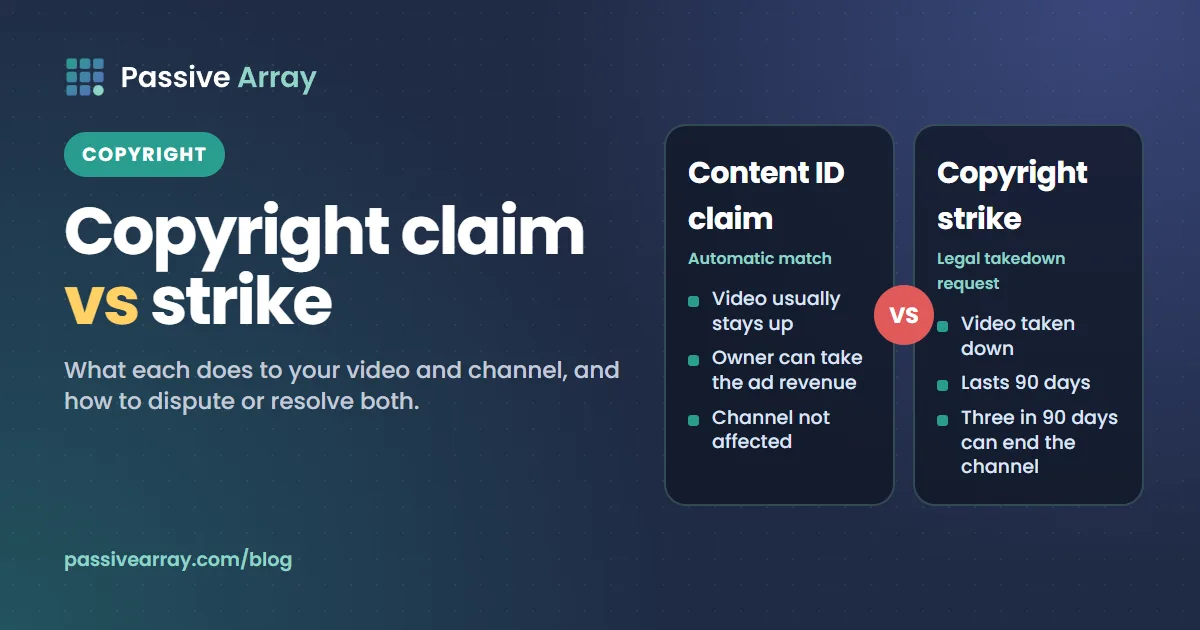
A copyright claim usually comes from Content ID, YouTube's automatic matching system. It does not harm your channel. It lets the copyright owner block your video, track it, or take its ad revenue. A copyright strike comes from a formal legal takedown request. It removes the video and counts against your channel, and three strikes within 90 days can end the channel.
Side by side
| Content ID claim | Copyright strike | |
|---|---|---|
| Comes from | Automatic match against a copyright owner's files | A legal removal request from the owner |
| What happens to the video | Stays up, unless the owner chooses to block it | Taken down |
| Your channel | Not affected | A strike against your channel |
| Your money | Ad revenue can go to the owner instead of you | You lose the video's earnings |
| How long it lasts | Until it is released, expires or is resolved | 90 days, if you complete Copyright School |
| Three of them | No penalty | Channel can be terminated |
What a Content ID claim does
Copyright owners upload their music, film and TV to Content ID. When your upload matches, the owner's chosen setting applies:
- Monetize: ads run on your video and the revenue goes to the claimant.
- Track: the video stays up, and the owner just sees its statistics.
- Block: the video is blocked, worldwide or in some countries.
The setting can differ by country. A claim on its own is not a strike and does not affect your channel's standing or Partner Program status.
Disputing a claim
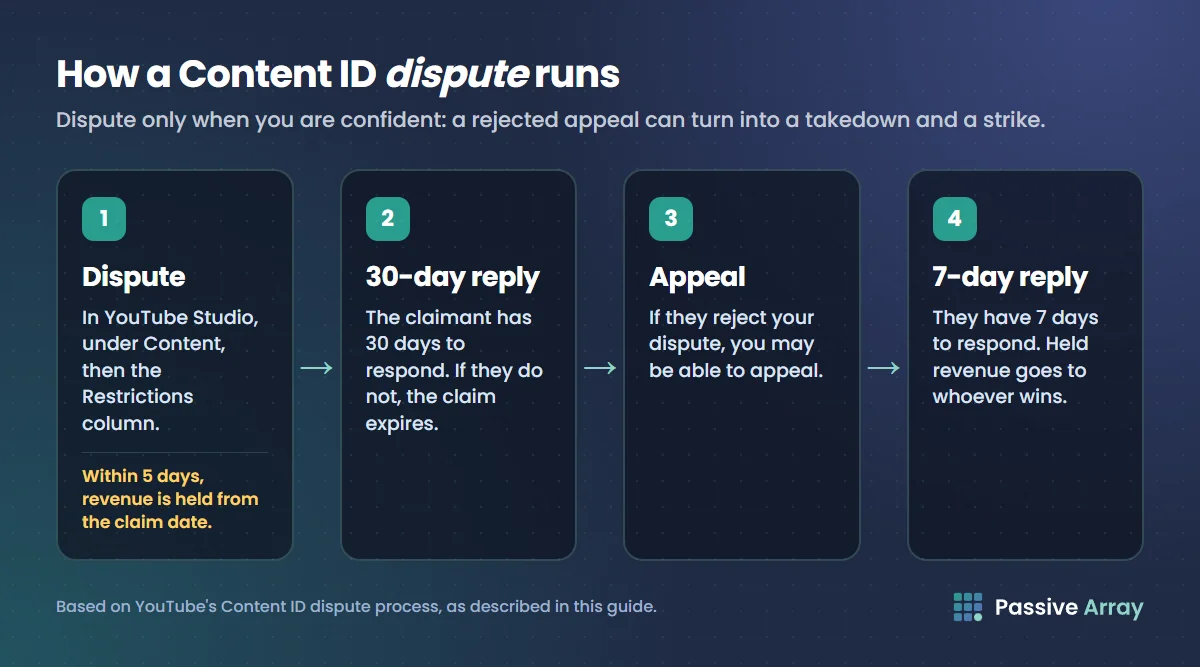
If you believe the claim is wrong, for example you own the content, have a licence, or your use is fair use, you can dispute it from YouTube Studio, under Content, then the Restrictions column.
- The claimant has 30 days to respond. If they do not, the claim expires.
- If they reject your dispute, you may be able to appeal. They then have 7 days to respond.
- While the dispute runs, revenue is held separately and paid to whoever wins. If you dispute within 5 days of the claim, revenue is held from the date of the claim.
Dispute only when you are confident. A claimant who disagrees with your appeal can respond with a takedown request, which brings a strike.
Often there is an easier fix: Studio lets you trim out the claimed section, mute the song, or swap it for a track from the YouTube Audio Library. That removes the claim.
What a copyright strike does
A strike follows a valid legal takedown request. The video is removed and your channel gets a strike.
- One strike: you must complete Copyright School, a short course in Studio. The strike expires after 90 days if you do.
- Three strikes within 90 days: your channel can be terminated, along with any linked channels, and you cannot create new channels.
Active strikes can also restrict features such as live streaming and can affect monetization.
Resolving a strike
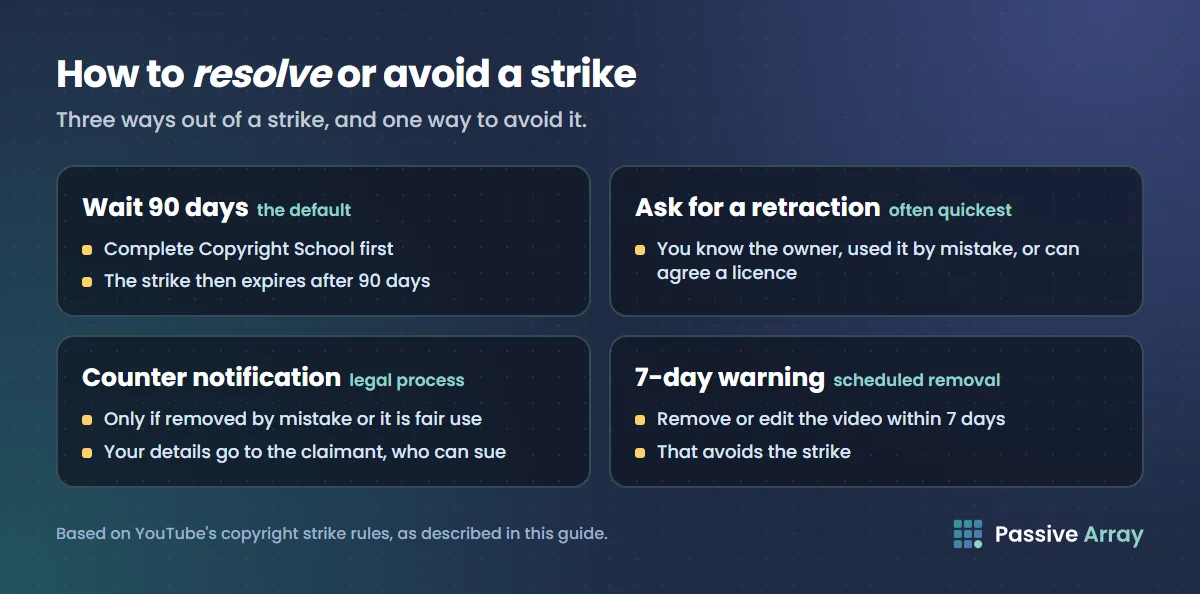
There are three ways:
- Wait 90 days after completing Copyright School.
- Ask the claimant to retract their takedown request. This is often the quickest route if you know the person, used their work by mistake, or can agree a licence.
- File a counter notification if the video was removed by mistake or your use is fair use. This is a legal process: you give your contact details, which go to the claimant, and they can take you to court. Only do it if you are sure.
The 7-day warning
Copyright owners can choose a scheduled removal instead of an immediate one. You then get 7 days to remove the content yourself and avoid the strike. If you see this warning, delete or edit the video within the window.
How to avoid both
- Use music you have a licence for, or tracks from the YouTube Audio Library.
- Do not upload other people's clips, films, TV or sports footage without permission.
- Commentary and criticism can be fair use, but fair use depends on how much you use and how much you transform it. It is decided case by case, not by a time limit like "under 10 seconds".
- Credit is not permission. Writing "no copyright intended" in the description does not change anything.
Claims and strikes are separate from demonetization for advertiser-friendliness. For that, read YouTube demonetization.