The best YouTube video ideas for beginners answer a specific question that people in your niche already search for, using something you can film well with what you have now. Tutorials, honest reviews, "first time trying" videos, beginner mistakes and step-by-step projects all work because they have a clear promise and a clear audience. Generic ideas like "my day" or "Q&A" usually only work once people already know you.
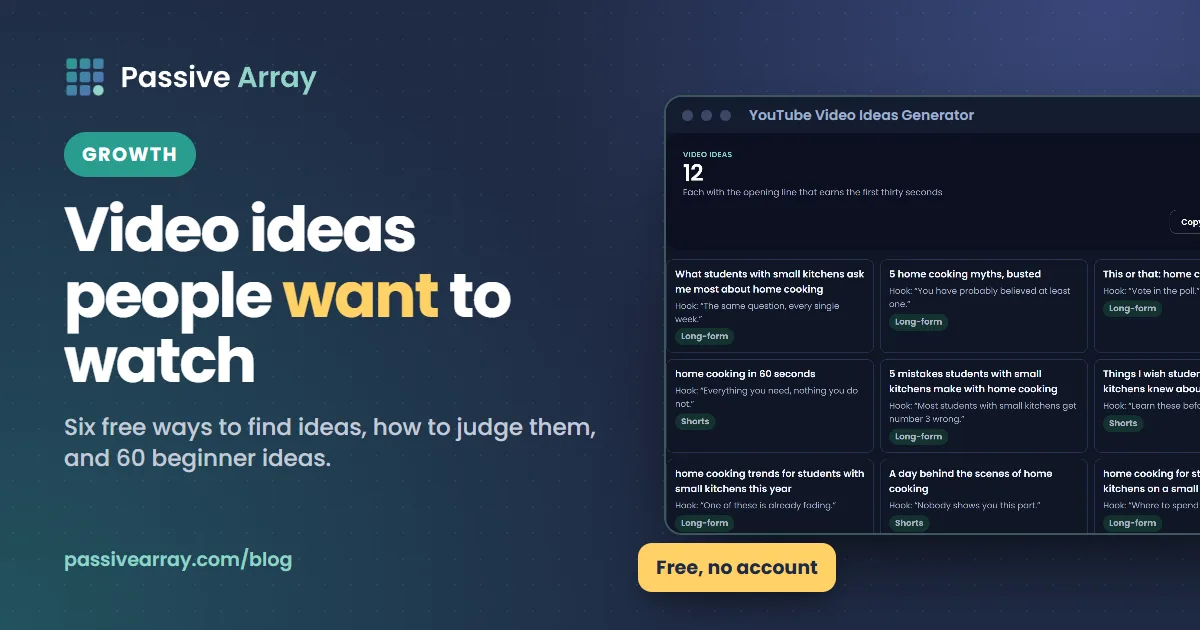
The YouTube video ideas generator gives twelve specific ideas for your niche, each with a hook and a format, which is a quick way to break a blank page. But the ideas that grow a channel usually come from research: what people type, what they ask in comments, and which videos are beating their channel's normal numbers. This guide shows six free ways to find those ideas, how to judge them, and then a list of beginner ideas sorted by type.
What makes a good video idea for a beginner
A new channel has no audience yet, so YouTube has little to go on when deciding who to show your videos to. That changes what a "good idea" is. Use this checklist before you film anything. It is our checklist, not a YouTube rule.
- Someone is looking for it. You can find the topic in YouTube's search suggestions, in comments, or in other channels' popular videos.
- It is specific. "How to cook rice" is crowded. "How to cook rice without a rice cooker in a small pan" is a clear promise to a clear person.
- You can deliver it well now. With your current skills, gear and time. A great idea filmed badly loses to a simple idea filmed clearly.
- It fits the same viewer as your other videos. YouTube recommends videos to people similar to those who enjoyed your earlier ones. Ten videos for one type of viewer beat ten videos for ten types.
- It can turn into a series. One good idea that leads to five follow-ups is worth more than five unrelated ideas.
If you are still choosing what your channel is about, the YouTube niche finder compares niches on earning potential, competition and how hard they are to film, and best YouTube niches explains the trade-offs.
6 ways to find YouTube video ideas (free)
1. YouTube search suggestions
YouTube's search box suggests what people commonly type. That makes it the most direct free source of real demand.
- Open YouTube in a private or logged-out browser window, so your own history affects the suggestions less.
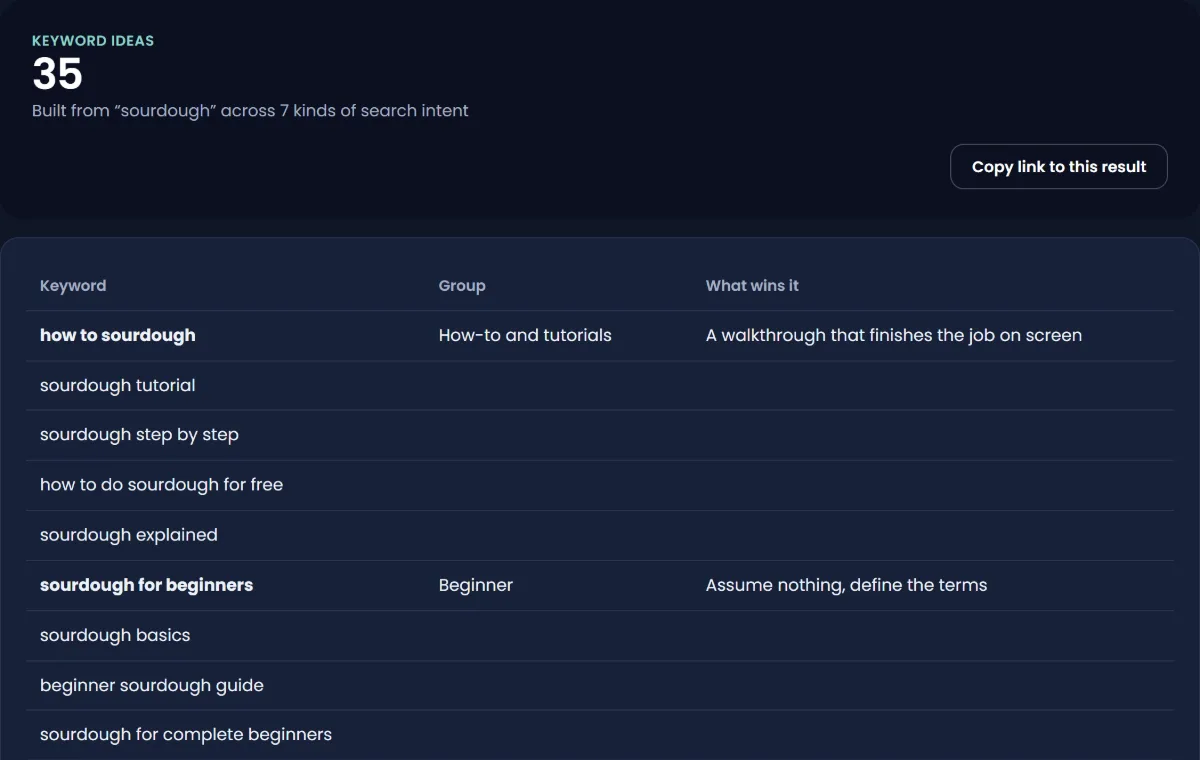
- Type your main topic, like "sourdough".
- Add each letter of the alphabet after it: "sourdough a", "sourdough b", and so on. Then try question words: "how", "why", "what", "can", "best", "vs", "for beginners".
- Write down every suggestion that is a real question someone could have.
The YouTube keyword generator does a version of this for you, turning one keyword into dozens of long-tail ideas to check in YouTube search. Free YouTube keyword research explains how to judge which of those phrases a small channel can actually rank for.
2. Comments, yours and other people's
Comments are where viewers tell creators what is missing. Look for:
- Questions ("does this work with whole wheat flour?")
- Confusion ("I got lost at step 3")
- Requests ("can you do one on gluten-free?")
- Disagreement ("this never works for me"), which often hints at a better explanation
Read the comments on the most popular videos in your niche, not just your own. To go through a lot of them, the YouTube comment exporter downloads a video's comments to a CSV file you can open in Excel or Google Sheets. Search the sheet for "how", "why", "can you" and "?" to pull out the questions. Each recurring question is a video idea with a built-in audience.
3. The Trends tab in YouTube Studio
YouTube Studio has its own idea research. Sign in to Studio, select Analytics, then the Trends tab. YouTube says it shows:
- Top searches based on your audience and your saved searches over the last 28 days.
- Content gaps, which YouTube defines as searches where "viewers can't find enough quality search results on YouTube".
- Breakout videos from other creators who are similar to your channel.
- An audience interest level, from very low to very high, based on videos watched over 1,000 times a week.
Some insights are limited by country, language and device, and a brand-new channel may see little. YouTube is also phasing out the older Inspiration tab: it says it is "gradually deprecating" it starting August 2026, and points creators to Ask Studio, an assistant in YouTube Studio, for brainstorming. Treat AI suggestions as a starting list to check against real search, not as finished ideas.
4. Outlier videos
An outlier is a video that gets far more views than its channel usually gets. Outliers are useful because they show a topic or format working on its own merit, not just because a channel is big.
Passive Array's outliers feed lists long-form videos getting many times their channel's usual views, updated daily. Scan it for your niche and ask: what is the promise in this title? Could I make my own version for my audience? Do not copy the video. Take the question it answers, and answer it your way.
You can do the same by hand: open a channel in your niche, sort its videos by popular, and compare the top videos with its typical views. If a small channel has one video with ten times its usual views, look at why.
5. Similar channels
Find five to ten channels that serve the same viewer as you, ideally some that are only a little bigger than you. The YouTube lookalike finder shows channels similar to one you already know. For each, note their three most popular videos and the topics they have not covered yet. A gap between two channels you admire is a good place to start.
6. Your own life and work
The questions you had when you started your hobby or job are the questions beginners have now. Write down:
- What confused you at the start.
- What you wish someone had told you.
- Mistakes you made and how you fixed them.
- Tools or products you actually use, and why.
- Something you are learning right now. Documenting it as a beginner is a valid format.
How to turn a topic into a video idea
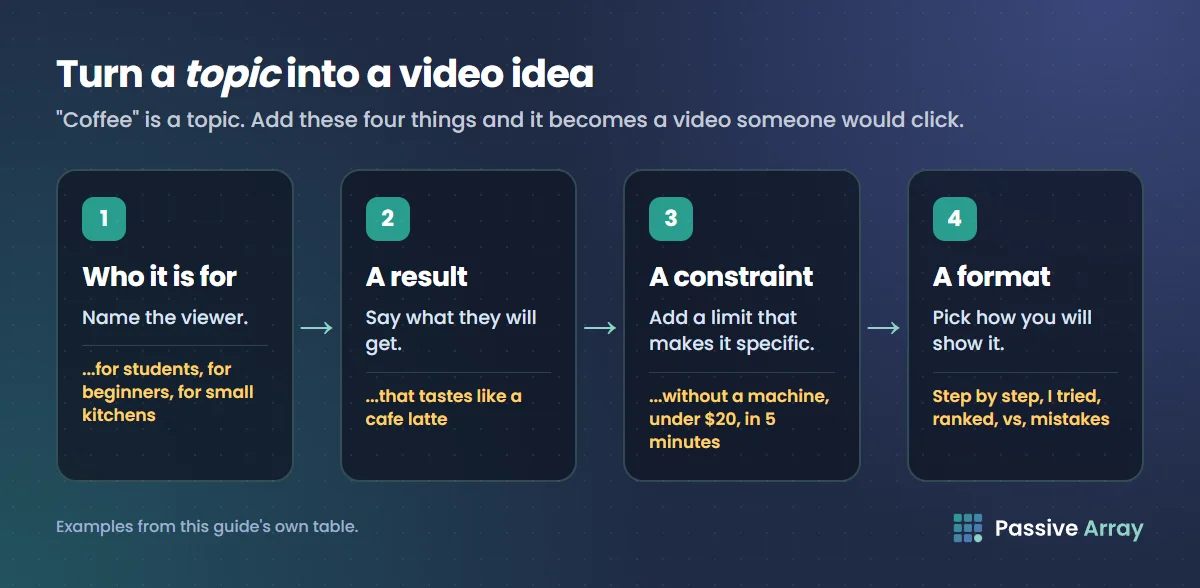
"Coffee" is a topic. "How to make cafe-style coffee at home without a machine" is a video idea. To turn one into the other, add these:
| Add | Example |
|---|---|
| Who it is for | ...for students, for beginners, for small kitchens |
| A specific result | ...that tastes like a cafe latte |
| A constraint | ...without a machine, under $20, in 5 minutes |
| A format | Step by step, I tried, ranked, vs, mistakes, first time |
Then test the title: could someone type something close to it in search, or would they click it in their feed? Write the title before you film. If you cannot write a clear title, the idea is not ready. When it is, how to write a YouTube script shows how to plan the video around that promise.
YouTube video ideas for beginners, by type
These are formats that suit new channels, with example ideas you can adapt to your niche. Swap in your topic.
Tutorials and how-to
- How to [do the basic task] for complete beginners
- [Task] step by step, with no special equipment
- The 5 [tools, settings, techniques] every beginner needs
- How to fix [the most common problem] in [niche]
- [Task] in under 10 minutes
- How I would learn [skill] if I started again today
- [Software or app] tutorial: the features you will actually use
- Beginner mistakes in [niche], and how to avoid them
Reviews and comparisons
- [Product] after 30 days: honest review
- [Product A] vs [Product B]: which one should a beginner buy?
- Cheap vs expensive [item]: is the difference worth it?
- Every [item] I own, ranked
- Is [popular product or course] worth it?
- Testing [viral product or trend] so you do not have to
Challenges and experiments
- I tried [habit or method] for 7 days
- Learning [skill] in 30 days: day 1
- Making [thing] with only $10
- Following [famous person or popular video]'s advice for a week
- Can a beginner [achieve something hard]?
- Trying [trend] for the first time
Videos you can make at home, alone
- My [desk, kitchen, setup] tour and why each thing is there
- A week of [meals, workouts, study sessions] on a budget
- Reset or clean-with-me routine
- Organising [space] on a small budget
- Study with me or work with me session
- What I [eat, spend, read] in a week
- Answering the most common questions about [niche]
- Recreating a [recipe, look, design] from [film, game, show]
No-face and no-voice ideas
You do not need to show your face. Nothing in YouTube's reused content rules requires you to appear on camera; they ask whether the content is your own and varied. How to grow a faceless YouTube channel covers this in detail.
- Screen-recorded tutorials with voiceover
- Hands-only videos: cooking, crafting, drawing, building
- Explainers with diagrams or slides
- Relaxing or ambient videos of a real process (baking, painting, gardening)
- Text-on-screen tips with your own footage
- Timelapses of a project from start to finish
- Map, data or history explainers with narration
- Before and after transformations
For no-voice channels, add value through careful editing, on-screen text and real skill. Unedited footage with nothing added falls under YouTube's reused content concerns for monetization.
With friends
- Friends rate [things in your niche]
- Teaching a friend [skill] in one hour
- Blind taste test or blind comparison
- Two-person challenge with a clear winner
- Expert vs beginner: same task, side by side
Gaming, Roblox and Minecraft
- [Game] beginner guide: what I wish I knew
- How to beat [hard level or boss]
- Best settings for [game] on a low-end PC or phone
- 100 days in [Minecraft or another survival game]
- Building [famous place] in Minecraft
- Ranking every [item, class, map] in [game]
- Trying the most popular Roblox games of the week
- Explaining the lore of [game] in 10 minutes
How to grow a gaming YouTube channel covers choosing games and the rules on game footage.
Shorts ideas
- One tip in under 30 seconds
- Before and after in one cut
- The most common mistake in [niche], fixed
- A 3-step mini tutorial
- A myth vs fact
- A clip of the best moment from your latest long video, pointing to the full video
- "Rate my [setup, dish, build]" with your quick verdict
Ideas that bring subscribers
Subscribers usually come from videos that make viewers want the next one. These formats do that:
- A numbered series: "Learn [skill], part 1 of 10"
- A documented journey: "Growing my [garden, savings, channel] from zero, month 1"
- A beginner roadmap: "Everything to learn in [niche], in order"
- A problem-solving series answering one viewer question per video
Ideas for young creators
Many people searching for video ideas are young. YouTube's supervised accounts for children under 13 (or the relevant age in their country) turn off creating a channel, uploading videos, making Shorts and going live, so younger children cannot run their own channel. Teens and adults making videos aimed at children must set their audience as "made for kids" in YouTube Studio. YouTube says it is the creator's "legal responsibility to comply with COPPA and/or other applicable laws and designate your content accurately."
For teen creators, the same ideas above work well, especially tutorials for things you are good at, school-friendly study videos, gaming guides and creative projects. Keep personal information, like your school or address, out of your videos.
How to choose which idea to film first
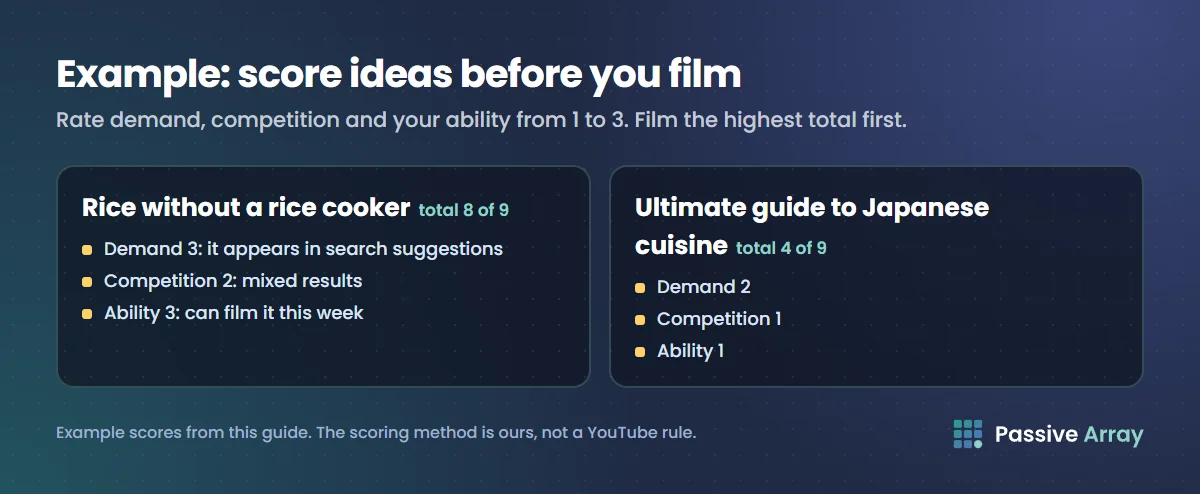
When you have a list of 20 to 50 ideas, score each one from 1 to 3 on three things:
| Question | 1 | 2 | 3 |
|---|---|---|---|
| Demand: are people looking for this? | Only a guess | Seen in comments or similar channels | In search suggestions and in outliers |
| Competition: can a small channel stand out? | Huge channels own every result | Mixed results | Old, weak or few videos |
| Ability: can I make this well now? | Need new skills or gear | Need some practice | Can film it this week |
Film the ideas with the highest total first. An example: "how to cook rice without a rice cooker" might score 3 for demand (it appears in search suggestions), 2 for competition, and 3 for ability, for a total of 8. "Ultimate guide to Japanese cuisine" might score 2, 1 and 1. Start with the rice.
Keep an idea bank
Ideas arrive at bad times. Keep one list, in a notes app or spreadsheet, with columns for the idea, the source (search, comments, outlier, life), the score, and the status. Add ideas every week, not just when you need one. After each upload, check which ideas got the most views and search traffic in YouTube Studio, and add more ideas in that direction.
What to avoid
- Copying a video shot for shot. Take the question, not the video.
- Reuploading other people's clips. It breaks YouTube's reused content rules for monetization and often draws copyright claims.
- Chasing every trend. A trend outside your niche brings viewers who will not watch your next video.
- Ideas only you care about. If you cannot find anyone searching for or asking about it, film it later, once you have an audience.
- Clickbait promises. A title that oversells gets the click, then the viewer leaves early, which tells YouTube the video did not satisfy them.
Once you have your first ideas, how to grow a YouTube channel covers what to do after you publish.
Sources
- YouTube Help: Explore trends on YouTube (Trends tab)
- YouTube Help: Explore Inspiration tab on YouTube
- YouTube Help: YouTube channel monetization policies (reused content)
- YouTube Help: What is a supervised kid account on YouTube?
- YouTube Help: Determining if your content is made for kids
Frequently asked questions
What are good YouTube video ideas for beginners?
Tutorials for a specific problem, honest reviews, comparisons, "I tried it for 7 days" challenges, beginner mistakes and step-by-step projects. They work because each has a clear promise and a clear audience. Pick ideas that match what people already search for in your niche.
How do I find YouTube video ideas?
Use YouTube's search suggestions, read comments on popular videos in your niche, check the Trends tab in YouTube Studio, study outlier videos that beat their channel's usual views, and look at similar channels. Your own questions from when you started are also strong ideas.
What can I make videos about without showing my face?
Screen-recorded tutorials, hands-only cooking or crafting, explainers with diagrams, timelapses, narrated history or data videos, and before and after transformations. Add your own editing, narration or skill, because YouTube's monetization rules target reused content with little added.
What YouTube videos can I make at home by myself?
Setup tours, budget meal or study weeks, reset routines, organising videos, study-with-me sessions, answering common questions in your niche, and recreating something from a film or game. One person with a phone can film all of them.
What should my first YouTube video be?
A specific answer to a question people in your niche search for, which you can film well right now. A tutorial or "beginner mistakes" video is a safer first upload than a channel trailer or a vlog, because it can be found in search before anyone knows you.
Can AI give me YouTube video ideas?
Yes. AI tools, including Ask Studio inside YouTube Studio and the video ideas generator on Passive Array, can give you a starting list fast. Check each idea against search suggestions or comments to make sure real people want it, and make the video in your own way.
What are good YouTube Shorts ideas for beginners?
One tip in under 30 seconds, a before and after, a common mistake fixed, a 3-step mini tutorial, a myth vs fact, or the best moment from your latest long video. Keep each Short to one idea and put the hook in the first second.
What video ideas get the most subscribers?
Videos that make viewers want the next one: numbered series, documented journeys, beginner roadmaps and recurring viewer-question episodes. A single viral video brings views, but a series gives people a reason to subscribe.
By Nasir Uddin, founder of Passive Array. Rules and figures checked Nov 1, 2026.