To write a YouTube script, start from the title and thumbnail promise, then plan five parts: a hook that confirms the promise in the first 15 to 30 seconds, a short setup, the main points in order of value, a payoff, and a close that points to your next video. Write it the way you speak, read it out loud, and cut anything that does not move the viewer toward the payoff.
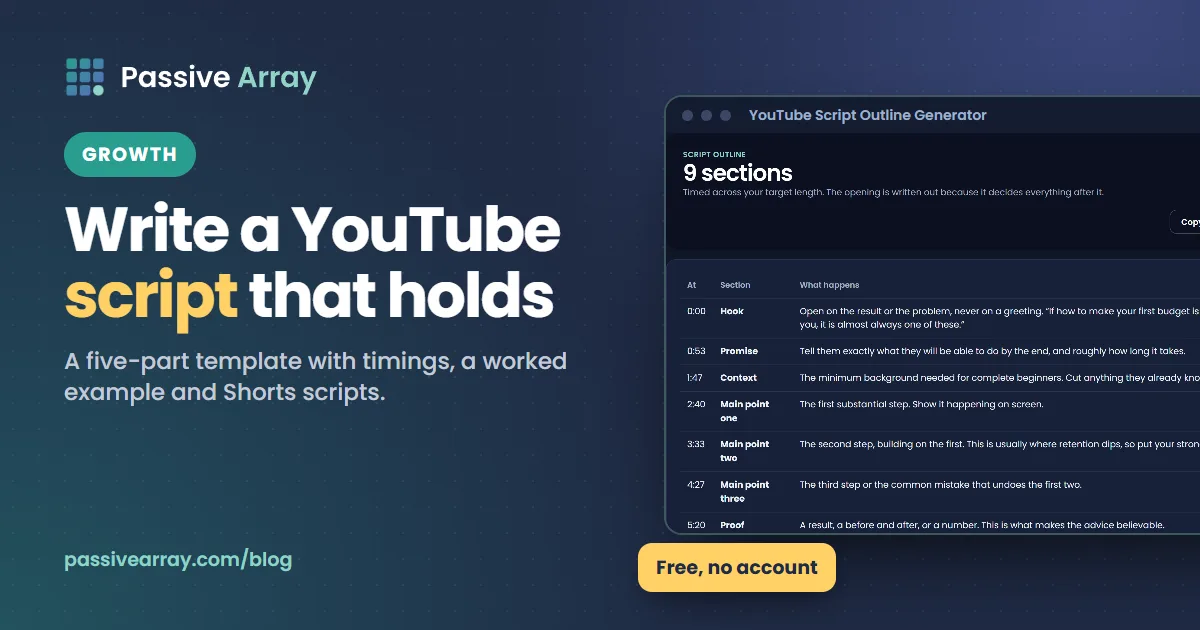
If you want a head start, the YouTube script outline generator builds a section-by-section outline with a hook, beats, timings and a close for any topic. This guide gives you the template behind that structure, timings for different video lengths, a fully worked example, and the mistakes that make viewers leave.
What a YouTube script is (and is not)
A YouTube script is the plan for what you say and show, in order. It can be a word-for-word script you read from a teleprompter, or a bullet outline you talk around. Both work. What matters is that you decided the order, the opening and the ending before you hit record.
A script is not an essay. Viewers cannot reread a sentence they missed, and they can leave at any second. So a good script:
- Uses short sentences and everyday words.
- Says the important thing first, then explains it.
- Tells the viewer what is coming next, so there is always a reason to stay.
- Matches the title and thumbnail, because that is what the viewer clicked for.
Full script or outline?
| Full word-for-word script | Bullet outline | |
|---|---|---|
| Best for | Explainers, faceless and voiceover channels, tutorials with exact steps, sponsored segments | Vlogs, gaming commentary, reactions, interviews, confident speakers |
| Strength | Tight, no rambling, easy to time | Sounds natural, faster to prepare |
| Weakness | Can sound read; takes longer to write | Easy to wander and run long |
| Tip | Read it aloud before recording and rewrite anything you stumble on | Script the hook and the close word for word anyway |
Many creators use a mix: a word-for-word hook, intro and close, with bullet points for the middle.
Why the first 30 seconds matter most
YouTube Studio has a retention metric called Intro, which YouTube describes as "what percentage of your audience still watched your video after the first 30 seconds." YouTube says a high percentage suggests the opening matched the title and thumbnail. Its retention guide also notes that videos generally taper off during playback, and that if your best moments come late, you should consider introducing that content earlier.
That is the whole case for scripting. The opening decides whether the rest of the video gets watched, and it is the part people improvise worst. How to get more views on YouTube shows how to find out whether your problem is the click or the first 30 seconds.
The YouTube script template
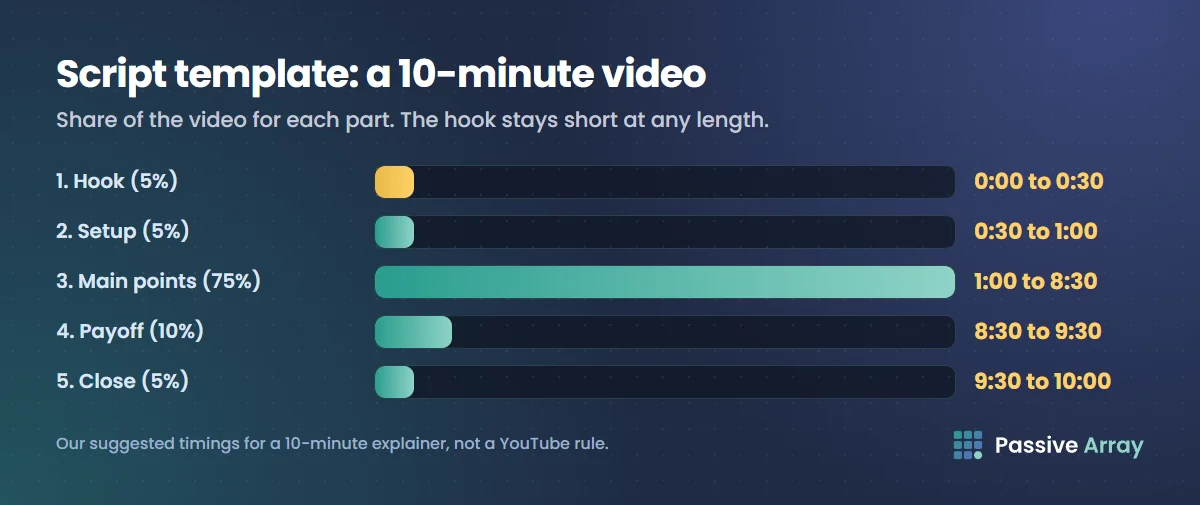
This is a general-purpose template for an educational or explainer video. Adapt the proportions for your format. The timings are our suggestion based on a 10-minute video, not a YouTube rule.
| Part | Job | Share of video | In a 10-minute video |
|---|---|---|---|
| 1. Hook | Confirm the promise, show the payoff or the stakes | About 5% | 0:00 to 0:30 |
| 2. Setup | Who this is for, what they will get, why trust you | About 5% | 0:30 to 1:00 |
| 3. Main points | The steps, tips or story beats, best value first | About 75% | 1:00 to 8:30 |
| 4. Payoff | The result, the twist, the strongest point | About 10% | 8:30 to 9:30 |
| 5. Close | One-line recap, the next video, one call to action | About 5% | 9:30 to 10:00 |
Copy this into your notes app and fill it in for each video:
Title: (the exact promise)
>
Thumbnail shows: (what the viewer sees before clicking)
>
1. Hook (0:00 to 0:30): The first line repeats or proves the title promise. Show the result, the problem, or a surprising fact. Tell the viewer what they will have by the end.
>
2. Setup (0:30 to 1:00): Who this is for. What you will cover, in one sentence. One reason to trust you, if needed.
>
3. Main points (1:00 onward): Point 1, the most useful. Example. Point 2. Example. Point 3. Example. Add a line between points that opens the next one ("but none of this works without the third step").
>
4. Payoff: The best tip, the final result, the answer to the question in the title.
>
5. Close: One-line recap. Point to the next video that continues the topic. One call to action.
Timings for other video lengths
Use the same proportions, but keep the hook short no matter the length. A hook that runs over 30 seconds on a long video is still too long.
| Video length | Hook | Setup | Main points | Payoff | Close |
|---|---|---|---|---|---|
| 5 minutes | 0:00 to 0:20 | 0:20 to 0:40 | 0:40 to 4:00 | 4:00 to 4:40 | 4:40 to 5:00 |
| 10 minutes | 0:00 to 0:30 | 0:30 to 1:00 | 1:00 to 8:30 | 8:30 to 9:30 | 9:30 to 10:00 |
| 20 minutes | 0:00 to 0:30 | 0:30 to 1:30 | 1:30 to 17:30 | 17:30 to 19:15 | 19:15 to 20:00 |
How many words is that?
Script length depends on how fast you speak. Time yourself reading 200 words of your own script at your normal pace, then divide. Say you read 200 words in 85 seconds: that is about 140 words a minute, so a 10-minute video needs a script of roughly 1,400 words, less if the video includes demonstrations, B-roll without voiceover or gameplay. Use your own number, not someone else's.
How to write each part
1. The hook
The hook has one job: make the viewer sure they clicked the right video. Four hooks that work for most topics:
- Show the result. "This is the budget that saved me $400 last month. It took 20 minutes to set up, and I'll show you every step."
- Name the problem. "If your budget falls apart by the 10th of every month, it's probably one of three mistakes."
- Start with a surprising fact you can back up. Only use real, sourced numbers.
- Start in the action. For vlogs and gaming: open on the most interesting moment, then rewind.
Avoid these openings: "Hey guys, welcome back to the channel", a long logo animation, a sponsor before the viewer knows the video is worth it, and "before we start, smash that subscribe button". They delay the promise.
Write the hook last, after you know what the payoff is. The YouTube title generator can help you sharpen the title first, so the hook has a clear promise to repeat.
2. The setup
Keep it under 30 seconds on most videos. One sentence on who the video is for, one on what you will cover, and, if the topic needs it, one on why the viewer should trust you ("I've done my own taxes for eight years" or "I tested this on my own channel"; only say what is true).
3. The main points
- Order by value, not by logic alone. Put a strong point first, so the people who stay through the setup are rewarded fast.
- One idea per section. If a point needs two examples, give it two. If it needs five, it is probably two points.
- Example for every claim. "Track your spending" is advice; "write down every purchase for seven days, including the $3 coffee" is something people can do.
- Open loops. End sections with a reason to keep watching: "The next step is the one most people skip."
- Mark your chapters. Each main point is a natural chapter. YouTube's rules for manual chapters: list them in the description, start the first at 00:00, have at least three, and make each at least 10 seconds long. The YouTube description generator formats timestamps into a ready description.
4. The payoff
Keep one strong point for late in the video: the final result, the before and after, the answer to the question in the title. YouTube's key moments report highlights top moments, where almost no one dropped off, and dips, where viewers left or skipped. After you publish, check whether your payoff shows up as a top moment.
5. The close
End fast. A recap in one line, a pointer to one specific next video ("if you want the next step, this video shows how to build an emergency fund"), and one call to action. Do not list five things to do. Put the next video on an end screen so viewers can click it.
Sponsored segments
If your video includes a sponsorship, product placement or endorsement, YouTube requires you to tell it by ticking the paid promotion option in the video details (in Studio: Show more > Paid promotion > Yes, my video includes branded content). That adds a disclosure label at the start of the video. Script the sponsor read after the hook and setup, not before, so viewers know the video is worth staying for. How much to charge for a sponsored YouTube video covers the business side.
A worked example
Here is the template filled in for an example video: "How to make your first budget (in 20 minutes)", planned at 8 minutes. The numbers in it are made up for the example.
Title: How to make your first budget (in 20 minutes)
Thumbnail: A phone showing a simple three-column budget, text "20 MIN".
Hook (0:00 to 0:25): "This is a budget that takes 20 minutes to set up and five minutes a week to run. By the end of this video you'll have one, even if you've never tracked a single expense. You only need your phone and last month's bank statement."
Setup (0:25 to 0:50): "This is for anyone starting from zero: students, first jobs, anyone who has tried an app and quit. We'll do it in three steps: find what you actually spend, split it into three buckets, and set one rule that keeps it working."
Main point 1 (0:50 to 3:00): find what you actually spend.
- Open last month's statement and list every outgoing payment.
- Example on screen: rent 600, food 220, transport 60, subscriptions 45, other 180.
- Line to next section: "Now, most people stop here. That list is useless until you do step two."
Main point 2 (3:00 to 5:15): split into needs, wants and savings.
- Show each item moved into a column.
- Explain why subscriptions go in wants, even the useful ones.
- Line to next section: "This only works if you add one rule, and it's the step everyone skips."
Main point 3 (5:15 to 6:45): the one rule.
- Pay savings first, on payday, by automatic transfer.
- Show how to set it up in a banking app, in general terms.
Payoff (6:45 to 7:35):
- The finished budget on screen. "In this example, cutting two subscriptions and moving savings to payday frees up 75 a month without changing anything else."
Close (7:35 to 8:00): "That's it: list, split, pay yourself first. If you want to take it further, this next video shows how to build your first emergency fund. It's on screen now."
Chapters for the description:
- 00:00 Your budget in 20 minutes
- 00:50 Step 1: find what you spend
- 03:00 Step 2: needs, wants and savings
- 05:15 Step 3: the one rule
- 06:45 The finished budget
Notice what the example does: the first sentence repeats the title's promise, each section ends with a reason to keep watching, the payoff is near the end, and the close sends viewers to one specific next video.
Scripting by video type
The template bends for different formats.
| Format | What changes |
|---|---|
| Tutorial | The hook shows the finished result. Main points are steps in order. Script exact clicks and settings word for word |
| List video | Number every point on screen. Put one of the strongest first and the very best last |
| Story or documentary | Open with the most dramatic moment, then go back. Each section should end with a question the next answers |
| Review | Give the verdict early in summary, then the evidence. Viewers searching reviews want the answer, not suspense |
| Gaming or vlog | Outline only. Script the opening line, the beats you must hit, and the close |
| Faceless or voiceover | Full script, written for the ear. Plan the visuals for every line, because there is no face to look at |
How to script a YouTube Short
Shorts can be up to three minutes, but most work best when they make one point fast. In the Shorts feed, viewers swipe rather than choose from thumbnails, so the first second does the job a thumbnail does.
- Second 0 to 2: the hook. The point or the result, said and shown at once.
- The middle: one idea. One tip, one step, one reveal. Cut every word that is not needed.
- The end: a loop or a pointer. End in a way that makes rewatching natural, or point to the full video.
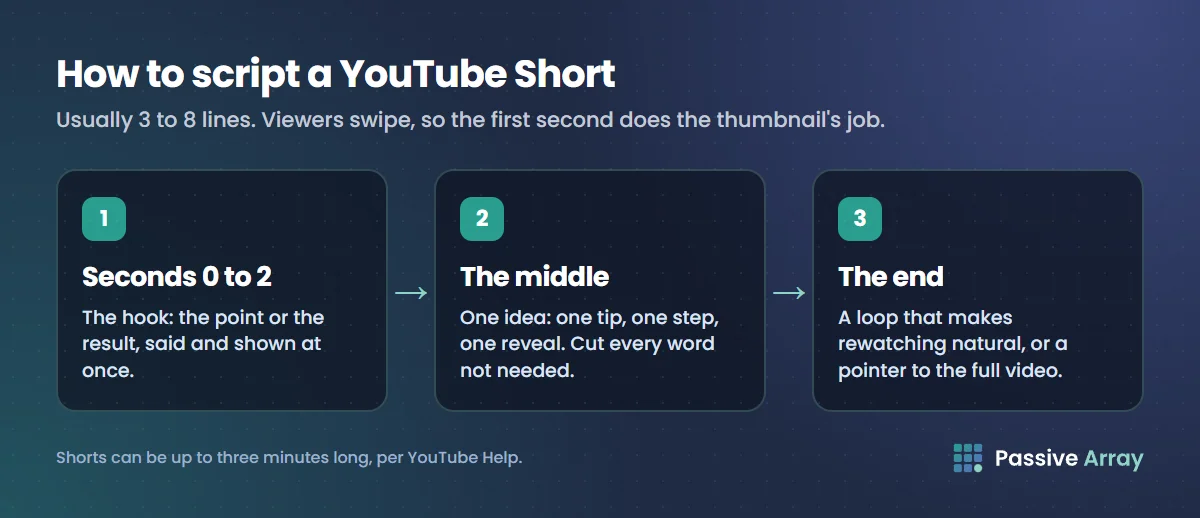
A Short script is often 3 to 8 lines. Read it out loud with a timer.
Using AI to write YouTube scripts
AI tools can help with outlines, first drafts and rewrites. Use them with care:
- Check every fact. AI drafts often contain confident errors. You are responsible for what you publish.
- Add what only you have: your examples, your opinions, your results. YouTube's monetization policies list "similar or repetitive content with low educational value, commentary, narratives, or minimal variation across videos" as not allowed, and a generic AI script read over stock footage is the easiest way to end up there. Can AI voice YouTube channels be monetized explains where YouTube draws the line.
- Disclose realistic synthetic content. YouTube requires creators to disclose AI-generated or altered content that "seems realistic", such as making a real person appear to say something they did not, or AI-generated music. You do this in Studio under the AI use setting when uploading. Using AI to help write a script does not by itself need disclosure; realistic AI visuals or voices of real people can.
Script mistakes that make viewers leave
- A slow start. Long intros, channel trailers and housekeeping before the content.
- A hook that promises something the video does not deliver. Viewers leave and are less likely to click your next video.
- Writing for reading. Long sentences, brackets and words you would never say aloud.
- No examples. Abstract advice is hard to follow and easy to forget.
- Everything at the same energy. No sense of build-up toward a payoff.
- A long goodbye. Viewers leave as soon as they sense the end, so they never see your end screen.
Check your script after you publish
Your script's real test is the retention graph. In YouTube Studio, open the video's analytics, find the audience retention report, and look at:
- Intro, the share still watching after 30 seconds. Compare it across your videos.
- Dips, where viewers left. Check what was said at that moment in your script.
- Spikes and top moments, where people rewatched or nobody left. Make more of that.
YouTube Analytics explained walks through these reports. If you need to see how another creator structures their videos, how to get a YouTube transcript shows how to read any video's spoken words as text. Study the structure, not the words: copying someone else's script word for word can infringe their copyright.
If you are still deciding what to make, start with YouTube video ideas for beginners, then come back to script the first one.
Sources
- YouTube Help: Measure key moments for audience retention
- YouTube Help: Video chapters
- YouTube Help: Paid product placements, sponsorships and endorsements
- YouTube Help: Disclosing use of altered or synthetic content
- YouTube Help: YouTube channel monetization policies
- YouTube Help: Understand three-minute YouTube Shorts
Frequently asked questions
What is YouTube script writing?
It is planning what you will say and show in a video, in order, before you record. A script can be word for word or a bullet outline. The goal is a strong opening that matches the title, a clear order of points, and a short close that points to your next video.
What is the best YouTube script format?
For most educational videos: hook, setup, main points, payoff and close. In a 10-minute video that is roughly 30 seconds of hook, 30 seconds of setup, seven and a half minutes of main points, a minute of payoff and 30 seconds of close. Adjust for your format, but keep the hook short.
Is there a free YouTube script template?
Yes, the template in this guide is free to copy. For a version built around your own topic, the script outline generator on Passive Array gives a section-by-section outline with timings, free and with no account.
How long should a YouTube script be?
It depends on your speaking speed and how much of the video is demonstration. Time yourself reading 200 words aloud and work out your words per minute. For example, at 140 words a minute, a 10-minute talking video needs about 1,400 words.
Can AI write my YouTube script?
AI can help draft and outline, but check every fact and add your own examples and opinions. YouTube's monetization rules exclude repetitive content with minimal variation, and YouTube requires disclosure of realistic AI-generated content such as synthetic voices of real people. The script itself does not need disclosure.
What is a good YouTube script formula for the hook?
Repeat or prove the title's promise in the first sentence. Show the result, name the problem, or start in the most interesting moment. Avoid greetings, logo animations and subscribe requests before you have delivered anything.
How do I write a script for a YouTube Short?
Make one point. Put the hook in the first one or two seconds, keep the middle to one tip or reveal, and end with a loop or a pointer to the full video. Most Short scripts are only a few lines long.
By Nasir Uddin, founder of Passive Array. Rules and figures checked Nov 1, 2026.