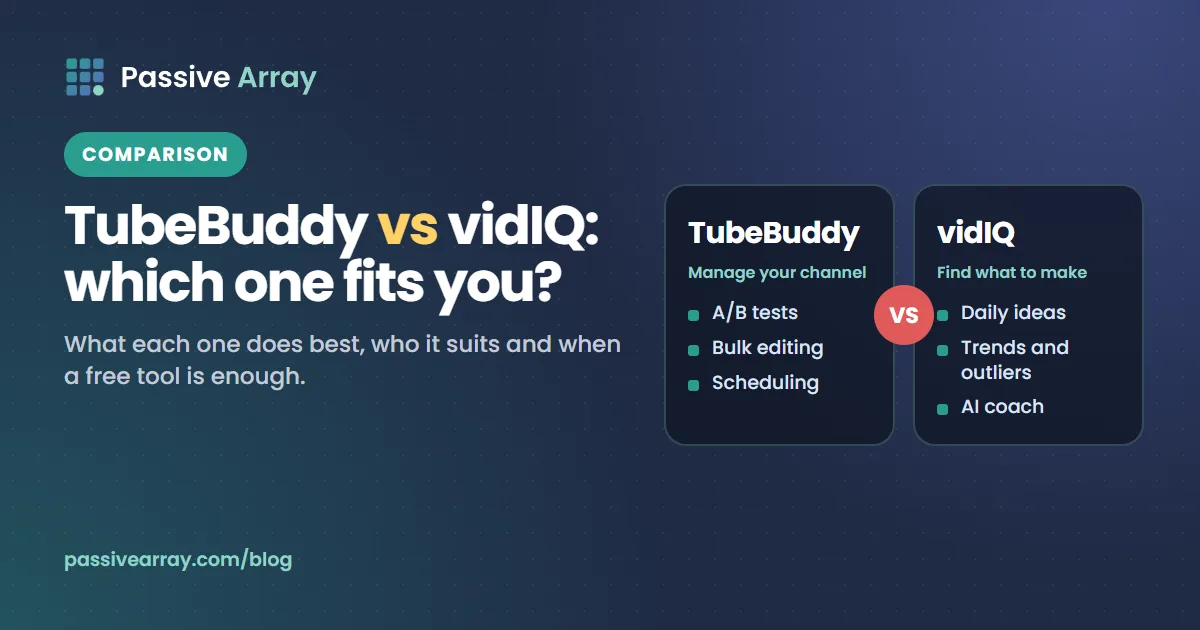
TubeBuddy is the better choice if you want to manage and test your own channel: A/B testing, bulk edits across many videos and scheduling are its strengths. vidIQ is the better choice if you want ideas and coaching: AI-generated video ideas, trends, outlier videos and an AI coach built around your channel. Both connect to your channel through Google sign-in, both have free tiers, and for keyword research, titles and tags, free tools such as the YouTube Keyword Generator do most of the same job without an account.
Prices and features below come from each company's own pricing and feature pages, checked on 1 November 2026. Both companies change their plans often, so check the pricing page before you pay.
TubeBuddy vs vidIQ at a glance
| TubeBuddy | vidIQ | |
|---|---|---|
| What it is | Browser extension, mobile app and website tools for YouTube | Web app, browser extension and mobile app for YouTube and Instagram |
| Main strength | Channel management: A/B tests, bulk editing, scheduling | Ideas and coaching: daily ideas, trends, outliers, AI coach |
| Free tier | A free "Forever" plan advertised on its homepage; contents not listed on the pricing page | Free plan with 150 AI credits a month |
| Paid plans shown on 1 Nov 2026 | Pro and Legend; prices shown in local currency for our region, so check the pricing page from yours | Boost: $19/month or $199/year. MAX: $49/month or $468/year |
| Longer terms | Annual and three-year options | Annual billing |
| Business use | Pro and Legend are for individual creators; businesses go to Enterprise | Enterprise plan for brands, agencies and MCNs |
| Platforms | YouTube | YouTube and Instagram |
| A/B testing titles and thumbnails | Yes, on Legend | Not listed on its features page |
| Thumbnail generator | Yes | Yes (Boost and above list thumbnail creation) |
| AI credits | Not used as a limit on the pricing page | Yes, every plan has a monthly allowance |
TubeBuddy's pricing page says local-currency prices are estimates only and that it charges in US dollars. Both companies may show different prices by region or during promotions, so treat the figures above as what the pages showed on the day we checked, not a quote.
What TubeBuddy does best
TubeBuddy is built around the work of running a channel. Its pricing page lists more than 50 tools across four groups: SEO Studio, content strategy, video and thumbnail tools, and productivity.
On Pro, the pricing page lists Keyword Explorer, SEO Studio, Search Positions, tag tools (view, copy, sort and rank tags), Best Time to Publish, Channelytics, Retention Analyzer, Health Report, the Thumbnail Generator, the Chapter Editor, end screen and card templates, and canned comment responses.
On Legend, it adds A/B Testing, Click Magnet, Opportunity Finder, the Title Generator, Competitor Upload Alerts, Bulk Find, Replace and Append, Bulk Thumbnail Overlays, Export Comments, Scheduled Publish, Scheduled Video Update and Sunset Videos, with limited Search Rank Tracking and Competitor Scorecard.
Two strengths stand out:
- Bulk editing. If you have hundreds of videos and need to change a link, a sponsor line or an end screen across all of them, doing it one video at a time in YouTube Studio takes hours. TubeBuddy's bulk tools do it in one pass. Nothing free does this.
- A/B testing. TubeBuddy's tests run on your real traffic. YouTube now has its own free Test & compare in YouTube Studio, which tests up to three titles or thumbnails and picks the winner by watch time share, so check whether the built-in version covers what you need before paying for this alone.
One condition worth knowing: TubeBuddy's pricing page says Pro and Legend are for individual creators only, not businesses, and that TubeBuddy decides eligibility. It lists things that can disqualify an account, such as having multiple channels, 50,000 or more subscribers, three or more channel managers, or 50 or more employees. Those accounts are directed to Enterprise, which has no published price. A standard licence is tied to one YouTube channel.
What vidIQ does best
vidIQ is built around deciding what to make next. Its features page groups tools into keyword research, a thumbnail maker, a script writer, channel audit, title and description generators, video clipping, best time to post, competitors, scorecard, trend alerts, real-time stats, daily ideas, most viewed, outliers, an optimize tool for existing videos, and an AI coach. It also offers an MCP connection for AI assistants, which its features page says is available on every plan, including Free.
According to its pricing page:
- Free: 150 AI credits a month, niche trends, data-backed content ideas and personalised tips from the AI coach. The FAQ calls it "limited access to our most popular tools".
- Boost ($19/month or $199/year, shown as $16.58 a month on annual billing): 2,000 AI credits a month by default (2,500 and 3,000 options), thumbnail creation, personalised content ideas, unlimited trends research, optimisation for views, unlimited subscriber insights, the AI coach with deeper thinking, and masterclasses.
- MAX ($49/month or $468/year, shown as $39 a month on annual billing): 6,000 AI credits a month by default (8,000 and 10,000 options), more AI coach conversations, a stronger AI mode and up to 11 hours of short clipping and generations.
- Enterprise: for brands, agencies and MCNs, with roles, permissions and cross-channel reporting. No public price.
The credit model is the thing to understand before you buy. Generating titles, ideas or thumbnails uses credits, so how far a plan goes depends on how much you generate. If you mainly want a keyword list and a title check per video, 150 free credits may be enough. If you want an AI coach reading your analytics every day, it will not be.
How they compare on the jobs that matter
Keyword research
Both offer keyword research with a score for search interest and competition. TubeBuddy's Keyword Explorer is on Pro; vidIQ's keyword research is limited on its free plan and opens up on paid plans.
Be careful with the numbers. No tool outside Google has YouTube's search volume, so the volume figures in both tools are modelled estimates. They are useful for comparing phrases with each other, not as a forecast of views. Ranking also depends on engagement and quality, not just keywords, as how YouTube search ranks videos explains. YouTube's own Trends tab in YouTube Studio (Analytics > Trends) shows real searches on YouTube, audience interest from very low to very high, and content gaps, free. Free YouTube keyword research shows a method that uses the search results themselves to judge competition.
Titles
TubeBuddy lists a Title Generator on Legend; vidIQ has a title generator among its tools, and generating uses credits. A free YouTube Title Analyzer scores length, keyword position and click appeal with every check shown, which covers the mechanical part of a good title. Neither paid tool can tell you whether the idea is good; your click-through rate after publishing can.
Tags
Both tools spend a lot of screen space on tags: tag rankings, tag scores, copying competitors' tags. YouTube's Help Center says tags "play a minimal role in your video's discovery" and are mainly useful for common misspellings. That makes tag features the least valuable part of either subscription. A free YouTube Tag Generator that stays under the 500-character limit is enough. Do YouTube tags still matter explains why.
Thumbnails
TubeBuddy lists a Thumbnail Generator on Pro and a Thumbnail Analyzer with limits. vidIQ lists AI thumbnail creation from Boost. If you design your own thumbnails and only want to check them, a free YouTube Thumbnail Tester shows your design at real feed sizes in light and dark mode next to other videos. For what tends to work, see thumbnail patterns that win the click.
Your own analytics
Both read your private YouTube Analytics once you connect the channel, which no public-data tool can do. That is how they give advice based on your retention, click-through rate and traffic sources. You can see all of this yourself in YouTube Studio for free; what the paid tools add is interpretation and alerts. YouTube Analytics explained shows where each metric lives in Studio.
Competitors
TubeBuddy's Channelytics shows a channel's views, subscribers, upload frequency and tags, with changes over the last 30 days, and Legend adds Competitor Upload Alerts. vidIQ has Competitors, Outliers and Most Viewed features. For a free view of breakout videos, the Passive Array outliers feed lists long-form videos getting many times their channel's usual views, updated daily. If you want channel statistics over time rather than ideas, Social Blade alternatives compares the options.
Is TubeBuddy safe? Is vidIQ safe?
Both are established products, and both connect to your channel through Google sign-in rather than asking for your password. That is the safe way for a third-party app to access a Google account. Still, you are giving a company access to your channel, and some features (bulk edits, scheduled publishing) need permission to change your videos.
Three sensible precautions:
- Install only from official sources. Use the Chrome Web Store listing linked from tubebuddy.com or vidiq.com, not a "free premium" download from elsewhere. A cracked version is software from an unknown source that you are about to give access to your channel.
- Review what you granted. Google's Help Center says you can see every app linked to your Google Account at myaccount.google.com/linkedapps, select an app, choose See details to review its access, and choose Remove access to revoke it.
- Remove what you stopped using. Google notes that removing access stops the app reaching your account but does not delete data the app already stored, so check the app's own account settings too.
Why TubeBuddy or vidIQ might not be working
Common causes, none specific to one tool:
- The extension is disabled or out of date. Check chrome://extensions and update.
- You are signed in to a different Google account or channel than the one you connected. TubeBuddy's licence is tied to one channel.
- YouTube changed its layout. Studio is being updated gradually from July 2026, according to YouTube's Help Center, and extensions that add buttons to YouTube pages can break until they update.
- Another extension conflicts. Disable other YouTube extensions and test again.
- You ran out of credits (vidIQ). Credits reset monthly.
Which one should you choose?
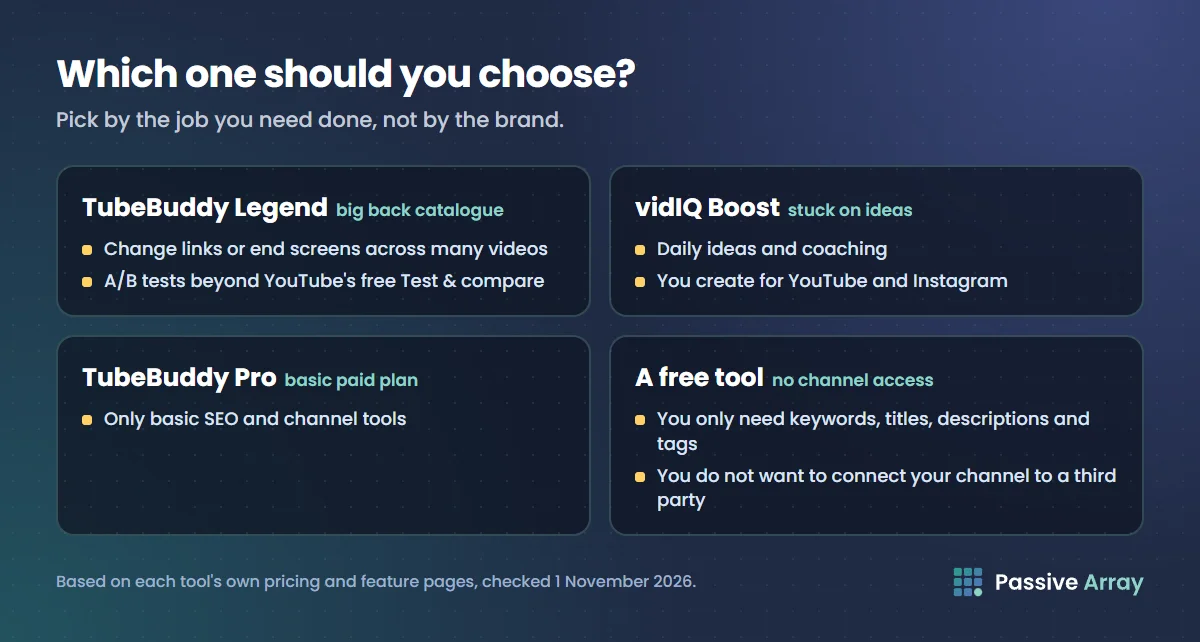
| Your situation | Best fit |
|---|---|
| Large back catalogue, need to change links or end screens across many videos | TubeBuddy Legend |
| Want A/B tests beyond what YouTube's free Test & compare offers | TubeBuddy Legend |
| Stuck on what to make next, want daily ideas and coaching | vidIQ Boost |
| Create for YouTube and Instagram | vidIQ |
| Want a paid plan only for basic SEO and channel tools | TubeBuddy Pro |
| Run a business, agency or several channels | Either Enterprise plan; ask both for a quote |
| Only need keywords, titles, descriptions and tags | A free tool is enough |
| Do not want to connect your channel to any third party | A free public-data tool |
Using both at once is unusual. They overlap heavily, and two extensions adding panels to the same YouTube pages can get cluttered.
When you do not need either
Many creators buy a subscription for the keyword score and the tag list, which are the two parts that matter least. If your work per video is finding the phrase, writing the title and description, and adding a few tags, you can do it free:
- Find phrases with YouTube Studio's Trends tab and the YouTube Keyword Generator.
- Check the title with the Title Analyzer.
- Draft the description with the YouTube Description Generator.
- Add tags within 500 characters with the Tag Generator.
- After publishing, use YouTube's own Test & compare for titles and thumbnails.
Passive Array is honest about what this route cannot do: it cannot read your private analytics, it stores no history of your channel, it cannot bulk-edit videos, and it does not generate thumbnail images. The free vidIQ alternative and free TubeBuddy alternative pages list feature by feature where each paid tool is stronger. The best free YouTube SEO tools guide covers the full free toolkit, including YouTube's own.
Sources
- TubeBuddy: Pricing, checked 1 November 2026
- TubeBuddy: Homepage and feature list, checked 1 November 2026
- TubeBuddy: Channelytics, checked 1 November 2026
- vidIQ: Pricing, checked 1 November 2026
- vidIQ: Features, checked 1 November 2026
- YouTube Help: Add tags to your videos
- YouTube Help: Test and compare thumbnails and titles
- YouTube Help: Explore trends on YouTube (Trends tab)
- Google Account Help: Manage connections between your Google Account and third parties
Frequently asked questions
Is TubeBuddy or vidIQ better for beginners?
For a brand-new channel, vidIQ's free plan is useful for ideas and trends, and TubeBuddy Pro covers the basic SEO tools; compare both pricing pages from your country before paying. But beginners usually need the basics more than either: a clear topic, a specific title and a strong first 30 seconds. Free tools and YouTube Studio cover those.
Is vidIQ free?
vidIQ has a free plan with 150 AI credits a month, niche trends, content ideas and tips from its AI coach, according to its pricing page checked on 1 November 2026. Paid plans (Boost and MAX) add more credits, thumbnail creation and unlimited trends research.
Is there a TubeBuddy free version?
Yes. TubeBuddy's homepage advertises a free "Forever" plan with no credit card required, and its FAQ says a channel returns to the free plan when a paid licence ends. The pricing page does not list what the free plan includes, so check inside the extension.
Is TubeBuddy worth it?
It is most worth it if you have a large catalogue and use the bulk editing tools, or you run A/B tests beyond what YouTube's free Test & compare does. If you mainly want keyword research and tags, it is harder to justify, because YouTube says tags play a minimal role and free tools cover keyword research.
Is vidIQ worth it?
It is most worth it if you use the idea and coaching features regularly and want them based on your own channel's data. If you only generate a title and a tag list per video, the free plan or free tools may be enough. Check how many credits your usage needs before choosing a plan.
Are TubeBuddy and vidIQ safe for my YouTube channel?
Both connect through Google sign-in rather than your password, which is the standard safe method. Install them only from official sources, and review or remove their access any time at your Google Account's linked apps page. Avoid cracked "free premium" versions.
How does TubeBuddy work?
TubeBuddy is mainly a browser extension that adds tools and panels to YouTube and YouTube Studio once you sign in with Google and connect your channel. It also has a mobile app and website tools. Features unlock by plan: free, Pro, Legend or Enterprise.
What is the best free alternative to TubeBuddy and vidIQ?
YouTube Studio itself covers analytics, trends and A/B testing for free. For keyword expansion, title scoring, descriptions and tags without an account, Passive Array's free tools do that job. They do not replace bulk editing, private analytics or tracked history.