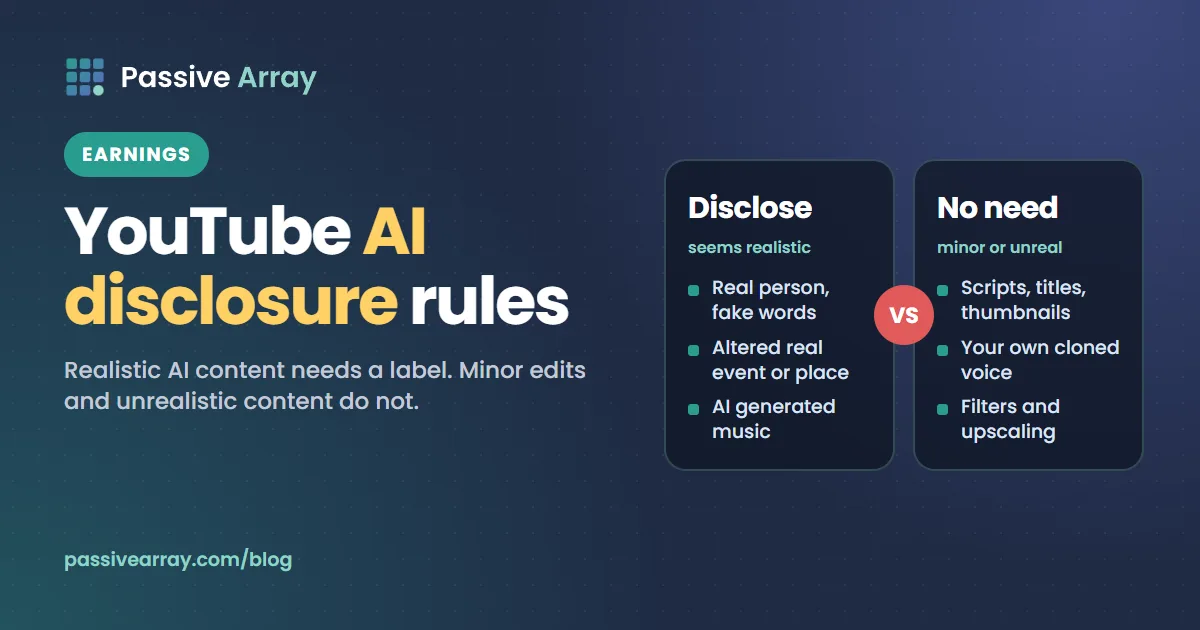
YouTube's rule is one sentence: "We require creators to disclose AI-generated or altered content that seems realistic." You must disclose content that makes a real person appear to say or do something they didn't do, alters footage of a real event or place, generates a realistic scene that didn't actually occur, or creates music that's the main focus of the video. You do it with the "AI use" setting in YouTube Studio. You do not need to disclose content that is clearly unrealistic, minor edits such as filters and colour correction, or AI help with scripts, titles and thumbnails. YouTube says disclosing "alone won't limit a video's audience or impact its eligibility to earn money."
This guide goes through YouTube's disclosure Help page in full: both lists of examples, how to set the label, where it appears, when YouTube applies one itself, the penalties, and the separate rules on using someone's likeness. Whether an AI channel can earn at all is a different question, covered in can AI voice YouTube channels be monetized. To see whether a particular channel looks monetized, the YouTube monetization checker reads its public signals and gives a confidence score.
The rule and its four triggers
The Help page is now titled "Disclosing use of GenAI content". Some other Help pages still call it "altered or synthetic content". It is the same rule.
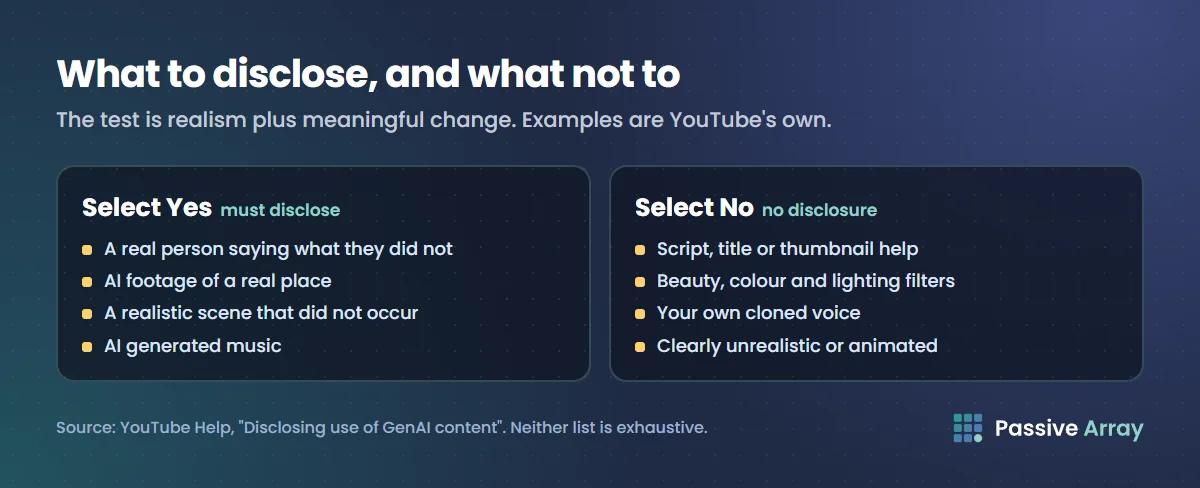
Creators must disclose GenAI content that:
- "Makes a real person appear to say or do something they didn't do."
- "Alters footage of a real event or place."
- "Generates a realistic scene that didn't actually occur."
- "Creates music that's the main focus of the video."
The test underneath all four is realism plus meaningful change. In YouTube's words: "Realistic AI content and meaningful changes require disclosure, while non-realistic or minor edits don't."
What you must disclose: YouTube's examples
YouTube gives these as "examples of content, edits, or video assistance that creators need to disclose", and says the list is not exhaustive:
- "AI generated music"
- "AI generated extra footage of a real place, like a video of a surfer in Maui for a promotional travel video"
- "AI generated realistic videos of a match between two real professional tennis players"
- "Making it appear as if someone gave advice that they did not actually give"
- "Showing a realistic depiction of a tornado or other weather events moving toward a real city that didn't actually happen"
- "Making it appear as if hospital workers turned away sick or wounded patients"
- "Depicting a public figure stealing something they did not steal, or admitting to stealing something when they did not make that admission"
- "Making it look like a real person has been arrested or imprisoned"
What you do not have to disclose: YouTube's examples
YouTube says: "Creators don't need to disclose non-realistic content that's made with AI, or edits to realistic content that are minor. Minor edits are ones that are primarily aesthetic, and don't alter the content in a way that could mislead the viewer about what actually happened."
Not realistic
- "Someone riding a unicorn through a fantastical world"
- "Green screen used to depict someone floating in space"
- "Using an AI-generated or altered animation of a missile in a fully animated video"
Minor
- "Applying beauty filters"
- "Color adjustment or lighting filters"
- "Special effects filters, like adding background blur or vintage effects"
- "Production assistance, like using generative AI tools to create or improve a video outline, script, thumbnail, title, or infographic"
- "Caption creation"
- "Video sharpening, upscaling or repair and voice or audio repair"
- "Idea generation"
- "Cloning one's own voice to create voice overs or dubs"
- "Gameplay footage from video games"
- "AI generating or extending a backdrop to simulate a moving car"
- "Using effects to enhance previously recorded audio"
The production assistance line is the one most creators need. Drafting a script, an outline, a title or a thumbnail with AI does not trigger disclosure. That covers tools like our YouTube description generator, which drafts a description from your own notes.
Common cases, sorted
The table below is our reading of the examples above, not a YouTube ruling. Neither of YouTube's lists is complete.
| What you made | Disclose? | Basis |
|---|---|---|
| A script, title or thumbnail drafted with AI | No | Listed as production assistance |
| Your own cloned voice for a voiceover or dub | No | Listed by name |
| A song generated with an AI music tool | Yes | "AI generated music" |
| Realistic AI footage of a real city, landmark or venue | Yes | The Maui example |
| A real person's face or voice made to say something they did not say | Yes | The first trigger |
| A realistic generated scene of an event that never happened | Yes | The tornado and hospital examples |
| A generic AI narrator reading your own script | Not listed | See below |
| Realistic AI b-roll of no particular place or person | Not listed | See below |
On the two unlisted rows: a text-to-speech narrator that imitates no real person does not match any of the four triggers. A realistic generated scene can match the third trigger even when no real person or place is shown. If a reasonable viewer would take your generated footage for something a camera recorded, the cautious choice is to select Yes.
How to set the AI disclosure in YouTube Studio
YouTube says "the 'AI use' setting is available to creators using YouTube Studio on a computer or mobile device." The steps on the Help page are the same on each:
- Go to YouTube Studio. On a phone or tablet, open the YouTube Studio app.
- Follow the steps to upload content.
- In the Attributes section, under "AI use", select Yes if your content meets the disclosure requirements or No if not.
- Continue to select the other video details.
"After a creator selects this field and uploads content, the content will be labeled as AI generated or altered for viewers."
Music delivered by labels and distributors works differently. YouTube's page for music partners offers three designations: "Fully Gen AI", "Partly Gen AI" and "No Gen AI". In its examples, a track downloaded from a text prompt in an AI music generator is fully Gen AI, and pitch correction or automated mastering is no Gen AI.
What the label looks like and where it appears
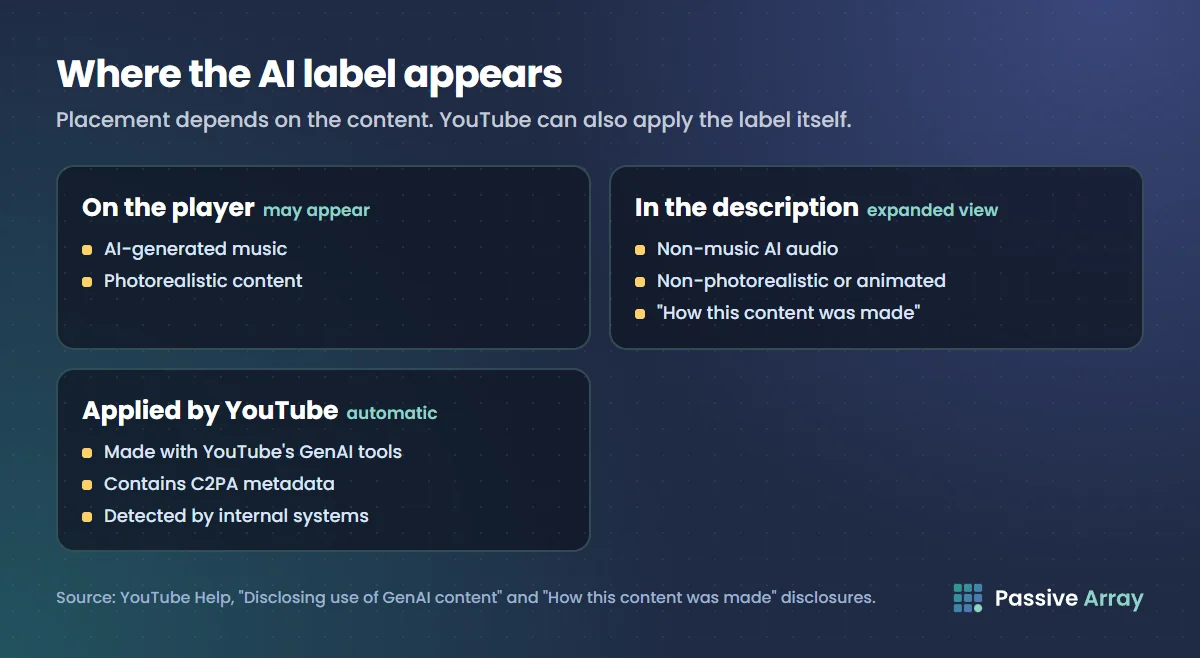
"If creators select 'Yes' to indicate that their content is realistic and generated by AI or meaningfully altered with AI, we'll add a label to their video." Where it goes depends on the content:
- On the video player: "For AI-generated music or content that is photorealistic, a label in the video player may also appear."
- In the expanded description: "Labels may appear in the expanded description for non-music AI-generated audio or AI content that is non-photorealistic or animated."
For viewers, the expanded description has a section called "How this content was made". The disclosure shown there reads "Made with AI".
When YouTube adds the label itself
"YouTube may automatically apply an AI label on the video player or in the expanded description for:"
- "Content made using YouTube's GenAI tools"
- "Content that contains C2PA metadata"
- "Content that our internal systems detect is AI generated or altered"
"You will receive a notification in YouTube Studio if an AI label has been automatically applied on or below the video player."
Correcting a label you think is wrong
"If our systems make an error, creators will have the ability to change AI disclosure in most cases by selecting No in the AI disclosure survey under 'Attributes' in YouTube Studio."
There are three cases where you cannot: "content made with YouTube's AI tools, content containing C2PA metadata, or content labeled after manual review can not be adjusted."
C2PA metadata
C2PA is an open standard for recording where a piece of media came from, attached to files as Content Credentials. YouTube says it "will carry forward disclosures from tools and creators available with secure Content Credentials (C2PA) 2.1 or higher that indicate the entire video was made with AI." The file itself can carry the disclosure.
Shorts and YouTube's own AI tools
YouTube's Shorts creation tools can generate images and video clips from a prompt. For these, the Help page says: "Creators who make a post or YouTube Short using YouTube's generative artificial intelligence (AI) tools don't need to take extra steps to disclose the use of altered or synthetic content. The tool will automatically disclose the use of AI for creators."
So there is nothing to tick, and nothing to untick: labels on content made with YouTube's AI tools cannot be adjusted. YouTube names Dream Screen as one such tool.
For Shorts made with tools from outside YouTube, the ordinary rule applies: you answer the "AI use" question yourself.
Penalties for not disclosing
YouTube's wording is: "Creators who consistently choose not to disclose this information may be subject to manual application of a label, or penalties from YouTube, including removal of content or suspension from the YouTube Partner Program."
The trigger is a pattern: the word is "consistently", not a single missed video. The first step can simply be a label applied for you, which you cannot then change. The top of the range is suspension from the Partner Program, which ends all monetization on the channel. YouTube demonetization explains what losing the program means.
The label is not a shield either: "we apply our Community Guidelines to all content on YouTube, including content that is AI generated or altered using AI."
Disclosure is not permission to use someone's likeness
YouTube's page on likeness claims is blunt: "Labeling your video as synthetic or disclosing that your video is AI-generated does not allow you to use someone's likeness without permission."
The privacy complaint process
YouTube's privacy guidelines let people report "AI-generated or other synthetic content that looks or sounds like you". To qualify for removal, "the content should show a realistic altered or synthetic version of your likeness." YouTube says it will consider whether:
- "The content is altered or synthetic."
- "The content is disclosed to viewers as altered or synthetic."
- "The person can be uniquely identified."
- "The content is realistic."
- "The content contains parody, satire, or other public interest value."
- "The content features a public figure or well-known individual engaging in a sensitive behavior, such as criminal activity, violence, or endorsing a product or political candidate."
Disclosure is one factor among six. It helps, and it does not decide the outcome. The complaint normally has to come from the person themselves: "first-party claims are required", with exceptions such as a parent or legal representative.
Likeness detection and likeness claims
YouTube also runs likeness detection, which "helps creators find content on YouTube where their face appears to be altered or generated by AI." Enrolled creators can review matches and request removal.
If your video is matched, you may see a likeness claim on it. YouTube says these claims "can block a video from being viewed completely" and that they "affect videos, but don't impact your channel or account". You can dispute one with a valid reason, "such as having explicit permission from the individual."
How disclosure relates to monetization
What disclosure does not do. YouTube's note is explicit: "Disclosing AI content alone won't limit a video's audience or impact its eligibility to earn money." Selecting Yes is not a monetization penalty.
What disclosure cannot fix. Whether an AI-heavy channel can earn is decided by the channel monetization policies, which exclude, for example, "AI-generated content made with generic or unoriginal templates giving the impression of mass production without adding the creator's original, authentic insights or perspective." A correctly labelled video of that kind is still not monetizable. Our guide to AI voice channels and monetization goes through those policies, and YouTube monetization requirements has the thresholds.
Where they meet. Only at the penalty: consistently failing to disclose can lead to "suspension from the YouTube Partner Program".
Disclosure is also separate from the paid promotion declaration, which is about who paid for the video, not how it was made. Affiliate marketing on YouTube covers that rule.
A checklist before you publish
- Does the video show a real person saying or doing something they did not? Select Yes, and make sure you have their permission.
- Does it alter footage of a real event or place, add generated footage of a real place, or show a realistic scene that did not happen? Select Yes.
- Is AI-generated music the main focus? Select Yes.
- Is the AI use limited to scripts, titles, thumbnails, filters, upscaling or your own cloned voice, or is the content clearly unrealistic? Select No.
- Did you make it with YouTube's own AI tools? The label is applied for you.
- Not sure? Select Yes. YouTube says the label alone does not limit reach or earnings.
Sources
- YouTube Help: Disclosing use of GenAI content (the rule, both example lists, the Studio steps, labels, automatic detection, penalties, the monetization note)
- YouTube Help: Understanding "How this content was made" disclosures on YouTube (the "Made with AI" wording, Content Credentials, Dream Screen)
- YouTube Help: Create content for Shorts using AI-generated features (automatic disclosure for YouTube's own tools)
- YouTube Help: Disclose Gen AI usage for music content (the three designations and examples for music partners)
- YouTube Help: YouTube Privacy Guidelines (reporting synthetic content that looks or sounds like you, the six factors, first-party claims)
- YouTube Help: Likeness detection on YouTube and Learn about likeness claims (detection, claims, disclosure does not stop claims)
- YouTube Help: YouTube channel monetization policies (the inauthentic content wording on AI templates)
Frequently asked questions
Do I have to disclose AI on YouTube?
Only when the content is realistic and AI-generated or meaningfully altered. YouTube requires disclosure for content that makes a real person appear to say or do something they did not, alters footage of a real event or place, generates a realistic scene that did not occur, or creates music that is the main focus of the video.
What are the YouTube monetization AI disclosure requirements?
There is no separate disclosure rule for monetized channels. Every creator answers the same "AI use" question in YouTube Studio, and YouTube says disclosing alone will not affect a video's eligibility to earn money. The link to monetization is the penalty: creators who consistently fail to disclose can be suspended from the Partner Program.
What is the YouTube altered content label?
It is the notice YouTube shows viewers when a video contains realistic AI-generated or altered content. It can appear on the video player for AI-generated music or photorealistic content, and in the expanded description, in a section called "How this content was made", for other AI content. The disclosure reads "Made with AI".
Do I need to disclose an AI voiceover on YouTube?
Cloning your own voice for voiceovers or dubs is on YouTube's list of things you do not need to disclose. A synthetic voice that makes a real person appear to say something they did not say must be disclosed. A generic AI narrator is not named on either list, so that case is a judgment call, and disclosing carries no penalty.
Can YouTube add an AI label without me?
Yes. YouTube may apply a label automatically to content made with its own GenAI tools, content that contains C2PA metadata, and content its systems detect as AI generated or altered. You can usually change it by selecting No under Attributes, except for content made with YouTube's tools, content with C2PA metadata, or content labelled after manual review.
What happens if I do not disclose AI content on YouTube?
YouTube says creators who consistently choose not to disclose may have a label applied manually, or face penalties including removal of content or suspension from the YouTube Partner Program. A label applied after manual review cannot be removed by the creator.