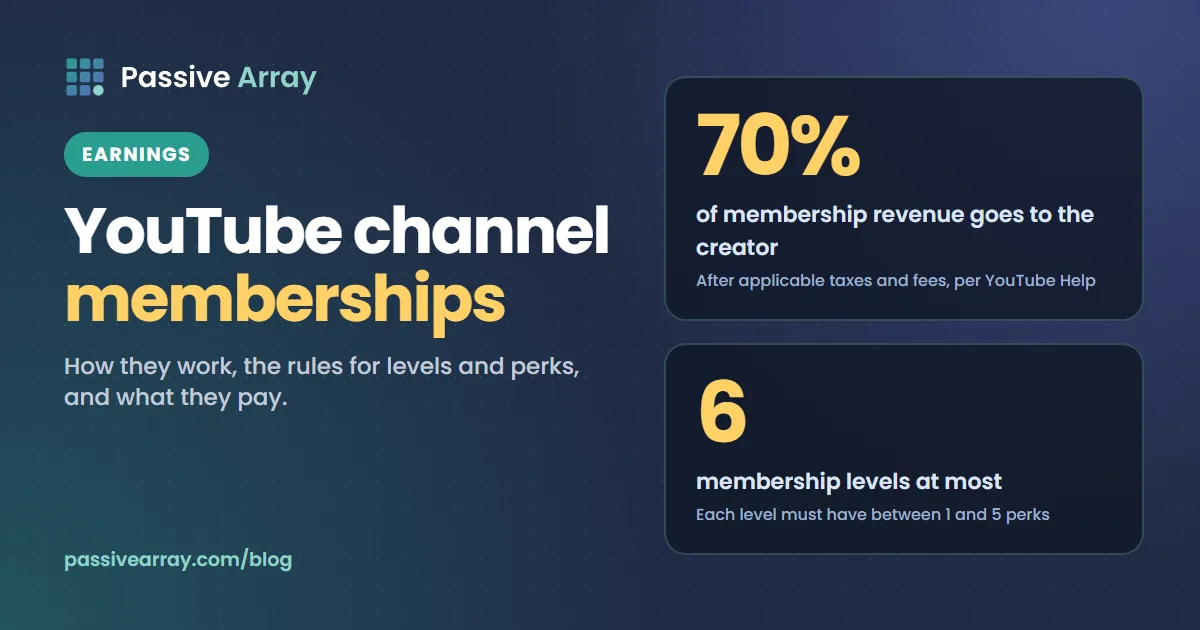
YouTube channel memberships let viewers pay a channel a monthly fee in return for perks such as badges, custom emoji and members-only videos. YouTube Help states the split plainly: "Creators get 70% of membership revenue after applicable taxes and fees are deducted." A channel can offer up to 6 levels, each with 1 to 5 perks, and has to be in the YouTube Partner Program with an owner aged 18 or over to turn the feature on.
This guide covers eligibility, what the 70% is taken from, levels and price points, perk rules, gifted memberships, how to switch memberships on and what can pause or end a program. Every rule comes from YouTube's Help pages. To check whether a channel you do not own looks monetized, the YouTube monetization checker reads its public signals and gives a verdict with a confidence score.
What channel memberships are
A membership is a recurring monthly payment from a viewer to one channel. Viewers join with the Join button, pick a level, and keep the perks for as long as they keep paying. It is one of the fan funding features in the Partner Program, next to Super Chat, Super Stickers and Super Thanks, and it depends on how many viewers decide to pay, not on how many ads ran.
Who is eligible
YouTube lists minimum requirements for all fan funding features, then extra conditions for memberships.
| Requirement | What YouTube says |
|---|---|
| Partner Program | "Channel is in the YouTube Partner Program" |
| Age | "Be at least 18 years old" |
| Location | You live in one of the locations where memberships are available |
| Terms | You, and your MCN if you have one, have accepted the Commerce Product Module |
| Made for kids | The channel is not set as made for kids |
| Ineligible videos | No significant number of videos that are made for kids or have music claims |
The thresholds to get in
You do not need full ad monetization first. YouTube's page on Partner Program changes says creators can access fan funding early at 500 subscribers plus either 3,000 qualified watch hours in the last year or 3 million qualified Shorts views in the last 90 days. Ad revenue sharing needs 1,000 subscribers and higher view thresholds. YouTube monetization requirements has both levels side by side.
The ad-revenue thresholds rise for new applicants from 1 February 2027. For fan funding, the same page says eligibility is unchanged.
One date to know: 31 January 2027
Creators who turned on fan funding before 2023 are being moved from the older Commerce Product Addendum to the current Commerce Product Module. YouTube says eligibility, how the products work and the revenue share stay the same, but the terms must be accepted in YouTube Studio by 31 January 2027. Creators who have not accepted stop earning from these features on 1 February 2027, and can regain access by accepting later.
What memberships pay: the 70% share
Two YouTube pages state the share. The memberships page: "Creators get 70% of membership revenue after applicable taxes and fees are deducted." The partner earnings overview says that under the Commerce Product Module "YouTube will pay them 70% of net revenues from channel memberships, Super Chat, Super Stickers, and Super Thanks."
So YouTube takes 30% of the net amount. Four details sit behind that:
- Taxes come off first. The partner earnings page says "transaction taxes such as sales tax, VAT, GST, etc. are not revenue to Google", so they are left out before the split.
- Card fees are not deducted from your share. YouTube says "All transaction costs (including credit card fees) are currently covered by YouTube."
- A network can take more. "Some MCNs may take extra revenue share, meaning your revenue from memberships may be lower than 70%." What a YouTube MCN is explains those contracts.
- Refunds come out of your share. YouTube says it "has sole discretion as to the validity" of a member's refund claim, and when a refund is granted the creator's share is deducted from their AdSense for YouTube account.
US tax withholding applies as well. YouTube says "Google withholds U.S. taxes on earnings that you generate from viewers in the U.S." How and when YouTube pays you covers tax information and payment dates.
The arithmetic (a hypothetical example)
Monthly membership earnings = members x net price x 70%
The numbers here are made up to show the sum. They are not a prediction for any channel. Take 200 members at a $4.99 level, with no sales tax to remove:
- 200 x $4.99 = $998.00 paid by members
- $998.00 x 70% = $698.60 to the creator
Where a transaction tax applies, the split starts from a smaller net amount. YouTube publishes no figures on how many viewers become members, so we offer no conversion rate.
YouTube counts memberships inside RPM, so membership revenue raises RPM even when ad rates are flat. What is CPM on YouTube explains how those metrics differ.
Levels and price points
YouTube lets you create "up to 6 different membership levels", each at a different price. The rule for perks is: "Each level must have between 1 and 5 perks."
Levels stack. In YouTube's words, "the highest-priced levels automatically get the perks given at lower-priced levels."
You choose each price from a fixed list for your country. YouTube's pricing page for the United States lists 25 price points:
| Range | Price points (USD) |
|---|---|
| Under $10 | $0.99, $1.99, $2.99, $3.99, $4.99, $5.99, $6.99, $7.99, $8.99, $9.99 |
| $10 to $50 | $14.99, $19.99, $24.99, $29.99, $34.99, $39.99, $44.99, $49.99 |
| Above $50 | $99.99, $149.99, $199.99, $249.99, $299.99, $399.99, $499.99 |
The same page carries a notice: "Starting May 2025, pricing updates for channel memberships will be rolling out gradually." Other regions have their own pages, and YouTube says pricing can vary by country or region and by the platform a viewer signs up on.
Two rules to know:
- New levels and perks are reviewed. YouTube checks them against its membership policies before they go live, which it says "takes about a day."
- Removing a level removes its members. "All members at a removed level will lose access to perks immediately," and they are refunded their last month's payment.
Perks and their rules
You must be able to deliver every perk you offer. YouTube says it "does not take responsibility for your creator perks."
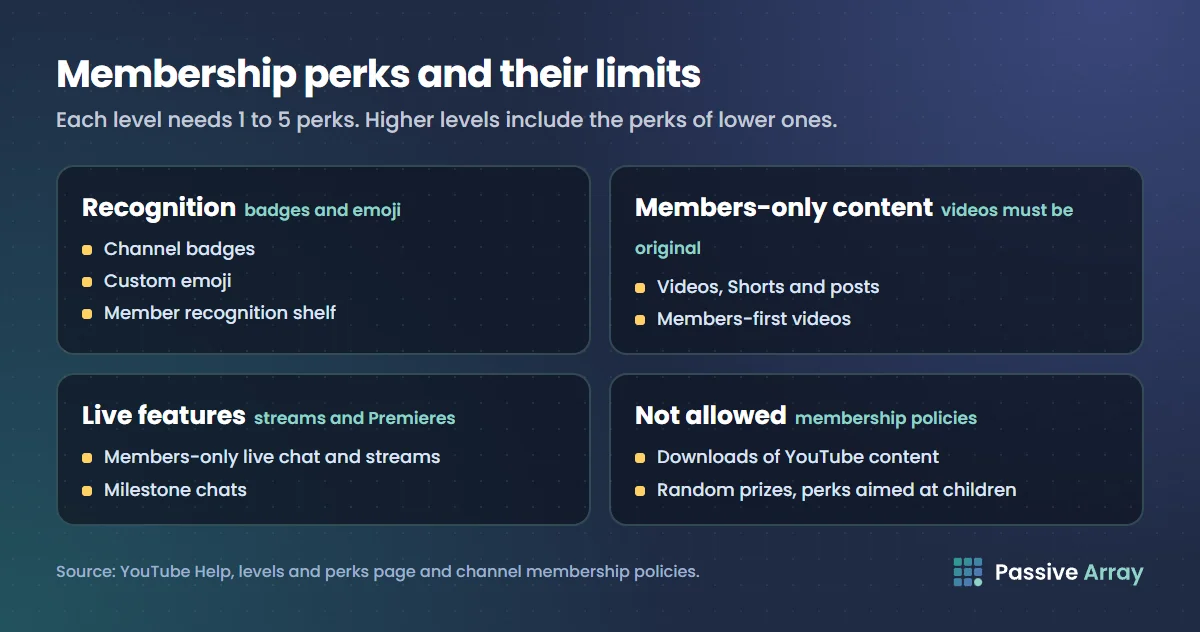
Perks YouTube provides
| Perk | What it does | Rules YouTube states |
|---|---|---|
| Channel badges | A badge that changes with how long someone has been a paying member | Default or custom |
| Custom emoji | Emoji for members to use | Open to all members, whatever their level |
| Members-only posts | Posts for members, or for chosen levels | Default visibility is public, so set it each time |
| Members-only videos | Videos only members can watch | Fully original. No copyright claims |
| Members-first videos | Members see a video before it goes public | You choose the levels and the public date |
| Members-only Shorts | Shorts only members can watch | Up to 60 seconds, fully original, no third-party music |
| Members-only live chat | Only members can post in chat on a public stream | Everyone can still watch |
| Members-only live streams | Streams only members can watch | Covered on a separate Help page |
| Milestone chats | One highlighted message a month in live streams or Premieres | From a member's second consecutive month |
| Member recognition shelf | Member avatars on your channel page | On automatically at 8 or more members |
Custom emoji slots follow a scale. YouTube gives 4 slots at 0 members, 5 at 2 members, 6 at 5 members and 7 at 10 members, rising to 54 slots at 5,000 or more members.
Note the music rule. A members-only video cannot carry a copyright claim, including claims from music partners, and members-only Shorts cannot use the Shorts music library. Our guides to using music in YouTube videos and YouTube Content ID cover how claims arise.
Perks you are not allowed to offer
YouTube's membership policies rule out:
- "Downloads of content (including music) available on YouTube"
- In-person one-to-one meetings
- Perks only some members receive at random, such as contests, lotteries or sweepstakes
- Perks marketed or directed to children, or that may be attractive to or inappropriate for children
- "Perks encouraging children to ask their parents to join your channel membership program"
These apply to every perk, wherever you offer it.
Gifted memberships and free trials
Gift memberships
Gifts let a viewer, or the creator, buy memberships for other viewers. YouTube's rules:
- Where. Gifts are bought in live chat during a live stream or Premiere on a channel that has gifting available.
- How long. A gift gives "up to 1 month of access" to membership perks. It does not renew, and the recipient is not charged afterwards.
- Which level. Gifts are offered at "the closest highest price level available up to and including $9.99."
- Who can receive one. Viewers must opt in and be subscribed to the channel. YouTube also says "Channel members aren't eligible to receive gifted memberships."
- Refunds. "Gift memberships are non-refundable and cannot be exchanged for cash value."
Promotional gifts
Channels with a membership tier below $5 may get promotional gift memberships to hand out. They come in sets of 5, are given on the first of each month and do not carry over. They cost nothing to you or the viewer, and you do not earn revenue from them.
Membership trials
Viewers can also get a free one-month trial. Each viewer can redeem one trial across all creators on YouTube, and creators can opt out in YouTube Studio.
How to turn on channel memberships
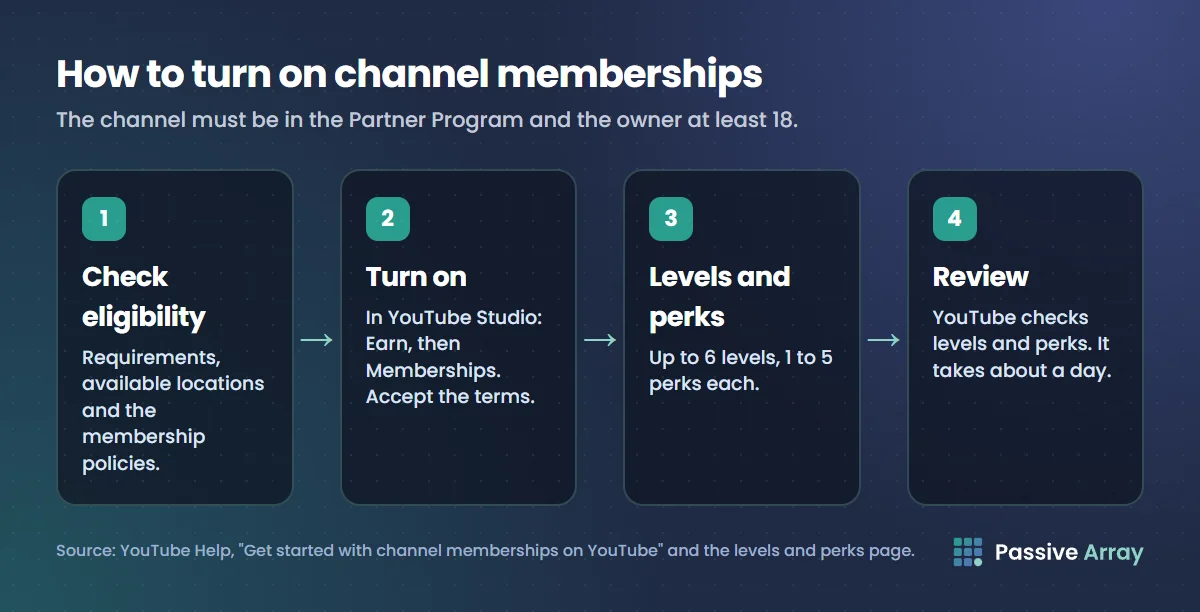
YouTube describes three steps, and its review adds a fourth:
- Check eligibility. Review the requirements above, the list of available locations and the membership policies.
- Turn memberships on. In YouTube Studio, open Earn, then Memberships, and accept the Commerce Product Module terms.
- Create levels and perks. Up to 6 levels, 1 to 5 perks each, at prices from your country's list.
- Wait for review. YouTube says checking levels and perks against its policies "takes about a day."
If viewers cannot find the Join button, YouTube's listed reasons are that the viewer's country or region is not supported, the video is made for kids, or the video is claimed by certain music partners. Its workaround is to add /join to your channel URL.
A launch checklist
- The channel is in the Partner Program, the owner is 18 or over and the channel is not set as made for kids.
- No perk is on the not-allowed list.
- Every perk is one you can deliver every month.
- Members-only videos use no claimed or third-party music.
- You are sure about each level, because removing one removes its members.
- Members-only posts are set to members, not left on public.
Tracking members and revenue
In YouTube Studio, Earn, then Memberships shows total and active members, revenue, members by level, sign-ups, cancellations and cancellation feedback. On the Revenue tab, the "How you make money" card breaks revenue down by source, including memberships. You cannot remove a member, though YouTube notes you can block a viewer's comments with comment and live chat filters.
Paused mode, and how a program ends
YouTube says a program enters paused mode when the channel violates monetization policies, loses monetization by leaving or switching content owners, or is set as made for kids.
While paused:
- The Join button disappears and members lose access to perks.
- Members' monthly payments stop. They are not cancelled automatically.
- You have 120 days to fix the cause and turn memberships back on in Studio.
After 120 days the program ends and all members are lost. Members are refunded their last monthly payment, deducted from the channel's share of membership revenue. A program also ends, with the same refund, if the channel terminates it, is removed from the Partner Program, or has it ended for abuse, fraud or a breach of YouTube's terms. YouTube demonetization covers how to respond when monetization is restricted.
Are memberships worth turning on?
Our view, not a YouTube position: every level is a set of perks you owe members each month, so start with one low-priced level and the perks YouTube runs for you, such as badges and custom emoji.
Memberships sit alongside ad revenue. The YouTube money calculator estimates ad earnings from a channel's recent views and does not include memberships, which only your own Studio can show. For the rest of the picture, see how much YouTube pays after monetization and ways to make money on YouTube.
Sources
- YouTube Help: Get started with channel memberships on YouTube (eligibility, perk policies, paused mode)
- YouTube Help: YouTube Commerce Products monetization policies (minimum requirements for fan funding)
- YouTube Help: Changes to the YouTube Partner Program (fan funding thresholds, the 31 January 2027 deadline)
- YouTube Help: Analyze and manage your YouTube channel memberships program (the 70% share, transaction costs, MCNs, refunds, member data, how a program ends)
- YouTube Help: YouTube partner earnings overview (70% of net revenues, transaction taxes, US withholding)
- YouTube Help: Create or manage your YouTube channel's memberships levels and perks (levels, perks, emoji slots, review time, trials)
- YouTube Help: Pricing for channel memberships on YouTube: North America (US price points)
- YouTube Help: Gift channel memberships on YouTube (gift rules)
- YouTube Help: Promote your YouTube channel's memberships program (promotional gifts, the Join button)
- YouTube Help: Understand ad revenue analytics (memberships counted in RPM)
Frequently asked questions
How much does YouTube take from memberships?
YouTube keeps 30%. Creators get 70% of membership revenue after applicable taxes and fees are deducted, and YouTube says it currently covers transaction costs such as credit card fees. A creator in an MCN may receive less if the network takes its own share.
How many subscribers do you need for YouTube channel memberships?
The channel has to be in the YouTube Partner Program. YouTube says creators can access fan funding features, including memberships, at 500 subscribers plus either 3,000 qualified watch hours in the last year or 3 million qualified Shorts views in the last 90 days. The owner must also be at least 18.
How much do YouTube channel memberships cost?
The creator sets the price of each level from a fixed list for their country. In the United States the list has 25 price points from $0.99 to $499.99 a month. Prices in other countries are set in local currency and can vary by the platform used to join.
How many membership levels can a YouTube channel have?
Up to 6. Each level must have between 1 and 5 perks, and higher-priced levels automatically include the perks of lower-priced ones. New levels and perks are reviewed against YouTube's policies before they go live, which takes about a day.
What perks can you offer YouTube channel members?
YouTube provides badges, custom emoji, members-only posts, videos, Shorts and live streams, members-first videos, members-only live chat and milestone chats. You can add your own perks, but not downloads of YouTube content, in-person one-to-one meetings, random prizes or anything aimed at children.
How do gifted memberships work on YouTube?
A viewer or the creator buys gift memberships in live chat during a live stream or Premiere. Viewers who have opted in and are subscribed can receive one, and it gives up to 1 month of access to perks without renewing. Gift memberships are non-refundable.
What happens to members if my channel loses monetization?
The program goes into paused mode. The Join button disappears, members lose perks and their payments stop. You have 120 days to fix the cause and turn memberships back on. After that the program ends, members are lost and their last payment is refunded from your share.