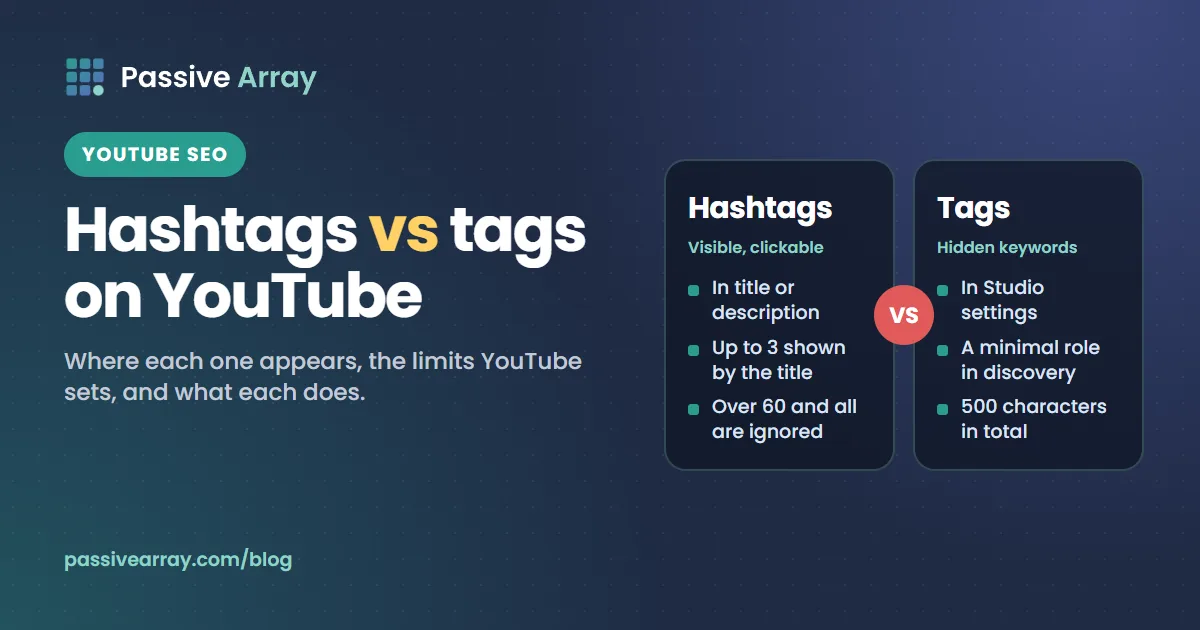
YouTube hashtags and tags are two different things. Hashtags are words with a # that you put in the title or description: viewers can see them, click them, and land on a page of other videos with the same hashtag. Tags are hidden keywords in the video's settings that viewers never see; YouTube says they play a "minimal role" in discovery and mainly help when your topic is commonly misspelled. Hashtags are for viewers browsing a topic. Tags are a small background hint for search.
Neither will make a weak video rank. But they are easy to get wrong, and each has rules that can hurt you if you ignore them. A YouTube Hashtag Generator and a tag generator handle the mechanics in a minute. This guide explains what each one actually does, so you know how much time each deserves.
The difference at a glance
| Hashtags | Tags | |
|---|---|---|
| Where you add them | In the title or description, typed with # | In Studio: Details > Show more > Tags |
| Who sees them | Viewers | Nobody on the watch page |
| Clickable? | Yes, they link to a hashtag results page | No |
| Shown by the title? | Up to three "considered most engaging" | No |
| Limit | Over 60 and YouTube ignores all of them | 500 characters in total |
| Spaces allowed? | No | Yes, but the quotes YouTube adds count toward the limit |
| What YouTube says they do | Help viewers find related content on the hashtag page | Play "a minimal role" in discovery, useful for misspellings |
| Main risk | Misleading or unrelated hashtags can lead to removal | Excessive tags pasted into the description break the spam policy |
Everything in this table comes from YouTube's Help Center and its Data API documentation, linked in the sources below.
What YouTube hashtags do
Where hashtags appear
You add a hashtag by typing # in the title or description, followed by the word or phrase. YouTube suggests popular hashtags as you type. Once saved, YouTube's hashtag help page says "up to three hashtags that are considered most engaging will appear by your video title." The rest stay in the description, where they are still clickable.
Note what that sentence does and does not say. YouTube picks the hashtags it considers most engaging, so you should not assume the first three you type are the three it shows. Put only hashtags you would be happy to see by the title.
What happens when someone clicks one
YouTube says hashtags in the title and description "link to a results page featuring other videos sharing the hashtag." That page is the main way a hashtag brings views: a viewer watching one cooking Short taps #sourdough and browses other videos tagged the same way. Your video can appear there among everyone else's.
That also explains why giant hashtags rarely help small channels. A results page for a hugely popular hashtag holds an enormous number of videos, and yours is unlikely to stand out. A specific hashtag with a smaller, focused page gives your video a better chance of being seen by someone who wants exactly that topic.
The hashtag rules
YouTube's hashtag policy lists what is not allowed. Breaking it means hashtags that "won't show below your content, and may be removed", and in some cases removal of the video.
- No spaces. "Hashtags don't contain any spaces." Join the words: #sourdoughstarter or #SourdoughStarter.
- No over-tagging. "If a video or playlist has more than 60 hashtags, we'll ignore each hashtag on that content." YouTube also warns that over-tagging may result in removal of the video from your uploads or from search.
- Directly related only. "Don't add hashtags that are not directly related to the video or playlist." Misleading or unrelated hashtags can lead to removal.
- No harassment, hate, sexual or vulgar hashtags. These can lead to removal or, for profanity, an age restriction.
- No plain keyword lists. YouTube's policy says adding ordinary descriptive tags or repetitive sentences to the description is prohibited.
How many hashtags to use
YouTube does not give an ideal number, only the 60 limit and a warning that "the more tags you add, the less relevant they become for viewers or listeners who are searching." Our suggestion, which is advice rather than a YouTube rule, is two to five per video:
- One for the exact topic: #sourdoughstarter.
- One for the wider subject: #baking.
- Optionally one for a series or your channel: #breadweek.
- For Shorts, optionally #shorts, which YouTube's 2025 Shorts guide lists among popular hashtags.
That is enough for every useful hashtag page and keeps the description readable.
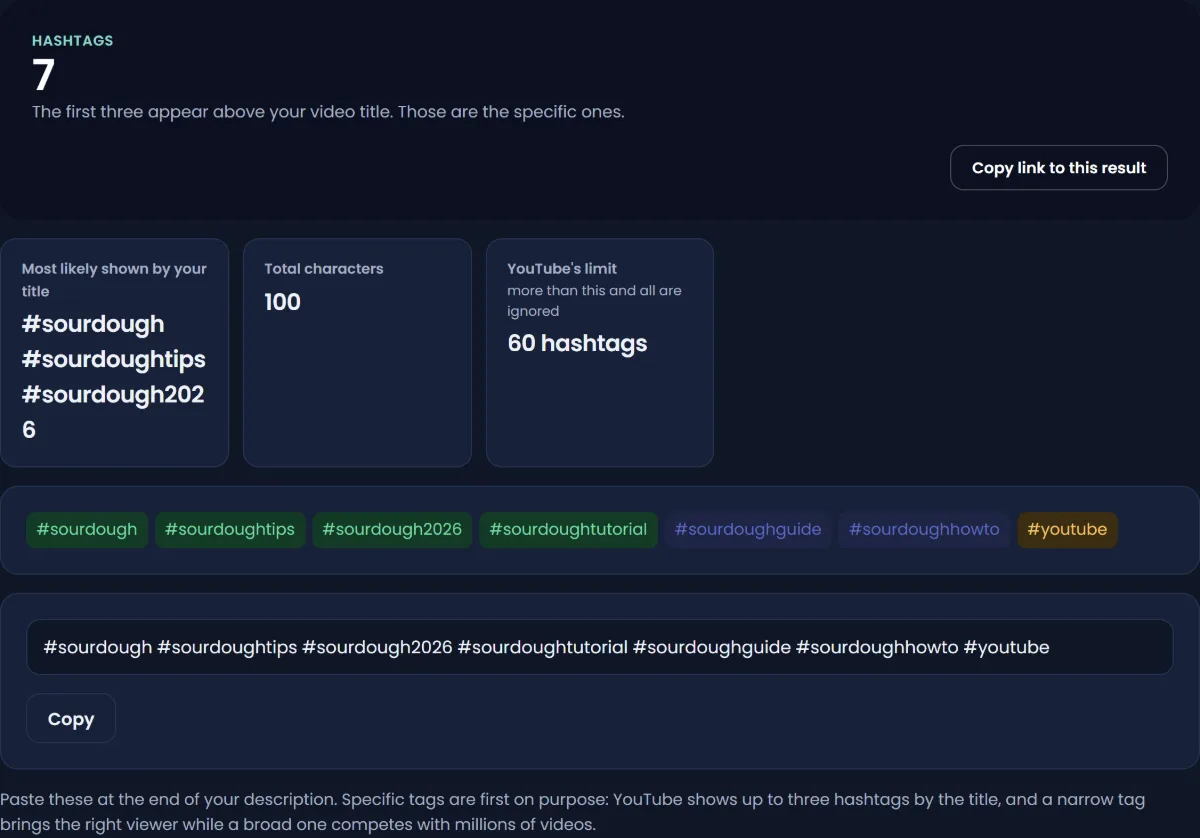
What YouTube tags do
Where tags go
Tags live in the video's settings, not on the page. YouTube's help says: in the Details section of the upload flow, click Show more and add your tags. For a video already uploaded, open it in Studio, go to Details, click Show more and edit. You can also edit tags in the YouTube app.
Viewers do not see tags on the watch page. They are in the page's data, which is why tools and browser extensions can read them. How to find YouTube video tags shows three ways to see any video's tags.
What YouTube says tags are for
YouTube's tags help page is direct: "Tags play a minimal role in your video's discovery," and "tags can be useful if the content of your video is commonly misspelled." It adds that the title, thumbnail and description "are more important pieces of metadata for your video's discovery." YouTube's performance FAQ says the same in shorter words, calling tags "not important" and "primarily used to help correct for common spelling mistakes."
YouTube's search help does list tags among the relevance inputs, next to title, description and video content. So tags are not ignored. They are a small input that matters most when your main words are often typed wrong. For the full case for and against, read do YouTube tags still matter.
The 500-character limit
YouTube's Data API documentation gives the limit for the tags field: 500 characters in total. Two details catch people out:
- Commas between tags count toward the 500.
- A tag that contains a space is treated "as though it were wrapped in quotation marks", and those quotation marks count too.
So a tag like sourdough starter costs 17 characters plus 2 for the quotes, plus a comma. In practice the field holds roughly 20 to 30 short tags. Stopping a little under the limit leaves room for edits. The YouTube Tag Generator builds a list inside the 500-character limit.
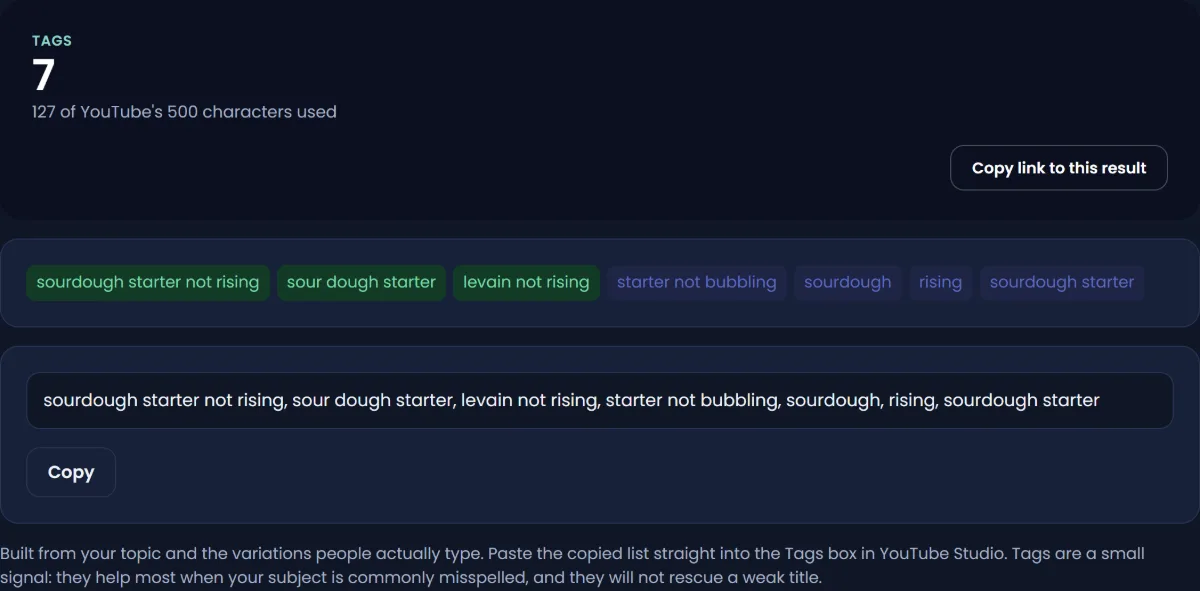
What to put in tags
- Your main keyword, exactly as people type it.
- Two to four variations of it.
- Common misspellings of your subject, product or brand names.
- The same terms in any other language your audience searches in.
- One or two broad category terms.
Do not paste tags into the description as a block. YouTube says "adding excessive tags to your video description is against our policies on spam, deceptive practices, and scams."
Hashtags vs tags: which one should you spend time on?
A simple way to decide, based on what YouTube has said about each:
| If you want to... | Use | Why |
|---|---|---|
| Show viewers what topic the video belongs to | Hashtags | They are visible and clickable |
| Appear on a topic's browse page | Hashtags | The hashtag results page lists videos with that hashtag |
| Catch searches with a common misspelling | Tags | That is the use YouTube names |
| Cover a brand name spelled several ways | Tags | Hidden, so they do not clutter the title |
| Rank in YouTube search | Neither, mainly | Title, description, video content and viewer engagement do that work |
The last row is the important one. YouTube's search ranks on relevance, engagement and quality, and the strongest relevance signals you write are the title and description. If you have ten minutes for metadata, spend eight on the title and the first lines of the description. Choose the words from real searches, which the YouTube Keyword Generator or free YouTube keyword research help with, and check the title with the YouTube Title Analyzer. How YouTube SEO works covers that process.
A worked example
Say a channel uploads a 9-minute video titled "Sourdough starter not rising? 5 fixes that work". This is a made-up example.
Hashtags, at the end of the description:
#sourdoughstarter #sourdough #baking
Three specific, related hashtags. YouTube may show some or all of them by the title. Each links to a page where people browse that topic.
Tags, in Details > Show more:
sourdough starter not rising, sourdough starter not bubbling, starter not rising, sour dough starter, sourdough starter help, levain not rising, masa madre no sube, sourdough, baking
The misspelling "sour dough", the alternative name "levain" and a Spanish phrase for viewers who search in Spanish are exactly the kind of thing tags exist for. The list is well under 500 characters, including commas and the quotes YouTube adds around tags with spaces.
What is not there: no #viral, #trending or #fyp in the hashtags, and no unrelated popular terms in the tags. They would not describe the video, and YouTube's policy says hashtags must be directly related.
Hashtags and tags on Shorts
The same rules apply to Shorts: hashtags in the title or description are clickable, the 60 limit applies, and tags sit in the same hidden field. Hashtags matter a little more on Shorts because many Shorts have short titles and short descriptions, so a hashtag is one of the few signals of topic a viewer sees. YouTube's Shorts guide says to "use relevant hashtags to increase discoverability". The full Shorts routine is in YouTube Shorts SEO.
Three practical hashtag decisions
Hashtags "to get views"
They can bring some views from hashtag results pages, mostly when the hashtag is specific enough that your video is visible on its page. YouTube describes them as links to a results page, not as a way into Home or the Shorts feed. A list of "hashtags to get views" copied from the internet usually contains broad or unrelated hashtags, which bring nothing and can break the "directly related" rule.
Title or description
Either works. YouTube says hashtags are clickable in both and that up to three will appear by the title. Hashtags typed into the title use title space that is short already, especially on phones. Most creators put them at the end of the description and let YouTube choose which to show.
Copying a competitor's tags
Reading them is fine and can show you which misspellings and aliases they cover. Copying them wholesale rarely helps, because their tags describe their video, not yours.
Mistakes to avoid
- Treating hashtags as SEO keywords. They are browse links, not a ranking lever.
- Using more than 60 hashtags. YouTube then ignores every hashtag on the video.
- Trending hashtags that do not match the video. YouTube can remove misleading or unrelated hashtags, and the video with them.
- Spaces in hashtags. YouTube says hashtags do not contain spaces, so join the words.
- Filling the tag field with unrelated popular terms. It adds nothing and risks being seen as misleading.
- Pasting tags into the description. YouTube names excessive tags in descriptions as a spam policy violation.
- Spending more time on tags than on the title. YouTube says the title, thumbnail and description matter more.
Once the video is live, the YouTube search card in Studio shows which searches actually found it; how to check where your YouTube video ranks explains how to read it. For a list of free tools that help with the rest of the metadata, see best free YouTube SEO tools.
Sources
- YouTube Help: Hashtag policies
- YouTube Help: Add tags to your videos
- YouTube Help: How YouTube search works
- YouTube Help: YouTube performance FAQ and troubleshooting
- YouTube Data API: Videos resource (500-character tag limit)
- YouTube Official Blog: Your guide to getting started with YouTube Shorts, 8 April 2025
Frequently asked questions
What is the difference between YouTube tags and hashtags?
Hashtags are visible, clickable words with a # in the title or description that link to a page of videos sharing the hashtag. Tags are hidden keywords in the video settings that viewers never see. YouTube says tags play a minimal role in discovery, mainly for misspellings.
Do YouTube hashtags still work in 2026?
Yes, as browse links. Clicking a hashtag opens a results page of other videos with it, and up to three hashtags YouTube considers most engaging appear by your title. YouTube's search help names the title, tags, description and video content as relevance signals and does not single out hashtags, so treat them as browse links rather than a ranking lever.
How many hashtags should I use on YouTube?
YouTube sets a ceiling, not a target: with more than 60, it ignores all of them. It also says the more you add, the less relevant they become. Two to five specific, related hashtags is a sensible number for most videos and Shorts.
Can YouTube hashtags have spaces?
No. YouTube's policy says hashtags do not contain spaces. Join the words instead, for example #sourdoughstarter or #SourdoughStarter, so the whole phrase becomes one hashtag.
What is the best free YouTube hashtag generator?
Any generator that suggests a short list of specific, related hashtags is enough; the rules matter more than the tool. Passive Array's hashtag generator is free and needs no sign-up or account. Check every suggestion against your video and remove anything not directly related.
Where do I add tags on YouTube?
In YouTube Studio, open the video, go to Details and click Show more to find the tags field. During upload, it is in the Details section under Show more. You can also edit tags in the YouTube app.
What are the best YouTube hashtags for views?
There is no universal list. The hashtags that help are the ones that describe your video specifically, because they put it on a results page full of viewers looking for that topic. Broad hashtags like #viral are not directly related to any video and can break YouTube's hashtag policy.
By Nasir Uddin, founder of Passive Array. Rules and figures checked Nov 1, 2026.