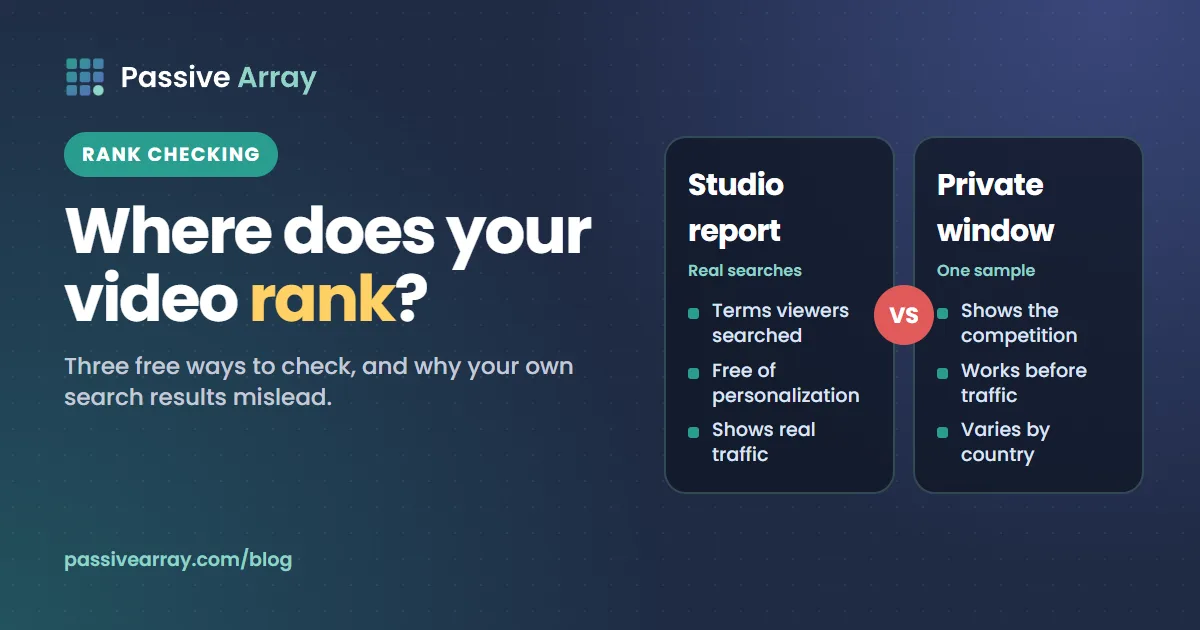
The most reliable way to check if a YouTube video is ranking is not to search for it yourself. It is the YouTube search report in YouTube Studio: open the video, go to Analytics > Reach, and open the YouTube search card under traffic sources. YouTube says this report shows the terms viewers searched when they found your video. If a keyword is there and growing, the video ranks for it in a way that matters. Searching the keyword yourself in a private window then tells you roughly where it sits.
No tool outside YouTube can see YouTube's ranking, and YouTube says search results are personalized, so every "rank checker" is showing one version of the results. That is fine as long as you know it. This guide covers the three free methods, how to keep a simple ranking log, and what to do when a video is not ranking. To find the keywords worth checking in the first place, the YouTube Keyword Generator expands a topic into the specific phrases people type.
Why "where does my video rank" has no single answer
YouTube's Help Center says search ranks videos on relevance, engagement and quality, and then adds a personal layer: the system "may also consider your search and watch history; if you have it turned on", which is "why your search results might differ from another user's search results for the same query."
That has three practical consequences:
- Your own search is the most biased view. You watch your own videos, so YouTube may rank them higher for you than for a stranger.
- A position is a range, not a number. Your video might be third for some viewers and twelfth for others. Any tool that reports "position 4" is reporting one sample.
- Traffic is the ground truth. What matters is whether real searchers find and watch your video, and only Studio can show that.
So the right question is not "what position am I?" but "which searches send me viewers, and is that growing?" Positions are a useful early signal, especially before a video has much traffic. The search report is the result.
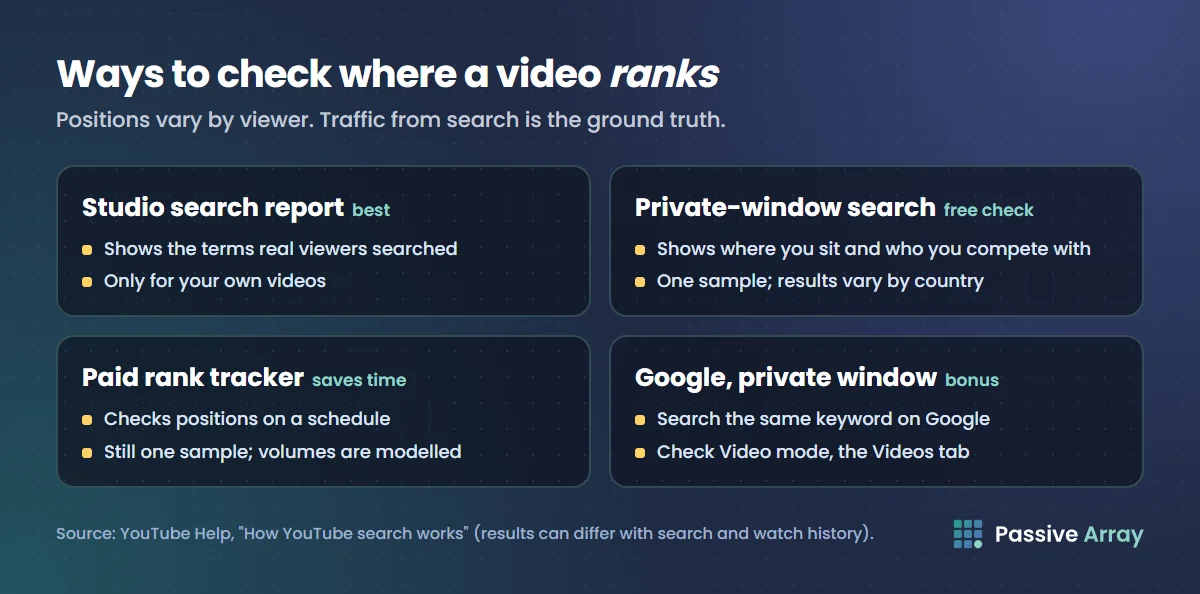
Method 1: the YouTube search report in Studio (best)
This report shows real searches from real viewers, so it is free from the personalization problem.
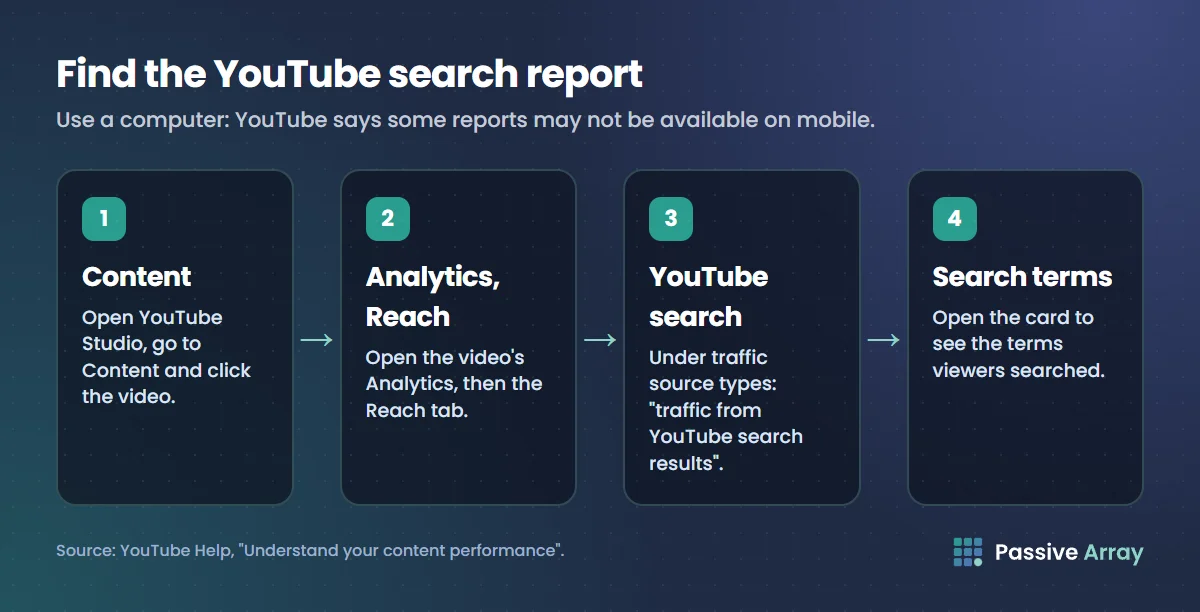
- Open YouTube Studio on a computer.
- Go to Content and click the video.
- Open Analytics for that video, then the Reach tab.
- Under traffic source types, find YouTube search. YouTube defines this as "traffic from YouTube search results."
- Open the Traffic source: YouTube search card to see the terms viewers searched.
YouTube notes that some reports may not be available on mobile, so use a computer for this.
How to read it
| What you see | What it means | What to do |
|---|---|---|
| Your target keyword at or near the top | The video ranks for it and gets clicked | Leave the title alone; YouTube's advice is "don't change what's working" |
| Related terms you did not target | YouTube matched the video to other searches | Add those words to the description or chapters if they fit |
| Only your channel name or video title | People found it by searching for you, not the topic | The video is not ranking for its topic yet |
| No YouTube search traffic at all | No search is sending viewers | See "If your video is not ranking" below |
Look at the report for the first 7 days and then for 28 days. A video that collects search terms slowly is normal; search traffic often grows after the first burst of subscriber and Home views ends.
Check every video you targeted
Run the same check for each video you made for a specific keyword. Over a few months, the terms that keep appearing across your videos show which topics your channel is found for, which is a good guide to what to make next.
Method 2: search it yourself, properly
A manual check is still useful: it shows the competition, and it works for videos that do not have enough traffic yet to show up in reports. Do it in a way that reduces your own bias.
- Open a private or incognito window, so you are signed out and your watch history is not applied.
- Go to youtube.com and type the exact keyword.
- Count down the results until you find your video. Count only regular results, and note separately if it appears in a Shorts shelf or another section.
- If you do not find it in the first 20 or so results, note "not in top 20" rather than scrolling for a long time; positions that deep send very little traffic.
- Repeat with the Shorts filter if the video is a Short: tap the filter and choose Shorts as the type.
- Write down the date, keyword and position.
Signed-out results still vary by country and language, and YouTube does not document exactly how. If most of your audience is in another country, a friend there checking the same keyword gives you a second sample. A VPN can also change the country you appear from, but it is still one sample.
Check on Google too
Videos can rank in Google as well as YouTube. Search the same keyword on Google in a private window, then check Video mode, the Videos tab of the results. Google's documentation says videos can appear in the main results, Video mode, Google Images and Discover. How to rank YouTube videos on Google explains how to target those.
Method 3: paid rank tracking tools
Some paid YouTube tools offer automatic rank tracking: you add keywords, and they check positions on a schedule and chart them. Passive Array does not offer this. If you track dozens of keywords across many videos, a paid tracker saves real time, and that is a fair reason to pay for one. TubeBuddy vs vidIQ compares the two biggest options honestly.
Keep in mind what any tracker can and cannot know:
- It checks results from its own servers, usually signed out, in a fixed location. That is one sample, the same as your private window.
- It cannot see YouTube's ranking internals or real search volume. Search volume numbers in these tools are modelled.
- It cannot see your traffic. Only Studio can.
A tracker that shows your video rising from position 15 to position 5 is useful. If the Studio search report does not show more search views at the same time, the higher position is not reaching viewers, perhaps because few people search that phrase.
Keep a simple ranking log
You do not need software to track a handful of keywords. A spreadsheet with these columns is enough:
| Date | Video | Keyword | Position (private window) | Search views, last 7 days (Studio) | Note |
|---|---|---|---|---|---|
| 3 Nov | Starter not rising | sourdough starter not rising | 14 | 22 | Published 27 Oct |
| 10 Nov | Starter not rising | sourdough starter not rising | 8 | 61 | Added chapters on 4 Nov |
| 17 Nov | Starter not rising | sourdough starter not rising | 6 | 88 | No changes |
| 17 Nov | Starter not rising | starter not bubbling | 11 | 15 | Found in search report, not targeted |
These numbers are a made-up example. The useful habits it shows:
- Check weekly, on the same day. Daily checks mostly show noise.
- Log search views next to position. Position without traffic can mislead.
- Write down every change you make. Otherwise you cannot tell what moved the position.
- Add keywords you find in the search report. They are searches YouTube already matches you to.
Rank checks for tags, hashtags and channels
People search for checkers for several things that are not quite the same as video rank.
Tag rank checkers
A "tag rank checker" usually searches each of your tags on YouTube and reports where your video appears. That is the same as Method 2, done once per tag. Keep expectations low: YouTube says tags play a minimal role in discovery, so a video rarely ranks because of a tag alone. If a tag phrase is worth ranking for, it belongs in your title or description. YouTube hashtags vs tags explains what each field does.
Hashtag ranking
Clicking a hashtag on YouTube opens a results page of videos that use it. To see where your video sits, click the hashtag on your own video in a private window and look for it. Only specific hashtags have pages small enough for this to be worth checking.
Channel rank
A "channel rank checker" usually means ranking channels by subscribers or views, not search position. For that, look up the channel's public numbers with the YouTube Subscriber Count Checker, compare it with the most subscribed YouTube channels list, or follow day-by-day changes. How to check any YouTube channel's stats covers what public data can and cannot show.
If your video is not ranking
When a video has no YouTube search traffic after two or three weeks, work through this list in order. It is our suggested order, from the most common cause.
- Does anyone search the phrase? Type it into YouTube and check whether autocomplete suggests it. If not, the video may be well optimized for a search nobody makes. Free YouTube keyword research shows how to check demand without modelled numbers.
- Is the competition beatable? If the top ten are all large channels with recent, exact-match videos, the phrase may be too competitive for now. Target a narrower phrase with the next video.
- Does the title match the search? The main words should be near the front. The YouTube Title Analyzer scores keyword position and length separately.
- Do the description's first lines answer the query? YouTube's description tips say to use your one or two main words in both the title and the description, and to front-load the first lines.
- Does the video answer fast? YouTube uses engagement to judge relevance, such as how long people watch for a query. If your retention graph drops sharply in the first 30 seconds, searchers are not finding what the title promised.
- Is the video what the searcher wants? If the top results are all 2-minute answers and yours is a 25-minute deep dive, or the reverse, the format may not match the intent.
If you change something, change one thing, log the date, and wait at least a week before judging. Studio's Test & compare can test up to three titles and thumbnails on long-form videos and picks the one with the highest watch time; it does not work for Shorts.
What not to do
- Do not search and click your own video repeatedly. It does not raise your ranking for anyone else, and it adds noise to your analytics.
- Do not buy views or use "ranking boost" services. YouTube's fake engagement policy says artificial traffic "will not be counted on YouTube and can lead to strikes on your account."
- Do not rewrite a title that is working. If the search report shows steady traffic, leave it.
- Do not judge rank on day one. New videos often get early views from subscribers and notifications before search settles.
The whole process of choosing, writing and checking keywords is set out in how YouTube SEO works, and the rest of Studio's reports are covered in YouTube Analytics explained.
Sources
- YouTube Help: Understand your video reach (traffic sources and YouTube search report)
- YouTube Help: How YouTube search works
- YouTube Help: Search filters
- YouTube Help: Add tags to your videos
- YouTube Help: Hashtag policies
- YouTube Help: Tips for video descriptions
- YouTube Help: YouTube performance FAQ and troubleshooting
- YouTube Help: Test and compare thumbnails and titles
- YouTube Help: Fake engagement policy
- Google Search Central: Video SEO best practices
Frequently asked questions
How do I check my YouTube keyword ranking for free?
Use the YouTube search report in Studio: open the video, go to Analytics > Reach, and open the YouTube search card to see which terms viewers searched. Then search your keyword in a private window and count where your video appears. Both are free and need no extension.
Is there a free YouTube keyword ranking tool?
YouTube Studio is the best free tool, because it shows real searches rather than one sample of the results. A private browser window works as a manual rank checker. Paid tools add automatic tracking on a schedule, but they still check one version of personalized results.
Why does my video rank high when I search but get no search views?
Because YouTube personalizes search using your search and watch history if you have it turned on. You watch your own videos, so your results are biased toward them. Check in a private window and trust the Studio search report over your own search.
How do I check where my video ranks for its tags?
Search each tag phrase on YouTube in a private window and note the position, which is what tag rank checkers do automatically. YouTube says tags play a minimal role in discovery, so a strong tag phrase belongs in the title or description too.
Can I check where my video ranks in Google?
Yes. Search the keyword on Google in a private window and check both the main results and Video mode. Google says videos can also appear in Google Images and Discover. In Studio, the External traffic source lists the sites that sent viewers from outside YouTube.
How long does it take for a YouTube video to rank?
There is no published timeline. Many videos get early views from subscribers and notifications first, and search traffic builds over the following weeks. Check weekly for at least a month before deciding a video is not ranking.
How do I check a YouTube channel's rank?
Channel rank usually means position by subscribers or views rather than search. Look up the channel's public subscriber and view counts and compare them with a list of the most subscribed channels. For search, the YouTube search report on each video shows which terms find your content.
By Nasir Uddin, founder of Passive Array. Rules and figures checked Nov 1, 2026.