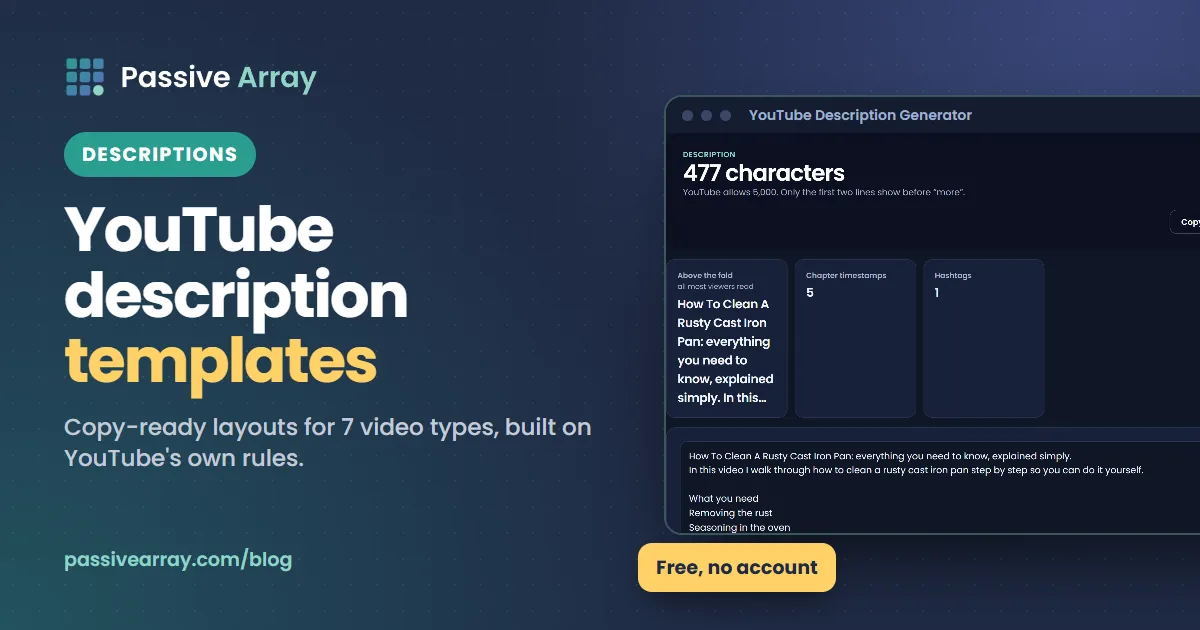
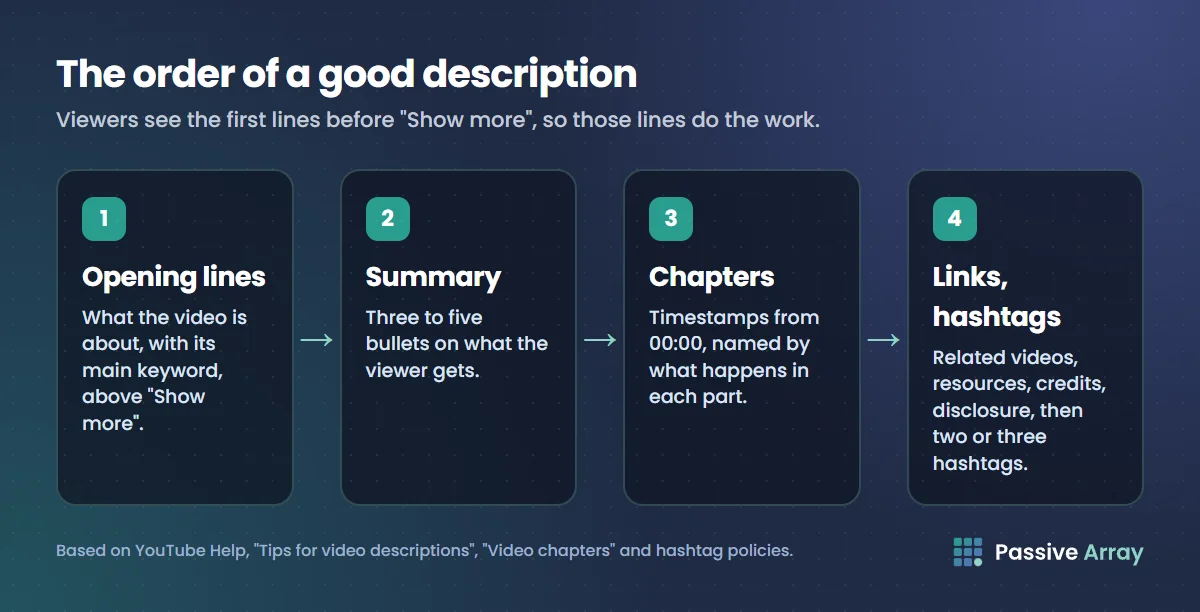
A good YouTube description template has four parts in this order: two opening lines that say what the video is about using its main keyword, a short summary of what the viewer gets, chapter timestamps, and then links, credits and two or three hashtags. That order follows YouTube's own advice: viewers only see the first lines before they tap "Show more", so those lines have to do the work.
Below are copy-ready templates for seven types of video, a filled-in example, and the rules from YouTube's Help Center that every template is built on. If you would rather start from a draft, the YouTube Description Generator writes one in this structure from a short summary of your video, free and with no account.
What YouTube says about descriptions
Every template in this guide follows these rules. They come from YouTube's Help Center pages on descriptions, chapters, hashtags and tags.
| Rule | What YouTube says |
|---|---|
| Opening lines | Viewers see the first part before "Show more" on desktop or "more" on mobile, so describe the video there |
| Keywords | Identify one or two main words that describe the video and feature them in both the title and the description |
| Length | A maximum of 5,000 characters |
| Uniqueness | Each video should have a unique description |
| Formatting | Bold, italic and strikethrough are available; start a line with *, + or - and a space for a bullet |
| Chapters | First timestamp must be 00:00, at least three timestamps in ascending order, each chapter at least 10 seconds |
| Hashtags | Up to three can show by the title; no spaces; more than 60 and YouTube ignores all of them |
| Tags | Adding excessive tags to the description is against YouTube's spam policies |
| Links in Shorts | URLs in Shorts descriptions are not clickable |
Two more points from the same pages. YouTube recommends filling in a default description so the basic information appears on every upload automatically, and checking how your description looks in search, on the watch page and on mobile before you publish.
The universal template
This works for most long-form videos. Each numbered item is a block of the description, in order. Replace the words in square brackets.
- Opening, lines 1 and 2 (above "Show more"):
[Main keyword phrase, said naturally]: [the specific result the viewer gets]. [One sentence on who it is for or why it is different]. - What you will learn (3 to 5 bullets):
- [Point one]- [Point two]- [Point three] - Chapters:
00:00 [Intro or the hook]01:12 [First section]03:40 [Second section]and so on. - Related videos or playlist:
Watch next: [title] [link]andFull playlist: [link] - Resources mentioned:
[Tool, book or source]: [link] - Credits:
Music: [track and artist, licence if required]Editing: @[handle] - About the channel (from your default description):
[One line on what the channel makes and how often]. - Disclosure, if any:
This video is sponsored by [brand].orSome links above are affiliate links. - Hashtags (last line, two or three):
#[specific] #[topic] #[broad]
Why this order: blocks 1 and 2 answer the viewer and carry the keyword, block 3 creates chapters and helps viewers skip, and everything after that is for people who already decided to read more. Hashtags go last because YouTube pulls them from the description anyway.
A filled-in example
Here is the universal template filled in for an example video on fixing a rusty cast iron pan. The keyword is "clean a rusty cast iron pan".
- Opening:
How to clean a rusty cast iron pan and season it so the rust does not come back. This works on old flea-market pans and on the one you forgot in the sink. - What you will learn:
- The 3 things you need (none of them expensive)- How to remove rust without damaging the iron- The seasoning method that holds up to daily cooking- The 2 mistakes that bring rust back - Chapters:
00:00 What a rusty pan looks like before00:45 What you need02:10 Removing the rust05:30 Washing and drying properly07:05 Seasoning in the oven10:20 Everyday care - Watch next:
How to cook eggs in cast iron without sticking: [link] - Resources:
The oil I use and why: [link] - About:
New kitchen fix videos every Thursday. - Hashtags:
#castiron #cleaning #cooking
Notice what is missing: no list of 30 keywords, no repeated "cast iron cast iron pan cast iron skillet" line, and no block of tags. YouTube treats excessive tags in the description as spam, and a keyword list reads badly to humans. The keyword appears where it naturally belongs: in the first sentence and in the chapter titles.
Templates by video type
Each template below changes the universal one where that type of video needs something different.
Tutorial or how-to
Tutorials are the videos most often found through search, so the opening matters most here.
- Opening:
How to [do the task] in [tool or situation], step by step. By the end you will [concrete result]. - Before you start:
You need: [software, version, materials].This saves viewers from abandoning at minute three. - Chapters: one chapter per step, named by the step (
04:10 Step 3: export the file), not "Part 3". - Files and links: templates, downloads or documentation mentioned.
- Common problems: one line each for the two questions you get most in comments, with the timestamp where you answer them.
- Hashtags: two or three.
Use the YouTube Keyword Generator to find the exact phrasing people search for the task, then use that phrase in line 1 and in your title. How YouTube SEO works explains why the match between title, description and query matters.
Review or comparison
- Opening:
[Product] review after [time used]: [the one-sentence verdict]. [Who should buy it, and who should not]. - Verdict summary: three bullets for pros, two for cons.
- Chapters: design, performance, the thing that surprised you, alternatives, verdict.
- Prices and links: say whether links are affiliate links.
- Disclosure: state clearly if you were sent the product or paid.
If the brand paid for or supplied the video, YouTube also requires you to tick the paid promotion option in YouTube Studio, which adds a disclosure label at the start of the video. YouTube says creators and their partners are responsible for complying with the law where they live, and points US creators to the FTC. A line in the description is a good addition, but it does not replace the checkbox.
Vlog or entertainment
Vlogs rarely get found by search, so the description serves people who already like you.
- Opening:
[Where you are or what happens], and [the moment the video builds to].Keep it human. "We drove 900 km to see one waterfall, and it was closed" works better than a keyword list. - Chapters: optional, but useful for long vlogs (locations make good chapter titles).
- Places and gear: location names, cameras, music credits.
- Previous episode / next episode links if the vlog is a series.
- Social links and hashtags.
Gaming or stream highlights
- Opening:
[Game] [what happens: challenge, build, boss, ranked match]. [The result or the twist]. - Details players search for: game version or patch, mode, seed or build name, settings.
- Chapters: by match, level or round.
- Stream schedule and where to watch live.
- Credits: other players by @handle.
YouTube's Help Center says you can type @ and a channel name or handle to mention other creators in the description. Tapping the mention opens a panel with that channel's description and latest videos, and the mentioned channel may get a notification.
Podcast or interview
- Opening:
[Guest name], [who they are], on [the main topic]. [The most interesting claim or question in the episode]. - Guest links: their channel by @handle, website, book.
- Chapters: one per question or topic. Long conversations benefit from chapters more than any other format.
- Episode number and where to listen on other platforms.
- Sponsors with disclosure.
Music
- Opening:
[Artist] - [Track title] (Official [video, audio, lyric video]). [Release date or project name]. - Streaming links.
- Lyrics, if you own them and want them on the page.
- Credits: producer, writer, mix, video director.
- Hashtags: artist name, genre.
For more on growing a music channel, see how to grow a music YouTube channel.
Shorts
Shorts descriptions work differently. YouTube's Help Center says URLs in Shorts descriptions are not clickable, to reduce spam and scams. The places links do work include channel profile links (up to 14 on your channel page) and the Related video link on a Short.
- Line 1:
[What happens in the Short, with the keyword] - Line 2:
Full video: use the related video link above.(Set the related video when you upload.) - Hashtags: two or three, specific first.
Keep it short. Most Shorts viewers never open the description. YouTube Shorts SEO covers what does help Shorts get found.
How to write the chapters
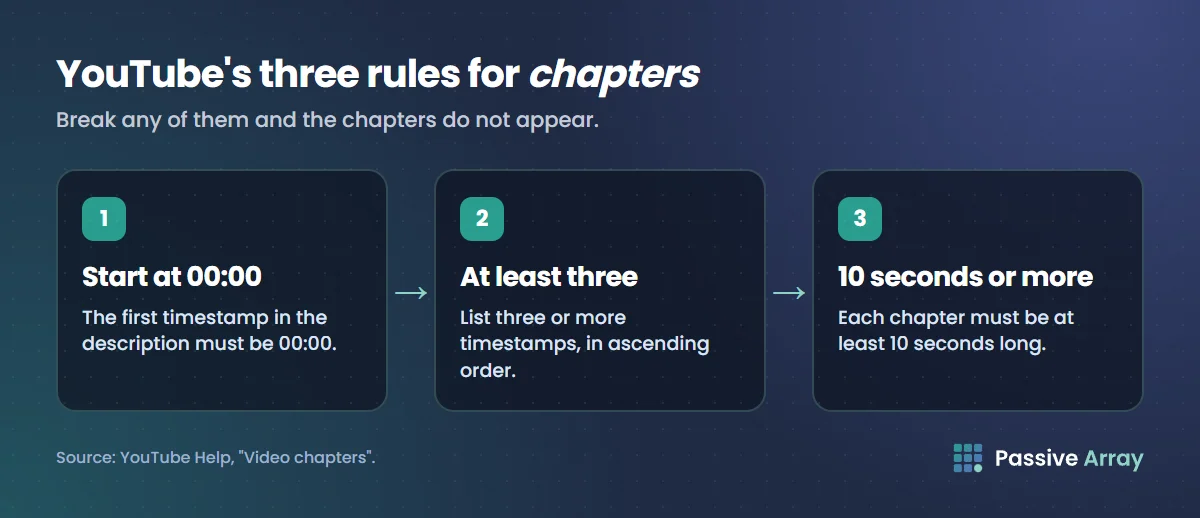
Chapters are the most useful part of most descriptions. They let viewers skip to what they need, and each chapter title is another chance to use the words people search for. YouTube's rules for adding them manually:
- The first timestamp must be 00:00.
- You need at least three timestamps, listed in ascending order.
- Each chapter must be at least 10 seconds long.
Write each one on its own line: 00:00 Intro, then 01:12 What you need, and so on. Timestamps you add manually override YouTube's automatic chapters. YouTube also says channels with active strikes, and videos with content that may be inappropriate for some viewers, do not have access to chapters, so if yours are not appearing, check those first.
Name chapters by what happens in them. "03:40 Removing the rust" helps a viewer and describes the content. "03:40 Part 2" does neither. To share one exact moment rather than build chapters, the YouTube Timestamp Link Generator gives you a watch link, short link and embed code that start at the time you choose. How to link to a specific time in a YouTube video explains the other ways to do it.
How to use hashtags in the description
YouTube's hashtag rules are short:
- Up to three hashtags that YouTube considers most engaging can appear by your title.
- Hashtags cannot contain spaces:
#castiron, not#cast iron. - Do not add hashtags that are not directly related to the video.
- If a video has more than 60 hashtags, YouTube ignores every hashtag on it.
So two or three specific hashtags beat a wall of twenty. Put the most specific one first. The YouTube Hashtag Generator orders them that way. Hashtags and tags are different features; YouTube hashtags vs tags explains what each one does.
Set up a default description once
In YouTube Studio > Settings > Upload defaults, you can add a description that is filled in on every new upload. YouTube's Help Center recommends doing this for basic information. Good things to put there:
- A one-line "about the channel" sentence.
- Your channel profile links or main website.
- A standard affiliate disclosure, if you use affiliate links often.
- A placeholder line such as
[Opening line here]at the top, so you never publish the default text as the opening by mistake.
Do not put hashtags or chapters in the default. They should be different for every video, and YouTube asks for a unique description on each one.
Mistakes that make descriptions worse
- Starting with links. The first lines are what people see before "Show more". Links there tell viewers nothing about the video.
- The same description on every video. YouTube recommends a unique description for each. Copy-paste descriptions also make your videos harder to tell apart in search.
- Keyword stuffing and tag blocks. Repeating the keyword or pasting a list of tags in the description breaks YouTube's spam policies and reads badly.
- Chapters that break the rules. No 00:00, fewer than three timestamps, or a chapter under 10 seconds, and chapters will not appear.
- Fifteen hashtags. Only three can show, and more than 60 cancels them all.
- Clickable-link calls to action on Shorts. The link will not be clickable. Use the related video link instead.
- Promises the video does not keep. The description is part of how YouTube matches your video to searches. If it describes something the video does not deliver, the viewers you attract leave early.
Where descriptions fit in YouTube SEO
YouTube's Help Center on search ranking names the title, tags, description and video content as part of relevance. The description is one input among several, and it cannot make a weak title or video rank. What it does well: it confirms the topic in words YouTube can read, it gives chapters a home, and it answers the viewer's next question. After a week, check the video's search terms report in YouTube Studio analytics. YouTube's own description guide suggests adding terms viewers used that are missing from your description.
If you want your videos to show up in Google as well as on YouTube, chapters help there too. How to rank YouTube videos on Google covers that side. For the full routine of keyword, title, description and tags on every upload, see the best free YouTube SEO tools.
Sources
- YouTube Help: Tips for video descriptions
- YouTube Help: Video chapters
- YouTube Help: Tag videos with hashtags
- YouTube Help: Add tags to your videos
- YouTube Help: Sharing links with your audiences
- YouTube Help: Mention channels in video titles and descriptions
- YouTube Help: Paid product placements, sponsorships and endorsements
- YouTube Help: How YouTube search works
Frequently asked questions
What should I write in my YouTube description?
Start with one or two sentences that say what the video is about, using its main keyword, because that is what viewers see before "Show more". Then add what the viewer will learn, chapter timestamps, related links, credits and two or three hashtags. Keep each description unique to its video.
How long should a YouTube description be?
YouTube allows up to 5,000 characters, but there is no required length. Most long-form videos need enough to cover the opening, a short summary, chapters and links, which is usually a few hundred words or less. Shorts need only a line or two.
Should I put keywords in my YouTube description?
Yes, naturally. YouTube's Help Center says to pick one or two main words that describe the video and use them in both the title and the description. Do not repeat them in lists, and do not paste tags into the description, which YouTube treats as spam.
Is there a free YouTube description generator?
Yes. The Passive Array YouTube Description Generator is free with no account. It drafts a description with the keyword in the opening lines, a summary, chapter timestamps, links and hashtags. Edit the draft so it sounds like you before you publish.
Why are my timestamps not showing as chapters?
Check YouTube's three rules: the first timestamp must be 00:00, there must be at least three timestamps in ascending order, and each chapter must be at least 10 seconds. YouTube also says channels with active strikes, or videos that may be inappropriate for some viewers, do not get chapters.
How many hashtags should I put in a YouTube description?
Two or three is enough for most videos. YouTube shows up to three above the title, and if a video has more than 60 hashtags, it ignores all of them. Put the most specific hashtag first.
Can I put links in a YouTube Shorts description?
You can type them, but YouTube's Help Center says URLs in Shorts descriptions are not clickable. To send Shorts viewers somewhere, use the related video link on the Short or the links on your channel profile.
What are good YouTube description ideas for beginners?
Use the universal template: what the video is about in the first two lines, three bullets on what viewers learn, chapters, one link to your next video, and two or three hashtags. Set a default description in Upload defaults for your channel information so you only write the video-specific parts each time.
By Nasir Uddin, founder of Passive Array. Rules and figures checked Nov 1, 2026.