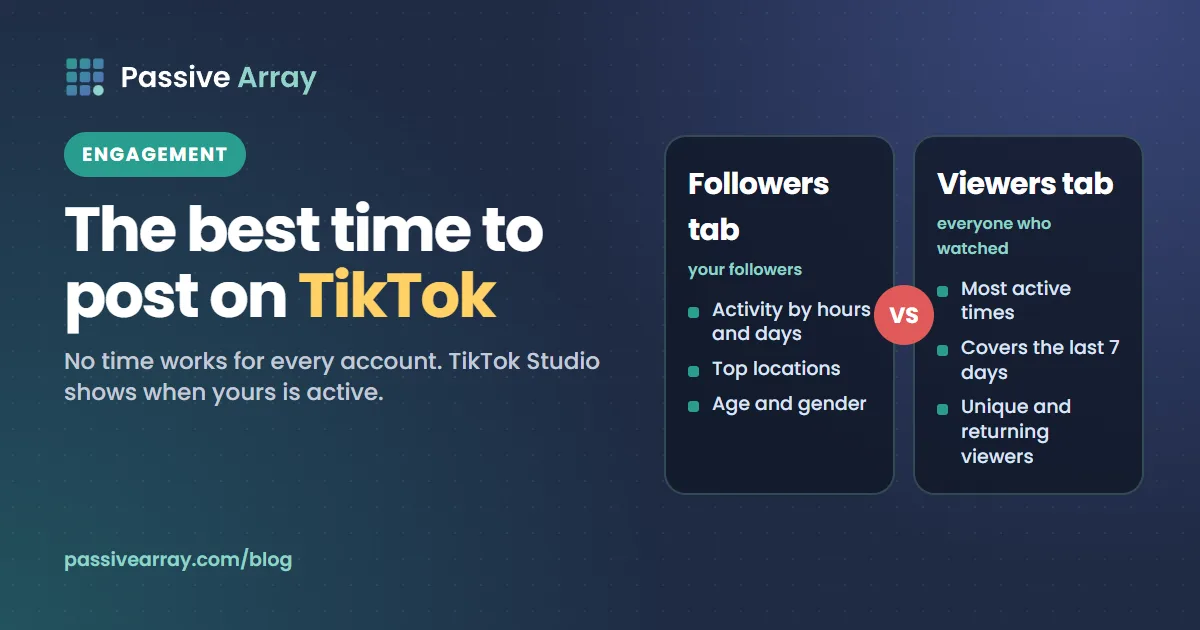
The best time to post on TikTok is when your own audience is on the app, and TikTok Studio shows you when that is. TikTok's Creator Academy says the Followers tab lets you explore "your audience's consumption habits broken down by hours and days", and the Viewers tab has a Most active times view that shows "when your viewers were most active on TikTok in the last 7 days." TikTok does list "The time the video was posted" among the signals its recommendation system uses, but it is one signal among many, and no posting time works for every account. Tables that promise one were built from other people's audiences.
This guide shows where those views are in TikTok Studio, what TikTok has said about how the For You feed picks videos, how to deal with time zones, and how to test posting times with your own numbers. To compare slots fairly you need the typical result, not the one viral video, so the TikTok average views calculator gives both the average and the more honest median of a set of videos.
Why there is no universal best time to post on TikTok
TikTok's newsroom describes the For You feed as "powered by a recommendation system that delivers content to each user that is likely to be of interest to that particular user." Every viewer's feed is built for them. Your followers, and the people TikTok shows your video to, live in different places and keep different hours, and a published table cannot know who they are.
Timing also matters less on TikTok than many guides suggest, because a video is not only shown at the moment you post it. In 2020 TikTok told creators: "For You feed recommendations generally pull from videos posted within the last 90 days." In the same post it said video performance "extends over a couple of days" and advised: "keep your video up to give it time to generate full performance results." Those lines are from July 2020, so treat the exact window as dated, but the point stands: a video's chances do not end an hour after posting.
So we will not give you a time table. We will show you where your own data is and how to use it.
How TikTok says the For You feed recommends videos
TikTok has explained its recommendations in two main places: the newsroom post "How TikTok recommends videos #ForYou" (18 June 2020) and its Transparency Center page "Introduction to the TikTok recommendation system".
The steps
The Transparency Center says the system "goes through a number of different steps", which it summarises as selection, prediction, ranking, a content similarity check and recommendation rules. In the prediction step, "Predictions estimate the likelihood you will interact with a given video". The interactions it lists include whether a viewer will "Like, share, comment on, or mark a video as 'Not Interested.'", "Finish, skip, or favorite a video", "Spend a certain amount of time viewing a video" and "Tap the video's soundtrack." The ranking step "sorts videos by their prediction scores".
Where posting time fits
The same page lists signals about the video itself: "The time the video was posted.", "The region the video was posted from.", "The language setting of the video's author.", "The video's soundtrack.", "The length of the video." and "The hashtags associated with the video." So posting time is a real input. TikTok does not say how much weight it carries.
The newsroom post gives a sense of weighting in general. It groups the inputs into user interactions, video information, and device and account settings, which receive lower weight. It gives the example that "whether a user finishes watching a longer video from beginning to end" is a strong indicator of interest, while "whether the video's viewer and creator are both in the same country" is a weak one. It also says "neither follower count nor whether the account has had previous high-performing videos are direct factors."
| Input, in TikTok's words | What it covers | What it means for timing |
|---|---|---|
| User interactions | Likes, shares, follows, comments, content created, videos finished or skipped | The viewer's behaviour decides most of what they see |
| Video information | Posting time, region, author language, sound, length, hashtags | Posting time is listed, with no stated weight |
| Device and account settings | Language, country, device type | "Lower weight" than other signals |
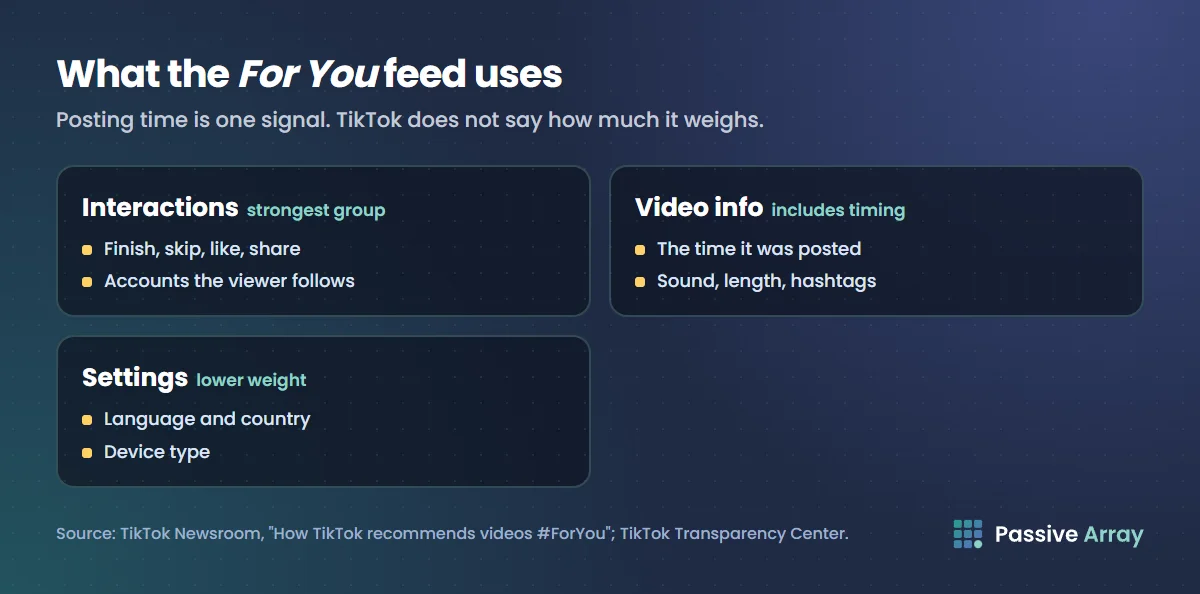
Our reading, not a TikTok ruling: posting time can help your video meet active viewers early, but what keeps it in feeds is whether those viewers finish, share and comment. A strong video posted at an ordinary hour beats a weak one posted at the perfect hour.
One timing detail TikTok does state
The newsroom post lists content that may not be eligible for recommendation, including "videos that have just been uploaded or are under review". Our reading: a video may not be recommended the moment you tap Post. That is one more reason to post a little before your audience's busiest time rather than at the peak itself.
Where to find your audience's active times in TikTok Studio
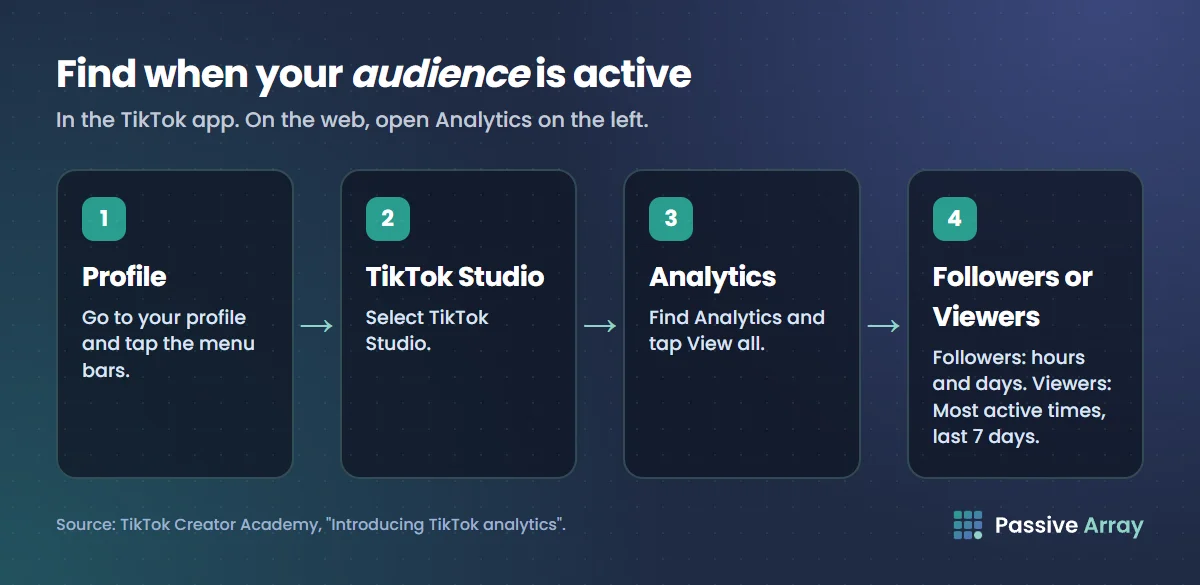
TikTok's analytics live in TikTok Studio. TikTok's Creator Academy article "Introducing TikTok analytics" gives three ways in.
In the TikTok app
- Go to your profile.
- Tap the menu bars.
- Select TikTok Studio.
- Find Analytics and tap View all.
On the web or in the TikTok Studio app
- Web: in TikTok Studio on the web, open the Analytics tab on the left side of the screen.
- TikTok Studio app: tap the Analytics tab in the bar at the bottom of the screen.
Followers tab or Viewers tab?
TikTok Studio has two views that answer the timing question, and they measure different people.
| Tab | Who it describes | What TikTok says it shows |
|---|---|---|
| Followers | People who follow you | Gender, age and top locations, and "consumption habits broken down by hours and days to help you understand when they're most active" |
| Viewers | Everyone who watched your posts | Unique and returning viewers, inferred demographics, and "Most active times", for "the last 7 days" |
Use the Followers view to time posts aimed at your existing audience, such as the next part of a series. Use the Viewers view if most of your views come from people who do not follow you. If the two disagree, test both, as described below.
TikTok also notes that viewer demographics "are based on predictive models rather than confirmed user data", and that follower demographics draw on "a number of factors, including information users provide in their profiles." Read them as estimates.
Date ranges
The Creator Academy article says you can set the analytics date range to the last 7, 28, 60 or 365 days, or a custom report. On the web you can only go back as far as 17 July 2022, and you can download analytics data for up to 365 days at a time. The Most active times view in the Viewers tab covers the last 7 days, so check it over several weeks before trusting one week's pattern.
Which accounts have analytics
The Creator Academy article does not say which account types get analytics, and TikTok's Support pages on the subject load with JavaScript, so we could not read them for this guide. In 2020 TikTok's newsroom said you needed to switch to a Pro account to use analytics; that is out of date now that analytics sit in TikTok Studio. Our guide to tracking TikTok followers covers the account requirements and what to do if a section is empty.
Time zones
TikTok's Creator Academy article does not say which time zone the active-times charts use, and we could not confirm it on an official page. So:
- Check the chart for a time zone label in your app. If one is shown, convert from it.
- If there is no label, sanity-check the chart against something you know, such as the evening in the country where most of your followers live. If the busiest hours look shifted by a fixed amount, the chart may be in a different zone from your phone.
- Use Top locations in the Followers tab. If most followers are in one country, plan in that country's time, not your own.
If your audience is spread across distant time zones, pick the largest group for your main posts and let the For You feed reach the rest. TikTok's newsroom calls viewer and creator being in the same country a weak indicator of interest, not a strong one.
How to test your best posting time
The charts show when people are on TikTok. They do not prove which hour gets your videos the most views. A simple experiment does. This is our method, not TikTok's:
- Pick two time slots from your active-times charts, such as a morning slot and an evening slot, or a weekday and a weekend.
- Hold everything else steady. Same format, similar length, similar topic and effort. If one slot gets your best ideas, you are testing ideas.
- Alternate slots over several weeks so each one gets several videos.
- Measure every video at the same age, for example seven days after posting, in the Content tab. TikTok says performance extends over a couple of days, so comparing a two-day-old video with a two-hour-old one is meaningless.
- Compare the median, not the best. Paste each slot's view counts into the TikTok average views calculator, which shows the median alongside the average, so one viral video does not decide the result.
- Check quality as well as views. Note retention rate and "Watched full video" for each video; TikTok's Creator Academy describes both. A slot that brings more views but lower completion may be reaching the wrong people.
- Keep the winner and keep testing. Audiences change, so retest every so often.
A simple log is enough:
| Video | Posted | Slot | Views at 7 days | Watched full video | Shares | New followers |
|---|---|---|---|---|---|---|
| 1 | Slot A | |||||
| 2 | Slot B | |||||
| 3 | Slot A |
For engagement per slot, enter the averages in the TikTok engagement rate calculator, which gives the rate by views as well as by followers.
How often to post, and what matters more than timing
TikTok said in 2020: "The amount of videos you post won't impact how your content is recommended in the For You feed." Posting more is not rewarded on its own. Each video is a separate chance, judged on how viewers respond.
What moves reach more than the hour, by TikTok's own account, is whether people watch to the end, share and comment. The Content tab's "Your top posts" section ranks your 10 best videos for the period by views, likes, new viewers and new followers. Study what those videos did in their opening seconds and repeat it. Our guide on how to grow on TikTok covers openings, series and replies in detail, and our sister article on the best time to post on YouTube shows the same method applied to YouTube Studio's audience chart.
For a single score that covers engagement, reach and posting consistency, run the TikTok account audit.
Mistakes to avoid
- Copying a universal time table. It describes other people's audiences.
- Reading one week of Most active times. The Viewers view covers seven days; check several weeks.
- Judging a video in its first hour. TikTok says videos that have just been uploaded may not yet be eligible for recommendation, and performance extends over days.
- Deleting videos that started slowly. TikTok advises keeping a video up so it has time to show its full results.
- Ignoring time zones. Check where followers are before you set a clock time.
- Posting more to make up for a bad slot. TikTok says volume does not change how videos are recommended.
Sources
- TikTok Creator Academy: Introducing TikTok analytics, published 13 October 2026 (how to open analytics, tabs, Most active times, date ranges, video metrics)
- TikTok Transparency Center: Introduction to the TikTok recommendation system (steps, predictions, posting time as a video signal)
- TikTok Newsroom: How TikTok recommends videos #ForYou, 18 June 2020 (factor groups, strong and weak signals, follower count, newly uploaded videos)
- TikTok Newsroom: 5 tips for TikTok creators, 30 July 2020 (90-day window, keeping videos up, posting volume, Pro account analytics at the time)
Frequently asked questions
What is the best time to post on TikTok?
There is no single best time for every account. The best time is when your own audience is active, which TikTok Studio shows in the Followers tab, broken down by hours and days, and in the Most active times view of the Viewers tab. Post a little before that peak and test it against another slot.
What is the best day to post on TikTok?
It depends on your audience. The Followers tab breaks activity down by day as well as by hour, so check which days your followers are busiest, then compare a few videos posted on those days with a few posted on others.
How do I see TikTok follower activity?
In the TikTok app, go to your profile, tap the menu, select TikTok Studio, then Analytics and View all. The Followers tab shows when your followers are most active by hours and days, and the Viewers tab has a Most active times view for the last 7 days.
Does posting time matter on TikTok?
Somewhat. TikTok lists the time a video was posted as one signal about the video, but it does not say how much weight it has, and it calls finishing a video a strong signal. A video can keep being recommended for days, so the content matters more than the minute you post.
What time zone does TikTok analytics use?
TikTok's Creator Academy article on analytics does not say, and we could not confirm it on an official page. Check the chart in your app for a time zone label, compare it with when you know your followers are awake, and use Top locations to plan in their local time.
How many times a day should I post on TikTok?
TikTok has said the number of videos you post does not affect how your content is recommended in the For You feed. Post as often as you can while keeping each video worth watching, because each one is judged on how viewers respond.
Why don't I see Most active times in TikTok analytics?
TikTok's article does not give a minimum for it. It describes Most active times under the Viewers tab, covering the last 7 days, so if it is empty, check that you have posted recently, look in both the Followers and Viewers tabs, and see our guide to tracking TikTok followers for account requirements.