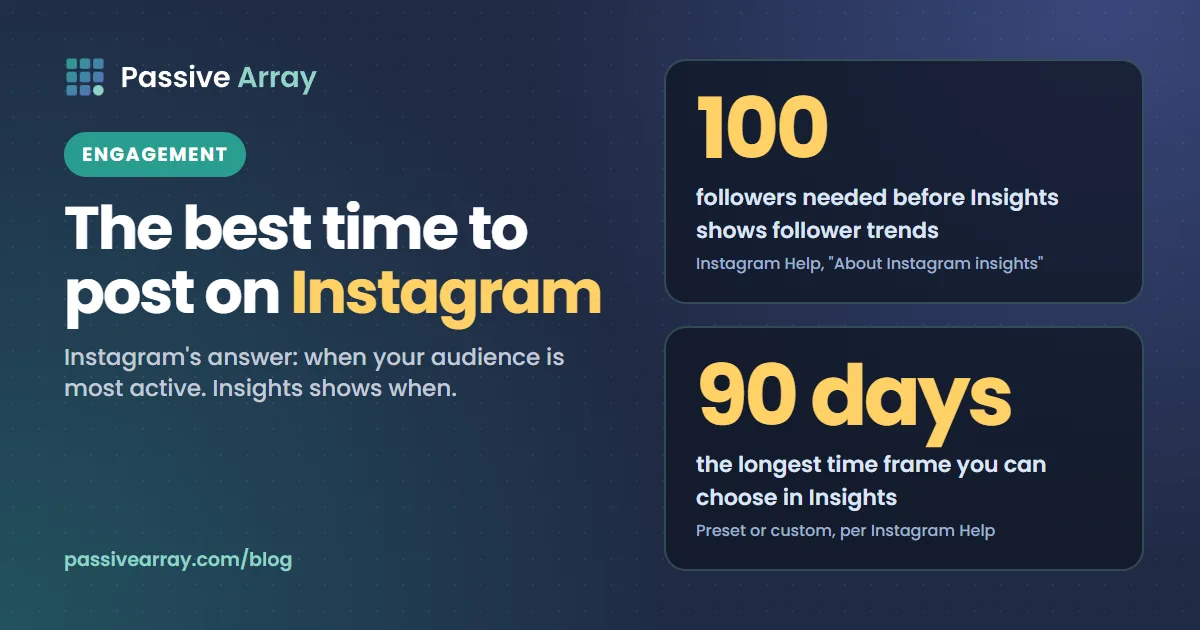
The best time to post on Instagram is when your own followers are most active, and Instagram tells you when that is. Asked "What's the best time to post?", Instagram's creator FAQ answers: "When your audience is awake and most active. Use your insights to understand their habits." Insights shows the "Times they're most active on Instagram" for your followers once you have at least 100 followers. There is no single hour that works for every account, and any table that claims one was built from other people's audiences.
This guide shows where that view lives in Insights, which accounts can see it, what Instagram has said about how timing affects ranking, how to handle time zones, and how to run a simple posting test with your own numbers. If you want a ranked list of changes for your account beyond timing, the Instagram growth advisor takes your followers, engagement rate, posting pace and goal and returns the three to five changes most likely to help.
Why there is no universal best time
Every "best time to post" table you find was made from someone else's accounts: their followers, their countries, their routines. A student audience in one country and a business audience in another are awake and scrolling at different hours. A table cannot know which one you have.
Instagram's own answer avoids a clock time for that reason. It points you to your insights, because your followers' habits are the only data that describe your audience. We take the same view here, so you will not find a time table in this article. You will find the method for building your own.
What Instagram says about timing and ranking
Adam Mosseri's ranking explainer, published on Instagram's site on 31 May 2023, is the clearest official account of how posts are ordered. It starts by saying: "Instagram doesn't have a singular algorithm that oversees what people do and don't see on the app." Feed, Stories, Explore and Reels are each ranked in their own way, and timing plays a different part in each.
| Part of Instagram | What it mostly shows | Does timing appear in the explainer? |
|---|---|---|
| Feed | "recent posts shared by the people you follow" | Yes: signals include "when it was posted" and "how quickly people are liking, commenting, sharing and saving a post" |
| Following view | "the last 30 days of posts from those you follow in chronological order" | Yes: it is ordered by time |
| Stories | Stories from accounts you follow | Not named. The signals are viewing history, engagement history and closeness |
| Reels | Mostly accounts you do not follow | Not named. The signals are your activity, your history with the creator, information about the reel and about the creator |
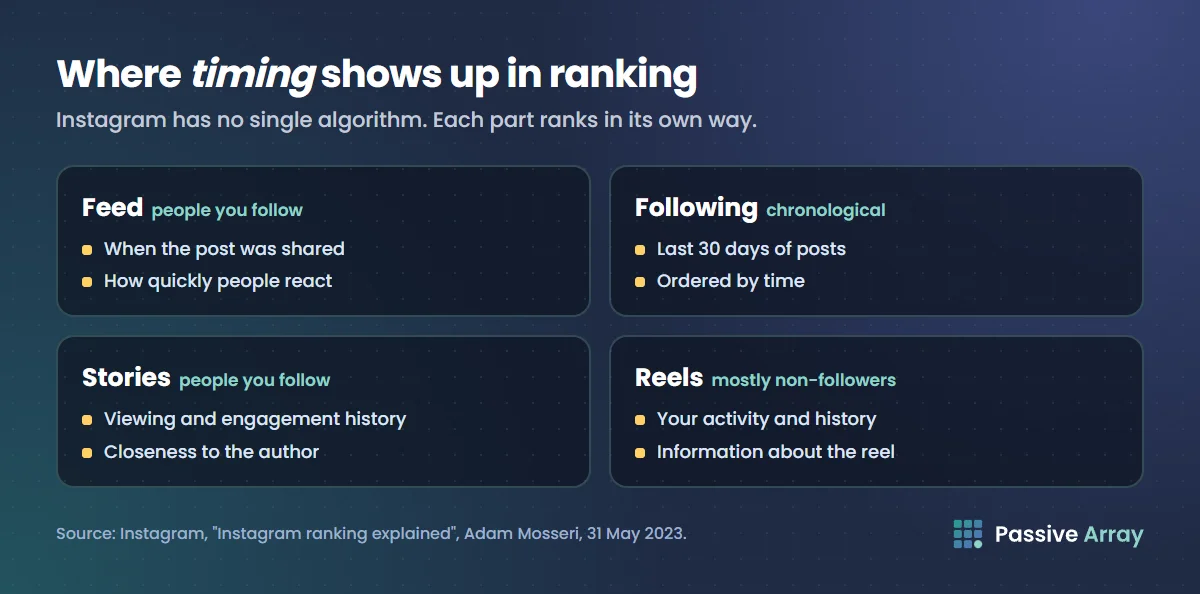
Our reading, not an Instagram ruling: posting time matters most for Feed posts shown to your followers, because the explainer names both when a post was shared and how quickly people react. It matters less for Reels, which are mostly shown to people who do not follow you, chosen by their interests rather than by when you posted. Stories are ranked by your relationship with each viewer, and they stay up for 24 hours, so a Story posted a little early still has the whole day to be seen.
The first 30 minutes myth
A common claim says a post must get lots of reactions in its first half hour or it is buried. Instagram's creator FAQ addresses it directly. The question: "If posts get a lot of reactions in the first 30 minutes are they ranked higher?" The answer: "No, we can confirm this isn't true!"
That does not mean timing is irrelevant. The Feed explainer still lists "how quickly people are liking, commenting, sharing and saving a post" as a signal. But there is no magic window, and you do not need to sit on your phone for 30 minutes after posting.
Which accounts have Insights
Instagram's Help Center describes two kinds of dashboard, and both need a public account:
- Professional accounts (business or creator) get the Professional dashboard. Instagram's page on professional accounts says: "Insights provide information on who your followers are, when they're online and more."
- Personal accounts that are public get Your dashboard. Instagram's insights page says: "If you have a public account on Instagram, you can use free insights to learn more about overall trends."
The followers view needs a minimum audience. The Help Center says: "View trends across your followers when you have at least 100 followers." Below that, the pattern would mean little anyway.
Instagram also notes that "The features and tools available in dashboards may vary depending on your account type, region and eligibility." Its pages do not say whether the most active times view appears on a personal dashboard. If you have a public personal account with over 100 followers and cannot find it, switching to a creator account is the documented route, since Instagram lists insights as a professional account feature. Our guide to auditing an Instagram account covers the rest of what Insights shows.
How to find your followers' most active times
Instagram's Help Center gives the route to Insights, then describes the sections inside. Put together:
- Tap Profile or your profile picture in the bottom right to go to your profile.
- If you have a professional account, tap Professional dashboard. If you do not see it, tap More to open Settings & activity, then tap Insights below For professionals. On a personal account, tap Your dashboard instead.
- You see an insights overview that, in Instagram's words, "includes Views, Interactions, New followers, and Content you shared." Instagram says to "Tap each insight to see more detailed metrics."
- Open the Total followers section. Instagram lists four things in it: "Growth", "Top locations of your followers", "Age range" and "Times they're most active on Instagram".
- Use the drop-down at the top to choose a time frame. Instagram says you can pick "a preset or custom timeframe, within the past 90 days"
- Tap the (i) in the top right if you want Instagram's definition of a metric.
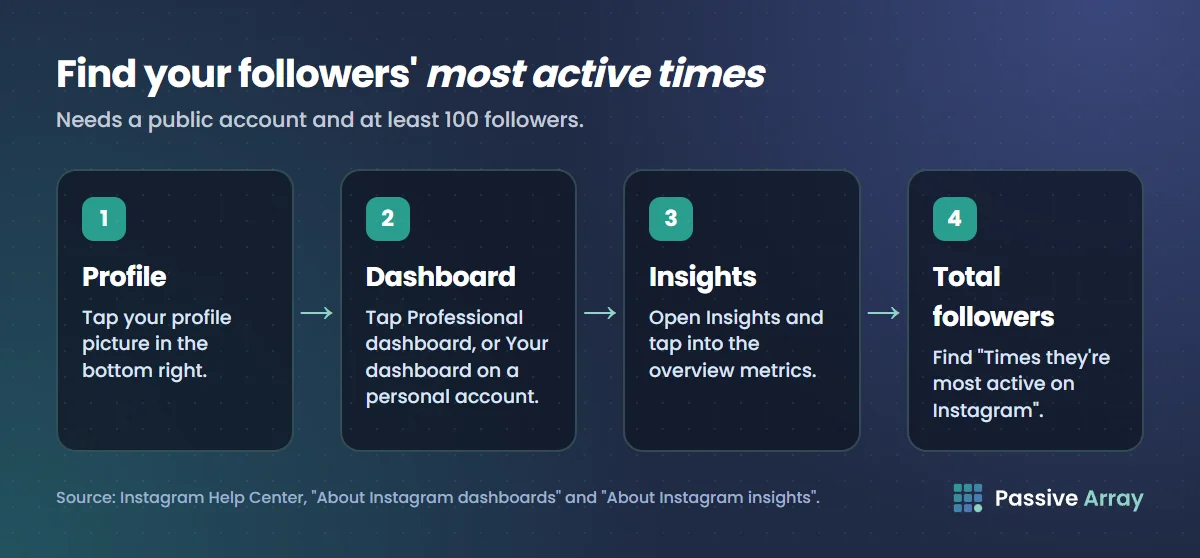
Menu names on Instagram change from time to time. If a label in your app differs, the Help Center's own wording is the best guide: you are looking for Insights, then the follower section, then the most active times.
How to read it
Look for the days and hours where activity is highest, and note whether the pattern is steady across the week or peaks on certain days. Then compare more than one time frame. A month that included a holiday or a viral post may not look like a normal month.
Our suggestion, not an Instagram rule: post shortly before your followers' busiest stretch begins, so the post is already there when they open the app. This mirrors the advice in our sister guide on the best time to post on YouTube, where YouTube Studio shows a similar chart.
Time zones: whose clock is it?
Instagram's Help Center pages that we read do not say which time zone the most active times chart uses. We could not verify it, so we will not guess. Two practical checks help:
- Check the chart's label in your app. If it names a time zone, use that. If it does not, compare the chart's busiest hours with the hours you yourself know your audience is awake, such as the evening in your main country, before relying on it.
- Use Top locations. The same Total followers section shows where your followers are. If most are in one country, plan in that country's time, even if you live somewhere else.
If your followers are split across distant time zones, there is no single slot that suits everyone. Pick the largest group from Top locations for Feed posts, and lean on Reels and Stories for the others. Reels are mostly shown to people based on interest rather than posting time, by our reading of the explainer, and Stories stay up for 24 hours.
Test your best time with a simple experiment
The chart tells you when followers are online. It does not prove which time gets your posts the most reach. A small test does. This is our method, not Instagram's:
- Pick two slots from your most active times, for example one in the morning peak and one in the evening peak, or two different days.
- Keep everything else as steady as you can. Same format (all Reels, or all carousels), similar topics, similar effort. If one slot gets your best ideas, you are testing ideas, not timing.
- Alternate between the slots over several weeks, so each slot gets several posts. One post per slot proves nothing.
- Record each post's numbers at the same age, such as seven days after posting. Open the post and tap View insights, which Instagram's Help Center describes for posts and Reels. Note the views and interactions.
- Compare the averages per slot, not the single best post. A viral post in one slot can hide that the slot is otherwise weaker.
- Keep the winner, then test it against a new slot. Your audience's habits change, so repeat the test now and then.
A simple log is enough:
| Post | Date | Slot | Format | Views at 7 days | Interactions at 7 days | Notes |
|---|---|---|---|---|---|---|
| 1 | Slot A | Reel | ||||
| 2 | Slot B | Reel | ||||
| 3 | Slot A | Reel |
To turn a slot's average likes and comments into an engagement rate you can compare over time, use the Instagram engagement rate calculator. It also shows how the rate compares with accounts of your size.
Best time to post Reels, Stories and posts
The format changes how much the hour matters.
- Feed posts (photos and carousels) are where timing has the clearest official basis, because the explainer names "when it was posted" as a Feed signal. Use your most active times here first.
- Reels are mostly recommended to people who do not follow you. Instagram's creator FAQ says it recommends Reels "to unconnected audiences that are 3 minutes or less", and that "the first 3 seconds of your reel" should be engaging "so that people don't move on." For Reels, the opening and the length matter more than the minute you post. Our guide to Instagram story and Reel size has the length rules.
- Stories last 24 hours and are ranked by viewing history, engagement history and closeness. Post them when you have something to share; a Story posted before your peak will still be there when followers arrive.
What matters more than the hour
Timing can help a good post reach your followers at the right moment. It cannot rescue a post they do not want. Instagram's creator FAQ points at bigger levers:
- Consistency. Asked "What is the optimal number of reels I should share to grow?", the FAQ says that among creators with the greatest net follower growth rates, they "post 10 or more reels per month" on average. We read that as an observation about growing accounts, not a rule.
- Attention in the first seconds. The FAQ's advice on the first three seconds applies to every Reel, whatever time it goes out.
- Original content. Our guide to increasing your Instagram engagement rate explains what Instagram says about watermarked and reposted Reels being shown less, and covers saves and shares.
If you run out of ideas worth posting at your best time, the Instagram content ideas generator gives twelve ideas for your niche, with a hook for each.
Mistakes to avoid
- Copying a universal time table. It describes someone else's followers.
- Judging a post in its first half hour. Instagram says reactions in the first 30 minutes do not make a post rank higher.
- Changing the slot and the content at the same time. You will not know which change worked.
- Ignoring where followers live. Check Top locations before you trust any clock time.
- Testing with one post per slot. Topic and hook move results far more than the hour, so you need several posts per slot.
Sources
- Instagram for Creators: Frequently asked questions (best time to post, first 30 minutes, Reel length, first three seconds, posting frequency)
- Instagram: Instagram ranking explained, Adam Mosseri, 31 May 2023 (no single algorithm, Feed, Stories and Reels signals)
- Instagram Help Center: About Instagram insights (public accounts, overview, Total followers, 100 followers, 90-day time frame)
- Instagram Help Center: About Instagram dashboards (Professional dashboard and Your dashboard, menu path)
- Instagram Help Center: About professional accounts on Instagram (business and creator accounts, what insights show)
- Instagram Help Center: How long Instagram stories remain visible (24 hours)
Frequently asked questions
What is the best time to post on Instagram?
The best time is when your own followers are most active, and it differs from account to account. Instagram's creator FAQ says to post "when your audience is awake and most active" and to use your insights to understand their habits. Insights shows your followers' most active times once you have at least 100 followers.
When is the best time to post Reels on Instagram?
Reels are mostly shown to people who do not follow you, chosen by their interests, so the exact hour matters less than for Feed posts. Post them during or just before your followers' active times so your own audience sees them early, and focus on the first three seconds and keeping them to 3 minutes or less.
What is the best day to post on Instagram?
There is no best day for everyone. The most active times view in Insights shows activity by day as well as by hour, so check which days your followers are busiest and test those days against others with a few posts each.
How do I see my Instagram most active times?
Go to your profile, tap Professional dashboard (or Your dashboard on a public personal account), open Insights, then the Total followers section. It lists times your followers are most active on Instagram. You need a public account and at least 100 followers.
Does posting time matter on Instagram?
For Feed posts, yes, to a degree: Instagram's ranking explainer lists when a post was shared and how quickly people react among the Feed signals. For Reels it matters less, because they are mostly recommended to non-followers. Instagram has also confirmed that reactions in the first 30 minutes do not make a post rank higher.
Why can't I see when my followers are most active?
Usually because the account has fewer than 100 followers, which Instagram requires for follower trends, or because the account is private. Dashboards also vary by account type, region and eligibility, so a public personal account may need to switch to a creator or business account.
What time zone does Instagram Insights use?
Instagram's Help Center pages do not say. Check whether the chart in your app names a time zone, and use the Top locations section to see where most followers are, then plan in their local time.