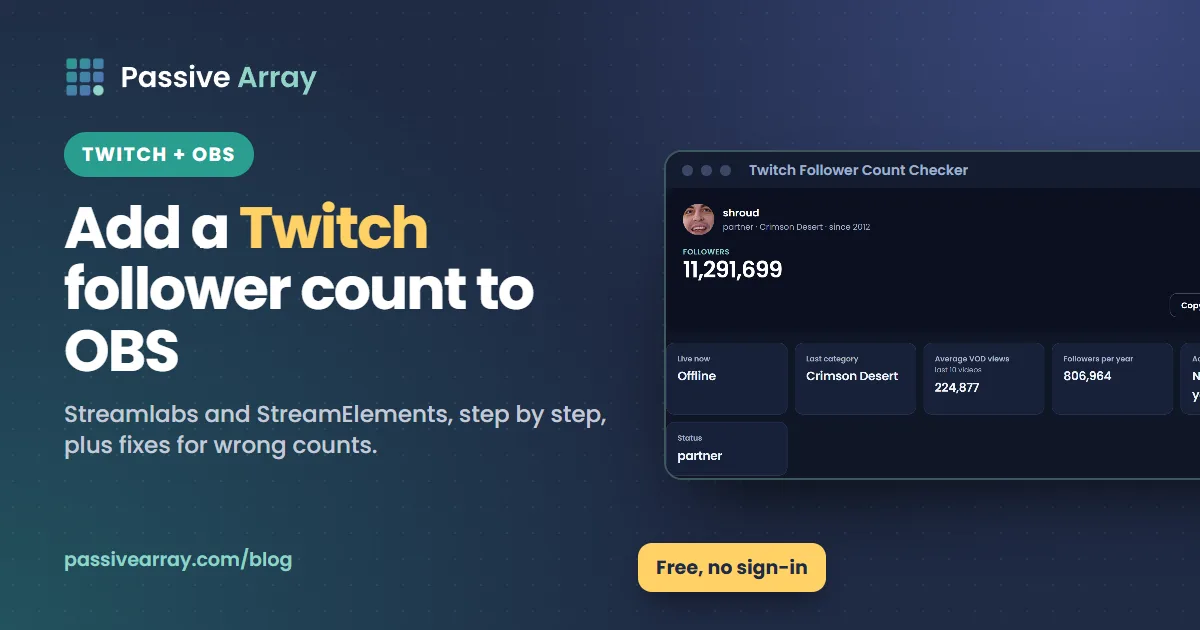
To add a Twitch follower count to OBS Studio, create a follower widget with an overlay service such as Streamlabs or StreamElements, copy the widget's URL, and add it to your scene as a Browser Source. The most common choice is a follower goal widget, which shows your current follower total as a progress bar toward a target. OBS itself has no built-in Twitch follower counter, so every method uses a widget page that reads your count from Twitch.
Before you set it up, check the number you expect to see. The Twitch follower count checker shows any channel's exact follower total from Twitch's official API, free and without signing in, so you can confirm the overlay matches. The rest of this guide covers both services step by step, the Browser Source settings that matter, and what to do when the count looks wrong.
The three ways to show Twitch followers on stream
| Method | What viewers see | Best for |
|---|---|---|
| Follower goal widget | Current total, a target and a progress bar | Most streamers; gives viewers a reason to follow |
| Text label | A plain number or "latest follower" text | Minimal layouts |
| Custom widget | Anything you can code | Streamers comfortable with HTML and CSS |
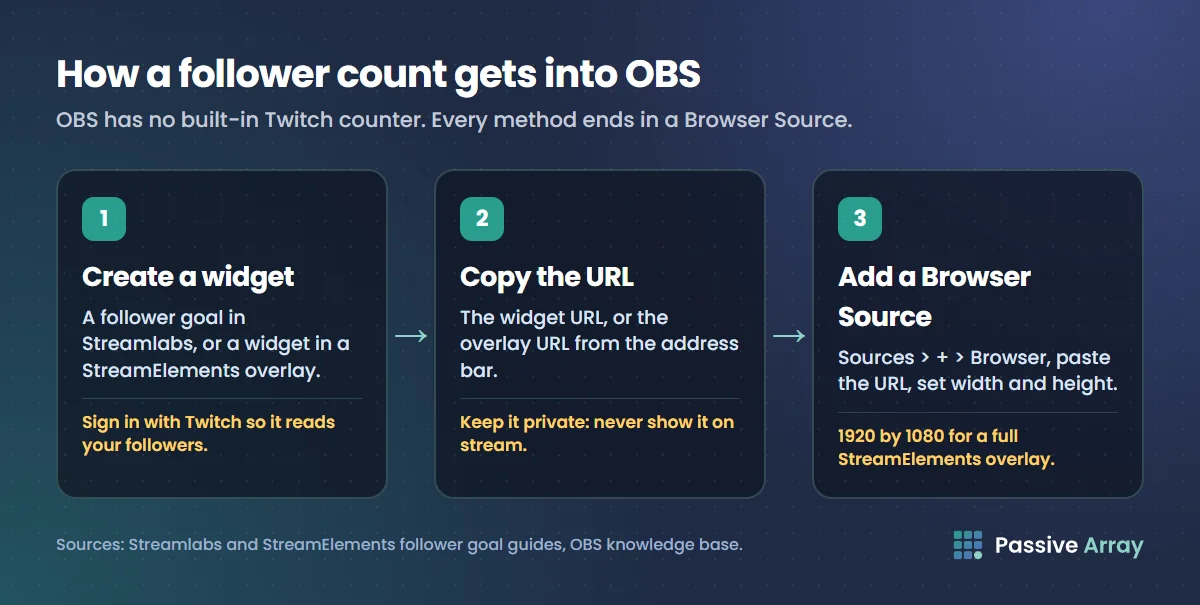
All three end in the same place: a web page that OBS displays through a Browser Source. The differences are in how the page is built and how much control you get.
What you need
- OBS Studio, installed on Windows, macOS or Linux.
- An account with an overlay service such as Streamlabs or StreamElements, signed in with your Twitch account so it can read your follower data.
- Your current follower total and a goal you want to show.
The widget URL is private. Anyone with it can load your widget, so do not show it on stream or paste it in chat. StreamElements' own guide says the same: copy the overlay URL from the address bar and "don't expose this to viewers".
Method 1: Streamlabs follower goal in OBS Studio
These steps follow Streamlabs' own follower goal guide.
Set up the widget
- Log in to the Streamlabs Dashboard with your Twitch account.
- Click All Widgets in the sidebar, then choose Follower Goal under the Goals section.
- In the Manage Goal panel, enter a goal title, the total goal amount, a starting point and an end date.
- Use the Platform dropdown to choose which follower events count. For Twitch, choose Twitch (Follows). Streamlabs also supports YouTube subscribers, Facebook follows and Kick follows.
- Adjust the layout, font, bar thickness and colours. The preview shows sample data.
- Click Save Settings, then copy the Widget URL.
The goal is shared across all connected platforms unless you separate them. If you stream to more than one platform and want a Twitch-only goal, Streamlabs suggests creating a Widget Theme per platform: in the Dashboard click Widget Themes, then Create Widget Theme, name it after the platform, set up the follower goal inside it, and copy that theme's follower goal link.
Add it to OBS Studio
- In OBS, go to the Sources panel of the scene you stream with.
- Click the + button and choose Browser.
- Name the source, for example "Twitch Follower Goal", and click OK.
- Paste the Widget URL into the URL field.
- Set the Width and Height to fit the widget, then click OK.
- Drag and resize the source in the preview until it sits where you want it.
The plugin route
If you use the Streamlabs Plugin for OBS, you can skip the URL. Install the plugin and log in, click Streamlabs in the top navigation, select Follower Goal from the widget list and click +Add. The widget appears under Sources, ready to drag and resize. Use Settings in the plugin to open the Dashboard when you want to change the goal.
Method 2: StreamElements follower goal in OBS Studio
StreamElements builds widgets inside overlays. You add a follower goal widget to an overlay, then add the whole overlay to OBS as one Browser Source.
Set up the widget
- Log in to StreamElements with your Twitch account.
- Pick a follower goal widget from the Elements Gallery at widgets.streamelements.com, or add one to an overlay you already use.
- Set the goal values. StreamElements' guide says to set the min value to your current count so the bar starts from now, and the max value to your goal.
- Save the overlay and copy its URL from the browser's address bar.
One thing to know: StreamElements says the end goal "does not update automatically". When you reach a goal and set a new one, change the max value yourself.
StreamElements tracks two kinds of follower data. Totals are read-only numbers taken straight from your connected channel, including total followers. Session data counts events during the current stream, such as new followers, and resets 15 minutes after each stream unless you reset it manually. If you want a "followers today" counter, that is session data. If you want your all-time total, that is Totals.
Add it to OBS Studio
StreamElements' guide gives these Browser Source settings for an overlay:
- In the OBS Sources panel, click + and choose Browser.
- Name the source and click OK.
- Paste the overlay URL into the URL field.
- Set Width to 1920 and Height to 1080, unless you changed your browser source resolution yourself.
- Leave Custom CSS at its default.
- Tick Shutdown source when not visible if the overlay includes a widget that makes sound, such as alerts.
The 1920 by 1080 size matters because a StreamElements overlay is a full-screen canvas. Widgets sit where you placed them on that canvas. Shrinking the source moves and scales everything at once.
If you use StreamElements' own streaming app, SE.Live, the steps are different, and StreamElements says SE.Live is currently supported on Windows only.
Method 3: a plain text label
Some streamers prefer a small number in the corner to a progress bar. Streamlabs offers Stream Labels, which it describes as creating "text sources for use in tools like OBS", with labels such as recent followers, donations, cheers and subscribers. Its own page highlights recent and latest followers rather than a total follower count, so check the label list in your Streamlabs account before you rely on it for a total.
For a total count as text, the simplest route is a follower goal widget styled to show only the number, or a custom widget.
Browser Source settings that matter
These are the OBS Browser Source properties, as described in OBS's own knowledge base, and when to use them:
| Setting | What it does | When to use it |
|---|---|---|
| URL | The web page OBS loads | Always: your widget or overlay URL |
| Width and Height | The size of the page OBS draws, 800 by 600 by default | Match the widget, or 1920 by 1080 for full overlays |
| Custom CSS | By default makes the background transparent and hides scroll bars | Leave the default unless you know CSS |
| Shutdown source when not visible | Unloads the page when hidden or in another scene | For widgets with sound, or to save resources |
| Refresh browser source when scene becomes active | Reloads the page each time you switch to the scene | If the widget sometimes freezes |
| Refresh cache of current page | Reloads the page right away | After changing widget settings |
If the widget looks blurry, the Width and Height are probably smaller than the widget's design size and OBS is scaling it up. Set the real size in the properties instead of stretching the source in the preview.
Show your follower count in a dock, not on stream
Sometimes you want to see the number yourself without showing viewers. OBS can open web pages in Custom Browser Docks, panels inside the OBS window. They live in the Docks menu (View, then Docks, in older versions of OBS). Give the dock a name and paste a URL, such as a widget URL or a stats page you use while live. This is what people usually mean by a "Twitch stats dock" in OBS. On some Linux setups running Wayland, browser docks may be unavailable.
Why is my Twitch follower count wrong or not updating?
| What you see | Likely cause | Fix |
|---|---|---|
| Overlay shows an old number | The page has not refreshed | Use Refresh cache of current page, or tick refresh when the scene becomes active |
| Goal bar starts from zero | The starting point or min value is 0 | Set the starting point or min to your current total |
| Count jumps down | Unfollows, or closed and banned accounts dropping out | Normal; compare with Twitch's own number |
| Counts YouTube or Kick followers too | Multi-platform goal | Pick Twitch only in the platform setting, or use a Twitch-only theme |
| "Followers" resets every stream | You are showing session data | Switch to a total follower count |
| Goal reached but bar stays full | The end goal does not update itself | Set a new goal amount or max value |
| Nothing shows at all | Wrong URL, or a hidden source | Re-copy the widget URL and check the eye icon in Sources |
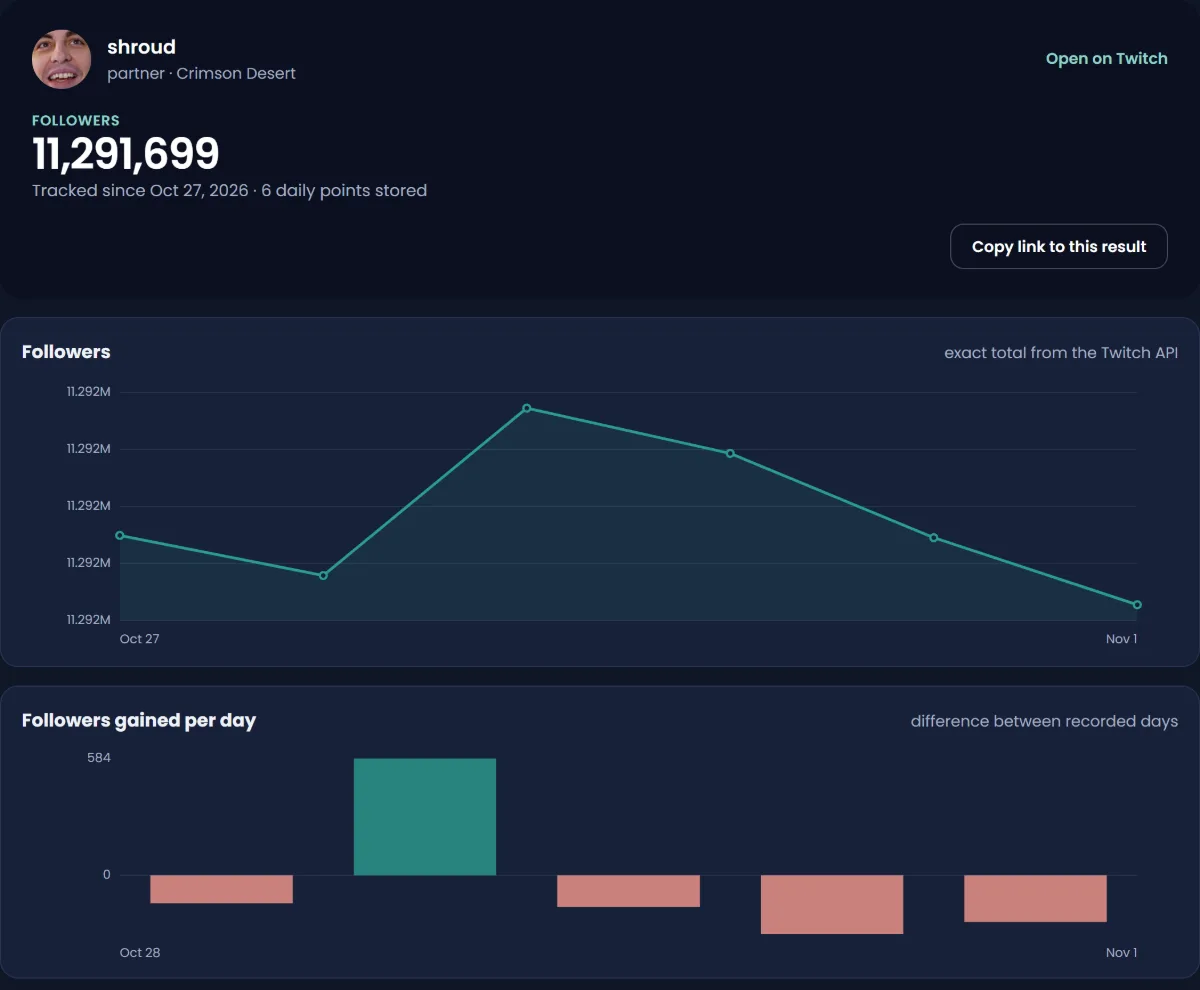
To check what Twitch actually reports, look your channel up in the follower count checker. Twitch's API returns an exact follower total, and the checker caches results for up to 30 minutes, so a burst of new followers can take a little while to appear there too.
If the number on your Creator Dashboard looks off for Affiliate progress, the cause is usually the same: removed accounts, unfollows or a delay in the dashboard. Our guide on how Twitch streamers make money covers the Affiliate requirements and why follower counts sometimes do not count toward them.
Make the follower count do some work
A number on screen does nothing on its own. A goal does, because it gives viewers a shared target. A few ideas that work with a follower goal widget:
- Set a near goal. 25 more followers is something viewers can help you reach tonight. 10,000 is not.
- Tie the goal to an event. "At 500 followers we play the community's pick" turns a number into a reason to follow.
- Thank followers live. Pair the goal with a follower alert so new followers see themselves on screen.
- Do not beg. One mention per hour is plenty. Constant asks push viewers away.
- Never buy followers. Fake follows can drop out of totals, which makes your goal bar go backwards on stream, and they do nothing for live viewers.
Track your follower growth over time
An overlay shows today's total. It does not show whether last month's schedule change or a raid helped. The Twitch follower tracker records a channel's follower total every day, with gains per day and 7, 30 and 90-day change, and lets you download the history as a CSV. Follower history starts from the day a channel is first tracked; nothing earlier is estimated.
To see how you compare with streamers of a similar size in your category, the Twitch channel comparison puts two or three channels side by side on followers, live viewers, average VOD views and followers per year.
Streaming on YouTube too?
The same Browser Source method works for a YouTube subscriber counter, with one big difference: YouTube's public subscriber counts are rounded, so a YouTube counter will not move with every new subscriber. Our guide to the YouTube live subscriber count explains why, and how to get more views on YouTube Live covers growing a stream there. If you are deciding where to stream, our comparison of YouTube alternatives for creators sets Twitch, Kick and the others side by side.
Stats sites for other platforms often estimate between real updates. Twitch is easier, because its follower totals are exact, but the same caution from our look at whether Social Blade is accurate applies to any site claiming numbers that platforms do not publish, such as subscriber counts.
Sources
- OBS Studio Knowledge Base: Browser Source
- OBS Studio Blog: OBS Studio 27 released, featuring browser docks on macOS and Linux
- Streamlabs: How to set up a follower goal widget
- Streamlabs: Goals widgets
- Streamlabs: Stream Labels widget
- StreamElements Help: Overlays: the complete guide
- StreamElements Help: SE.Live: the complete guide
- StreamElements: Elements Gallery
Frequently asked questions
How do I add a Twitch follower count to OBS?
Create a follower goal or follower count widget with an overlay service such as Streamlabs or StreamElements, copy its URL, then in OBS click + in the Sources panel, choose Browser, and paste the URL. Resize the source to fit your scene.
What is the best free Twitch follower count overlay?
Streamlabs and StreamElements both offer free follower goal widgets that read your count from Twitch and work in OBS through a Browser Source. Pick the one whose dashboard you already use for alerts, so all your widgets are in one place.
Why is my Twitch follower count overlay not updating?
Usually the Browser Source has not refreshed, or the widget is showing session data or a goal with a fixed starting point. Click Refresh cache of current page in the source properties, check the starting point or min value, and confirm the platform is set to Twitch.
Can I show my Twitch follower count without showing a goal?
Yes. Style a follower goal widget to show only the number, use a text label from your overlay service, or build a custom widget. StreamElements also separates total followers from session followers, so pick the one you want viewers to see.
What is a Twitch stats dock in OBS?
It is a Custom Browser Dock: a web page shown as a panel inside the OBS window, visible to you but not to viewers. Add one from the Docks menu with a name and a URL, such as a stats page or widget you want to watch while live.
Is a Twitch follower count overlay accurate?
It shows what Twitch reports, with a delay that depends on how often the widget refreshes. Twitch follower totals are exact, unlike YouTube's rounded subscriber counts, so differences are usually timing or unfollows rather than rounding.
Can I add a YouTube subscriber count to OBS the same way?
Yes. Streamlabs' follower goal supports YouTube subscribers, and the Browser Source steps are the same. Expect the number to move in steps, because YouTube rounds public subscriber counts.
By Nasir Uddin, founder of Passive Array. Rules and figures checked Nov 1, 2026.