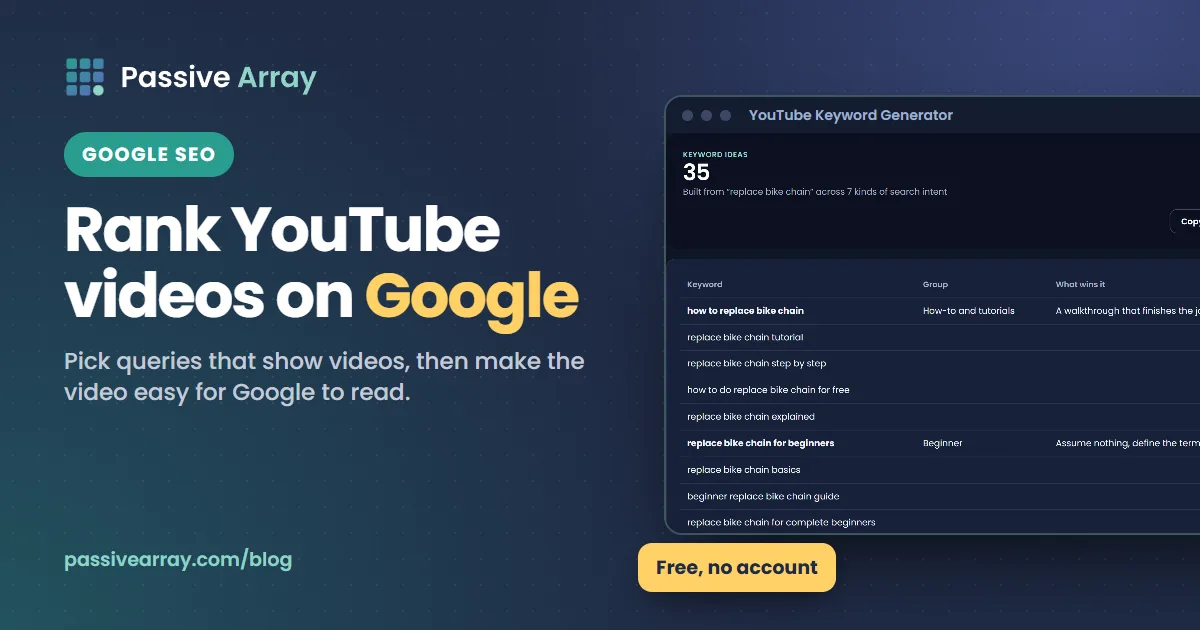
To rank a YouTube video on Google, target a query where Google already shows videos, write a title that matches how people phrase that query in Google, give the video a clear description and chapters, and embed it on a page of your own site that is about that video. Google's documentation says videos can appear in the main results, in Video mode, in Google Images and in Discover, and that timestamps in a YouTube description can become "key moments" in Google results.
You do not need a different video for Google. You need to pick the right query and make the video easy for Google to understand. The YouTube Keyword Generator helps with the first part: it turns one topic into the specific how-to and question phrases that also tend to show video results in Google. This guide covers what Google has said, what it has not, and the steps that follow from both.
Why Google traffic is worth the effort
Most YouTube views come from inside YouTube: Home, Suggested videos, YouTube search and the Shorts feed. Google is different in three ways.
- It reaches people who are not on YouTube yet. Someone searching Google for "how to replace a bike chain" may never have opened YouTube for it.
- It lasts. A video that sits in Google results for a stable how-to query can keep sending viewers for years, long after recommendation traffic fades.
- It is not personalized by YouTube watch history. Your video competes on how well it answers the query in Google's eyes, not on whether YouTube has learned who your viewers are.
The trade-off is that Google traffic is usually smaller than YouTube traffic, and you have less control over it. Shorts follow different rules again, covered in YouTube Shorts SEO. Treat Google as a long-tail bonus on top of how YouTube SEO works inside YouTube, not a replacement.
Where YouTube videos appear in Google
Google's video SEO documentation lists the places a video can show up:
| Google surface | What it looks like | What helps a video appear there |
|---|---|---|
| Main search results | A video result, sometimes in a row of videos | A query where Google shows videos, and a video that matches it |
| Video mode | The Videos tab of Google search | A clear title and description, a valid thumbnail |
| Google Images | The video thumbnail in image results | A valid thumbnail |
| Discover | The feed in the Google app | Not something you can target directly |
| Key moments | Labelled jump points under a video result | Chapters in the YouTube description, or Clip structured data on your site |
Google also says that "to be eligible to appear in video features, a video must have a valid thumbnail image." YouTube generates thumbnails automatically, so this is mostly about uploading a clear custom one.
What Google says, and what it does not
Google publishes guidance for videos in general, and some of it names YouTube directly. Here is what is documented:
- Key moments from YouTube descriptions. Google's structured data documentation says that for YouTube videos "you can specify the exact timestamps and labels in the video description on YouTube", and that "Google Search may automatically enable key moments for your video based on the video description on YouTube."
- Your key moments come first. Google says it will "prioritize key moments set by you, either through structured data or the YouTube description." Otherwise it tries to detect segments automatically.
- Watch pages. For videos on your own site, Google recommends a dedicated watch page, a page whose main purpose is to show one video. A blog post that reviews an embedded video counts as a page where the video is complementary, not a watch page.
- Structured data. For videos embedded on your site, VideoObject markup has three required properties: name, thumbnailUrl and uploadDate.
- Opting out. If you do not want key moments at all, Google says to use the nosnippet meta tag on your own pages.
What Google does not publish is how it ranks a YouTube watch page against other results, or whether YouTube's own engagement data plays any part. Be wary of guides that claim to know. The safe reading is that Google ranks the YouTube page like other pages it understands: by how well the visible text and the video match the query, and by Google's general signals of quality.
Which queries show videos in Google
You cannot rank a video for a query where Google does not show videos. Before you plan a video for Google, search the query on Google and look at the first page.
Queries that often show video results tend to be:
- How-to and repair: "how to tie a tie", "how to reset a router".
- Visual skills: exercise form, cooking techniques, drawing, makeup.
- Product reviews and unboxings.
- Tutorials for software: "Excel pivot table tutorial".
Queries that usually do not show videos are short factual questions ("capital of Peru"), local searches ("pizza near me") and most news. This is an observation you can check yourself, not a published Google rule, and it changes by query and country. The test is always the same: search it and look.
Here is a simple decision rule, which is our suggestion:
| What you see on Google's first page | What to do |
|---|---|
| A row of video results | Good target; your video can compete directly |
| One video result among text results | Possible target; the video must answer the query exactly |
| Only text results, but Video mode has relevant videos | A Video mode target; smaller but real |
| No videos anywhere for the query | Pick a different phrasing for Google, keep this one for YouTube |
How to rank a YouTube video on Google, step by step
Step 1: pick a query people type into Google
People phrase things differently on Google and YouTube. On YouTube someone may type "bike chain replace". On Google the same person often types a full question: "how do I replace a bike chain without a chain tool". Use Google's autocomplete and its "People also ask" box to find the Google phrasing, and YouTube's autocomplete or the keyword generator to find the YouTube phrasing. The best targets appear in both. The method for judging which phrases are open is in free YouTube keyword research.
Step 2: check the competition on both platforms
Look at which videos Google shows for your query and click through to them on YouTube. Note their channel size, age and length. If Google shows a three-year-old video from a small channel, there is room for a better, current one. If it shows a recent video from a large brand with a page of its own on the topic, choose a narrower query.
Step 3: write the title for the query
Google shows your YouTube title as the result's headline. It needs to match the query and still make sense out of context, because the person reading it has not seen your channel.
- Put the main words of the query near the start.
- Keep the most important part early, because Google results and phones both cut long titles.
- Make a specific promise: a result, a time, a number of steps.
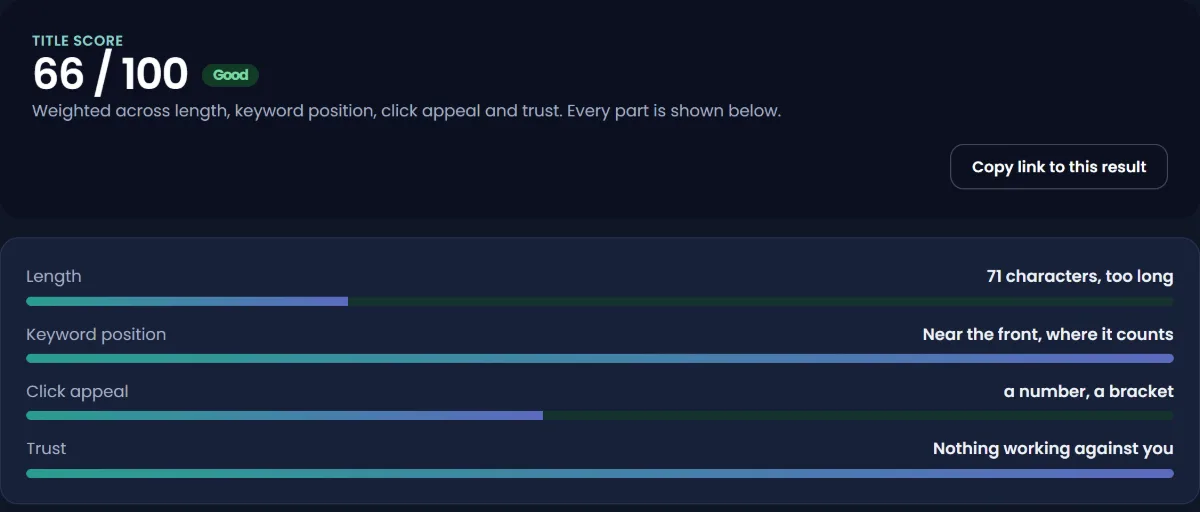
Say the query is "how to replace a bike chain without a chain tool". A made-up example of a title that works on both platforms: "Replace a bike chain without a chain tool (5 minutes, no special tools)". Check it with the YouTube Title Analyzer, which scores length and keyword position separately so you can see which part is weak.
Step 4: make the description readable as a page
A YouTube watch page is a web page, and the description is most of its text. Write it for someone arriving from Google who wants to know if this video answers their question:
- Open with one or two sentences that answer the query directly, using its words naturally.
- Add a short summary of the steps covered.
- List what the viewer needs (tools, ingredients, software version).
- Add chapters.
- Link to related videos and any written guide on your own site.
For ready-made layouts by video type, see YouTube description templates.
YouTube allows 5,000 characters. A few hundred useful words beats a long block of keywords, and YouTube's tag help page warns that adding excessive tags to a description is against its spam, deceptive practices and scams policies.
Step 5: add chapters that can become key moments
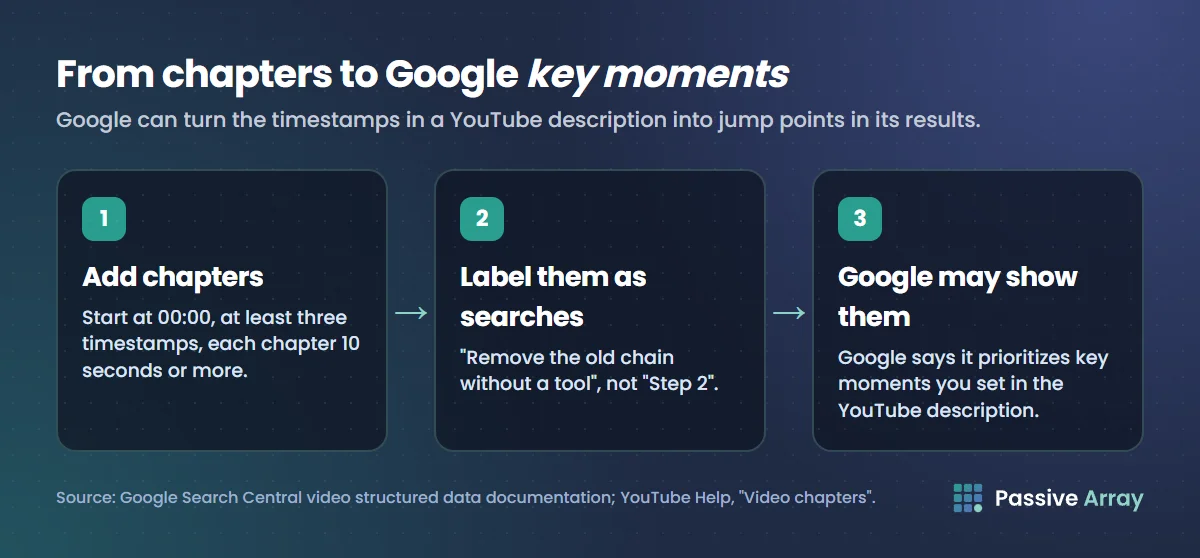
This is the most direct thing you can do for Google. Google says it can use the timestamps and labels in a YouTube description as key moments, and that it prioritizes ones you set yourself. YouTube's rules for chapters:
- The first timestamp is 00:00.
- There are at least three timestamps, in ascending order.
- Each chapter is at least 10 seconds long.
Write each label as a phrase someone might search: "Remove the old chain without a tool" rather than "Step 2". A chapter label that matches a sub-question can be shown as its own jump point in Google. If you want to share a link that starts at one of those moments, the YouTube Timestamp Link Generator builds the watch link, the youtu.be short link and the embed code for any start time. How to link to a specific time in a YouTube video explains the URL formats.
Step 6: upload a clear custom thumbnail
Google requires a valid thumbnail for video features, and the thumbnail is often shown small in Google results. Use one clear subject, high contrast and very few words. For layout ideas, see YouTube thumbnail examples.
Step 7: embed the video on a page of your own
If you have a website, embed the video on a page built around it. Two options:
- A watch page: a page whose main purpose is the video, with a title, a short summary and a transcript or step list below. This is what Google means by a watch page.
- A written guide with the video embedded: a full article where the video supports the text. Google treats this as a page where the video is complementary. The article itself can rank, and readers press play.
For either, add VideoObject structured data with at least name, thumbnailUrl and uploadDate, and Clip markup if you want to set the key moments on your own page. The embedded video still plays on YouTube, so views count toward your channel.
Step 8: get the video linked and shared where it answers questions
Google finds and judges pages partly through links. Share the video where it genuinely answers a question: a forum thread, a community Q&A, a newsletter, your own blog. Post the answer with the video as support, follow each community's rules, and never use automated link services. This is about being useful in public, not about tricks.
A worked example
Here is a made-up example. A cycling channel with 8,000 subscribers plans a video on chains.
- Google check: "how to replace a bike chain without a chain tool" shows a row of three videos on Google's first page. The top one is four years old from a channel with 30,000 subscribers.
- YouTube check: the same phrase in YouTube's autocomplete appears as "replace bike chain without chain tool". Both phrasings are covered by one title.
- Title: "Replace a bike chain without a chain tool (5 minutes, no special tools)".
- Description: opens with "You can replace a bike chain without a chain tool if your new chain has a quick link. Here is how, in five steps." Then a tools list.
- Chapters: 00:00 Do you need a chain tool?, 00:40 Check your chain has a quick link, 01:30 Remove the old chain without a tool, 03:10 Size the new chain, 04:20 Fit the quick link.
- Website: the creator has a small blog and publishes a written version with the video embedded and VideoObject markup.
After a month, the creator checks Google for the query in a private window and sees the video in the row of results, with two of the chapter labels shown as key moments. That is not a promise this will happen for every video. It shows the parts you control lined up correctly.
How to rank a YouTube channel on Google
Searches for a channel's name usually show the channel page itself. To make that easier:
- Use a distinctive channel name and handle. A generic name like "Tech Tips" competes with every page that uses those words.
- Fill in the channel description with what the channel covers, in plain words.
- Add links to your website and other profiles in the channel's links section, and link back to the channel from them.
- Use the same name across your website and social profiles so the connection is clear.
Ranking the channel for a topic, rather than its name, is much harder. Google usually shows individual videos for topic queries, so put the effort into the videos.
How to see if Google is sending views
YouTube Studio does not have a "Google" report by name. In YouTube Studio > Analytics > Reach, open the traffic sources and look at External. YouTube describes External traffic as coming from "websites and apps that have your YouTube video embedded or linked to", and the External card lists the specific sites and apps. Views from Google arrive from outside YouTube, so check that card for Google.
To check your position in Google itself, search the query in a private browser window, so your own signed-in history does not shape what you see. How to check where your YouTube video ranks has a simple log you can keep for both YouTube and Google. If you embed the video on your own site, Google Search Console reports how that page performs in Google Search.
Mistakes that keep YouTube videos out of Google
- Targeting a query Google answers with text. No amount of optimization puts a video on a page Google does not show videos for.
- Titles that only make sense to subscribers. "Episode 14: the big fix" says nothing to someone on Google.
- Empty descriptions. The watch page then has almost no text for Google to read.
- Chapters that break YouTube's rules. No 00:00 start, fewer than three timestamps, or chapters under 10 seconds, and the chapters do not work on YouTube either.
- Vague chapter labels. "Part 1", "Part 2" give Google nothing to show as key moments.
- Buying links or views. Google's spam policies list "buying or selling links for ranking purposes" as link spam, and bought views break YouTube's fake engagement policy. Both can do lasting harm.
Sources
- Google Search Central: Video SEO best practices
- Google Search Central: Spam policies for Google web search
- Google Search Central: Video (VideoObject, Clip and SeekToAction) structured data
- YouTube Help: Video chapters
- YouTube Help: Edit video settings (title and description limits)
- YouTube Help: Tips for video descriptions
- YouTube Help: Add tags to your videos
- YouTube Help: Understand your video reach (traffic sources)
- YouTube Help: How YouTube search works
- YouTube Help: Fake engagement policy
Frequently asked questions
How do I get my YouTube video to show up in Google search?
Target a query where Google already shows video results, put the query's main words near the start of your title, open the description with a direct answer, add chapters and a clear custom thumbnail. Embedding the video on a page of your own site, with VideoObject structured data, gives Google a second page to show.
Can a YouTube video rank on the first page of Google?
Yes, for queries where Google shows videos, which often includes how-to, tutorial, review and other visual searches. For queries Google answers with text only, a video is unlikely to appear on the first page however well it is optimized. Search the query yourself to see which kind it is.
Do YouTube chapters help with Google?
Yes. Google says it can use timestamps and labels in a YouTube description as key moments, and that it prioritizes key moments you set over ones it detects automatically. Chapters must start at 00:00, have at least three timestamps and each last at least 10 seconds.
How do I rank my YouTube channel on Google?
For searches of your channel name, use a distinctive name and handle, fill in the channel description, and link the channel from your website and other profiles. For topic searches, Google usually shows individual videos rather than channels, so optimize the videos.
Does Google use YouTube views or likes to rank videos?
Google has not published that. Its documentation covers thumbnails, watch pages, structured data and key moments, not YouTube engagement numbers. Treat any claim about exact Google ranking factors for YouTube videos as unconfirmed.
How long does it take for a YouTube video to appear in Google?
There is no published timeline. Google has to find and process the watch page before it can show it, which can take days or longer. Check the query in a private window every week or two rather than every day.
Where do I see Google traffic in YouTube Analytics?
Go to YouTube Studio > Analytics > Reach and open the External traffic source. YouTube says it lists the websites and apps that sent viewers, which is where views that came from outside YouTube, such as from Google, should appear.
By Nasir Uddin, founder of Passive Array. Rules and figures checked Nov 1, 2026.