An Instagram audit is a structured check of an account's profile, content, engagement, audience quality and growth, so you can see what is working and what to fix. For your own account, you use the public profile plus Instagram Insights. For someone else's, such as a creator a brand is about to hire, you work from public numbers and ask for screenshots of what only Insights can show.
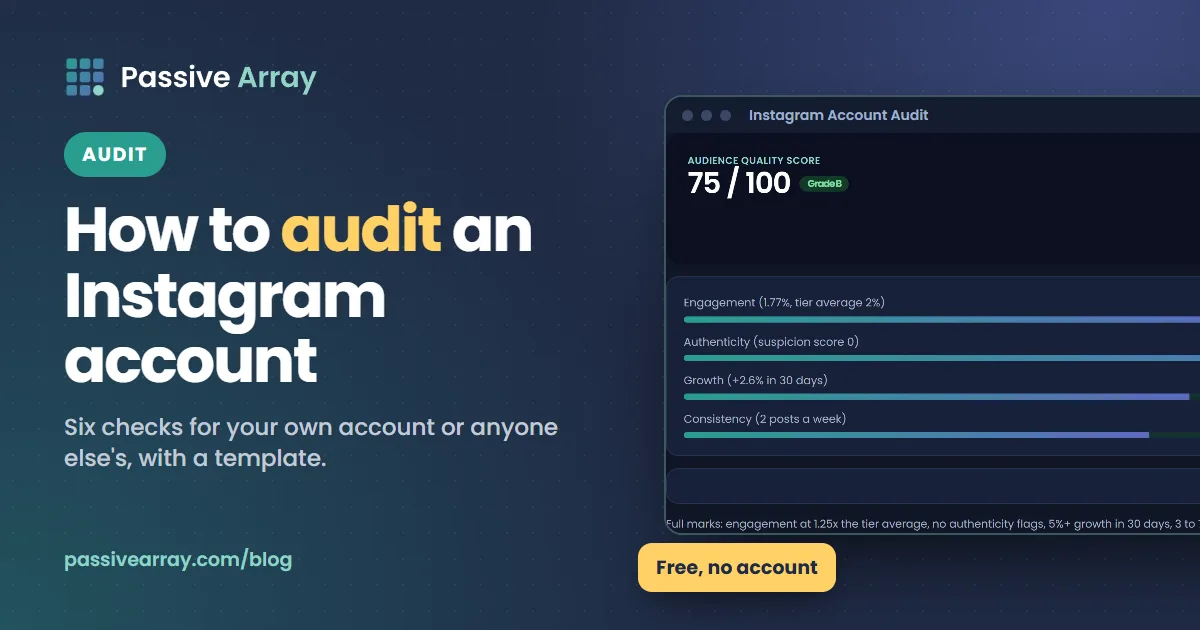
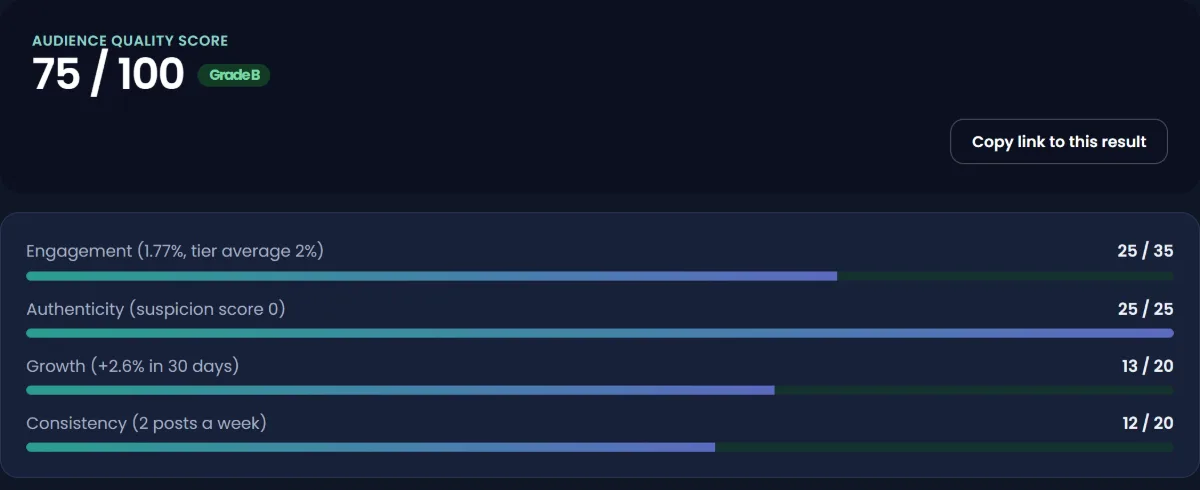
This guide gives you a six-part audit you can run in under an hour, a template to record it, and a worked example. The Instagram account audit tool does the number-crunching part: enter the visible figures plus the follower count from 30 days ago and how often the account posts, and it returns an audience quality score out of 100 covering engagement, authenticity, growth and consistency.
What an Instagram audit covers
| Part | Question it answers | Where the data comes from |
|---|---|---|
| 1. Profile | Does a stranger understand the account in seconds? | Public profile |
| 2. Content | What does the account post, how often, in which formats? | Public grid and Reels tab |
| 3. Engagement | Do followers respond, compared with accounts of the same size? | Public likes and comments, or Insights |
| 4. Audience quality | Are the followers real and interested? | Public ratios; follower list sample |
| 5. Growth | Is the account growing, flat or shrinking? | Follower count over time |
| 6. Account health and audience | Is anything restricted? Who is the audience? | Account Status and Insights (owner only) |
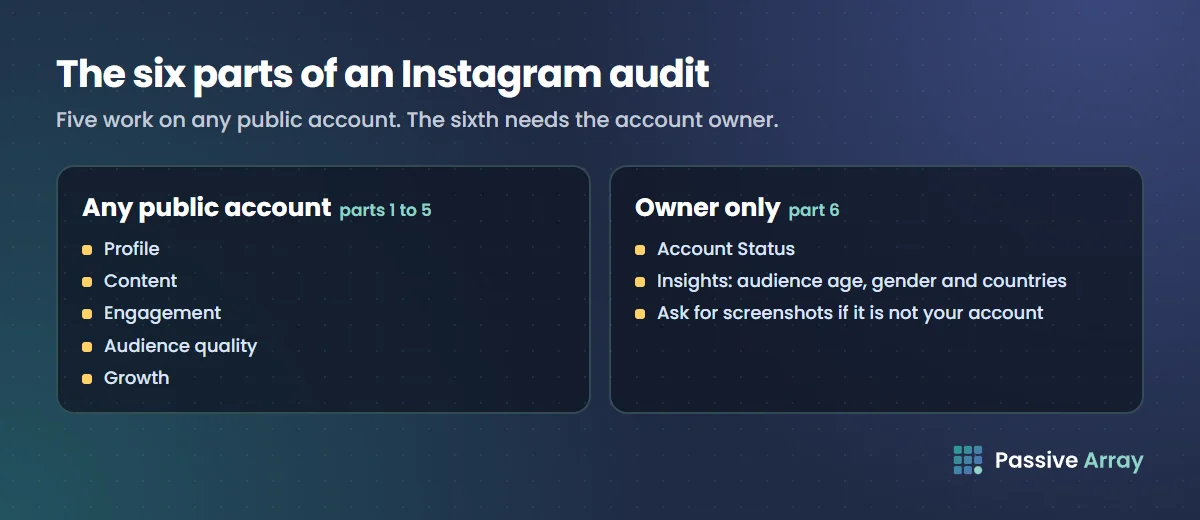
Parts 1 to 5 work on any public account. Part 6 needs the account owner, either because it is your account or because you ask the owner for screenshots.
Before you start: get the numbers down
Open the account and write down, in one place:
- Followers and following
- Number of posts
- Likes and comments on each of the last 12 feed posts (skip pinned posts, which are often old outliers)
- How many posts were published in the last four weeks, and how many were Reels
- If you have it, the follower count from 30 days ago
Twelve posts is enough to smooth out one viral post without reaching back to a time when the account was different. If likes are hidden on the account, the like-based checks are not possible from outside; ask the owner for Insights screenshots.
Step 1: audit the profile
The profile is the page that turns a visitor into a follower. Check:
- Name field. Does it include a keyword as well as the name? Instagram's search explainer says usernames and names are matched against what people type in Search.
- Bio. Does it say what the account posts, who it is for, one reason to trust it and what to do next, inside the 150-character limit?
- Links. Instagram allows up to five. Is the most important one first, and do they all still work?
- Profile photo. Is it recognisable at small size?
- Highlights and pinned posts. Do they show the best of the account, or old promotions?
If the profile fails here, nothing else in the audit matters as much, because visitors leave before they see the content. Instagram bio ideas has a four-line method for fixing the bio.
Step 2: audit the content
Scroll the last 30 to 60 days and note:
- Format mix. How many Reels, carousels and single images? Instagram's creator FAQ calls Reels "the best way to reach new audiences".
- Posting frequency. Count posts per week. The same FAQ says creators with the highest net follower growth post about ten Reels a month on average, while noting that frequency is only one factor of many.
- Topic focus. Could you describe the account's topic in one sentence? Accounts that jump between unrelated topics confuse both visitors and recommendations.
- Originality. Instagram's 2023 ranking explainer says Reels with watermarks from other apps, or Reels already posted on Instagram, are shown less in recommendations. Reposted content is a common hidden reason for weak reach.
- Captions. Do the first lines give a reason to tap "more"? Are there more than five hashtags anywhere? Since December 2025 Instagram allows five per post. How to write Instagram captions that get read covers what a good caption does.
Mark your three best and three worst posts by engagement. The difference between them is usually the most useful finding in the whole audit.
Step 3: audit engagement
Engagement rate is the core number:
Engagement rate = (average likes + average comments) / followers x 100
Run it through the engagement rate calculator, which grades the result against the typical rate for the account's size. That matters because typical rates fall as accounts grow. Our Instagram engagement rate by follower count table shows the benchmark for each tier, from nano to mega accounts, and explains why a 2% rate is excellent for one account and weak for another.
Then check three things the single number hides:
- Median versus average. If one post has ten times the likes of the rest, the average flatters the account. Look at the middle post too.
- Comments relative to likes. A real audience leaves a small but steady share of comments. Very few comments next to many likes is a warning sign.
- Trend. Compare the rate on the last six posts with the six before. A falling rate on a steady follower count usually means reach is falling.
If you want to compare against other accounts in the same niche, the Instagram account comparison tool puts two or three accounts side by side on followers, ratio, engagement and like rate. For context on industry-level numbers, see Instagram engagement rate by industry.
Step 4: audit audience quality
This step checks whether the followers are real people who care. From public numbers you can look for the patterns bought followers and engagement leave:
- Engagement far below the typical rate for the account's size
- Comments that are a tiny share of likes
- An account with many followers that follows even more accounts
- Very few posts for a large following
- Sudden jumps in follower count with no viral post to explain them
The Instagram fake follower estimator scores these patterns and gives an estimated fake share. We explain each signal, the thresholds the checker uses and how to read the score in how to spot fake followers, so we will not repeat them here. Two points matter for an audit:
- Every account has some fake followers. Bots follow everyone. A healthy score does not mean zero.
- A suspicious score is a reason to look closer, not a verdict. Open a few dozen recent followers and look for empty profiles and random-string usernames.
Following ratio
The follower to following ratio is a quick extra check. A personal account that follows more people than follow it is normal. A large account doing the same is often a sign of follow-for-follow growth, which produces followers who do not engage.
Step 5: audit growth
Growth tells you whether the account is gaining an audience now, not just whether it once did. You need two follower counts at least 30 days apart. If it is your account, Insights shows follower changes. If it is someone else's, write the count down today and check again in a month, or use a dated figure from the creator's media kit.
| 30-day follower change | How to read it |
|---|---|
| Falling | Losing more than gaining. Check for a recent giveaway, a cleanup of fake accounts by Instagram, or content drift |
| Flat (roughly 0 to 1%) | Holding steady; reach is mostly to existing followers |
| Growing steadily | New people are finding and following the account |
| A sudden jump | Look for the post that caused it. No obvious cause is a warning sign |
These bands are a reading guide, not an Instagram standard. Growth rates vary hugely by niche and size. The audit tool gives full growth points at 5% or more in 30 days and tapers to none at a 2% loss, as one consistent way to score it.
Step 6: audit account health and Insights (owner only)
Account Status
Instagram's Account Status shows whether content was removed for breaking Community Standards and which features you can no longer use, and lets you request a review. Open it from Settings > More info and support > Account Status. Instagram's ranking explainer says Account Status also helps you see whether your account is eligible to be recommended. If an account's reach collapsed suddenly, check here before changing anything else.
Instagram's Recommendation Guidelines apply to Explore, Reels, Search, Suggested Posts and Suggested Accounts. Content that breaks them can stay on Instagram but is not recommended to people who do not follow the account.
Insights
Insights show account and content performance for any period in the last 90 days. According to Instagram's Help Center, you need a public account to view insights; it mentions both personal and professional accounts. If you switch to private, you lose access, and switching back to public within 90 days restores past data.
The part brands care most about is audience demographics: age, gender and top locations. Two rules from Instagram's documentation decide whether you can see them:
- Demographics need enough people. The Help Center says that to view audience demographics, you need to use a preset timeframe and reach or engage over 100 accounts. If the last 7 days shows nothing, try Last 30 days or Last 90 days.
- Some metrics need 100 followers. Meta's developer documentation says some metrics are not available on accounts with fewer than 100 followers.
How to check follower gender ratio
There is no public way to see another account's follower gender ratio. Followers do not have a public gender field, so any tool claiming to calculate it from outside is guessing from names or photos. For your own account, open Insights, choose a preset timeframe and look at the audience section. For a creator you are vetting, ask for a screenshot of their audience age, gender and country breakdown. Honest creators share it without fuss, and it is the only reliable source.
The audit template
Copy this table into a note or spreadsheet and fill one row per check.
| Check | Finding | Score (good / fix / problem) | Action |
|---|---|---|---|
| Name field has a keyword | |||
| Bio says what, who for, proof, next step | |||
| Links work, best link first | |||
| Posts per week (last 4 weeks) | |||
| Share of Reels | |||
| Original content, no watermarks | |||
| Engagement rate vs tier | |||
| Median post vs average | |||
| Comments as a share of likes | |||
| Fake follower estimate | |||
| Following ratio | |||
| 30-day follower change | |||
| Account Status clear | |||
| Audience age, gender, countries match the goal |
A worked example
This is a made-up account to show the method. Say a home-baking account has these numbers:
- 24,000 followers, following 850, 310 posts
- Last 12 posts: average 410 likes, 14 comments; median post 290 likes
- 30 days ago: 23,400 followers
- Posts about 2 times a week, 2 of the last 8 posts were Reels
Working through the audit:
- Engagement rate: (410 + 14) / 24,000 x 100 = 1.77%. Our tool benchmark for 10K to 100K accounts is 2.0% typical, so this is a little below average for its size. Using the median post (290 likes) instead, the rate is closer to 1.27%, which says one or two strong posts are lifting the average.
- Comments: 14 / 410 = 3.4% of likes. That is a normal conversation level, not the near-zero pattern of bought likes.
- Ratio: 24,000 / 850 = about 28 followers per account followed, which reads as an established account.
- Growth: (24,000 - 23,400) / 23,400 = 2.6% in 30 days. Growing, not fast.
- Content: about 2 posts a week and few Reels.
Diagnosis: a real audience, healthy quality, modest growth and engagement held up by a few hits. The clearest fixes are more Reels (the format Instagram says reaches new audiences), studying what the top three posts had in common, and making more of that. How to increase your Instagram engagement rate turns findings like these into a plan.
Free tools versus paid audit tools
The Passive Array audit and checkers are free, need no account, and work only from numbers you type in, because Instagram has no free public API for this data. That makes them quick screening tools. Paid audit services can go further, for example by analysing a sample of the follower list itself, which public numbers cannot do. If you are about to spend a large budget on one creator, that extra depth can be worth paying for. For most creators auditing their own account, Insights plus the free tools cover what you need.
For brands, the audit is the first half of vetting. How to vet a creator before you pay them covers the rest: what to ask for, red flags and how to compare a shortlist.
How often to audit
Run a full audit once a quarter, and a quick check (engagement rate, growth, Account Status) once a month. Re-audit after any big change: a new content format, a rebrand, a giveaway or a sudden drop in reach. Keep each audit, because the comparison between two audits is more useful than either one alone.
Sources
- Instagram Help Center: View account and content insights on Instagram
- Meta for Developers: Instagram Platform insights
- Instagram Help Center: Check your Account Status on Instagram
- Instagram: Instagram ranking explained, Adam Mosseri, 31 May 2023
- Instagram: Breaking down how Instagram Search works, Adam Mosseri, 25 August 2021
- Instagram for Creators: Frequently asked questions
- Instagram Help Center: How do I use hashtags?
Frequently asked questions
What is an Instagram audit?
It is a structured review of an Instagram account's profile, content, engagement, audience quality, growth and account health. Creators run it on their own accounts to find what to fix. Brands run it on creators before paying them, to check the audience is real and relevant.
How do I audit my Instagram account for free?
Write down your followers, posts and the likes and comments on your last 12 posts, then work through profile, content, engagement, audience quality and growth. Use Instagram Insights for reach and audience data, and Account Status for restrictions. Free tools like the Passive Array audit and engagement calculator turn the numbers into scores with no account needed.
Can I audit someone else's Instagram account?
Yes, for everything public: profile, content, engagement rate, comment share, follower ratio and growth over time. Insights data such as reach and audience demographics is only visible to the owner, so ask them for screenshots. A creator who wants your business will usually share them.
How do I check an Instagram account's follower gender ratio?
Only the account owner can see it, in Insights under audience demographics, using a preset timeframe. Instagram says demographics appear when the account reaches or engages over 100 accounts in that period. For anyone else's account, ask for a screenshot; tools that claim to calculate gender from outside are guessing.
Can an Instagram audit detect fake followers?
It can flag the patterns bought followers leave, such as engagement far below the account's size tier and very few comments relative to likes. The fake follower estimator turns these into a score. It is an estimate from public numbers, so confirm by looking at a sample of recent followers.
What should an Instagram audit report include?
A one-line summary, the key numbers (engagement rate against the tier benchmark, growth, fake follower estimate), the three best and three worst posts, and a short list of actions in priority order. The template table in this guide covers each check. Keep past reports so you can compare quarter to quarter.
How often should I audit my Instagram account?
A full audit every three months and a quick monthly check of engagement rate, growth and Account Status is enough for most accounts. Run an extra audit after a sudden change in reach or a big change in what you post.