To get more views on YouTube, find out which of three things is failing: YouTube is not showing your video to enough people, the people who see it are not clicking, or the people who click are not watching. Each has different fixes. YouTube Studio tells you which one applies in about ten minutes, and the twelve fixes below are grouped by the problem they solve.
Most advice skips the diagnosis and lists tips. That is why so much of it does not work: a better thumbnail cannot fix a video nobody watches past the first ten seconds, and a better opening cannot fix a video YouTube never shows. Diagnose first, then fix the right thing.
One thing before anything else: do not buy views. YouTube's fake engagement policy covers services that "artificially inflate metrics like views, likes, and subscribers". YouTube says traffic found to be artificial "will not be counted" and "can lead to strikes on your account". Bought views also come from people who never watch your kind of video, which teaches YouTube's recommendations the wrong audience.
Where YouTube views come from
YouTube Studio reports views by traffic source. These are the ones that matter for most channels:
| Source | What it is | What drives it |
|---|---|---|
| Browse features | Home and the Subscriptions feed | How satisfied similar viewers have been with your videos |
| Suggested videos | Next to and after other videos | How well your video works for people watching related videos |
| YouTube search | Search results | How well your title, description and video match what people type |
| Shorts feed | The vertical swipe feed | Whether viewers keep watching instead of swiping |
| External | Links and embeds on other sites and apps | Where you share your videos |
| Channel pages, playlists, end screens | Your own channel | How well you link your videos together |
For a new channel, search is usually the most reliable source, because it does not depend on YouTube already knowing who likes your videos. As a channel grows, Browse and Suggested usually take over. The YouTube algorithm, explained covers how each surface chooses videos.
Find the problem in ten minutes
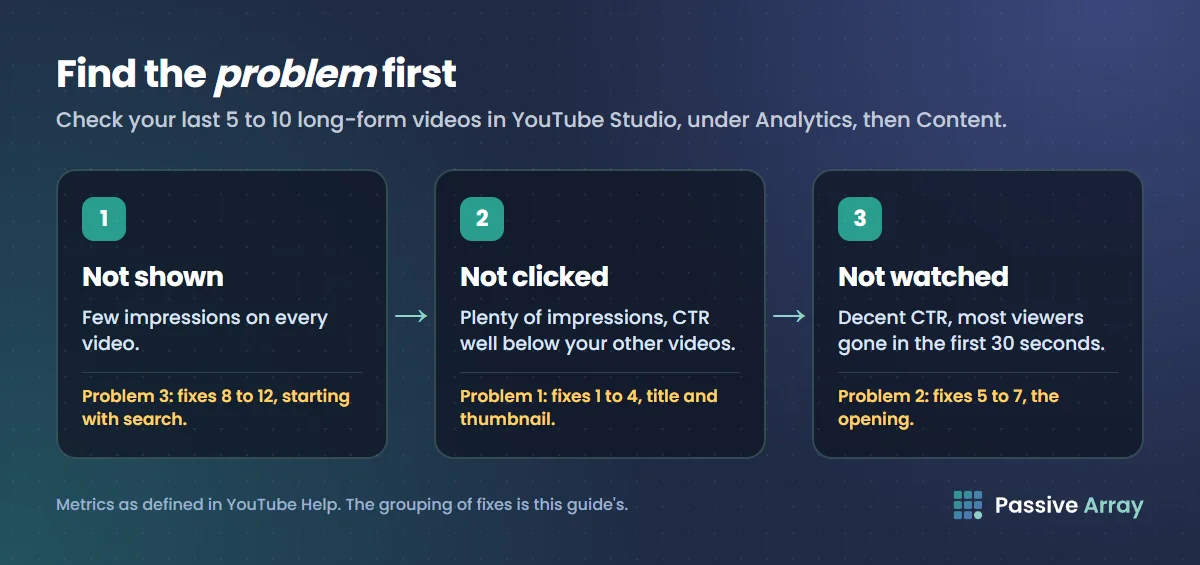
Open YouTube Studio, go to Analytics, then Content, and look at your last five to ten long-form videos.
- Impressions. How many times YouTube showed each thumbnail. Low impressions across all your videos means YouTube is not offering them to many people.
- Impressions click-through rate. How many of those people clicked. YouTube says half of all channels and videos fall between 2% and 10%. Compare your videos with each other, not with other channels.
- Average view duration and the retention graph for each video. If people click but leave fast, YouTube stops recommending the video.
- Traffic sources for your best and worst recent video. Where did the views come from, and where did they not?
Those numbers point to one of three problems:
| What you see | Problem | Go to |
|---|---|---|
| Few impressions on every video | Not shown | Problem 3 |
| Plenty of impressions, CTR well below your other videos | Not clicked | Problem 1 |
| Decent CTR, most viewers gone in the first 30 seconds | Not watched | Problem 2 |
If you have very few videos or very few views, the numbers will be noisy. Start with Problem 3, fix 8, and answer searches. YouTube Analytics explained walks through each metric in detail.
Problem 1: people see the video but do not click
1. Make the title promise one specific thing. A vague title gives no reason to click. A specific one names the result and the viewer.
| Vague | Specific |
|---|---|
| My morning routine | The 20-minute morning routine that fixed my focus |
| Budget travel tips | How I spent 10 days in Japan for under $1,000 |
| Learn Excel | Excel for beginners: the 7 formulas you will actually use |
| Reviewing a new phone | 30 days with this phone: what the reviews did not tell you |
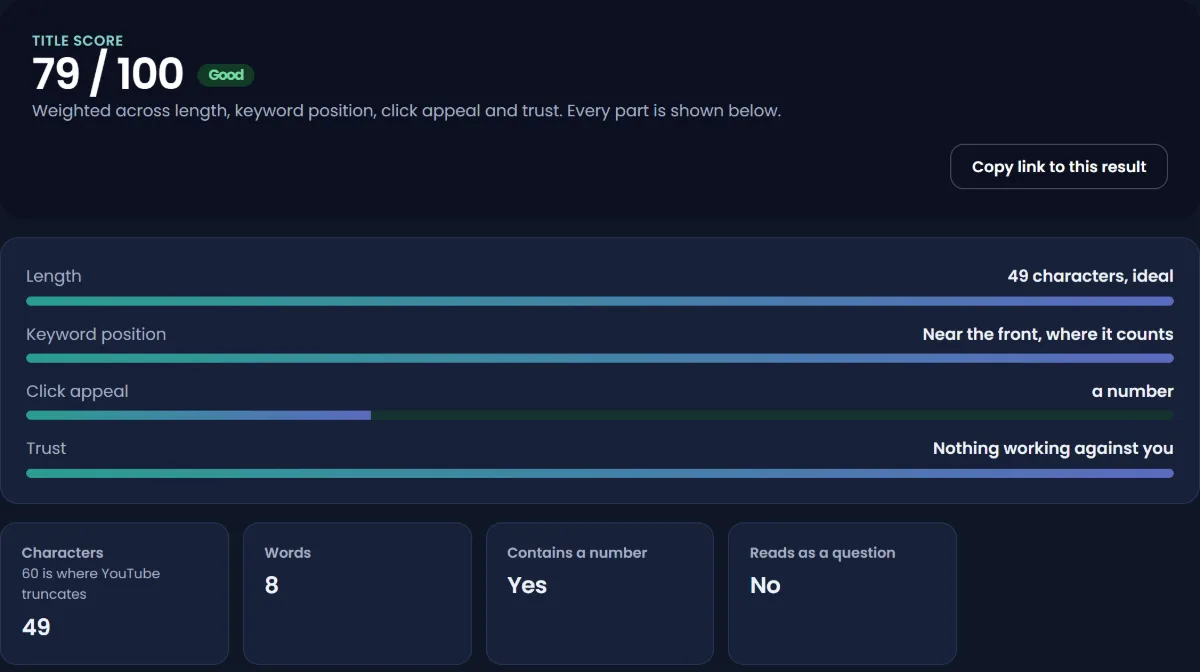
Put the most important words first, because long titles get cut off on phones. Avoid all capitals, which YouTube lists among clickbait habits to avoid. The title analyzer scores length, keyword position and clarity, and the title generator suggests alternatives.
2. Design the thumbnail for a phone. Most viewers see your thumbnail at a few hundred pixels wide or smaller. Use one face or object, high contrast, and three words at most. Check it against both light and dark backgrounds. The thumbnail tester shows it at real feed sizes in light and dark mode, next to other videos. YouTube thumbnail size covers the specs and thumbnail examples shows patterns that work.
3. Make the title and thumbnail work together. The thumbnail should show what the title does not say. If the title is "How I spent 10 days in Japan for under $1,000", the thumbnail does not need the price again. A shot of the best moment of the trip with "$1,000?" does more.
4. Test alternatives. YouTube Studio's Test & compare shows up to three titles or thumbnails to different viewers and picks the one that earns the most watch time. It works on desktop, for long-form videos, not Shorts. A test can take up to two weeks, so use it on videos with steady impressions. Results come back as a winner, "performed same" or inconclusive.
Problem 2: people click but do not keep watching
5. Deliver the promise in the first 30 seconds. Viewers leave when the start does not match the title. Skip the long intro, the logo animation and the "before we start, subscribe" plug. Show the result first, then explain how.
A weak opening: "Hey everyone, welcome back to the channel. Today we're going to be talking about budget travel, but first a quick word about..."
A strong opening: "This is everything I spent in 10 days in Japan: $987, including flights. Here is exactly where the money went, and the three things I would do differently."
6. Cut anything that does not move the video forward. Watch the retention graph in Studio. Every sharp drop is a moment that lost people. Look at what happens there: a slow explanation, a tangent, an ad read, a repeated point. Cut those patterns from your next video. Spikes show the moments people rewatched, which tells you what they came for.
7. Structure the video so there is always a next question. Tell viewers what is coming ("the third tip is the one most people get wrong"), and keep a reason to stay until the end. Number your points, show progress, and save one strong payoff for late in the video. The script outline generator builds a structure that does this.
Problem 3: YouTube is not showing the video to many people
8. Answer searches people actually make. Search traffic is the most reliable source for small channels, because it does not depend on YouTube already trusting you. Use the keyword generator to find the exact phrases people type, and title videos to match. After a week, check the YouTube search terms report in the video's Reach tab to see which phrases found it. Free YouTube keyword research explains the full method.
9. Make videos for one clear audience. YouTube recommends videos to people who watched similar videos. A channel that jumps between unrelated subjects confuses that. Ten videos for the same viewer beat ten videos for ten different viewers. If you want to cover two very different subjects, a second channel is often better than one mixed channel.
10. Make series and link them. End screens, cards, pinned comments and playlists send viewers from one video to the next. A viewer who watches three of your videos in a row is a strong signal that your channel suits them. YouTube lists a new upload sending viewers back to earlier episodes as one reason old videos suddenly grow.
11. Use Shorts as a trailer, not a replacement. A Short that answers one question from a long video, with a link to the full video, brings new viewers to your catalogue. Shorts views alone rarely turn into long-form viewers unless you give people a reason to click through. Judge Shorts and long-form separately in the Content tab.
12. Post consistently enough to learn. YouTube says view growth is not correlated with how often you upload, and quality matters more than quantity. Consistency matters for a different reason: it gives you enough videos to compare and improve. One video a week for six months teaches you more than ten videos in a burst. The best time to post matters far less than this.
Get views from outside YouTube
External traffic is smaller for most channels, but you control it completely, and it helps a brand-new video get its first viewers.
- Answer questions where people ask them. Forums, Reddit communities, Discord servers and Q&A sites, where your video genuinely answers the question. Read each community's rules first, and post the answer, not just a link.
- Embed videos in your own blog or website. A written guide with the video embedded can rank in Google and send viewers for years.
- Use your email list. If you have one, a short email for each new video brings your most loyal viewers back on day one.
- Collaborate. A video with another creator in your niche puts you in front of an audience that already watches your kind of content.
- Paid ads through YouTube itself are allowed. Promoting a video through Google Ads is legitimate and is reported separately as YouTube advertising traffic. It is not the same as buying views, but paid viewers often do not stay, so test small.
What does not work
- Buying views, likes or subscribers. It breaks YouTube's fake engagement policy, artificial traffic is not counted, and it can lead to strikes.
- Sub-for-sub and view exchanges. YouTube's policy names "offering to subscribe to another creator's channel only if they subscribe to your channel" as fake engagement. Those viewers never watch your content again, which teaches YouTube your videos are unwanted.
- "View booster" programs and bots. Any program that promises to increase YouTube views automatically is generating artificial traffic.
- Tag stuffing. YouTube calls tags "not important". Do YouTube tags still matter explains how little they do.
- Asking for subscribes at the start. Viewers have not decided whether they like you yet. Ask after you have delivered something.
- Reuploading the same video. It splits views and can break the inauthentic content rules.
- Deleting and reposting underperforming videos. Each video is judged on its own viewers. A repost starts from zero and gains nothing.
A 30-day plan
If you want a starting routine, this one fits most channels. It is our suggestion, not a YouTube rule.
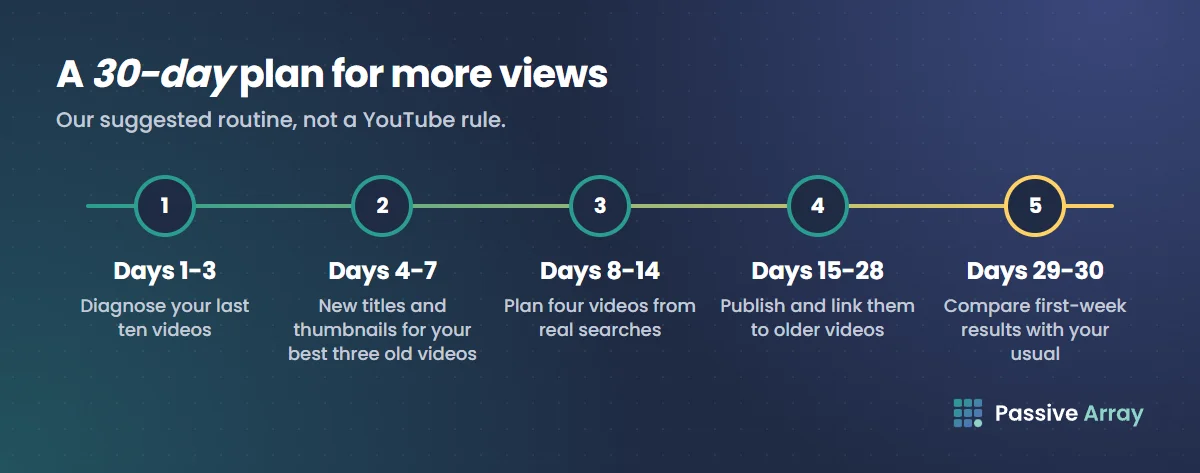
- Days 1 to 3: diagnose. Pull impressions, CTR, retention and traffic sources for your last ten videos. Decide which of the three problems is biggest.
- Days 4 to 7: fix your best three old videos. Pick the three with the best retention and the weakest CTR. Write new titles and thumbnails, and run Test & compare on at least one.
- Days 8 to 14: plan four videos from search. Use the keyword generator to find four specific questions your audience asks. Write openings that answer them in the first 30 seconds.
- Days 15 to 28: publish and link. Publish one a week, or faster if you can keep the quality. Link each new video to the related older ones with end screens and a playlist.
- Days 29 and 30: compare. Compare each new video's first 7 days with your channel's typical first 7 days. Keep what worked, drop what did not, and repeat.
Track whether it worked
Change one thing at a time, and compare a video's first seven days against your channel's usual first seven days. Studio's typical performance card does this for you. To watch a channel's public views and subscribers day by day, add it to the growth tracker. That also works for channels you want to learn from.
If you are checking views because you want to know what they are worth, how much YouTube pays per view and the YouTube money calculator cover that.
Sources
- YouTube Help: Fake engagement policy
- YouTube Help: YouTube performance FAQ and troubleshooting
- YouTube Help: Impressions and click-through rate
- YouTube Help: Traffic sources
- YouTube Help: Test and compare thumbnails and titles
Frequently asked questions
How can I get more views on YouTube for free?
Find which problem you have first: not shown, not clicked or not watched. Then fix that one. The free fixes that work most often are titles that promise one specific thing, thumbnails designed for a phone, openings that deliver in the first 30 seconds, and videos that answer real searches.
How do I increase YouTube views fast?
There is no safe shortcut. The fastest legitimate gains usually come from improving the titles and thumbnails of old videos that already have good retention, because YouTube is already showing them. Paid promotion through Google Ads is allowed, but it rarely builds a lasting audience.
Are paid "real YouTube views" services safe?
No. Services that sell views, even ones that promise "real" viewers, artificially inflate metrics, which YouTube's fake engagement policy prohibits. YouTube says artificial traffic is not counted and can lead to strikes. The only allowed way to pay for views is advertising through Google Ads.
Why does my new channel get no views?
Usually because YouTube has not yet learned who your videos are for. New channels get most early views from search, so answer specific questions people type, keep every video aimed at the same audience, and give each one a clear, specific title.
How long does it take to get views on YouTube?
There is no fixed timeline. YouTube judges each video on its own performance, so one well-targeted video can grow on a small channel. Most channels need a few months of regular uploads before they have enough videos to see what works.
Do Shorts help long-form videos get views?
Only if you give Shorts viewers a reason to click through, such as a Short that answers one question from a long video and links to it. Shorts and long-form are recommended on different surfaces, so judge each by its own numbers.
Does posting more often get more views?
Not by itself. YouTube says view growth is not correlated with the time between uploads, and that quality matters more than quantity. Posting regularly helps because each video is a new chance to be recommended and a new lesson.
How much money do you get from YouTube views?
It depends on the niche, the audience's countries and the format. Long-form videos earn far more per view than Shorts. Our guide to how much YouTube pays per view explains the range, and the YouTube money calculator estimates it for any channel.