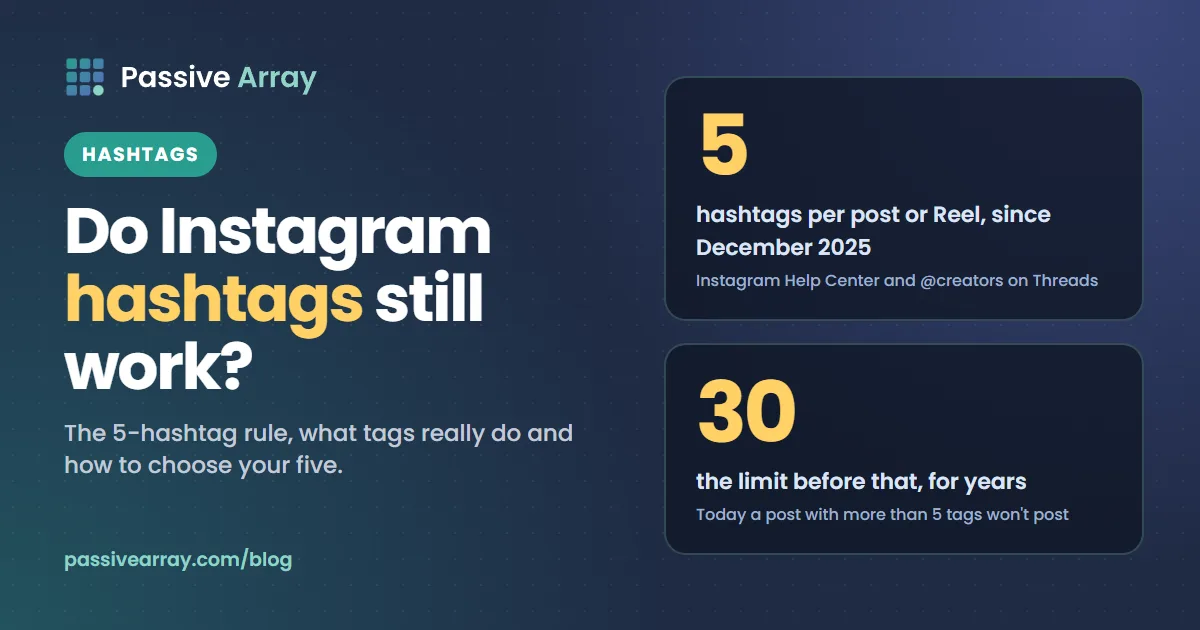
Instagram hashtags still work, but for a narrower job than many creators think. They label what a post is about, put it on that hashtag's page and help it match searches. They are not a reach multiplier, and since December 2025 Instagram allows only 5 hashtags per post or Reel, so a block of 30 generic tags is no longer possible.
The practical question is no longer "how many hashtags", but "which five". The Instagram hashtag generator builds a balanced set of five for your topic and niche, plus spares to rotate across posts. The rest of this guide explains the rule, what Instagram has said about hashtags, and how to pick tags that are worth a slot.
The 5-hashtag rule: what changed and when
On 18 December 2025, Instagram's official @creators account posted on Threads: "Starting today, Instagram will allow up to 5 hashtags in a reel or post." Before that, the limit had been 30 for years, and Instagram had been testing lower limits with some accounts.
Instagram's Help Center now says the same thing. Its hashtag article says: "You can use up to 5 tags on a post," and adds that if you include more than 5 tags on a single photo or video, it won't post.
| Question | Answer, from Instagram |
|---|---|
| How many hashtags per post or Reel? | Up to 5 |
| What happens if I add more? | The Help Center says it won't post |
| Can hashtags go in comments? | Yes, Instagram says you can add them in the caption or comments |
| Where should they go for Search? | In the caption, not the comments |
| Do private accounts show on hashtag pages? | No, posts from private profiles do not appear publicly on hashtag pages |
| Can I tag someone else's post? | No, you can only add hashtags to your own posts |
| Which characters work? | Letters and numbers. Spaces and special characters like $ or % do not |
Why Instagram cut the limit to five
In the slides that came with the announcement, as reported by Social Media Today, Instagram said that using fewer (up to 5), more targeted hashtags rather than many generic ones can improve both performance and the experience of people browsing. The reasoning fits how hashtags are used: a post tagged with 30 broad terms sends weak, mixed signals about what it is, and fills hashtag pages with loosely related posts. Five specific tags describe a post more clearly.
Is the limit really five for everyone?
Some third-party guides still say 30, and Meta's API documentation for posting through apps still lists 30 hashtags in the caption field. Instagram's Help Center and its @creators announcement both say five, and they are the more current sources, so plan for five. If a scheduling tool lets you add more, assume Instagram may reject the post or the caption.
What hashtags actually do on Instagram
Instagram has never said hashtags boost reach on their own. What it has explained is how Search and recommendations work, and hashtags play a specific part in both.
Hashtags help Search match your post
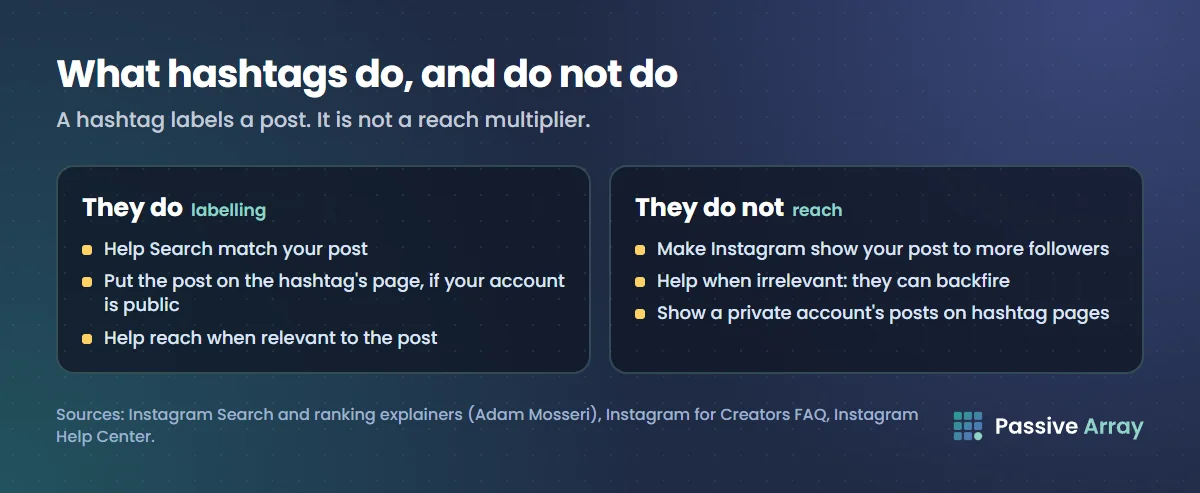
In 2021, Adam Mosseri explained that the text someone types is "by far the most important signal for Search", and that Instagram matches it against usernames, bios, captions, hashtags and places. His advice: "put keywords and hashtags in the caption, not the comments." So a hashtag works like a precise keyword. Someone searching "sourdough" can match a post tagged #sourdough even if the caption says "bread".
Hashtags put posts on hashtag pages
If your account is public and you add a hashtag, Instagram says the post becomes visible on that hashtag's page. People who browse or follow that tag can find it there. On a huge tag, a post may be visible for minutes before newer posts push it down. On a specific tag with an active community, it can be found for much longer.
Relevant hashtags help, irrelevant ones can hurt
Instagram's creator FAQ says trending hashtags that are relevant to the topics in your Reel can help you reach more people. It also warns that irrelevant hashtags can backfire: if your content reaches people who do not care about it, engagement and distribution may drop. This is the most useful line Instagram has written about hashtags. A tag is worth using if the people browsing it would want your post.
What hashtags do not do
They do not make Instagram show your post to more followers. Instagram's 2023 ranking explainer lists the signals its Feed, Stories, Explore and Reels systems use, such as your activity, information about the post and your history with the person who posted, and does not mention hashtag count. A post tagged perfectly will still struggle if the people who see it scroll past.
How to choose your five hashtags
With five slots, each tag has to earn its place. A simple mix works for most posts:
| Slot | Type | What it does | Example for a sourdough Reel |
|---|---|---|---|
| 1 | Broad topic | Matches general searches | #sourdough |
| 2 | Specific topic | Matches what this post is exactly about | #sourdoughscoring |
| 3 | Specific topic or format | A second precise description | #breadtutorial |
| 4 | Community | A tag people in your niche actually browse | #homebakers |
| 5 | Branded or local | Your own series tag, or a place | #londonbakers |
Step-by-step
- Write down what the post is about in three words. "Sourdough scoring tutorial." Those words are your first candidates.
- Check each candidate on Instagram. Search it and look at the top and recent posts. Are they the same kind of content as yours? If the tag is full of unrelated posts or spam, skip it.
- Prefer specific over huge. A broad tag gives you one chance to be seen among a flood of posts. A specific tag reaches fewer people who care more.
- Use the words your audience uses. If your audience writes in Spanish or Hindi, check the tags in that language too. Use the spelling people actually search.
- Rotate, do not repeat. Using the identical five tags on every post describes your account, not each post. Keep one or two constant tags (your niche, your branded tag) and change the rest per post.
- Put them in the caption. That is where Instagram says they help Search.
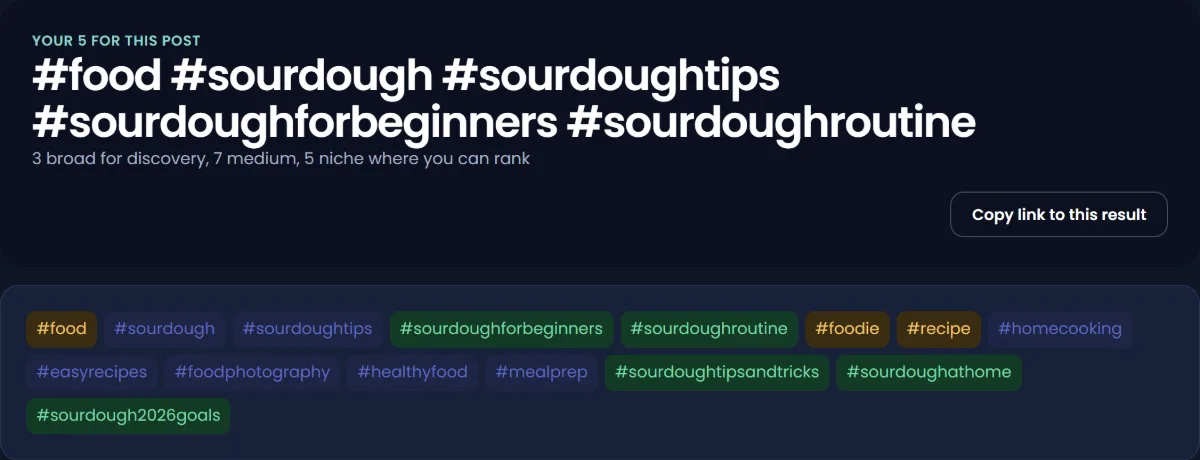
The hashtag generator does steps 1 and 3 for you: it builds tags from your topic words and a pool for your niche, marks one broad, two medium and two niche tags as your five, and gives spares to rotate. Check its suggestions on Instagram before you use them, as step 2 says.
Example: the same post, old and new
Old style (30 tags, now not allowed): #food #foodie #instafood #yummy #delicious #foodporn #instagood #love #photooftheday #homemade #bread #baking ... and 18 more.
New style (5 tags): #sourdough #sourdoughscoring #breadtutorial #homebakers #londonbakers
The new set says what the post is, who it is for and where the baker is. Every tag would be browsed by someone who might want this exact post.
Hashtags in the caption or the comments?
Instagram allows both, but its search guidance is clear: keywords and hashtags belong in the caption, not the comments, if you want the post to appear in Search. The old habit of hiding hashtags in the first comment to keep the caption clean costs you that search benefit. Put them at the end of the caption, after your call to action.
Remember that the limit is per post. Five in the caption and five more in a comment is not a way around it. How to write Instagram captions that get read shows where the tags fit in a full caption.
Hashtags for Reels
The same rules apply to Reels: up to five, in the caption, relevant to the content. Instagram's creator FAQ singles out Reels when it says relevant trending hashtags can extend reach. "Trending" there means a tag tied to a current event, challenge or topic that your Reel is genuinely about. Adding a trending tag to an unrelated Reel is exactly the irrelevant use Instagram warns against.
For Reels, the video itself carries more weight than any tag. Instagram's ranking explainer says Reels ranking predicts how likely you are to reshare a Reel, watch it all the way through, like it and visit the audio page. Hashtags help a Reel get categorised; the first seconds decide whether anyone watches.
Why your Instagram hashtags are not working
If you suspect hashtags do nothing for your posts, check these causes in order.
- Your account is private. Posts from private profiles do not appear publicly on hashtag pages.
- More than five tags. The post or caption may fail. Trim to five.
- Broken tags. Spaces and special characters such as $ or % break a hashtag. "#home decor" becomes #home.
- Tags too broad. On a tag with a vast number of posts, yours is visible briefly and then buried. Move to more specific tags.
- Tags that do not match the post. People browsing the tag ignore your post, which tells Instagram it did not interest them.
- Hashtags in comments. They may not help the post appear in Search.
- Your content is not eligible for recommendations. Instagram's Recommendation Guidelines cover Explore, Reels, Search, Suggested Posts and Suggested Accounts. Posts that break them stay on Instagram but are not recommended, and accounts that repeatedly break them may be ineligible for a period. Check Settings > Account Status to see if anything was removed or restricted.
Instagram's ranking explainer also addresses "shadowbanning". It says there is no single definition of the term, that Instagram's intention is not to limit content without explanation, and that "we don't suppress content to encourage people to buy ads."
How to tell whether hashtags help your account
You cannot see a reliable per-hashtag number for each post, so test at the account level:
- Pick ten similar posts.
- For five of them, use your best set of five specific tags. For the other five, use none or only one branded tag.
- Compare reach from non-followers and engagement per post between the two groups. Instagram's creator FAQ notes that Insights show who views your content, including people who do not follow you.
If the tagged posts reach noticeably more non-followers, hashtags are doing a job for your niche. If there is no difference, spend your effort on the content and the first line of the caption instead. Track engagement over time with the engagement rate calculator, and run the final caption through the caption analyzer, which counts hashtags and flags anything over Instagram's limit.
Hashtags compared with other platforms
Each platform treats hashtags differently, which is why habits carried over from another app often fail on Instagram.
| Platform | Hashtag rule in 2026 |
|---|---|
| Up to 5 per post or Reel | |
| YouTube | Hashtags above 60 on a video are ignored; tags (a separate field) play a minimal role |
If you also publish on YouTube, YouTube hashtags vs tags explains its two different systems, and do YouTube tags still matter covers the tag field YouTube itself calls minor. For TikTok, how to grow on TikTok covers its discovery system.
What to do instead of more hashtags
Five well-chosen tags are the ceiling, so growth has to come from elsewhere. The levers Instagram itself points to:
- Keywords in your bio and name. Search matches them. Instagram bio ideas shows how to work them in.
- Keywords in captions. Say what the post is about in plain words.
- Original content. Instagram's ranking explainer says Reels that were already posted on Instagram, or carry watermarks, are shown less in recommendations.
- Engagement that is earned. Instagram's creator FAQ advises focusing on authentic, not clickbait, engagement. How to increase your Instagram engagement rate goes through the full list.
Sources
- Instagram @creators on Threads: New hashtag guidance, 18 December 2025
- Instagram Help Center: How do I use hashtags?
- Instagram: Breaking down how Instagram Search works, Adam Mosseri, 25 August 2021
- Instagram: Instagram ranking explained, Adam Mosseri, 31 May 2023
- Instagram for Creators: Frequently asked questions
- Instagram Help Center: Check your Account Status
- Social Media Today: Instagram implements new limits on hashtag use, 18 December 2025 (reporting the @creators slides)
- Meta for Developers: Instagram API reference, IG User Media
Frequently asked questions
Do Instagram hashtags still work in 2026?
Yes, as labels. They help a post match searches and appear on hashtag pages, and Instagram says relevant trending hashtags can help Reels reach more people. They do not boost reach on their own, and irrelevant tags can reduce engagement.
Why does Instagram only allow 5 hashtags?
Instagram announced the change on 18 December 2025, saying, as reported by Social Media Today, that fewer, more targeted hashtags rather than many generic ones can improve performance. Its Help Center now says you can use up to 5 tags on a post, and a post with more won't post.
Are Instagram hashtags limited to 3 or 5?
Five. Instagram tested lower limits with some accounts before the change, which is why some people saw three. The limit Instagram announced and its Help Center now state is five per post or Reel.
Should I put hashtags in the caption or the comments?
The caption. Instagram allows hashtags in either place, but its search guidance says keywords and hashtags should be in the caption, not the comments, to help a post appear in Search. The five-tag limit applies to the post, so comments are not a way to add more.
What are the best hashtags for Reels to go viral?
There is no tag that makes a Reel go viral. Use five tags that describe the Reel: a broad topic, two specific ones, a community tag and a branded or local tag. Add a trending tag only when the Reel is genuinely about that trend, because Instagram warns irrelevant hashtags can backfire.
Why are my Instagram hashtags not working?
Common causes are a private account, more than five tags, spaces or special characters inside a tag, tags that are too broad, or tags that do not match the post. Also check Settings > Account Status, because content that breaks Instagram's Recommendation Guidelines is not recommended in places like Search and Explore.
Is a free Instagram hashtag generator worth using?
It saves time on the first draft. The Passive Array generator suggests five tags in a balanced mix plus spares to rotate, with no account needed. Always search the tags on Instagram before using them, to check the posts there match yours.