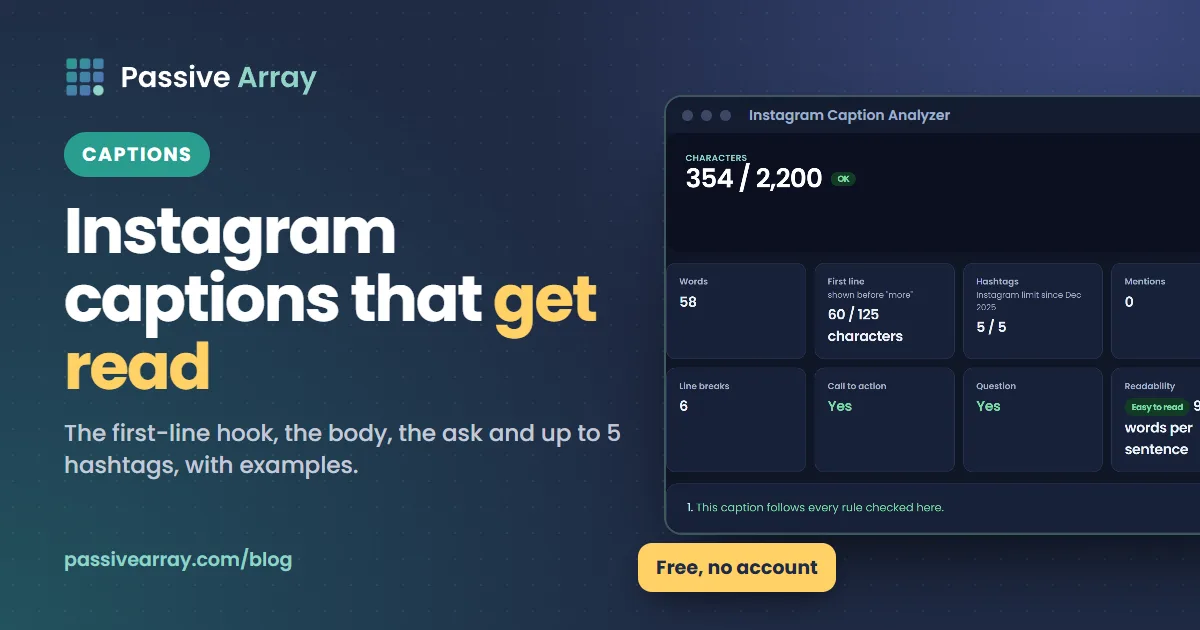
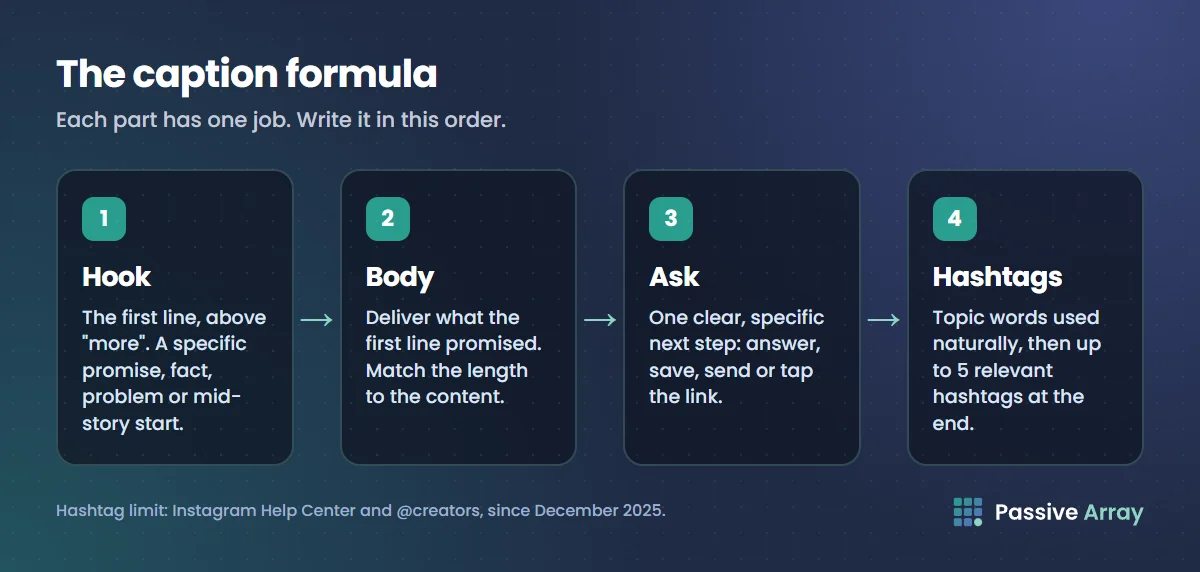
The best Instagram captions are not the cleverest lines. They do three jobs: the first line makes someone tap "more", the body gives them something worth the tap, and the end tells them what to do next. Add the keywords people search for and up to five relevant hashtags, and you have a caption that works for both people and Instagram Search.
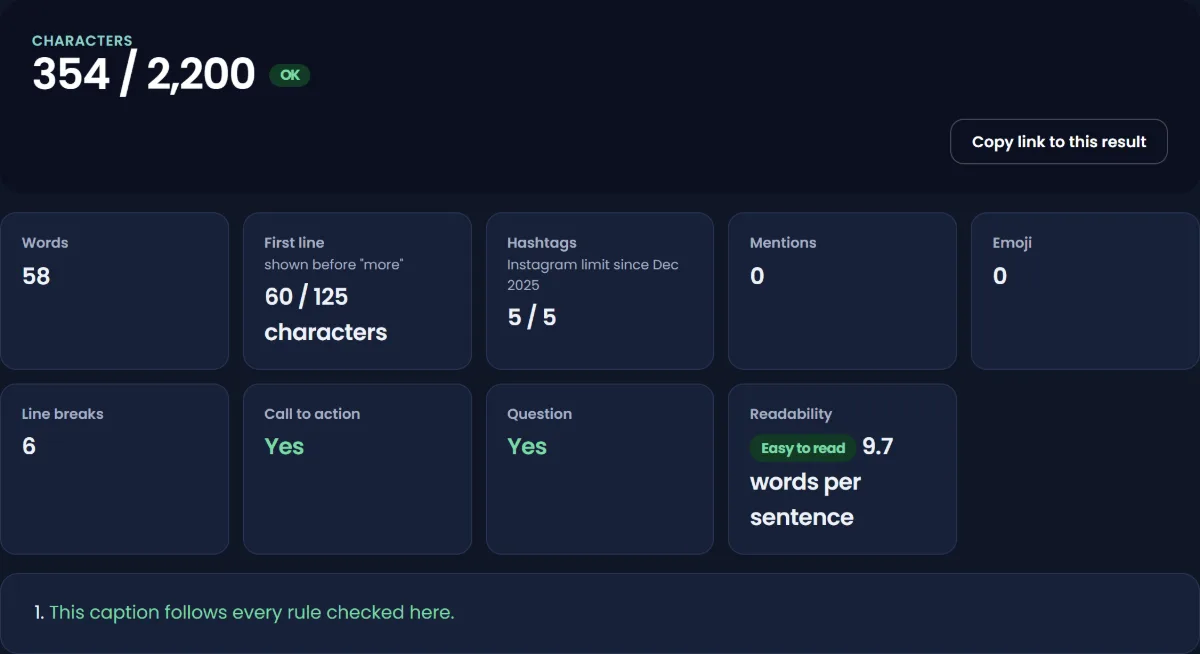
This guide teaches the method with before-and-after examples, rather than handing you a list of lines that were written for other people's photos. Paste any draft into the Instagram caption analyzer to check its length, hashtags, mentions, emoji, call to action and readability before you post.
What an Instagram caption is, and the limits
A caption is the text you write under a post or Reel. It is different from closed captions, which are the subtitles on a video; Instagram uses the word "captions" for both, which confuses many people searching for help.
The rules that matter:
| Rule | Detail | Source |
|---|---|---|
| Maximum length | 2,200 characters | Meta's Instagram API reference for captions |
| Hashtags | Up to 5 per post or Reel, since December 2025 | Instagram Help Center and @creators |
| Over the hashtag limit | Instagram's Help Center says the text "won't post" if a single photo or video has more than 5 tags | Instagram Help Center |
| Editing | You can add, edit or delete a caption after posting | Instagram Help Center |
| Search | Keywords and hashtags should be in the caption, not the comments, to help a post appear in Search | Instagram search explainer |
Instagram does not publish exactly how many characters show before the caption is cut off with "more". It depends on the screen and the format. In practice only the first line or two show, so treat roughly the first 125 characters as your preview. The caption analyzer marks that point for you.
One caution on the numbers: Meta's API reference for posting captions still lists 30 hashtags alongside the 2,200-character limit. Instagram's Help Center and its @creators account both say 5 since December 2025, so plan for 5. Do Instagram hashtags still work? explains the change and how to choose the five.
Why captions matter for reach
Instagram has explained what its ranking systems try to predict. In Adam Mosseri's 2023 explainer, the most important predicted actions in Feed include how likely you are to spend a few seconds on a post, comment on it, like it, share it and tap the profile photo. In Explore they are likes, saves and shares. A caption cannot make a weak photo strong, but it can do three things that feed those predictions:
- Hold attention. A caption worth reading keeps someone on the post for longer.
- Invite a reply. A specific question earns more comments than "thoughts?"
- Give a reason to save or share. Steps, lists and useful facts are saved; a line that captures a feeling is shared.
Captions also help people find you. Instagram says the text someone types is the most important signal for Search, and that it is matched against captions as well as usernames, bios and hashtags. A caption that names the topic in plain words ("a 15-minute chickpea curry") can be found by people searching for that topic. A caption that only says "Sunday vibes 🌿" cannot.
The caption formula: hook, body, ask
1. The first line: earn the tap on "more"
Everything above the cut-off is your headline. Most people decide from that line whether to read on. Strong first lines usually do one of these:
- Make a specific promise. "Three things I'd change about my first apartment, now that I've lived in four."
- State a surprising fact from your experience. "This plant has survived two moves and zero watering schedules."
- Name the reader's problem. "If your bread comes out dense, it's probably not your flour."
- Start mid-story. "The client said no at 4pm. By 6pm we had a better idea."
Weak first lines waste the space: "Hey guys!", "Happy Monday!", "New post!", or a row of emoji. They tell the reader nothing about why to keep reading.
2. The body: deliver what the first line promised
The body is where the save or the comment is earned. Match its length to the content:
- Short (one to three lines) for strong photos that speak for themselves, behind-the-scenes moments and jokes.
- Medium (a short paragraph or a list) for tips, product posts and carousels that need context.
- Long (several paragraphs) for stories, tutorials and opinions where the caption is the content. Use line breaks so it does not read as a wall of text.
Long captions are not better or worse by default. A long caption that delivers is read; a long caption that pads is skipped. Write until the promise is kept, then stop.
3. The ask: one clear next step
End with one action, not five. Good asks are specific and easy:
- "Which one would you pick, 1 or 2?"
- "Save this for your next trip."
- "Send this to the friend who always over-packs."
- "Full recipe is in the link in my bio."
Avoid engagement bait. Instagram's creator FAQ tells creators to focus on driving authentic, "not clickbait" engagement. "Comment YES if you agree!" on every post asks for a reaction without giving people a reason to care.
4. Keywords and hashtags last
Use your main topic words naturally in the first lines, then add up to five hashtags at the end. Pick tags that describe the post: one or two broad topic tags, and the rest specific to the subject or community. The Instagram hashtag generator suggests a balanced set of five plus spares to rotate.
Before and after: the method on real types of posts
These are examples written for this guide, not posts from real accounts.
A recipe Reel
Before: "Dinner tonight 😋🍛 #food #foodie #yummy #instagood #dinner #recipe #cooking #homemade"
After:
A 15-minute chickpea curry that tastes like it took an hour.
>
The trick is blooming the spices in oil for 30 seconds before anything else goes in. Then: onion, garlic, a tin of chickpeas, a tin of coconut milk, salt, lime. That's it.
>
Save it for a weeknight. What would you add?
>
#chickpeacurry #vegandinner #easyrecipes #weeknightdinner #15minutemeals
The new version has a promise in the first line, a useful tip in the body (worth saving), a two-part ask, searchable words ("chickpea curry", "15-minute") and five specific hashtags instead of eight generic ones, which would now be over the limit.
A carousel of tips
Before: "Some tips for you! Swipe ➡️"
After:
5 Excel shortcuts that save me 20 minutes a day (number 4 is the one nobody knows).
>
Swipe through, then try them on your next spreadsheet.
>
Which shortcut do you use most?
For carousels, the caption's job is to get the first swipe. Tell people what is inside and why it is worth it.
A personal photo dump
Before: "Photo dump 📸"
After:
September in six photos: one new city, two failed sourdoughs, and the best coffee of my life (slide 4).
Personal posts do not need keywords or an ask. They need a line that sounds like you and gives people something to react to.
A product post for a small business
Before: "New stock is here! Shop now, link in bio."
After:
The silver ring you asked for in a thinner band is finally here.
>
Hand-finished, sized to order, and it fits under gloves (we checked).
>
Shop the new band through the link in our bio. Sizes 4 to 12.
The rewrite answers the questions a buyer has (what is new, why it is good, how to buy) instead of only announcing that something exists.
Caption ideas by occasion
People search for captions for birthdays, friends, holidays, selfies and photo dumps. Instead of borrowing a line, use these patterns and fill them with your own details. A specific detail always beats a generic quote.
| Occasion | Pattern | Example |
|---|---|---|
| Birthday | The year in one specific memory | "Another year older, still can't parallel park. Thanks for all the messages ❤️" |
| Friends | An inside detail others can recognise | "Ten years of the same table at the same café, and we still argue about the bill." |
| Travel | The unexpected thing, not the famous one | "Came to Rome for the Colosseum, stayed for a 2-euro espresso at a bus stop." |
| Selfie or outfit | What changed, or what it is for | "First haircut in a year. Tell me honestly." |
| Achievement | The number, then the thanks | "100 orders shipped from my kitchen table. Thank you for every one." |
| Quote | The quote, then why it matters to you today | "'Done is better than perfect.' Posting this half-finished painting to prove it." |
Captions for boys, girls and different styles
There is no separate caption formula for men or women, and the most-shared generic lines are used by thousands of other accounts. If you want "attitude" or "aesthetic", keep it short and specific to you. If you post in Hindi or another language, write in the language your audience speaks and searches in; you can add a short English line if part of your audience needs it.
Should I use an AI caption generator?
It can help with a first draft or a list of first-line options. The weakness of any generator is that it does not know your story, your numbers or your voice, so its drafts sound generic until you add specific details. Use it to beat the blank page, then rewrite the first line and add one real detail before you post.
Common caption mistakes
- Hiding the point below "more". If the first line is a greeting, most people never learn what the post is about.
- Too many hashtags. Since December 2025 Instagram allows five. Old caption templates with 20 or 30 tags will fail or need trimming.
- Hashtags in the first comment. Instagram's search explainer says to put keywords and hashtags in the caption, not the comments, if you want the post to appear in Search.
- A generic question on every post. "Thoughts?" invites nothing. Ask something only your post can prompt.
- Same caption across platforms. A caption written for TikTok or LinkedIn often reads oddly on Instagram. Adjust the first line for each platform.
- Never answering comments. Instagram's creator FAQ suggests liking or authentically replying to comments on Reels within the first seven days. A reply also continues the conversation that the caption started.
- Typos in the first line. You can edit a caption after posting, but the first readers already saw the mistake. Paste the draft into the analyzer first.
Instagram caption not showing: what to check
If your caption disappears or will not post, check these in order:
- More than five hashtags. Instagram's Help Center says if you include more than 5 tags on a single photo or video, it won't post. Remove extra tags and try again.
- Special characters inside hashtags. Spaces and characters such as $ or % do not work in hashtags. Numbers are fine.
- Over 2,200 characters. Very long captions with many emoji can pass the limit sooner than you expect.
- A slow upload. If the post itself uploaded but the caption did not, add it afterwards with Options > Edit on the post.
- Hashtags not showing on hashtag pages. If your account is private, Instagram says your posts will not appear publicly on hashtag pages, even with tags in the caption.
How to measure whether captions help
A caption change is only useful if you can see the effect. Pick one variable (first-line style, caption length or the type of ask) and keep it for several posts of similar content, then compare saves, shares and comments per post against your previous average. Comments per 1,000 reach is a fairer comparison than raw comments, because reach varies from post to post.
Keep your overall engagement rate in view with the engagement rate calculator, and use the content ideas generator when you need topics with ready-made first lines. For the bigger picture, how to increase your Instagram engagement rate explains what else moves the number, and how to audit an Instagram account shows how captions fit into a full account review.
The same skill transfers across platforms. If you also post on TikTok, how to grow on TikTok covers its own version of the first-line hook, and if you make long videos, how to write a YouTube script applies the hook-body-ask structure to a full video. And make sure the profile people land on after a good caption keeps the promise: Instagram bio ideas covers that.
A caption checklist before you post
- Does the first line make a specific promise, ask a real question or start a story?
- Does the body keep that promise, with line breaks if it is long?
- Is there one clear ask at the end?
- Do your main topic words appear naturally in the caption?
- Are there five or fewer hashtags, all relevant to this post?
- Is it under 2,200 characters, and have you checked spelling in the first line?
Sources
- Meta for Developers: Instagram API reference, IG User Media (caption limits)
- Instagram Help Center: How do I use hashtags?
- Instagram Help Center: Add, edit or delete the caption of an existing post
- Instagram @creators on Threads: New hashtag guidance, 18 December 2025
- Instagram: Breaking down how Instagram Search works, Adam Mosseri, 25 August 2021
- Instagram: Instagram ranking explained, Adam Mosseri, 31 May 2023
- Instagram for Creators: Frequently asked questions
Frequently asked questions
What is an Instagram caption?
It is the text you write under a post or Reel when you share it. It can include words, emoji, @mentions and hashtags, and you can edit it after posting. It is different from closed captions, which are subtitles on a video.
What is the Instagram caption character limit?
Meta's Instagram API reference sets the caption limit at 2,200 characters. Only the first line or two show before Instagram cuts the caption with "more", so put the point of the post at the start.
How many hashtags can I put in an Instagram caption?
Five. Instagram began allowing up to 5 hashtags per post or Reel in December 2025, and its Help Center says a post with more than 5 tags won't post. Put them in the caption rather than a comment if you want the post to show up in Search.
What makes the best Instagram captions?
A first line that earns the tap on "more", a body that delivers what that line promised, and one specific ask at the end. Use the words people would search for, and add details only you could write. Generic lines copied from lists rarely stand out because many other accounts use them.
Why is my Instagram caption not showing?
The most common reason is more than five hashtags, which stops the caption posting. Also check for spaces or special characters inside hashtags and for captions over 2,200 characters. If the post uploaded without its caption, add it with Options > Edit.
Are long or short Instagram captions better?
Neither by default. Match the length to the content: short for photos that speak for themselves, longer for tutorials and stories where the caption is the value. A long caption has to keep earning attention, so use line breaks and stop once the promise is kept.
Can I use an AI Instagram caption generator?
Yes, for a first draft or a set of opening lines. A generator does not know your details or voice, so rewrite the first line and add one specific fact before you post. Run the final version through a caption checker to confirm length and hashtag count.