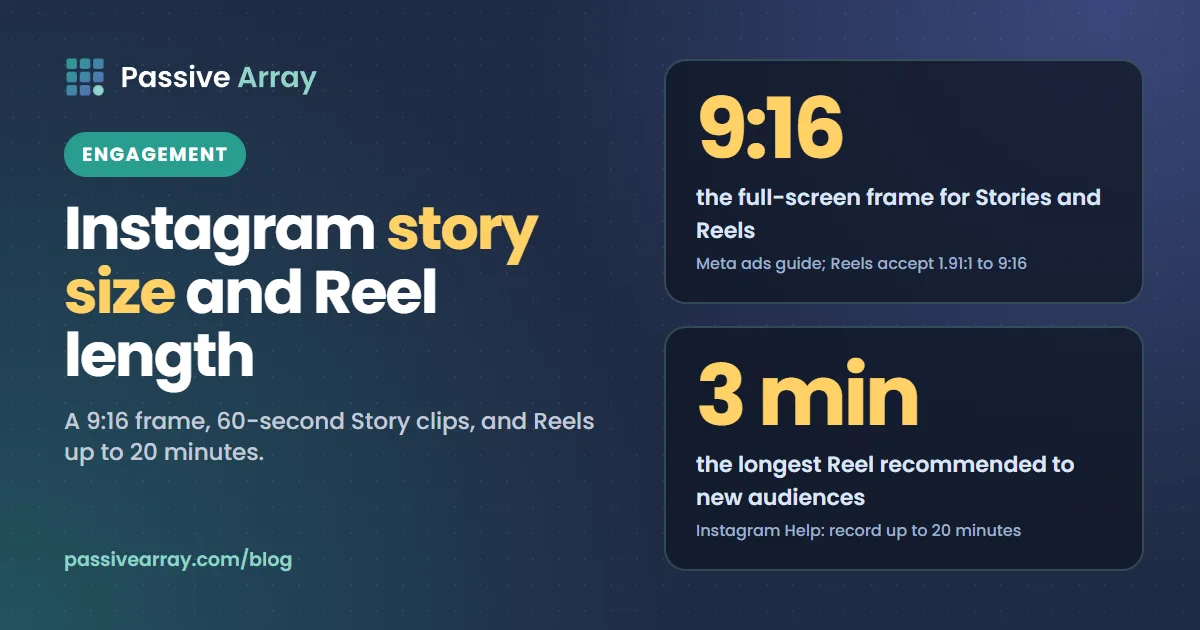
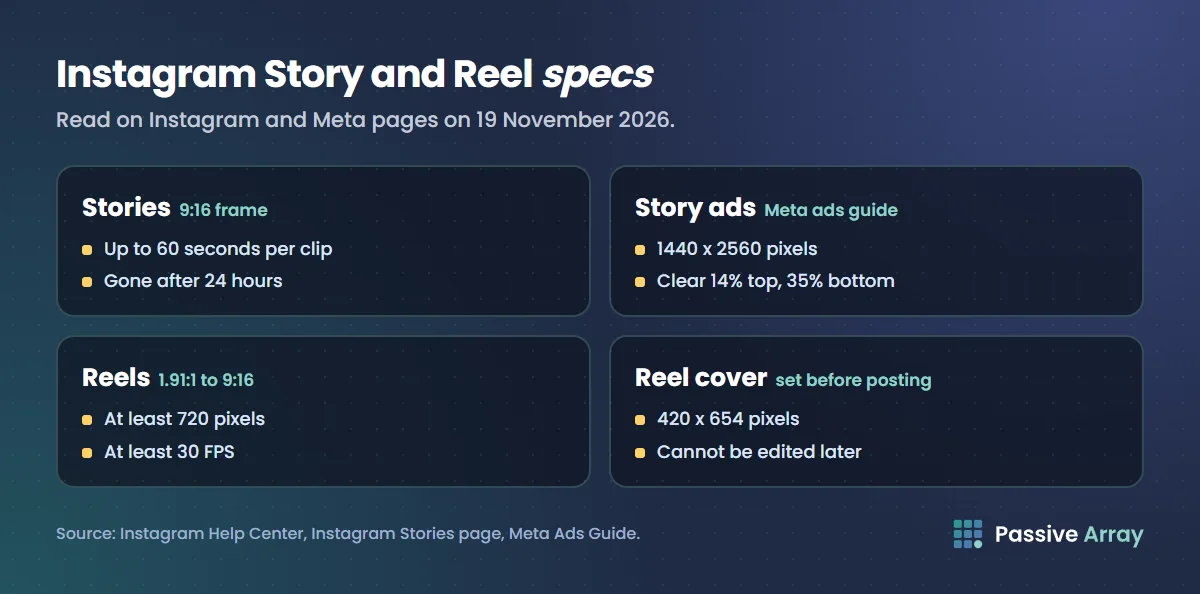
The Instagram story size is a vertical 9:16 frame. Meta's ad specs for Stories recommend 1440 x 2560 pixels, and many creators export the same shape at 1080 x 1920. A single Story clip can be up to 60 seconds; longer videos are split into several clips. Stories stay up for 24 hours unless you add them to a Highlight. Reels accept any aspect ratio between 1.91:1 and 9:16, at a minimum of 720 pixels and 30 FPS. You can record and edit Reels up to 20 minutes, but Instagram says "Reels over 3 minutes won't be recommended to new audiences."
This guide gives each spec with the official page it comes from, shows where Instagram's own pages disagree, and ends with an upload checklist. If you are stuck on what to put in the frame, the Instagram content ideas generator gives twelve ideas for your niche, and it has a Stories setting and a Reels setting.
Instagram Story and Reel sizes at a glance
Every number below was read on an official Instagram or Meta page on 19 November 2026.
| Spec | Stories | Reels | Source |
|---|---|---|---|
| Aspect ratio | 9:16 | Between 1.91:1 and 9:16 | Meta ads guide (Stories); Instagram Help (Reels) |
| Recommended resolution | 1440 x 2560 pixels | 1440 x 2560 pixels for ads; at least 720 pixels for any Reel | Meta ads guide; Instagram Help |
| Frame rate | Not stated | At least 30 FPS | Instagram Help |
| Length | Up to 60 seconds per clip | Record and edit up to 20 minutes | Instagram feature pages; Instagram Help |
| Recommended to non-followers | Not applicable | 3 minutes or less | Instagram Help and Instagram for Creators FAQ |
| How long it stays up | 24 hours, unless added to a Highlight | No time limit stated | Instagram Help |
| Cover image | Not applicable | 420 x 654 pixels (1:1.55) | Instagram Help |
| Safe zone | Keep 14% top, 35% bottom, 6% each side clear | Same margins for Reels ads | Meta ads guide |
Note that Instagram's Help Center has no page giving pixel dimensions or safe zones for ordinary Stories. Those figures come from Meta's specs for Story ads, which use the same full-screen format. We use them as the best official numbers available.
Instagram Story size
What Meta publishes
Meta's ads guide lists the same specs for image and video ads in Instagram Stories:
- "Ratio: 9:16"
- "Resolution: 1440 x 2560 pixels"
- Minimum width: 500 pixels for image ads and 250 pixels for video ads
- File types: JPG or PNG for images, and "MP4, MOV or GIF" for video
- Maximum file size: 30 MB for an image and 4 GB for a video
A Story ad fills the same full-screen frame as a Story you post from your phone, so these are the most specific official numbers available, even though they are written for advertisers.
1080 x 1920 or 1440 x 2560?
Both are 9:16, so both fill the screen without cropping. The difference is only resolution. Meta recommends 1440 x 2560 for ads. Instagram's Help Center says that when you share a photo, it uploads it "at the best quality resolution possible (up to a width of 1080 pixels)", and it sizes larger photos down to that width. That page is about photos in posts, not Stories, but it explains why 1080 x 1920, the same 9:16 shape at 1,080 pixels wide, is the size many creators use.
Our reading, not an Instagram rule: 1080 x 1920 is fine for everyday Stories, and 1440 x 2560 suits ads or footage that is already that sharp. What matters most is the 9:16 shape, because anything else will not fill the screen as it is.
Story safe zones
Meta's ads guide says: "Consider leaving roughly 14% of the top, 35% of the bottom, and 6% on each side of your asset free from text, logos or other key creative elements." It adds that this avoids clashing with the profile icon and the call to action.
Instagram publishes no separate safe zone for ordinary Stories. Our reading is that the ad margins are a sensible default anyway, because the top of a Story still carries your name and profile picture. In pixels, the percentages work out like this. The arithmetic is ours, rounded to the nearest pixel:
| Canvas | Keep clear at top (14%) | Keep clear at bottom (35%) | Keep clear on each side (6%) |
|---|---|---|---|
| 1080 x 1920 | 269 px | 672 px | 65 px |
| 1440 x 2560 | 358 px | 896 px | 86 px |
The bottom margin is large because ads carry a call-to-action button there. In an organic Story, keep anything people must read, such as a price or a date, well inside the middle of the frame.
Instagram Story length
Instagram's guide to Stories puts it plainly: "A single story clip can be up to 60 seconds long. If your video is longer, Instagram automatically splits it into multiple back-to-back story clips so the full thing plays through."
Instagram's Stories guide confirms the 60-second clip and adds that there is no cap on how many you post: "You can post as many stories in a day as you want. There's no daily limit."
How long Instagram Stories stay up
Instagram's Help Center says: "Photos and videos you share to your story disappear from Feed, your profile and Direct after 24 hours", "unless you add it as a highlight." Instagram's Stories guide adds that Highlights "stay on your profile until you remove them."
The Help Center also says Stories you share are saved to your Stories archive, and that you can turn the archive off at any time in Settings. One more line on that Help Center page is worth knowing: "Stories shared publicly, including those in your archive, will be used to improve AI at Meta", "unless you delete them from your archive or change your account to private."
Instagram Reel size
Instagram's Help Center gives the Reel specs in one place:
- "You can upload a reel with an aspect ratio between 1.91:1 and 9:16."
- "Reels should have a minimum frame rate of 30 FPS (frames per second) and minimum resolution of 720 pixels."
- "The recommended size for cover photos is 420px by 654px (or 1:1.55 ratio)."
- "Right now, you can't edit your cover photo after you've uploaded it."
So a landscape clip is accepted, but the full-screen shape is 9:16, the same as a Story. For Reels ads, Meta's ads guide gives "Ratio: 9:16" and "Resolution: 1440 x 2560 pixels", with the same 14%, 35% and 6% safe zone margins as Stories.
Because you cannot change the cover after posting, pick or design it before you tap Share.
Upload at the highest quality
Instagram has a setting for upload quality. The Help Center says: "You can chose to always upload reel at the highest quality." and notes that "it may take longer to upload reel of higher quality." To turn it on:
- Tap Profile or your profile picture in the bottom right.
- Tap Menu in the top right.
- Below Your app and media, tap Media quality.
- Turn on Upload at highest quality.
Instagram Reel length: the maximum, and what gets recommended
Instagram's Help Center says: "You can record and edit videos up to 20 minutes with Instagram Reels", made of "one or multiple clips that add up to 20 minutes." The same page adds the limit that matters for growth: "Reels over 3 minutes won't be recommended to new audiences."
The Instagram for Creators FAQ agrees. Asked "Will reels of any length get recommended on Instagram?", it answers: "We recommend videos to unconnected audiences that are 3 minutes or less."
So a Reel of up to 3 minutes can reach people who do not follow you; one between 3 and 20 minutes can be posted but will not be recommended to new audiences.
How the limit changed
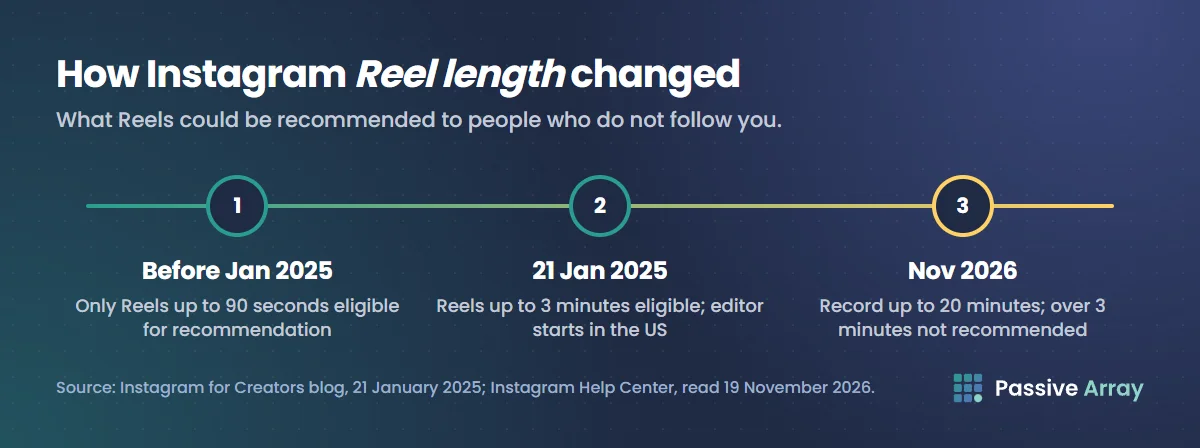
Reel length has moved more than once, which is why older guides disagree. On 21 January 2025 Instagram's creator blog said: "Previously, only reels up to 90 seconds were eligible for recommendation", and announced that "now reels up to 3 minutes will be eligible to be seen by non-followers in places like the Reels tab and Explore." That post described the three-minute Reels editor as starting with "creators in the United States." By November 2026 the Help Center describes 20-minute recording, with the 3-minute line kept for recommendations.
Where the official pages disagree
Instagram's specs live on different pages written for different readers, and a few of them do not match. We show both sides here with the date we read them, 19 November 2026.
| Topic | One page says | Another page says | Our reading |
|---|---|---|---|
| Story video length | Instagram's Stories page: clips up to 60 seconds, longer videos split | Meta's ads guide: Story video ads from "1 second to 60 minutes" | 60 seconds per clip for posts; the long range is for ads, which Meta says "may be split into separate Stories cards" |
| Reel length | Instagram Help: record and edit up to 20 minutes | Meta's ads guide: Reels ads from "0 seconds to 15 minutes" | The ad limit is separate from what you can post from the app |
| Resolution | Meta's ads guide: 1440 x 2560 | Instagram Help: photos are sized to a width of up to 1,080 pixels | Both are 9:16; 1080 x 1920 is the everyday size, 1440 x 2560 the ad recommendation |
| Feed photo shape | Instagram Help: photos kept at original resolution between 1.91:1 and 3:4 | Reels: between 1.91:1 and 9:16 | Feed photos and Reels have different shape limits; 9:16 only fills the screen in Stories and Reels |
When a spec really matters, such as for a paid campaign, check the page for that exact placement on the day you upload.
An upload checklist that needs no guesswork
- Shoot or design in 9:16. It fills the screen in both Stories and Reels, so you never crop on the phone.
- Keep key text inside the safe zone. Stay clear of the top 14%, the bottom 35% and 6% at each side, as Meta's ads guide suggests.
- Turn on Upload at highest quality. You find it under Media quality in your profile menu.
- Check the Reel is at least 720 pixels and 30 FPS. Both are minimums in Instagram's Help Center.
- Keep Reels meant for new viewers at 3 minutes or less. Longer ones are not recommended to new audiences.
- Hook in the first seconds. The Instagram for Creators FAQ says: "Make sure the first 3 seconds of your reel are engaging, so that people don't move on."
- Choose the Reel cover before you post. You cannot edit it afterwards; 420 x 654 pixels is the recommended size.
- Save evergreen Stories to a Highlight. Otherwise they are gone from your profile after 24 hours.
- Check the caption. The Instagram caption analyzer tests it against Instagram's limits; see Instagram captions for examples and do Instagram hashtags still work for tags.
- Post original video. Our guide to increasing Instagram engagement rate explains why reposted, watermarked Reels are shown less.
Size is the easy part
Getting the frame right stops Instagram cropping your work. It does not make people watch. Put your average likes, comments and followers into the Instagram engagement rate calculator to see how your posts compare with accounts of your size, and read our guide to the best time to post on Instagram to find when your own followers are online.
If you cut the same vertical video for YouTube too, note that YouTube sets its own rules: how long can YouTube Shorts be covers them.
Sources
- Instagram Help Center: Reel size and aspect ratios on Instagram (Reel aspect ratio, frame rate, resolution, cover size, upload quality steps)
- Instagram Help Center: Record a reel on Instagram (20-minute recording, 3-minute recommendation limit)
- Instagram Help Center: How long Instagram stories remain visible (24 hours, Highlights, archive, AI note)
- Instagram Help Center: Image resolution of photos you share on Instagram (1,080-pixel width, feed photo ratios)
- Instagram: Stories feature page (Highlights, sharing options)
- Instagram: How to use Instagram Stories (clip length, no daily limit, stickers)
- Instagram for Creators: Frequently asked questions (3-minute recommendation, first three seconds)
- Instagram for Creators: Finding success on Reels in 2025, 21 January 2025 (90 seconds to 3 minutes)
- Meta Ads Guide: Video ads in Instagram Stories and image ads in Instagram Stories (9:16, 1440 x 2560, file limits, safe zones, ad durations)
- Meta Ads Guide: Video ads in Instagram Reels (Reels ad ratio, resolution, duration, safe zones)
Frequently asked questions
What size is an Instagram story?
An Instagram Story is a vertical 9:16 frame. Meta's ad specs for Stories recommend 1440 x 2560 pixels, and 1080 x 1920 is the same shape at the 1,080-pixel width Instagram uses for photos. Either fills the screen without cropping.
How long can an Instagram story be?
A single Story clip can be up to 60 seconds. If you share a longer video, Instagram splits it into several back-to-back clips so the whole video plays. There is no daily limit on how many Stories you post.
What is the Instagram reels max length?
You can record and edit Reels up to 20 minutes long. Instagram says Reels over 3 minutes will not be recommended to new audiences, so keep a Reel at 3 minutes or less if you want people who do not follow you to see it.
What size is an Instagram reel?
Instagram accepts Reels with an aspect ratio between 1.91:1 and 9:16, with a minimum resolution of 720 pixels and a minimum frame rate of 30 FPS. A 9:16 vertical video fills the screen. The recommended cover photo size is 420 x 654 pixels.
How long do Instagram stories stay up?
Twenty-four hours. After that a Story disappears from Feed, your profile and Direct, unless you add it to a Highlight, where it stays until you remove it. Stories are also saved to your Stories archive unless you turn the archive off.
What is the Instagram story safe zone?
Instagram does not publish one for ordinary Stories. Meta's ads guide suggests keeping roughly 14% of the top, 35% of the bottom and 6% of each side free of text and logos. On a 1080 x 1920 canvas that is about 269 pixels at the top, 672 at the bottom and 65 at each side.
Is the ig story size the same as the reel size?
The full-screen shape is the same, 9:16. Reels also accept other ratios down to 1.91:1, and they can run far longer than a 60-second Story clip.