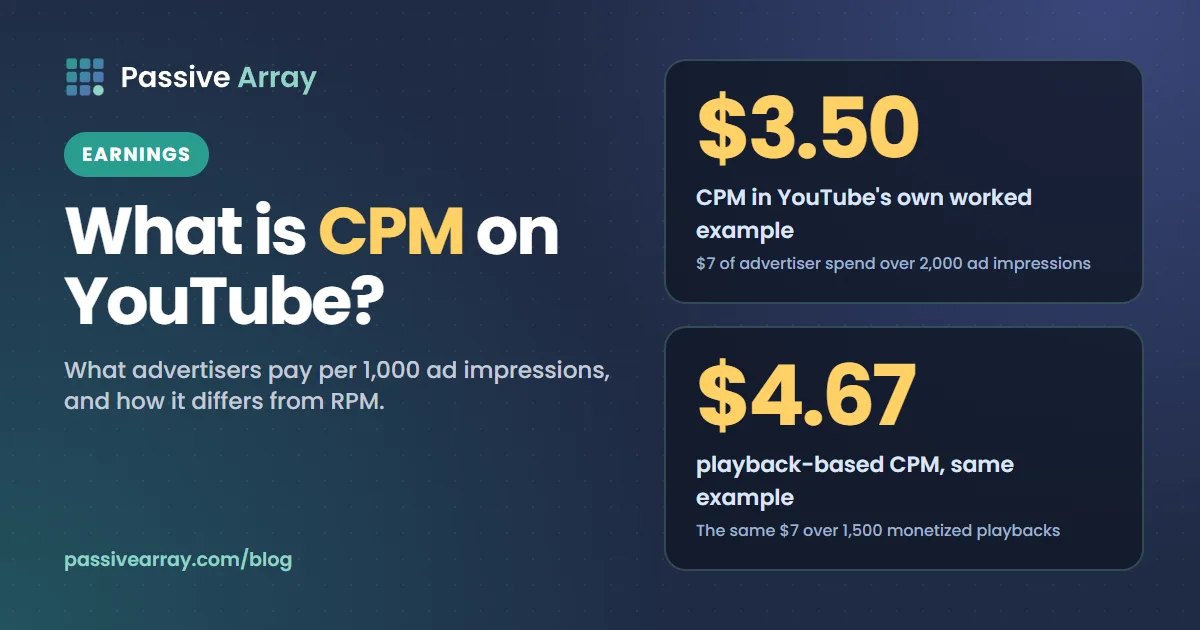
CPM on YouTube means cost per 1,000 impressions. YouTube Help defines it as "the cost an advertiser pays for 1,000 ad impressions", and it is measured before YouTube takes its revenue share. It is an advertiser's number, not a creator's. The number that describes your own income is RPM, which YouTube defines as "your total revenue (after YouTube's revenue share) per 1000 views". A third metric, playback-based CPM, is "the cost an advertiser pays for 1,000 video playbacks where an ad is displayed".
This guide gives YouTube's own definition of each metric, the formula behind it, YouTube's worked example, where each number sits in YouTube Studio and the three reasons YouTube gives for CPM moving. If you want to turn a rate into money, the YouTube money calculator applies an RPM range to a channel's views on videos from the last 30 days.
CPM in one sentence
CPM is the price advertisers paid for every 1,000 times an ad was shown on your videos.
Three details in that sentence matter:
- It counts ad impressions, not views. YouTube defines ad impressions as "the number of times individual ads were viewed on your videos". A view with no ad adds nothing to the count. A view with two ads adds two.
- It is the advertiser's cost. YouTube's wording is that CPM "is the cost per 1000 ad impressions before YouTube revenue share". None of it has been split yet.
- It only describes ads. YouTube says "CPM focuses on the advertiser cost for ad impressions". Channel memberships, Super Chat and other fan income are not part of it.
The three metrics, side by side
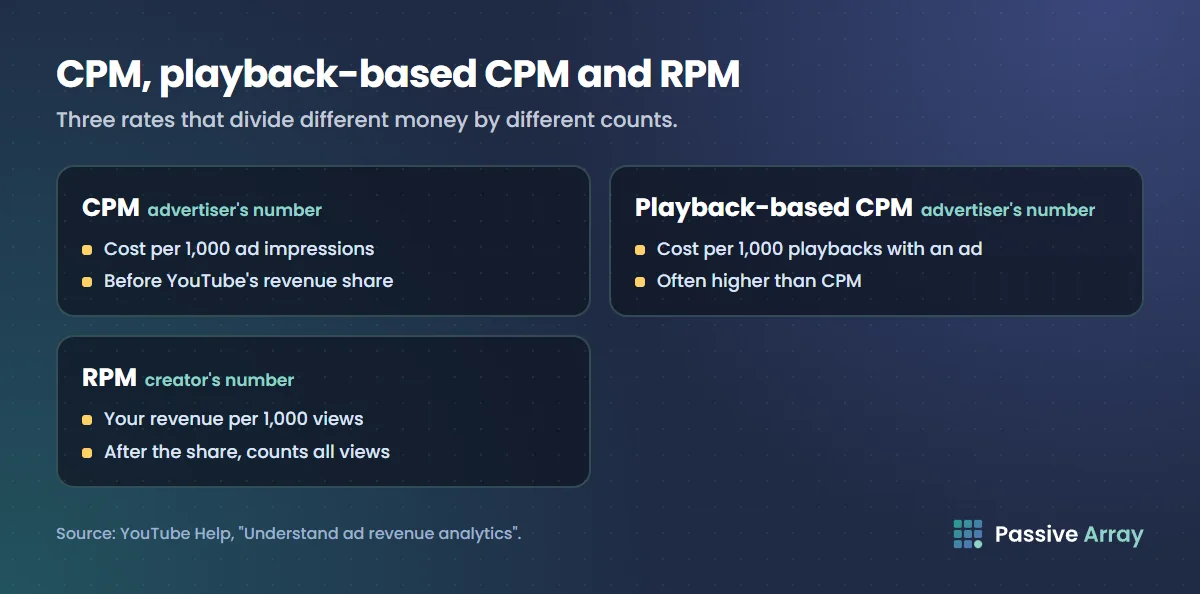
YouTube uses three rate metrics for revenue. They sound alike and measure different things.
| Metric | YouTube's definition | Divided by | Before or after YouTube's share |
|---|---|---|---|
| CPM | "The cost an advertiser pays for 1,000 ad impressions." | Ad impressions | Before |
| Playback-based CPM | "The cost an advertiser pays for 1,000 video playbacks where an ad is displayed." | Monetized playbacks | Before |
| RPM | "How much money you've earned per 1,000 video views." | All views | After |
Playback-based CPM
Advertiser cost per 1,000 monetized playbacks. YouTube describes estimated monetized playbacks as "the number of times your video was watched with ads", and its revenue page adds that "a monetized playback is when a viewer views your video and is shown at least one ad impression." A viewing with three ads is still one monetized playback.
That is why, in YouTube's words, "your playback-based CPM is often higher than your CPM." The same advertiser money is divided by a smaller number.
RPM
RPM is the creator metric. YouTube says it "represents how much money you've earned per 1,000 video views", and that it is "based on several revenue sources". The sources YouTube lists are ads, channel memberships, YouTube Premium revenue, Super Chat and Super Stickers.
YouTube also lists what RPM leaves out: revenue from selling merchandise or using the merch shelf, and "revenue made through brand deals and sponsorships". So RPM describes what YouTube pays you, not everything your channel earns.
The formulas
YouTube does not print these as equations, but they follow directly from its definitions and its worked example.
CPM = advertiser spend / ad impressions x 1,000
Playback-based CPM = advertiser spend / monetized playbacks x 1,000
RPM = your total revenue after YouTube's share / total views x 1,000
The first two have advertiser spend on top. The third has your revenue on top, and every view underneath, whether it carried an ad or not.
YouTube's own worked example
YouTube Help works through one example, and it is worth following because it shows why the two CPM figures differ. The numbers below are YouTube's illustration, not typical rates.
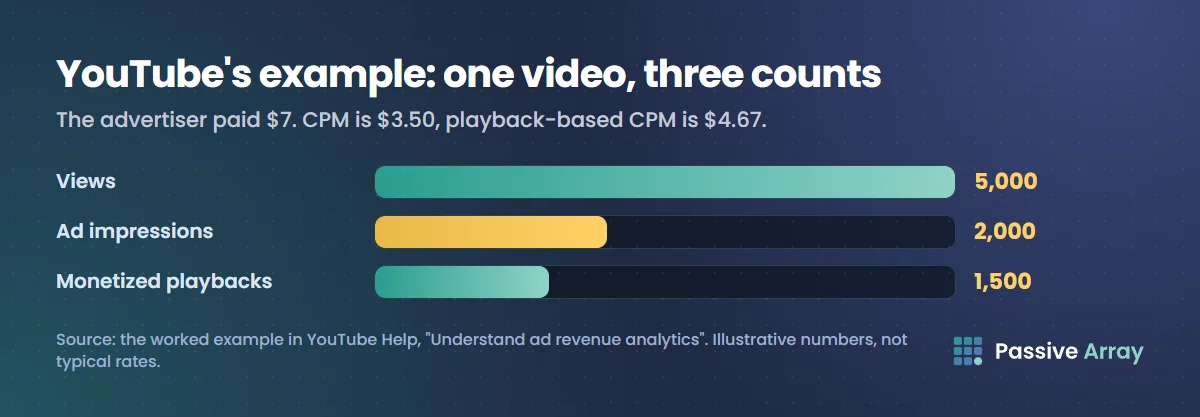
A video gets 5,000 views. Of those, 1,000 views included one ad and 500 views included two ads. That makes:
- 1,500 monetized playbacks (1,000 plus 500 views that had at least one ad)
- 2,000 ad impressions (1,000 single ads plus 500 times two)
The advertiser paid $7 in total. So:
- CPM = $7 / 2,000 x 1,000 = $3.50
- Playback-based CPM = $7 / 1,500 x 1,000 = $4.67
YouTube sums it up this way: "there were 2,000 individual ad impressions, but only 1,500 monetized playbacks."
Extending the example to RPM (hypothetical)
YouTube's example stops at the two CPM figures. To show where RPM lands, we can carry the same numbers one step further. This part is our own arithmetic on YouTube's example, with assumptions we state. It is hypothetical.
Assume all of the ads ran on a public long-form video under the Watch Page Monetization Module, and the video earned nothing from any other source. YouTube's partner earnings page says that under that module "YouTube will pay them 55% of net revenues from ads displayed or streamed on their public videos."
- Advertiser spend: $7.00
- Creator's 55% share: $7.00 x 0.55 = $3.85
- Total views: 5,000
- RPM = $3.85 / 5,000 x 1,000 = $0.77
So in this made-up case the same video shows a $3.50 CPM, a $4.67 playback-based CPM and a $0.77 RPM, all at once. None of the three is wrong. They divide different money by different counts.
The gap has two causes, and YouTube names both. RPM is lower than CPM because it "is calculated after YouTube's revenue share" and because it "includes all views, including ones that weren't monetized." In the example, 3,500 of the 5,000 views showed no ad at all, and those views still sit in the RPM calculation.
Why some views have no ad
In the example, 3,500 views carried no ad. YouTube says you will usually have more views than estimated monetized playbacks, and lists the reasons a view may not have an ad:
- "The video is not advertiser-friendly."
- "Ads are turned off for that video."
- "There isn't an ad available to show to that particular viewer."
- A range of other factors, which YouTube says include the viewer's geography, how recently they have seen an ad and whether they have a Premium subscription.
This is the part of the picture CPM hides. A channel can have a high CPM and still earn little if only a small share of its views are monetized playbacks. Why your YouTube RPM is low goes through the causes one at a time, with a check for each.
Where to find CPM and RPM in YouTube Studio
Revenue metrics only appear for channels that are earning through the Partner Program. YouTube's "Check your YouTube revenue" page gives these steps on a computer:
- Sign in to YouTube Studio.
- In the left menu, select Insights.
- From the top menu, select Revenue.
A note on naming. YouTube's Help pages now call the left menu item Insights, while still calling the product YouTube Analytics. Older guides, including some on this site, say "Analytics" for the same menu.
On the Revenue tab, YouTube lists these reports:
| Report | What YouTube says it shows |
|---|---|
| How much you're earning | "How much your channel has earned in the last 6 months, broken down by month." |
| How you make money | Estimated revenue by source, such as Watch Page Ads, Shorts Feed Ads, Memberships and Supers |
| Content performance | Which content earned the highest estimated revenue. YouTube says this report also includes RPM |
| How much advertisers pay | "Your revenue per 1,000 monetized playbacks where one or more ads show." |
| Earnings by ad type | "Revenue broken down by type of ad, such as skippable video ads, display ads, bumper ads, and non-skippable ads." |
The "How much advertisers pay" card is measured per 1,000 monetized playbacks, which is the playback-based way of counting. Our reading, not a YouTube ruling: this is the card to look at when you want playback-based CPM, and the Content performance report is where to compare RPM across videos.
Two timing points from the same page. "It takes 2 days for revenue to show in YouTube Analytics." And the figures there are estimates: YouTube says finalized earnings in AdSense for YouTube "may be different from your estimated earnings in YouTube Analytics." How and when YouTube pays you covers the step from estimate to payment.
If you want to compare rates across your own topics, YouTube CPM by niche describes how to group your videos and read the difference.
Why CPM goes up and down
YouTube's Help page gives three reasons CPM changes. We keep to those three here, because they are the ones YouTube states.
1. Time of year
YouTube: "Advertisers tend to bid higher or lower depending on the time of year." It gives the period before holidays as a time when bids often rise. YouTube does not publish a seasonal chart or percentages, so anyone showing you an exact figure for the swing is working from their own data.
2. Changes in viewer geography
YouTube: "Advertisers can control which geographies they'd like to reach with their ads." Competition in the ad auction differs by location, so CPM differs by location too. If the share of your views coming from lower-CPM locations grows, your overall CPM can fall, even though nothing about your videos changed.
3. Shifts in available ad formats
YouTube: "Different ad types tend to have different CPMs." Its example is that CPM can rise when more non-skippable ads are available. The "Earnings by ad type" report on the Revenue tab shows this mix for your channel. A separate guide on this site, YouTube ad formats, goes through each format.
Topic is the other factor creators talk about most. YouTube's page does not list it, and YouTube publishes no CPM figures by topic. Our post on CPM by niche covers it, and labels its bands as editorial for that reason.
Is there an average CPM on YouTube?
No official one. YouTube does not publish an average CPM, a CPM by country or a CPM by niche. The figures in the worked example above ($3.50 and $4.67) come from an illustration on a Help page, and should not be read as a benchmark.
What this site does instead is use a range for RPM, the number that reaches the creator. Our money calculator's default range is $0.50 to $4.00 per 1,000 views, which is an estimate you can edit, not a YouTube figure. How much YouTube pays per view explains that range and how to adjust it.
Which number should you watch?
CPM and playback-based CPM tell you what advertisers are paying to appear on your videos. RPM tells you what you earn for every 1,000 views. YouTube is direct about what RPM is for: "RPM helps you understand how effective your monetization is overall." It also calls RPM "a snapshot of the rate at which you're earning money on YouTube."
It is just as direct about RPM's limits. Because RPM blends several revenue sources, it cannot tell you which one moved. And because it divides by all views, it can fall while your income holds steady: if unmonetized views grow and revenue does not, RPM goes down. A falling RPM next to steady or rising total revenue is not a problem. It usually means your videos reached more people than the ads did.
For planning, the formula is the one used across this site:
Estimated earnings = (views / 1,000) x RPM
Use RPM in that formula, never CPM. Multiplying views by CPM counts YouTube's share as yours and treats every view as if it carried an ad. That is a common reason income predictions come out too high.
How to read your own numbers: a checklist
- Open the Revenue tab and note the "How much advertisers pay" figure and your RPM for the same date range.
- Compare the two. YouTube names two reasons RPM is the lower one: the revenue share, and views that were not monetized. A gap that widens while your formats stay the same points to more unmonetized views.
- Check estimated monetized playbacks against views. This shows directly what share of views carried an ad.
- Open "Earnings by ad type". A change in the ad mix is one of YouTube's three stated reasons for CPM moving.
- Compare the same period a year earlier, not only last month. Time of year is on YouTube's list, so month-to-month comparisons mix season in with everything else.
- Look at where your viewers are. A shift in viewer geography is the third stated reason.
- Open "How you make money" before drawing conclusions from RPM. Memberships and Supers can move your revenue without any change in ads.
Can you raise CPM?
Not directly. CPM is set by what advertisers bid, and the three things YouTube says move it are mostly outside a creator's control.
What YouTube does give advice on is RPM: "To improve your RPM you should improve your total revenue." Its suggestions are to turn on monetization for all videos, to turn on mid-roll ads, and to turn on other revenue features such as channel memberships and Super Chat, each of which has its own requirements. Our guides to YouTube channel memberships and how YouTube ad revenue is split cover those in detail.
Sources
- YouTube Help: Understand ad revenue analytics (definitions of RPM, CPM and playback-based CPM, the worked example, why CPM changes, why RPM is lower than CPM, why some views have no ads, what RPM includes and excludes)
- YouTube Help: Check your YouTube revenue (steps to open the Revenue tab, the reports on it, the definition of a monetized playback, the 2-day delay, estimated versus finalized earnings)
- YouTube Help: YouTube partner earnings overview (the 55% share under the Watch Page Monetization Module, used in the hypothetical RPM step)
- YouTube Studio App Help: Get an overview of channel performance (the Insights menu name)
Frequently asked questions
What is CPM on YouTube?
CPM is cost per 1,000 impressions. YouTube defines it as the cost an advertiser pays for 1,000 ad impressions, measured before YouTube takes its revenue share. It tells you what advertisers are spending to show ads on your videos, not what you receive.
What is the difference between CPM and RPM on YouTube?
CPM is the advertiser's cost per 1,000 ad impressions before YouTube's share. RPM is the creator's total revenue per 1,000 views after the share, and it counts every view, including the ones with no ad. YouTube says RPM is lower than CPM for exactly those two reasons.
What is playback-based CPM?
It is the cost an advertiser pays for 1,000 video playbacks where an ad is displayed. One viewing with several ads counts as a single monetized playback, so the same spend is divided by a smaller number. YouTube says playback-based CPM is often higher than CPM.
What is the average CPM on YouTube?
YouTube does not publish one. CPM depends on the time of year, where viewers are and which ad formats are available, so it differs between channels and between months on the same channel. Figures quoted online come from individual creators' dashboards, not from YouTube.
Why is my YouTube CPM so low?
YouTube gives three reasons CPM changes: the time of year, changes in viewer geography and shifts in the ad formats available. If more of your views now come from locations where advertisers compete less, or it is a quieter season for ad spending, CPM falls without anything being wrong with the channel.
Why is my RPM lower than my CPM?
Because RPM is calculated after YouTube's revenue share and it includes all views, including those that were not monetized. CPM only counts ad impressions and is measured before the share. YouTube describes that gap as how the two metrics work, not as a fault.
Where do I find CPM in YouTube Studio?
Sign in to YouTube Studio, select Insights in the left menu and then Revenue in the top menu. The "How much advertisers pay" report shows revenue per 1,000 monetized playbacks, and the Content performance report includes RPM. Revenue takes 2 days to show.