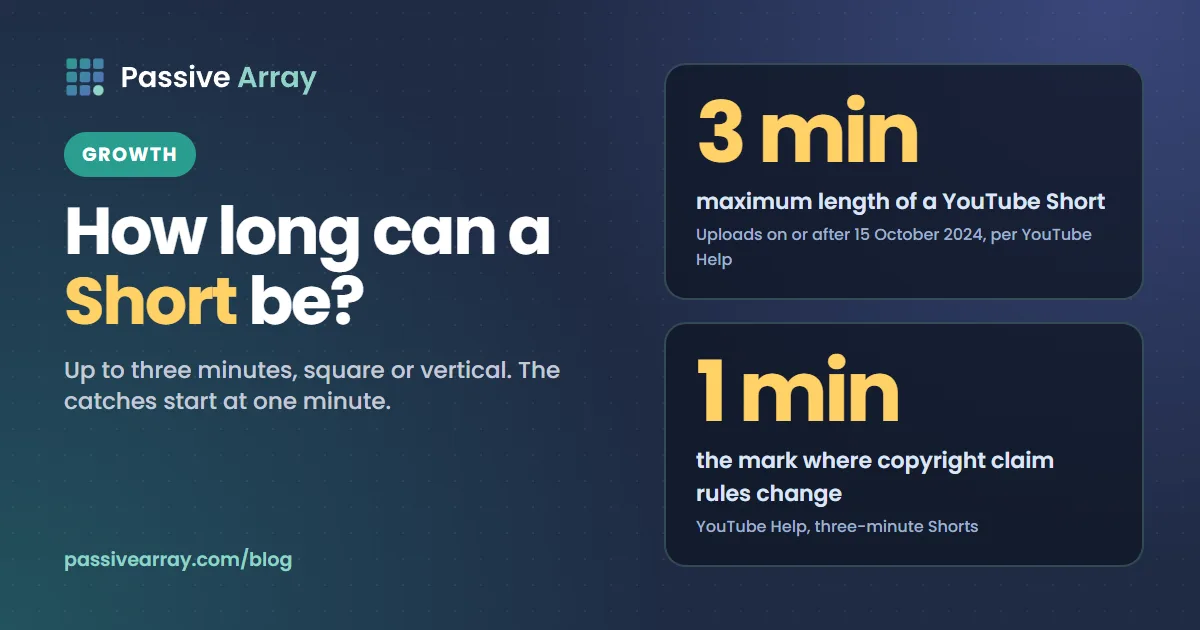
A YouTube Short can be up to 3 minutes long. YouTube's Help Center says: "Any videos uploaded on or after this date with a square or vertical aspect ratio up to three minutes in length will be categorized as Shorts on YouTube." The date is 15 October 2024 for standard channels. Help states no minimum length. The catches are in the details: a Short over one minute is treated differently when it carries a copyright claim, library music does not cover the full three minutes, and a three-minute vertical video earns through the Shorts feed, not as a regular video.
This guide goes through the limit, the aspect-ratio rule, what happened to older videos, and each catch YouTube documents, with the exact wording. If you are planning a longer Short, the free YouTube title generator drafts ten title angles for a topic, each with a character count.
The short answer
| Question | What YouTube Help says |
|---|---|
| Maximum length | "Up to three minutes" |
| Shape | "A square or vertical aspect ratio" |
| From when | Uploads on or after 15 October 2024 (standard channels) |
| Official Artist Channels | Uploads on or after 8 December 2025 |
| Minimum length | None stated |
| Maximum resolution | 1080p |
| Title length | 100 characters maximum |
| Older videos | "Will remain the same, as a long-form video" |
When the limit changed
YouTube's page "Understand three-minute YouTube Shorts" opens with: "You can now create YouTube Shorts up to three minutes in length."
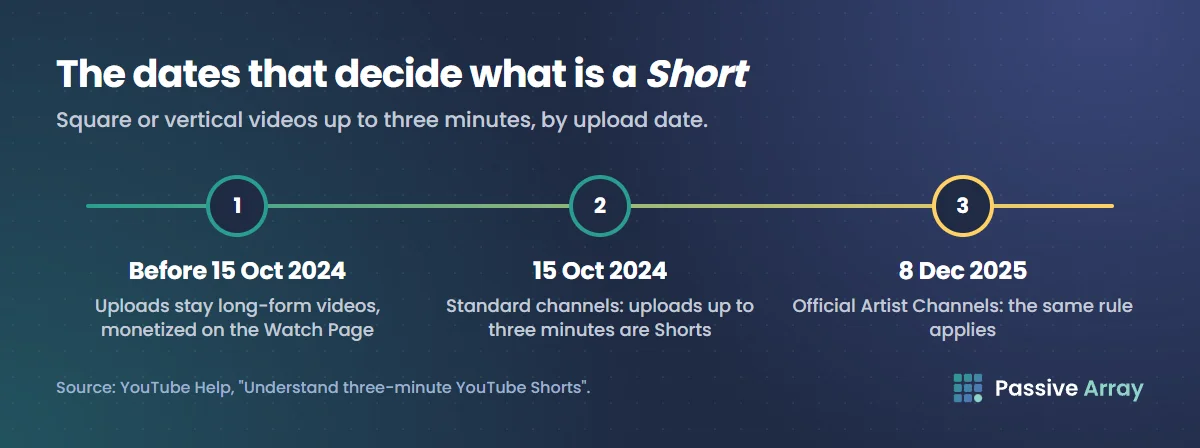
It then sets the cut-off by upload date, separately for two kinds of channel.
Standard YouTube channels. "Videos uploaded after October 15, 2024: Any videos uploaded on or after this date with a square or vertical aspect ratio up to three minutes in length will be categorized as Shorts on YouTube. These videos can be monetized in the Shorts revenue sharing model from the Shorts Feed."
Official Artist Channels. The same rule applies from a later date: "Videos uploaded after December 8, 2025".
What happened to older videos
Nothing. YouTube did not convert the back catalogue: "Videos uploaded before October 15, 2024: Any videos uploaded before this date will remain the same, as a long-form video on YouTube. These videos can continue to be monetized in the long-form revenue sharing mode on the Watch Page."
So a two-minute vertical video you uploaded in early 2024 is still a regular video, with regular analytics and regular monetization. The same video uploaded today would be a Short.
What makes a video a Short
Two conditions, both from the upload page. To upload a Short from a computer, you select a file that is:
- "Up to 3 minutes."
- "With a square or vertical aspect ratio."
YouTube's A/B testing help words it as "square or taller": "Video uploads up to three minutes in length that are square or taller in aspect ratio will be considered a Short."
A horizontal video of any length is a long-form video. So is a vertical video uploaded before 15 October 2024. In the YouTube app, Help says that "for videos longer than 3 minutes" you can "tap Edit into a Short to trim your video to 3 minutes or less."
Help does not list a hashtag as a condition. YouTube Shorts SEO covers titles, hashtags and how Shorts are found.
How to stop a video becoming a Short
You cannot tick a box. YouTube's answer to "Can I prevent my video from being turned into a Short?" is: "If you don't want your content to be classified as Shorts, use a wider aspect ratio such as 16:9 for long-form videos."
So a square or vertical video of up to three minutes will be a Short whether you want that or not. If you want a short tutorial to sit with your regular videos, export it wider than square.
Is there a minimum length?
The Help pages on creating and uploading Shorts state no minimum length for a Short, and none for monetization. The only minimum we found is for one feature: when you use Edit with AI in the Shorts camera, Help says "you can only upload up to 3 minutes in total assets with a minimum of 5 seconds."
What a view requires is a separate question, and length does not come into it. YouTube says: "Views will count the number of times a Short starts to play or replay, with no minimum watch time requirement." So a very short Short still collects views. Whether it earns anything depends on engaged views, covered below.
The catches
Catch 1: a copyright claim on a Short over one minute
This is the catch with the highest stakes, and YouTube's Help pages currently describe it in two different ways.
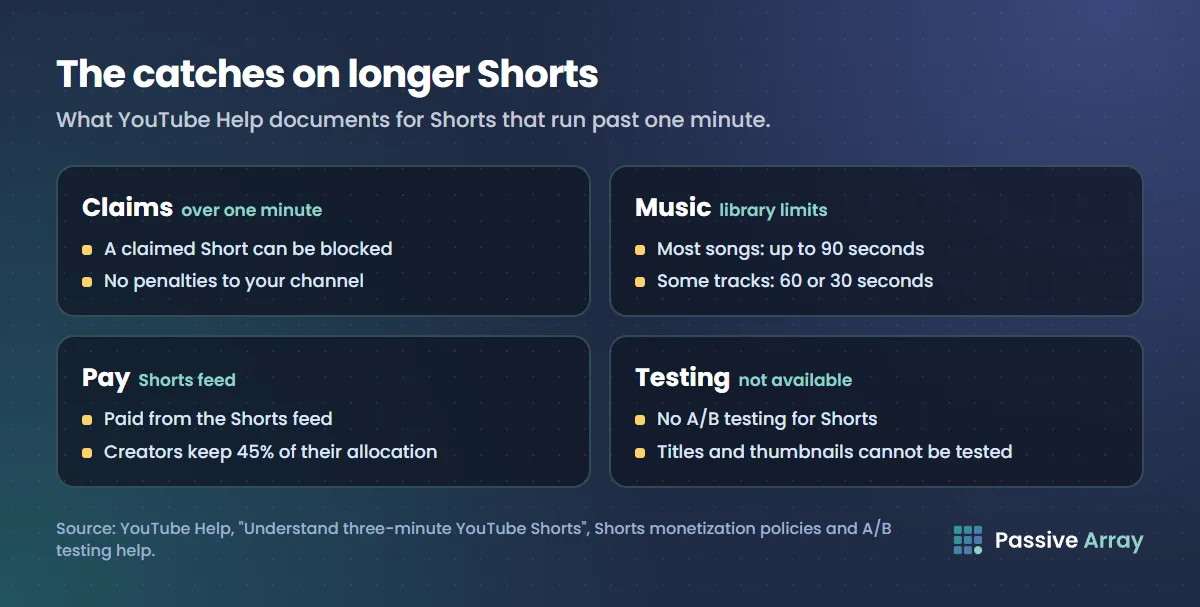
The "Understand three-minute YouTube Shorts" page says: "Any Short that is over one minute in duration with an active copyright claim of any type, including manual claims, will be blocked globally on YouTube. The video will not be playable or recommended on YouTube, and will not be eligible for monetization. There are no penalties to your channel."
The Shorts monetization policies page agrees: "Shorts over one minute in length that contain claimed content are blocked and not eligible for monetization."
But the "Create YouTube Shorts" page carries this note: "Shorts longer than one minute with an active copyright claim will no longer be automatically blocked and may remain playable on YouTube."
All three were on the Help Center when we read them on 15 November 2026. We cannot tell you from Help alone which one reflects how every claim is handled today. What the pages agree on:
- The one-minute mark matters. "There are no changes in limitations for Shorts that are less than one minute in length."
- A blocked Short earns nothing, but "there are no penalties to your channel."
- It can be fixed. "You may remove the claimed content from your videos. If you believe the claim was made in error, you can file a dispute. Once the claim is resolved, your Short will be viewable and eligible for monetization."
Our advice: treat any Short over one minute as if a claim could block it, and use only audio you made or audio from YouTube's own libraries. Copyright claim vs strike explains the difference between the two, and YouTube Content ID explains how claims are made.
Catch 2: library music does not last three minutes
YouTube's answer to "What music can I use?" for standard channels is: "You can use any song available in the Shorts Audio Library. You can use most songs for up to 90 seconds in a 3 minute Short. However, some tracks may be limited to 60 or 30 seconds."
The limit depends on the track. Help says: "Selecting an audio will show you how many seconds the music will cover." So check before you plan an edit around a song.
There is a second option: "You may also use royalty-free music from the YouTube Audio Library. The royalty-free music won't receive a Content ID claim."
One more figure appears on the upload page. In the steps for uploading an existing video from your phone through the YouTube app, a note says: "Audio picked from our library is limited to 15-second clips." Help does not explain how that fits with the 90-second figure, so check what the app shows for the track you pick. Our guide on how to use music in YouTube videos covers the wider rules.
Catch 3: the camera and the app
Help says the Shorts camera lets you "record one or more clips that add up to three minutes", with a progress bar that shows "how many segments you've recorded, and the length of each." In the recording steps it notes: "You can change the duration on the upper-right corner."
Some limits around that:
- Tablets. "The Shorts camera in the YouTube app is not available on tablets right now."
- Uploading from a computer. On a computer you "can choose up to 15 short videos at a time."
- Resolution. "You can upload Short videos with a maximum resolution of 1080p."
Catch 4: a three-minute vertical video is paid as a Short
Before October 2024, a two-minute vertical video was a regular video and earned from ads on the watch page. Now it is a Short, and YouTube says: "Shorts views exclusively receive ad revenue sharing from the Shorts Feed, which is separate from long-form video monetization on the Watch Page."
Under the Shorts model, ad revenue from the feed is pooled and shared by engaged views, and "monetizing creators will keep 45% of their allocated revenue, regardless if music was used or not." Can YouTube Shorts be monetized walks through the pool with YouTube's own worked example, and how much YouTube pays for Shorts explains why the per-view figure is lower than long-form.
So decide before you film. Shoot a two-minute idea vertical and it is a Short, paid from the Shorts pool. Shoot it at 16:9 and it is a regular video. The YouTube money calculator estimates a channel's monthly ad earnings as a range, from its views over the last 30 days.
Catch 5: no A/B testing
YouTube Studio's title and thumbnail testing does not cover Shorts: "A/B testing is not available for Shorts." Our guide to click-through rate on YouTube covers how that testing works on regular videos, and YouTube Shorts thumbnail covers what you can change on a Short.
How length interacts with monetization
Length itself is not a monetization rule. Help says: "Shorts that show up in the Shorts Feed are eligible for monetization and are subject to the YouTube Shorts monetization policies." A 20-second Short and a 3-minute Short are both eligible. What differs is the risk and the counting.
Views that count for money. Public views count every start and replay. Payments do not use that number. Help says: "For the purposes of calculating payments, YouTube uses eligible "Engaged views"." YouTube defines engaged views as "how many times viewers stayed to watch past the initial seconds, not including any loops." A longer Short does not earn more per engaged view under the pool; your share is "based on their share of total engaged views". How YouTube counts views has the full counting rules.
Joining the Partner Program. The Shorts route is "1,000 subscribers with 10 million qualified Shorts views in the last 90 days." The other route is 1,000 subscribers with 4,000 qualified watch hours in the last 12 months, and here length does not help you: "any qualified watch hours from Shorts views in the Shorts Feed won't count towards the 4,000 qualified public watch hours threshold." Three-minute Shorts build watch time, but not the watch hours that count for that route.
From February 2027. The Shorts monetization policies add a monthly condition: "Starting February 1, 2027, to be eligible to earn a share of Shorts ad revenue from the Creator Pool and YouTube Premium revenue for each month, you will need to have at least 10 million qualified Shorts views in the last 90 days." YouTube monetization requirements has the full list of thresholds.
So how long should a Short be?
YouTube Help gives a maximum, not a recommended length. Anyone quoting a "best length" in seconds is giving an opinion.
What Help does give you is a way to find your own answer. In YouTube Analytics, compare your Shorts on "stayed to watch", which is "the percentage of times viewers stayed to watch past the initial seconds of a Short", and on average percentage viewed. If your longer Shorts hold viewers as well as your shorter ones, the length is working.
Our own advice:
- Stay under one minute when you use anything you did not make.
- Check how many seconds a library track covers before you edit around it.
- Decide the shape before you film. Vertical means Short. 16:9 means regular video.
How to grow a YouTube channel with Shorts covers hooks, loops and turning Shorts viewers into subscribers.
A checklist before you upload a longer Short
- It is three minutes or less, and square or vertical
- You want it treated as a Short, with Shorts analytics and Shorts pay
- Any music is from the Shorts Audio Library or the YouTube Audio Library, or is your own
- The track covers the part of the video you need it for
- Nothing in it belongs to someone else without permission
- The resolution is 1080p or lower
Sources
- YouTube Help: Understand three-minute YouTube Shorts (the three-minute limit, the 15 October 2024 and 8 December 2025 dates, older videos, claims over one minute, music limits, keeping a video out of Shorts)
- YouTube Help: Upload YouTube Shorts (up to 3 minutes, square or vertical, 15 files at a time, trimming, the 15-second audio note; computer, Android and iPhone versions read)
- YouTube Help: Create YouTube Shorts (the Shorts camera, tablets, the note that claimed Shorts over one minute are no longer automatically blocked, Edit with AI)
- YouTube Help: Get started creating YouTube Shorts (1080p maximum, 100-character title, how Shorts views are counted)
- YouTube Help: YouTube Shorts monetization policies (blocked Shorts, engaged views for payments, the 45% share, the February 2027 condition)
- YouTube Help: YouTube Partner Program overview and eligibility (the two eligibility routes, Shorts feed watch hours)
- YouTube Help: Music eligibility for YouTube Shorts (music length in three-minute Shorts)
- YouTube Help: A/B test titles and thumbnails ("square or taller", no A/B testing for Shorts)
- YouTube Help: Understand your YouTube content performance (engaged views and stayed to watch definitions)
All pages were read on 15 November 2026.
Frequently asked questions
How long can YouTube Shorts be?
Up to three minutes. YouTube says any video uploaded on or after 15 October 2024 with a square or vertical aspect ratio, up to three minutes in length, is categorized as a Short. For Official Artist Channels the date is 8 December 2025.
How long does a YouTube Short have to be?
YouTube's Help pages on creating and uploading Shorts state a maximum of three minutes and no minimum. A view is counted when a Short starts to play or replays, with no minimum watch time requirement, so there is no length a Short must reach before views count.
Can YouTube Shorts be up to 3 minutes?
Yes. YouTube's help page says you can create Shorts up to three minutes in length. The video must be square or vertical. A horizontal video of the same length is a regular video.
What is the minimum length of YouTube Shorts for monetization?
YouTube states none. Shorts that show up in the Shorts Feed are eligible for monetization under the Shorts monetization policies, and payments are based on engaged views, not on length. The length that matters is one minute, because a Short over one minute with a copyright claim can be blocked and lose monetization.
Can I use music in a 3 minute Short?
Yes, with limits. YouTube says you can use most songs from the Shorts Audio Library for up to 90 seconds in a three-minute Short, and that some tracks are limited to 60 or 30 seconds. Royalty-free music from the YouTube Audio Library is also allowed and will not receive a Content ID claim.
How do I stop a vertical video from becoming a Short?
YouTube's answer is to use a wider aspect ratio such as 16:9. There is no setting to opt out. A square or vertical video of up to three minutes is classified as a Short automatically.