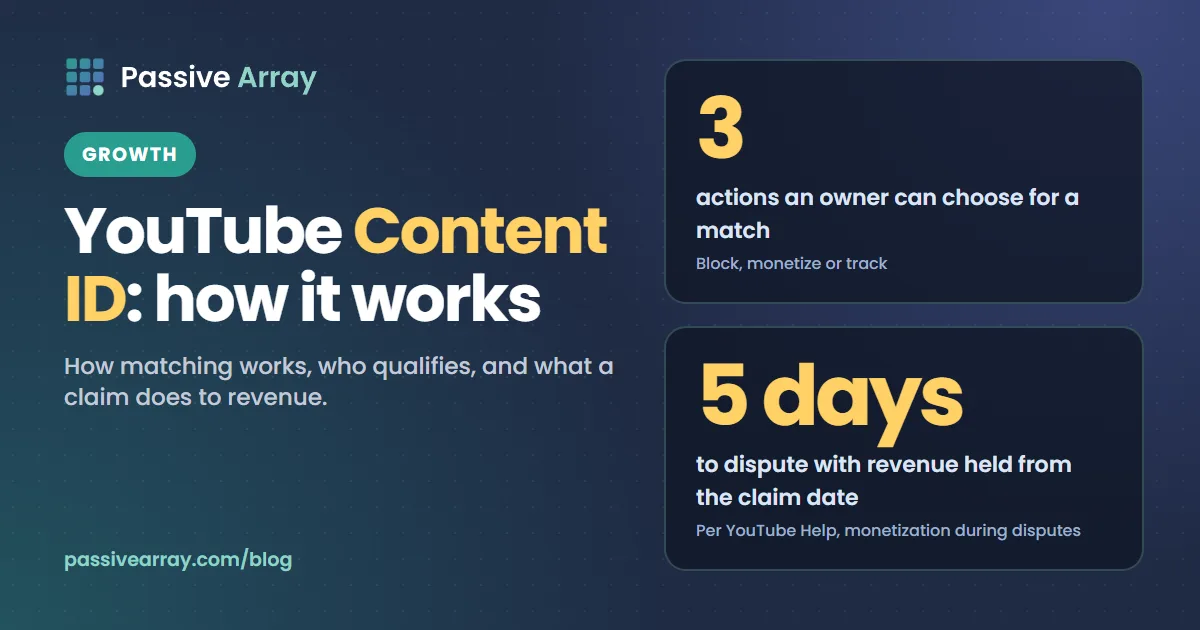
Content ID is YouTube's automated content identification system. Copyright owners give YouTube audio and video files, and every upload is scanned against that database. When part of a video matches, the video gets a Content ID claim, and the owner's setting decides what happens: block the video, monetize it with ads, or track its views. Content ID is not open to everyone. YouTube says owners "must own exclusive rights to a substantial body of original material that is frequently uploaded to YouTube."
This guide explains how matching works as far as YouTube describes it, who qualifies, the other copyright tools YouTube offers, what a claim means for the uploader, and what happens to revenue during a dispute. Claims matter most for channels that earn from ads. To see whether a channel is likely in the Partner Program, the YouTube monetization checker reads its public signals and gives a confidence score. This article is general information, not legal advice.
What Content ID is
YouTube's Help page defines it in one line: "Some copyright owners use Content ID, YouTube's automated content identification system, to easily identify and manage their copyright-protected content on YouTube." It "is designed for copyright owners with the most complex copyright management needs, such as record labels and movie studios."
A Content ID claim is not a legal takedown. A takedown is a "copyright removal request, which is a legal process", and it is what leads to a copyright strike. Our post on copyright claim vs copyright strike compares the two. This guide stays with the system that produces claims.
How Content ID matching works
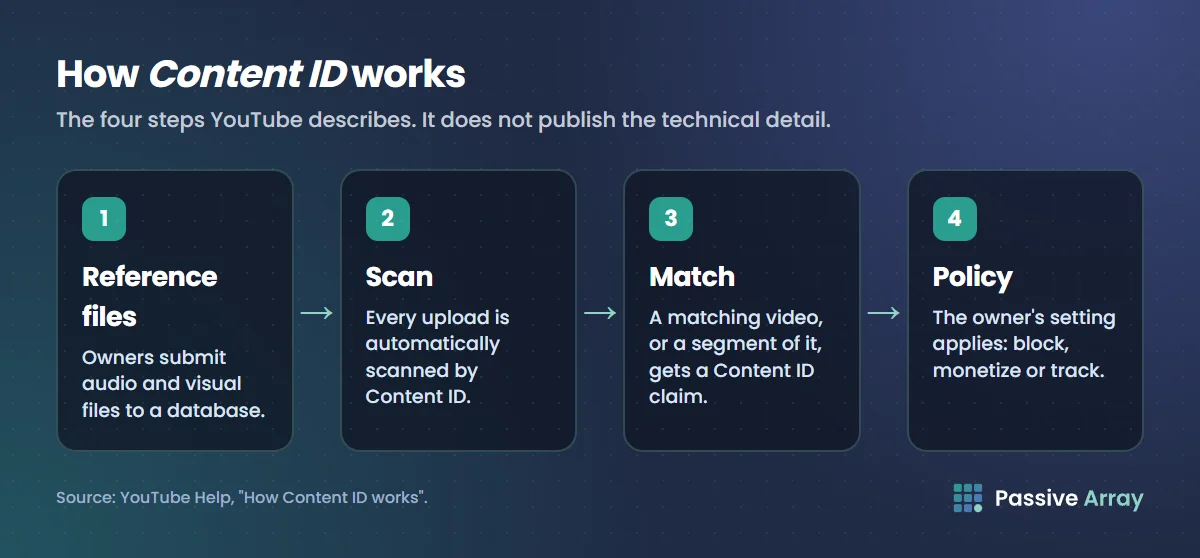
YouTube describes the process in a few plain steps. It does not publish the technical detail, and this guide does not guess at it.
- Owners submit reference files. Content ID uses "a database of audio and visual files submitted by copyright owners."
- Every upload is scanned. "When a video is uploaded to YouTube, it's automatically scanned by Content ID."
- A match creates a claim. "If Content ID finds a match, the matching video will get a Content ID claim." A match can be on a whole video or a "segment of a video".
- The owner's policy applies. The result depends on "the copyright owner's Content ID settings".
What YouTube says about matches
- Audio and video are both matched. A claim can be for a song under your footage or for the footage itself.
- One video can have several claims. "You can get claims from different copyright claimants for different segments of your video."
- Scanning starts before you publish. The Checks page in the upload flow "searches for copyrighted content in your video", so you can see a match before the video is public.
- Live streams are scanned too. "All live streams are scanned for matches to third-party content", and "Content ID claims are only made after you complete your live streams, if you decide to archive the video."
- Not every claim is automatic. A Manual Claiming tool "gives copyright claimants a way to manually claim videos not matched by Content ID." These claims "must have accurate timestamps so creators know exactly what content is being claimed."
What Content ID cannot know
The system matches files. It does not read contracts or judge context.
- It does not know about a licence. Content ID "doesn't know if you bought the rights to the music on other websites or offline."
- It ignores what you write. "Content ID doesn't take into account your written descriptions of "free" music."
- It cannot judge fair use. "Automated systems like Content ID can't decide fair use because it's a subjective, case-by-case decision that only courts can make."
That is why a claim can land on a video you have every right to publish, and why a dispute process exists. It is also why trying to "beat" Content ID is pointless. Altering copied material does not give you rights to it, and manual claims and removal requests exist for what the scan misses. How to avoid copyright on YouTube covers what you can safely use.
What an owner can do with a match
YouTube lists three actions.
| Policy | YouTube's wording | What the uploader sees |
|---|---|---|
| Block | "Blocks a video from being viewed" | The video is unavailable, worldwide or in some countries |
| Monetize | "Monetizes the video by running ads against it and sometimes sharing revenue with the uploader" | The video stays up; ad revenue goes to the claimant, or is shared where offered |
| Track | "Tracks the video's viewership statistics" | The video stays up; the owner sees its statistics |
The policy can differ by place: "a video can be monetized in one country/region and blocked or tracked in a different country/region."
Three more details from YouTube's pages:
- Monetize is the usual choice for music. It is "the most common policy applied to music claims."
- Policies can change later. "Copyright holders can change their policies and issue copyright takedown notices under certain circumstances. Your video's status could change in the future and may even be removed from YouTube."
- Long Shorts are treated differently. For Shorts of one to three minutes, "claimed videos will be blocked if there is an active claim applied, regardless of policy." YouTube adds: "There are no penalties to your channel."
Who can use Content ID
Not every copyright owner can. YouTube says "Content ID is available to copyright owners who meet specific criteria."
- Exclusive rights. "Copyright owners must have the exclusive rights to the material that's evaluated."
- A substantial body of work that is often uploaded. This is the line quoted at the top of this guide.
- Evidence and need. Eligibility "includes whether the copyright owner's content can be claimed through Content ID and their demonstrated need."
YouTube lists "common examples of items that may not be exclusive to individuals":
- "mashups, "best of"s, compilations, and remixes of other works"
- "video gameplay, software visuals, trailers"
- "unlicensed music and video"
- "music or video that was licensed, but without exclusivity"
- "recordings of performances (including concerts, events, speeches, shows)"
So a gaming channel cannot use its gameplay as reference content, and a producer who licenses the same beat to many buyers without exclusivity cannot use that beat either. That is our reading of the list.
An approved owner signs an agreement that "will explicitly state that only content with exclusive rights can be used for reference." Use is monitored: "Copyright claimants who repeatedly make erroneous Content ID claims can have their Content ID access disabled and their partnership with YouTube terminated."
Getting in through a service provider
YouTube notes: "Many copyright owners prefer to use a third-party service provider to manage their rights using Content ID. These Content ID service providers act on behalf of copyright owners for a fee." It keeps a directory of them.
For musicians this normally means a distributor or label, a route covered in how much YouTube pays musicians. Multi-channel networks may offer rights management too, as described in what a YouTube MCN is.
YouTube's other copyright tools, and who gets each
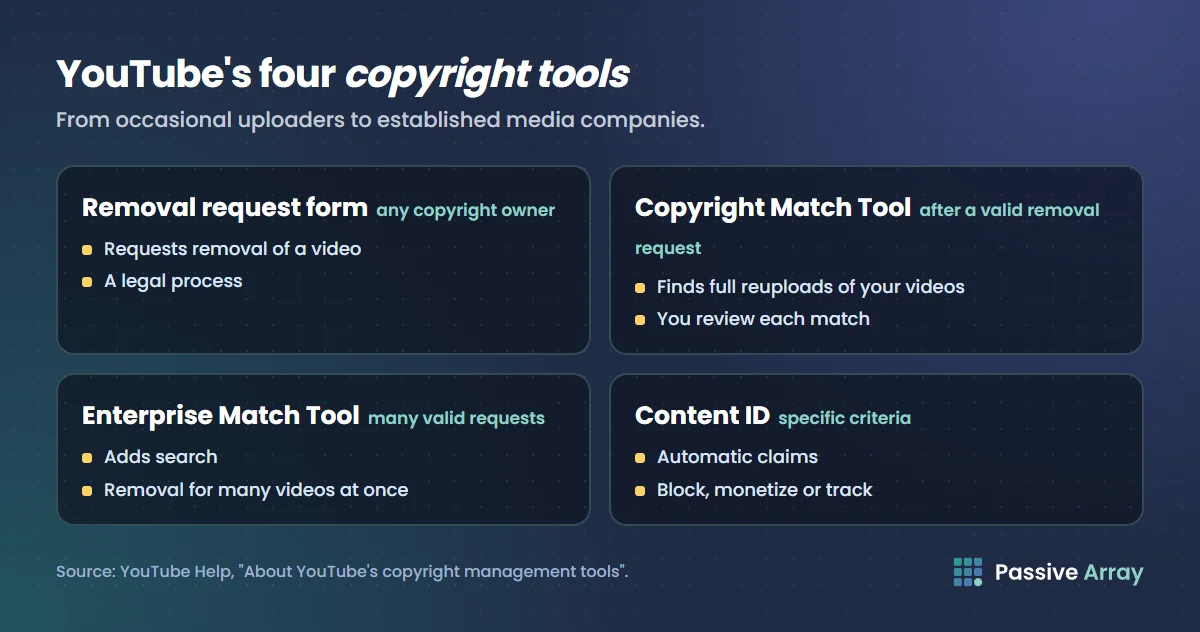
Content ID is one of four tools. YouTube says they "are designed for different types of creators, from occasional uploaders to established media companies."
| Tool | Who gets it | What it does |
|---|---|---|
| Copyright removal request form | "Any copyright owner" | Requests removal of a video, "which is a legal process" |
| Copyright Match Tool | "Any channel that's filled out a valid copyright removal request", or the access form | Finds "full reuploads of your videos on other YouTube channels" |
| Enterprise Copyright Match Tool | Owners who "have previously submitted many valid copyright removal requests" | Adds search, and removal requests "for many videos at once" |
| Content ID | Owners who meet the criteria above | Automatic claims with block, monetize or track |
The Copyright Match Tool
For a creator whose own videos get reuploaded, this is the tool within reach. YouTube says it "uses the same matching technology as Content ID, but is easier to manage and requires fewer resources."
- It "scans videos uploaded after yours, so it's important you're the first one to upload the content to YouTube."
- It is "meant to find full or nearly-full matches". "If someone used a short clip of your video, it may not be surfaced."
- For each match you can archive it, request removal, or contact the channel.
- "For channels in the YouTube Partner Program (YPP), the tool is available on the Copyright page in YouTube Studio."
Unlike Content ID, it does not create claims or move revenue. You review each match and decide. YouTube reminds owners that "just because we've found a matching video doesn't mean it's infringing on your copyright."
How to ask for more access
Owners fill in a form about their copyright management needs. YouTube then emails a recommendation based on:
- "How often you upload videos"
- "How often your videos are reuploaded"
- "Whether you manage channels on behalf of a company"
- "Your history of submitting copyright removal requests through the YouTube studio form"
What a Content ID claim means for the uploader
In brief, because the other guides cover it in depth:
- It is not a strike. "Does my channel get a copyright strike if my video has a copyright claim? No."
- It is usually not trouble. "Am I in trouble if my video has a copyright claim? Probably not." Owners "often allow their content to be used in claimed videos in exchange for running ads on those videos."
- You have options. Leave the claim, remove the claimed content by trimming, erasing or replacing the song, share revenue where offered, or dispute. The steps are in how to avoid copyright on YouTube.
Who decides a dispute
The claimant does, at both stages. YouTube explains why: "The initial dispute and the appeal are reviewed by the claimant because YouTube can't make ownership determinations. YouTube doesn't know what content was properly licensed and can't determine what qualifies for exceptions to copyright, such as fair use or fair dealing."
The process has a built-in check. After a dispute, the claimant has 30 days to respond. If the claim is reinstated and you appeal, the claimant has 7 days, and to keep the video down "they're required to submit a copyright removal request (a legal process)". "After that, if you decide to submit a counter notification, the claimant is then required to file a lawsuit to keep your video down."
That is also the risk: a valid removal request brings a copyright strike.
Revenue during a Content ID dispute
Waiting can cost money here. YouTube's rule: "Videos can earn money during a copyright claim dispute if both the video creator and the copyright claimant want to monetize the video."
The timing depends on a 5-day window from the claim date.
| What you do | What happens to revenue |
|---|---|
| Nothing | "After 5 days from the claim date, any held revenue is released to the claimant." |
| Dispute within 5 days | "Ads will continue to run. All revenue the video earns will be held while the claimant reviews your dispute." It is held "starting with the first day the claim was placed." |
| Dispute after 5 days | "Revenue from the date the dispute is made will be held." |
The same three rules apply again at the appeal stage. "Throughout the dispute process, the revenue will be held separately and, once the dispute is resolved, we'll pay it out to the appropriate party."
Analytics goes quiet in the meantime. "Revenue data for the video won't show in YouTube Analytics" while a claim is disputed or appealed, and it is added later if the claim is released. YouTube's example: a claim disputed on July 12 and resolved in the creator's favour on August 6 shows its revenue data "between September 10 and September 20."
To judge what a dispute is worth, it helps to know roughly what the channel earns. The YouTube money calculator estimates monthly ad earnings from recent views as a range, and YouTube ad revenue explained shows how that revenue is built. Both describe the whole channel, not one claimed video.
When a claim shares revenue instead of taking it
"Monetize" does not always mean the uploader gets nothing. Two cases are documented:
- Cover songs. Partner Program creators "can share revenue from eligible cover song videos on YouTube, once music publisher owners claim those videos."
- Creator Music revenue-sharing tracks. Using an eligible track splits the video's revenue with the track's rights holders.
Both are covered in how to use music in YouTube videos.
Content ID and Shorts
Shorts earn from a pooled model, and music is the only third-party content that changes the pool. YouTube's Shorts policy says "no other category of third-party content will be credited as making a contribution to a Short at this time, even when a Content ID monetize policy is set on that content." Can YouTube Shorts be monetized explains the pool.
What about the numbers?
YouTube publishes a Copyright Transparency Report, and its fair use page points readers there "for more info on how we process copyright removal requests". We could not load the report's data when writing this guide, so this article quotes no totals or percentages from it.
Sources
- YouTube Help: How Content ID works (definition, the three actions, who uses it, misuse)
- YouTube Help: Qualify for Content ID (exclusive rights, examples, the agreement)
- YouTube Help: About YouTube's copyright management tools (the four tools, access, service providers)
- YouTube Help: Learn about the Copyright Match Tool and Use the Copyright Match Tool
- YouTube Help: Learn about copyright claims (what a claim does, long Shorts, manual claims)
- YouTube Help: Monetization during copyright claim disputes (the 5-day window, held revenue, Analytics)
- YouTube Help: Dispute a copyright claim and Appeal a copyright claim (30 and 7 days, who reviews)
- YouTube Help: Restrictions on claimed music and Copyright issues with live streams
- YouTube Help: Upload YouTube videos, Fair use on YouTube and Tips to find safe music (Checks, and what Content ID cannot know)
- YouTube Help: Monetizing eligible cover videos, Understand three-minute YouTube Shorts and YouTube Shorts monetization policies
Frequently asked questions
What is YouTube Content ID?
Content ID is YouTube's automated content identification system. Copyright owners submit audio and video files to a database, YouTube scans every upload against it, and a match puts a Content ID claim on the video. The owner then chooses whether the video is blocked, monetized with ads or simply tracked.
How does YouTube Content ID work?
Owners supply reference files, uploads are scanned automatically, and when a video or a segment of it matches, the owner's chosen policy is applied. The policy can differ from one country to another. YouTube does not publish the technical details of the matching.
What is a Content ID claim?
It is a notice that part of your video matched a copyright owner's reference file. It is not a strike and usually does not affect your channel. Depending on the owner's settings it can block the video, send its ad revenue to the owner, or only share the video's statistics with them.
Who can use Content ID?
Copyright owners who hold exclusive rights to a substantial body of original material that is frequently uploaded to YouTube, and who can show evidence and need. Compilations, gameplay, non-exclusive licences and recordings of performances are listed as examples that may not qualify. Some owners go through a Content ID service provider instead.
How do I get Content ID for my channel?
You fill in YouTube's form about your copyright management needs, and YouTube recommends a tool based on how often you upload, how often your videos are reuploaded and your history of removal requests. The tool built for creators whose videos get reuploaded is the Copyright Match Tool.
What happens to revenue during a Content ID dispute?
It is held separately and paid to the appropriate party when the dispute is resolved. If you dispute within 5 days of the claim, revenue is held from the day the claim was placed. If you dispute later, it is held only from the date of the dispute, and if you do nothing, held revenue is released to the claimant after 5 days.